
Introduction and Overview
The OMRON X3 Comfort is an advanced arm blood pressure monitor designed for accurate and reliable home blood pressure measurement. This device features the unique Intelli Wrap Cuff technology, ensuring 360-degree accuracy regardless of how the cuff is positioned around the upper arm. It is clinically validated and includes detection for irregular heartbeats, providing comprehensive health monitoring.
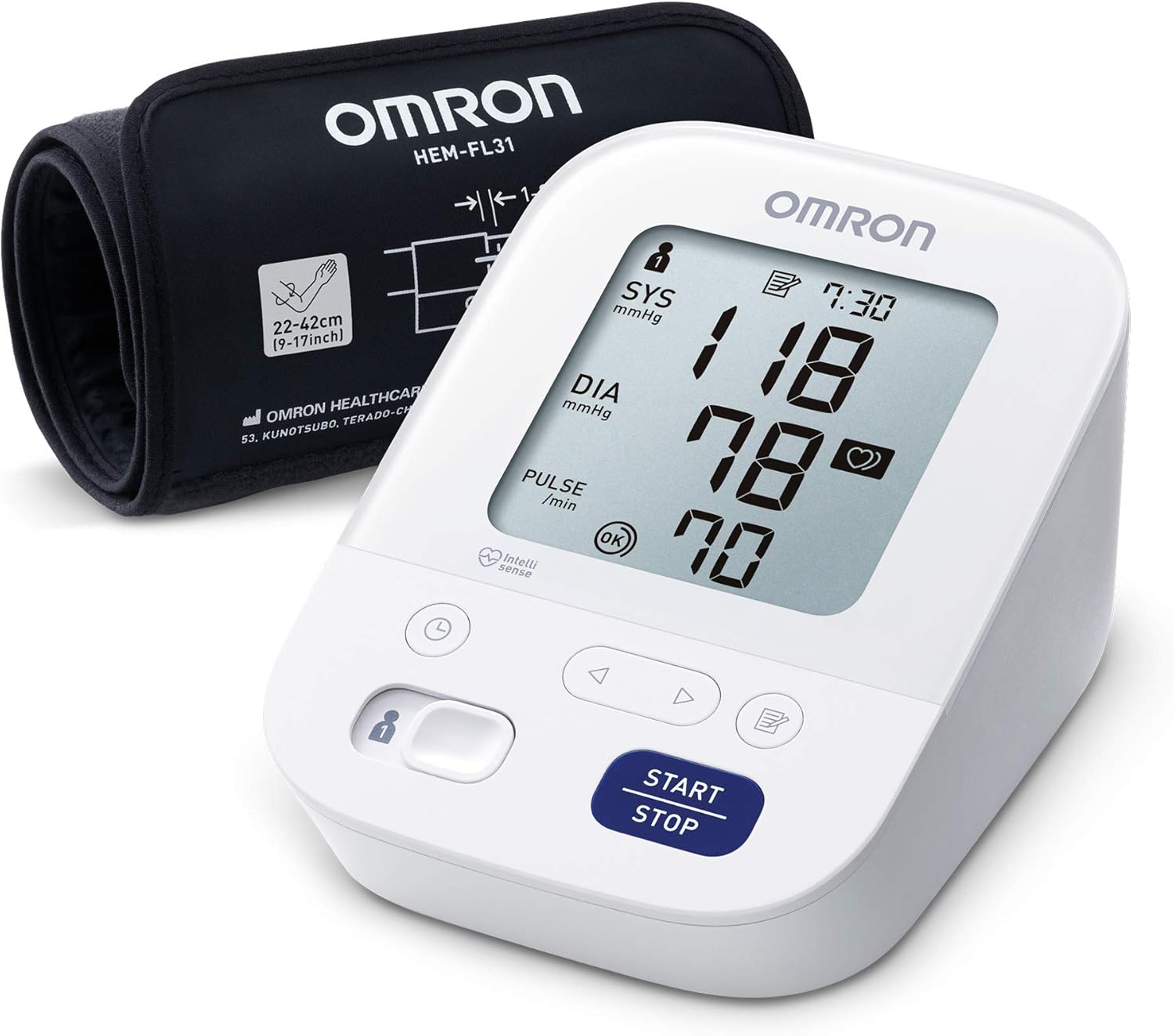
Image: The OMRON X3 Comfort Blood Pressure Monitor, showing the main unit and the Intelli Wrap Cuff.
Key features of the OMRON X3 Comfort include:
- Intelli Wrap Cuff Technology: Ensures accurate readings from any position around the upper arm.
- Irregular Heartbeat Detection: Alerts the user to potential arrhythmias during measurement.
- Clinically Validated: Provides reliable results comparable to those obtained in a clinical setting.
- Two User Memory: Stores up to 60 measurements for two different users, allowing for long-term tracking.
- IntelliSense Technology: Automatically applies the right amount of pressure for a fast, comfortable, and accurate measurement.

Image: A visual summary of the OMRON X3 Comfort's key features, including clinical validation, irregular heartbeat detection, cuff wrap guide, IntelliSense technology, and a 5-year guarantee.
Setup
Before using your OMRON X3 Comfort Blood Pressure Monitor, please follow these steps to ensure proper setup.
1. Unpacking and Contents Check
Carefully remove all components from the packaging. Verify that all items are present:
- OMRON X3 Comfort Blood Pressure Monitor Unit
- Intelli Wrap Cuff (22-42 cm)
- Storage Case
- 4 AA Batteries
- Instruction Manual (this document)
- Blood Pressure Pass (tracking log)

Image: The complete set of items included with the OMRON X3 Comfort, showing the main unit, cuff, storage case, and other accessories.
2. Battery Installation
- Open the battery compartment cover on the back of the monitor.
- Insert the four AA batteries, ensuring the correct polarity (+/-) as indicated inside the compartment.
- Close the battery compartment cover securely.
3. Connecting the Air Tube
Insert the air plug of the cuff firmly into the air jack on the left side of the monitor until it clicks into place.
Operating Instructions
Follow these instructions for accurate blood pressure measurement.
1. Applying the Intelli Wrap Cuff
The Intelli Wrap Cuff is designed for easy and accurate application. It can be wrapped around the upper arm in any direction, ensuring 360-degree accuracy.
- Sit comfortably with your back supported and feet flat on the floor.
- Place the cuff on your left upper arm, approximately 1-2 cm above your elbow. Ensure the air tube runs down the inside of your arm.
- Wrap the cuff firmly around your arm, making sure it is snug but not too tight. The cuff should be at the same level as your heart.

Image: A diagram illustrating the 360-degree accuracy of the Intelli Wrap Cuff, showing it can be applied in any orientation around the arm.

Image: A man demonstrating the application of the OMRON Intelli Wrap Cuff to his upper arm, highlighting its ease of use.
2. Proper Measurement Posture and Conditions
For the most accurate readings, observe the following conditions:
- Use a clinically validated arm blood pressure monitor.
- Ensure the room is quiet and at a comfortable temperature.
- Do not smoke, consume caffeine or food, or exercise for 30 minutes before the measurement.
- Rest for 3 to 5 minutes before taking a measurement.
- Do not talk during the measurement.
- Sit comfortably, supporting your back and arm.
- Keep your legs uncrossed and feet flat on the floor.
- Place the cuff at the same level as your heart.
- Take two readings with a 1-minute interval and average them.

Image: A detailed diagram illustrating the correct posture and environmental conditions for taking an accurate blood pressure reading with the OMRON monitor.
3. Taking a Measurement
- Press the START/STOP button. The cuff will begin to inflate automatically.
- Remain still and quiet during the measurement.
- Once the measurement is complete, the cuff will deflate, and your systolic pressure (SYS), diastolic pressure (DIA), and pulse rate will be displayed on the screen.
- If an irregular heartbeat is detected, a corresponding symbol will appear on the display.
- Press the START/STOP button again to turn off the monitor. The measurement will be automatically stored in memory.

Image: A close-up of a hand pressing the START/STOP button on the OMRON X3 Comfort monitor to initiate a blood pressure measurement.
4. Memory Function
The OMRON X3 Comfort can store up to 60 measurements for two individual users (User 1 and User 2). To switch between users or view past readings:
- To select a user, press the User ID button (usually indicated by a person icon) before starting a measurement.
- To view stored measurements, press the Memory button (usually indicated by a book or memory icon). Use the arrow buttons to navigate through past readings.
Maintenance
Proper maintenance ensures the longevity and accuracy of your blood pressure monitor.
1. Cleaning the Monitor and Cuff
- Wipe the monitor and cuff with a soft, dry cloth.
- If necessary, use a soft cloth dampened with water and a mild soap. Do not use abrasive cleaners or solvents.
- Do not wash the cuff or immerse the monitor in water.
2. Storage
- Store the monitor and cuff in the provided storage case when not in use.
- Keep the device in a clean, dry place, away from direct sunlight, extreme temperatures, and humidity.
- Avoid storing the device in places where it may be exposed to strong vibrations or shocks.
3. Battery Replacement
When the battery indicator appears on the display, replace all four AA batteries with new ones. Do not mix old and new batteries or different types of batteries.
Troubleshooting
If you encounter any issues with your OMRON X3 Comfort, refer to the table below for common problems and their solutions.
| Problem | Possible Cause | Solution |
|---|---|---|
| No display when powered on. | Batteries are dead or incorrectly inserted. | Replace batteries with new ones, ensuring correct polarity. |
| "E" or Error symbol displayed. | Cuff not applied correctly, movement during measurement, or air leakage. | Reapply the cuff correctly, remain still, and check for proper air tube connection. |
| Inaccurate or inconsistent readings. | Improper posture, talking during measurement, or cuff size mismatch. | Review "Proper Measurement Posture and Conditions" section. Ensure cuff fits your arm circumference. |
| Irregular Heartbeat symbol appears frequently. | Indicates potential irregular heart rhythm. | Consult your doctor for interpretation of these readings. |
If the problem persists after trying these solutions, please contact Omron Customer Support.
Specifications
Detailed technical specifications for the OMRON X3 Comfort Blood Pressure Monitor.
| Specification | Value |
|---|---|
| Product Name | X3 Comfort Arm Blood Pressure Monitor Intelli Wrap Technology |
| Model Number | HEM-7155-EO |
| Power Source | 4 AA Batteries (included) |
| Cuff Size | 22-42 cm (Intelli Wrap Cuff) |
| Display Type | LCD Digital Display |
| Memory | 60 measurements for 2 users |
| Dimensions (L x W x H) | 15.2 x 8.5 x 10.5 cm |
| Weight | 310 grams (excluding batteries) |
| Country of Origin | Vietnam |
Warranty and Support
OMRON Healthcare stands behind the quality of its products.
Warranty Information
The OMRON X3 Comfort Blood Pressure Monitor comes with a 5-year guarantee from the date of purchase. This warranty covers defects in materials and workmanship under normal use. Please retain your proof of purchase for warranty claims.
Customer Support
For technical assistance, warranty claims, or any other inquiries, please visit the official Omron Healthcare website or contact their customer support line. Specific contact details can usually be found in the packaging or on the Omron Healthcare website for your region.
You can also visit the Omron Brand Store on Amazon for more information and related products.


