
Product Overview
The Monster Bluetooth Audio Receiver (Model WBA9-1008-BLK) is designed to wirelessly stream audio from your smartphone or tablet to any device with a 3.5mm AUX input. This compact adapter enhances your car, home stereo, headphones, or speakers with Bluetooth connectivity, enabling hands-free calls and voice assistant integration.

Image: The Monster Bluetooth Audio Receiver shown alongside its retail packaging, highlighting its compact design and key features.
Package Contents
- Monster Bluetooth Audio Receiver
- 3.5mm AUX Cable
- Micro-USB Charging Cable
Device Layout

Image: A detailed diagram of the Monster Bluetooth Audio Receiver, indicating the Multi-Function Button (MFB), Microphone, Micro USB Port for Charging, 3.5mm Aux Port, LED Indicator, and On/Off Power Button.
- Multi-Function Button (MFB): Used for play/pause, answer/hang up calls, redial, and voice assistant activation.
- Microphone: Built-in for hands-free calling.
- Micro USB Port: For charging the device.
- 3.5mm Aux Port: Connects to your audio system's AUX input.
- LED Indicator: Displays device status (pairing, connected, charging).
- On/Off Power Button: To power the device on or off.
Setup Guide
1. Charging the Device
Before first use, fully charge the Bluetooth Audio Receiver. Connect the supplied Micro-USB charging cable to the receiver's Micro USB Port and the other end to a USB power source (e.g., car charger, wall adapter, computer USB port). The LED indicator will show charging status and turn off when fully charged.
2. Connecting to Your Audio System
Plug the 3.5mm AUX cable into the 3.5mm Aux Port on the receiver. Then, plug the other end of the 3.5mm AUX cable into the AUX input of your car stereo, home stereo, headphones, or speakers.

Image: The Monster Bluetooth Audio Receiver plugged into the AUX input of a car's dashboard, demonstrating a typical installation scenario.
3. Powering On/Off
- To Power On: Press and hold the On/Off Power Button until the LED indicator flashes. You will hear an audible prompt "Power On".
- To Power Off: Press and hold the On/Off Power Button until the LED indicator turns off. You will hear an audible prompt "Power Off".
4. Bluetooth Pairing
- Ensure the receiver is powered on and the LED indicator is flashing, indicating it is in pairing mode. You will hear "Ready to Pair".
- On your smartphone or Bluetooth-enabled device, go to the Bluetooth settings.
- Search for new devices and select "Monster BT Receiver" (or similar name) from the list.
- Once connected, the LED indicator will stop flashing and remain solid, and you will hear "Bluetooth Connected".
Operating Instructions
Audio Playback
- Play/Pause: Press the Multi-Function Button (MFB) once.
- Control volume and track selection directly from your connected device.

Image: The Monster Bluetooth Audio Receiver shown in a car environment, illustrating its use for streaming music wirelessly.
Hands-Free Calling
The built-in microphone allows for clear hands-free communication.
- Answer Call: Press the MFB once when a call comes in.
- End Call: Press the MFB once during a call.
- Redial Last Number: Double-press the MFB.

Image: A person in a car using the Monster Bluetooth Audio Receiver for hands-free communication, demonstrating the convenience of its built-in microphone.
Voice Assistant Activation (Siri/Google Assistant)
Activate your smartphone's voice assistant for navigation, calls, texts, and music playback.
- Activate Voice Assistant: Long press the MFB.

Image: A driver interacting with a voice assistant (Siri or Google Assistant) through the Monster Bluetooth Audio Receiver, illustrating its capability for voice commands.
Connecting Two Devices Simultaneously
The receiver supports connecting two Bluetooth devices at the same time, allowing for shared control of music or hands-free talking.
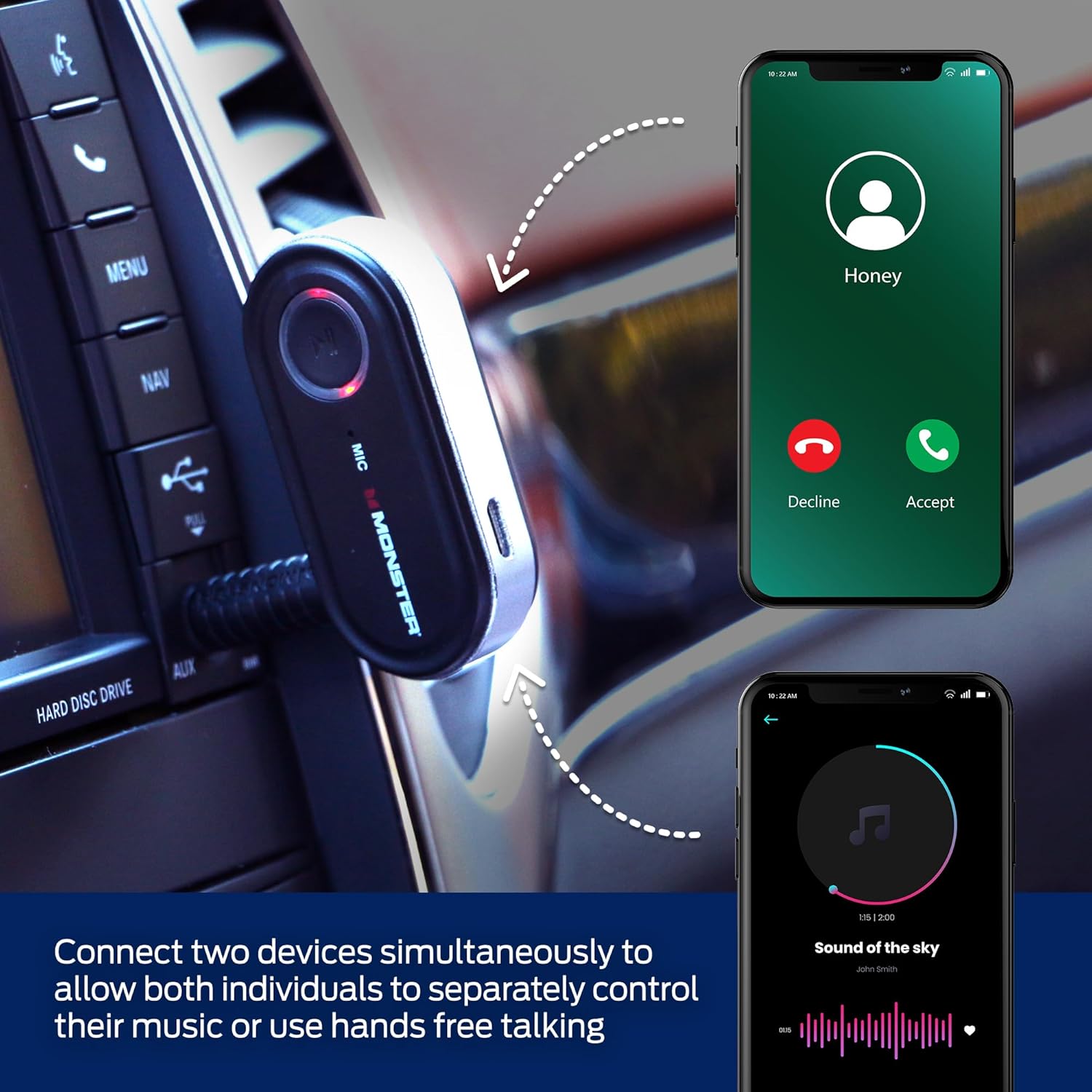
Image: A visual representation showing two smartphones simultaneously connected to the Monster Bluetooth Audio Receiver, indicating its multi-device pairing capability for shared audio or calls.
Maintenance
Cleaning
Wipe the device with a soft, dry cloth. Do not use harsh chemicals or abrasive cleaners.
Battery Care
- Avoid exposing the device to extreme temperatures.
- Charge the device regularly, even if not in frequent use, to maintain battery health.
Troubleshooting
| Problem | Solution |
|---|---|
| Device does not power on. | Ensure the device is fully charged. Connect it to a power source using the Micro-USB cable. |
| Cannot pair with Bluetooth device. |
|
| No audio output. |
|
| Poor sound quality or static. |
|
Safety Information
Refer to the product's safety information for important guidelines:
- Battery: Do not expose to excessive heat or moisture. Keep away from open flames and hot surfaces.
- Interference: This device may interfere with other wireless devices. Follow manufacturer's guidelines to minimize interference.
Specifications
| Feature | Detail |
|---|---|
| Model Number | WBA9-1008-BLK |
| Product Dimensions | 7 x 7 x 2 inches |
| Item Weight | 2.39 ounces |
| Connectivity Technology | Bluetooth, Auxiliary |
| Power Source | Battery Powered |
| Color | Black |
| Manufacturer | XTREME |
Warranty and Support
Specific warranty information for the Monster Bluetooth Audio Receiver (Model WBA9-1008-BLK) is not provided in this manual. For detailed warranty terms, technical support, or customer service inquiries, please contact the manufacturer, XTREME DIGITAL LIFESTYLE ACCESSORIES, directly through their official website or customer support channels.
You may also refer to the product listing on Amazon for any available warranty details or contact the seller, AllTech 365, for assistance.


