
Casio LTP-VT01D-2BUDF
Casio Enticer Analog Watch User Manual
Model: LTP-VT01D-2BUDF
Introduction
This manual provides essential instructions for the proper use and care of your Casio Enticer Analog Watch, model LTP-VT01D-2BUDF. Please read this manual thoroughly to ensure optimal performance and longevity of your timepiece.
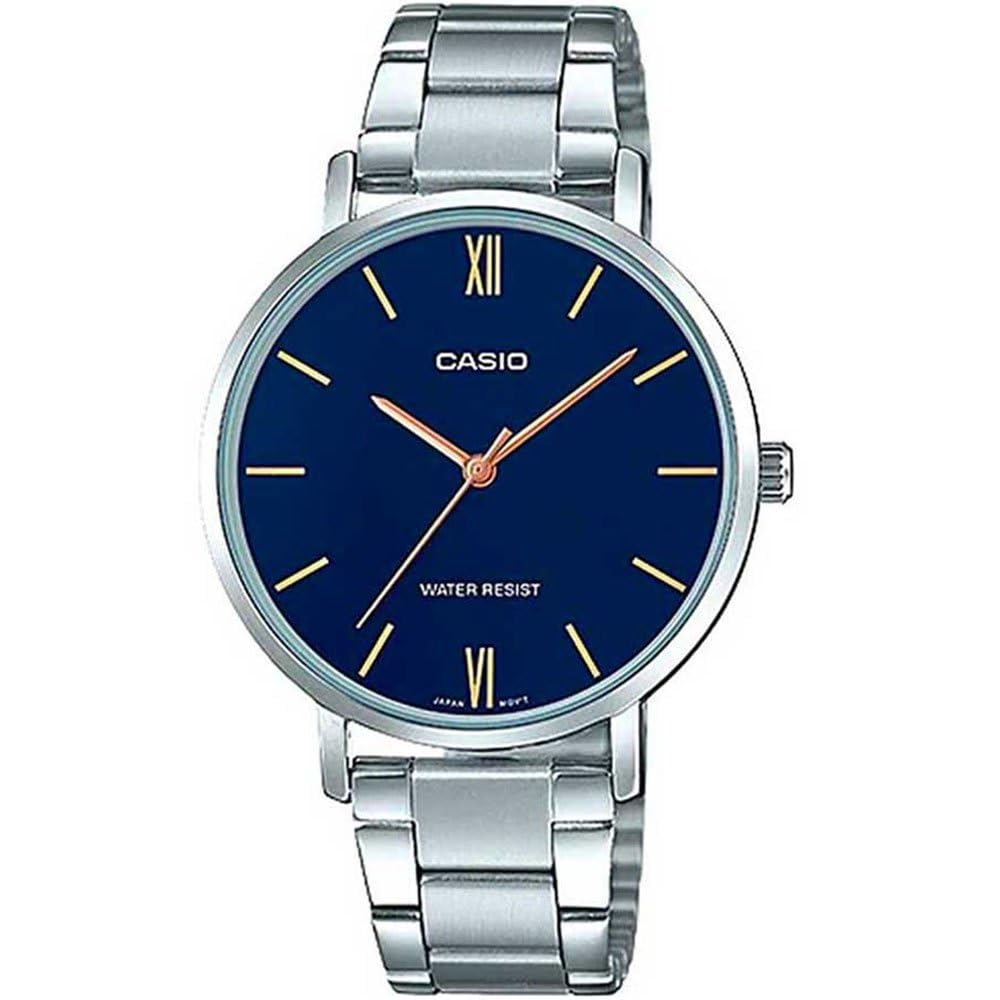
Image: Front view of the Casio Enticer Analog Blue Dial Women's Watch.
Key Features
- Dial: Blue, Round shape, Mineral glass material.
- Band: Silver-colored, Stainless Steel material, Fold-Over Clasp.
- Movement: Quartz movement for accurate timekeeping.
- Display: Analog display with hour, minute, and second hands.
- Case: Stainless Steel, 34 mm diameter.
- Water Resistance: 30 meters (3 ATM), suitable for daily use and splashes.

Image: Close-up of the watch dial, highlighting the analogue display.
Setup
1. Setting the Time
- Pull the crown (the knob on the side of the watch case) out to the first click position.
- Rotate the crown to set the hour and minute hands to the desired time.
- Push the crown back in to its normal position to start the watch.
2. Adjusting the Band Length
The stainless steel band features a fold-over clasp and may require adjustment for a comfortable fit. This typically involves removing or adding links. It is recommended to have this adjustment performed by a qualified jeweler or watch technician to prevent damage to the band or clasp.

Image: Close-up view of the triple-fold clasp mechanism on the watch band.
Operating Your Watch
1. Reading the Time
Your Casio Enticer watch displays time using traditional hour, minute, and second hands on an analog dial. The hour hand indicates the hour, the minute hand indicates the minutes, and the slender second hand indicates the seconds.
2. Water Resistance
This watch is rated for 30-meter (3 ATM) water resistance. This means it is suitable for everyday use and can withstand splashes, rain, and brief immersion in water. It is not suitable for swimming, diving, or showering with hot water. Always ensure the crown is fully pushed in before any contact with water.

Image: Graphic indicating the watch's water resistance capabilities.
Maintenance and Care
- Cleaning: Wipe the watch case and band regularly with a soft, dry cloth to remove dirt and moisture. For stainless steel bands, a slightly damp cloth can be used, followed by immediate drying.
- Avoid Chemicals: Do not expose the watch to solvents, detergents, perfumes, or cosmetics, as these can damage the case, band, or seals.
- Temperature Extremes: Avoid exposing the watch to extreme temperatures (hot or cold) or sudden temperature changes, which can affect accuracy and water resistance.
- Battery Replacement: When the watch stops or the second hand moves erratically (indicating low battery), have the battery replaced by an authorized Casio service center to ensure proper sealing and function.
Troubleshooting
- Watch is not running:
-
- Check if the crown is fully pushed in. If it is pulled out, the watch will not operate.
- The battery may be depleted. Contact an authorized service center for battery replacement.
- Time is incorrect:
-
- Reset the time as described in the "Setting the Time" section.
- If the time continues to be inaccurate after resetting, the watch may require servicing.
Specifications
| Model Number | LTP-VT01D-2BUDF |
| Movement Type | Quartz |
| Display Type | Analog |
| Case Material | Stainless Steel |
| Case Diameter | 34 mm |
| Case Thickness | 11 mm |
| Band Material | Stainless Steel |
| Band Color | Silver |
| Dial Color | Blue |
| Dial Glass Material | Mineral |
| Water Resistance Depth | 30 Meters (3 ATM) |
| Clasp Type | Fold-Over Clasp |
| Item Weight | 62 Grams |
| Battery | 1 Lithium Metal battery (included) |
Warranty Information
Your Casio watch comes with a 2-year manufacturer warranty from the date of purchase. Additionally, you can receive an extra 6 months of warranty by registering your product online.
How to Avail Warranty:
- Register your product: Visit https://register.casio.in/ to register your watch and avail the additional 6 months warranty.
- Claiming Warranty: To claim your warranty, you must present the original bill copy or invoice at an authorized Casio service center. The warranty card and stamp are not mandatory for online purchases.
Customer Support
For any service-related inquiries, feedback, or assistance, please contact Casio India Customer Support:
- Helpline Number: 011-66999200
- Email: casiocare@casio.co.in
- Manufacturer Address: Casio India Co Pvt Ltd, A-41, 1st Floor, MCIE, Mathura Road, New Delhi-110044
Related documentsLTP-VT01D-2BUDF


Ask a question about this manual
Ask about setup, troubleshooting, compatibility, parts, safety, or missing instructions. Manuals+ will review the question and use this page’s manual context to help answer it.