
JBL JBLFLIP5REDAM
JBL Flip 5 Portable Bluetooth Speaker User Manual
Model: JBLFLIP5REDAM
Introduction
The JBL Flip 5 is a powerful, portable Bluetooth speaker designed to deliver bold JBL signature sound wherever you go. Its durable and waterproof design makes it suitable for various environments, from pool parties to outdoor adventures. This manual provides essential information for setting up, operating, maintaining, and troubleshooting your JBL Flip 5 speaker.

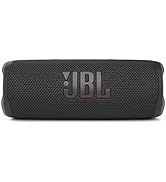
Image: The JBL Flip 5 portable Bluetooth speaker in its vibrant red color, showcasing its cylindrical design and fabric grille.
What's in the Box
Upon unboxing your JBL Flip 5, ensure all the following components are present:
- 1 x JBL Flip 5 Portable Bluetooth Speaker
- 1 x Type-C to Type-A Charging Cable
- Quick Start Guide
- Safety Sheet
- Warranty Card
Setup
1. Charging the Speaker
Before first use, fully charge your JBL Flip 5. The speaker is powered by a built-in 4800 mAh rechargeable Li-ion battery.
- Connect the Type-C end of the charging cable to the USB-C port on the speaker.
- Connect the Type-A end of the charging cable to a compatible USB power adapter (not included).
- The LED indicator will show charging status. A full charge takes approximately 2.5 hours.

Image: The JBL Flip 5 offers up to 12 hours of playtime on a single charge, powered by its internal 4800mAh battery.
2. Powering On/Off
- To power on, press the Power button (
 ) located on the speaker.
 - To power off, press and hold the Power button again.
3. Bluetooth Pairing
The JBL Flip 5 can wirelessly stream music from any Bluetooth-enabled device.
- Turn on the JBL Flip 5. It will automatically enter pairing mode if it's the first time or if no device is connected. The Bluetooth indicator will flash.
- On your device (smartphone, tablet, laptop), enable Bluetooth and search for available devices.
- Select "JBL Flip 5" from the list of devices.
- Once connected, the Bluetooth indicator will turn solid blue, and you will hear a confirmation tone.
Operating
Audio Playback
- Play/Pause: Press the Play/Pause button () once.
- Volume Up/Down: Press the Volume + or Volume - buttons.
- Skip Track: Double-press the Play/Pause button to skip to the next track. (Note: There is no previous track function on the speaker itself.)
JBL PartyBoost
JBL PartyBoost allows you to pair two JBL PartyBoost-compatible speakers together for stereo sound or link multiple PartyBoost-compatible speakers to create a bigger party sound experience.
- Ensure both JBL Flip 5 speakers are powered on.
- Press the PartyBoost button (
 ) on both speakers.
 - The speakers will automatically connect. Once connected, they will play audio in sync.
Waterproofing (IPX7)
The JBL Flip 5 features an IPX7 waterproof rating, meaning it can be immersed in water up to 1 meter (3 feet) for up to 30 minutes. This makes it ideal for use by the pool, at the beach, or in rainy conditions.

Image: The JBL Flip 5 is IPX7 waterproof, allowing it to be submerged in water without damage, perfect for poolside use.

Image: Constructed with durable fabric material and rugged rubber housing, the JBL Flip 5 is built to withstand outdoor adventures.
Maintenance
Cleaning
To keep your JBL Flip 5 in optimal condition:
- Wipe the speaker with a soft, damp cloth.
- Do not use harsh chemicals or abrasive cleaners.
- Ensure the USB-C port cover is securely closed before exposing the speaker to water.
Water Exposure Care
While the Flip 5 is waterproof, proper care after water exposure is recommended:
- After immersion, gently shake the speaker to remove excess water from the grille and ports.
- Allow the speaker to air dry completely before charging to prevent damage to the charging port.
Troubleshooting
If you encounter issues with your JBL Flip 5, try the following solutions:
| Problem | Possible Solution |
|---|---|
| Speaker does not power on | Ensure the battery is charged. Connect the speaker to a power source using the provided USB-C cable. |
| Cannot pair via Bluetooth | Make sure the speaker is in pairing mode (Bluetooth indicator flashing). Turn off and on Bluetooth on your device. Forget "JBL Flip 5" from your device's Bluetooth list and try pairing again. Ensure no other devices are currently connected to the speaker. |
| No sound or low volume | Increase the volume on both the speaker and your connected device. Ensure the speaker is properly paired. Check if the audio source is playing. |
| PartyBoost not working | Ensure both speakers are JBL PartyBoost compatible. Press the PartyBoost button on both speakers. Make sure they are within range of each other. |
| Charging issue | Try a different USB power adapter or USB port. Ensure the charging cable is not damaged and is securely connected. |
For more detailed troubleshooting, refer to the official Troubleshooting Guide (PDF).
Specifications
Detailed technical specifications for the JBL Flip 5:
| Feature | Detail |
|---|---|
| Model Name | JBL FLIP 5 |
| Dimensions (D x W x H) | 2.71" x 2.91" x 7.12" |
| Item Weight | 1.6 Pounds |
| Speaker Type | Portable |
| Connectivity Technology | Bluetooth |
| Bluetooth Range | 10 Meters |
| Power Source | Battery Powered |
| Battery Capacity | 4800 Milliamp Hours |
| Charging Time | 2.5 Hours |
| Playtime | Up to 12 hours |
| Water Resistance Level | IPX7 Waterproof |
| Audio Output Mode | Stereo |
| Speaker Maximum Output Power | 120 Watts |
| Signal-to-Noise Ratio | 80 dB |
| Woofer Diameter | 3 Inches |
| Material | Plastic |
| Color | Red |
Image: The JBL Flip 5 measures 7.12 inches in height, 2.91 inches in width, and 2.71 inches in depth, making it compact and portable.
Warranty and Support
Warranty Information
The JBL Flip 5 comes with a Limited Warranty. Please refer to the Warranty Card included in your product packaging for specific terms and conditions, including coverage duration and claim procedures.
Additional Support
For further assistance or detailed instructions, please consult the official documentation:
You can also visit the official JBL Store on Amazon for more product information and support resources.
Related documentsJBLFLIP5REDAM


Ask a question about this manual
Ask about setup, troubleshooting, compatibility, parts, safety, or missing instructions. Manuals+ will review the question and use this page’s manual context to help answer it.