
1. Introduction
Thank you for choosing the Hoco ES24 Wireless Sound Earphones. This manual provides detailed instructions on how to set up, operate, and maintain your earphones. Please read this manual carefully before use to ensure optimal performance and longevity of your device.
2. Package Contents
Ensure all items listed below are present in your package:
- Hoco ES24 Wireless Earphones (Left and Right)
- Charging Case
- USB Charging Cable
- Multiple Sizes of Ear Tips (S, M, L)
- User Manual

Image: The Hoco ES24 earphones, charging case, USB cable, and various ear tip sizes included in the package.
3. Product Overview
The Hoco ES24 earphones are designed for comfortable, wireless audio experience. They come with a compact charging case that not only protects the earphones but also recharges them on the go.

Image: The Hoco ES24 earphones resting inside their open charging case, showcasing their compact design.
4. Setup
4.1 Initial Charging
- Before first use, fully charge the earphones and the charging case.
- Place both earphones into the charging case.
- Connect the USB charging cable to the charging port on the case and a power source (e.g., USB wall adapter, computer USB port).
- The LED indicator on the charging case will show the charging status. A full charge typically takes about 1 hour for fast charging.

Image: The Hoco ES24 charging case displaying the battery percentage via an LED screen, indicating charging status and capacity.
5. Operating Instructions
5.1 Powering On/Off
- Power On: Open the charging case, and the earphones will automatically power on. Alternatively, press and hold the touch control area on both earphones for 3 seconds.
- Power Off: Place the earphones back into the charging case and close the lid. They will automatically power off and begin charging. Alternatively, press and hold the touch control area on both earphones for 5 seconds.
5.2 Bluetooth Pairing
- First-time Pairing:
a. Ensure the earphones are charged.
b. Open the charging case. The earphones will automatically enter pairing mode, indicated by a flashing LED light on one of the earbuds.
c. On your device (smartphone, tablet, etc.), enable Bluetooth and search for available devices.
d. Select "Hoco ES24" from the list of devices. Once connected, the LED indicator on the earphone will stop flashing. - Subsequent Pairing:
Once paired, the earphones will automatically connect to the last paired device when taken out of the charging case, provided Bluetooth is enabled on your device.
5.3 Touch Controls
The Hoco ES24 earphones feature touch-sensitive controls for easy management of music and calls.
- Play/Pause: Single tap on either earphone.
- Next Track: Double tap on the right earphone.
- Previous Track: Double tap on the left earphone.
- Answer/End Call: Single tap on either earphone during an incoming call or active call.
- Reject Call: Press and hold either earphone for 2 seconds during an incoming call.
- Activate Voice Assistant: Triple tap on either earphone.

Image: A user wearing the Hoco ES24 earphones, illustrating their in-ear fit and highlighting features like Bluetooth 5.0 connectivity and clear call quality.
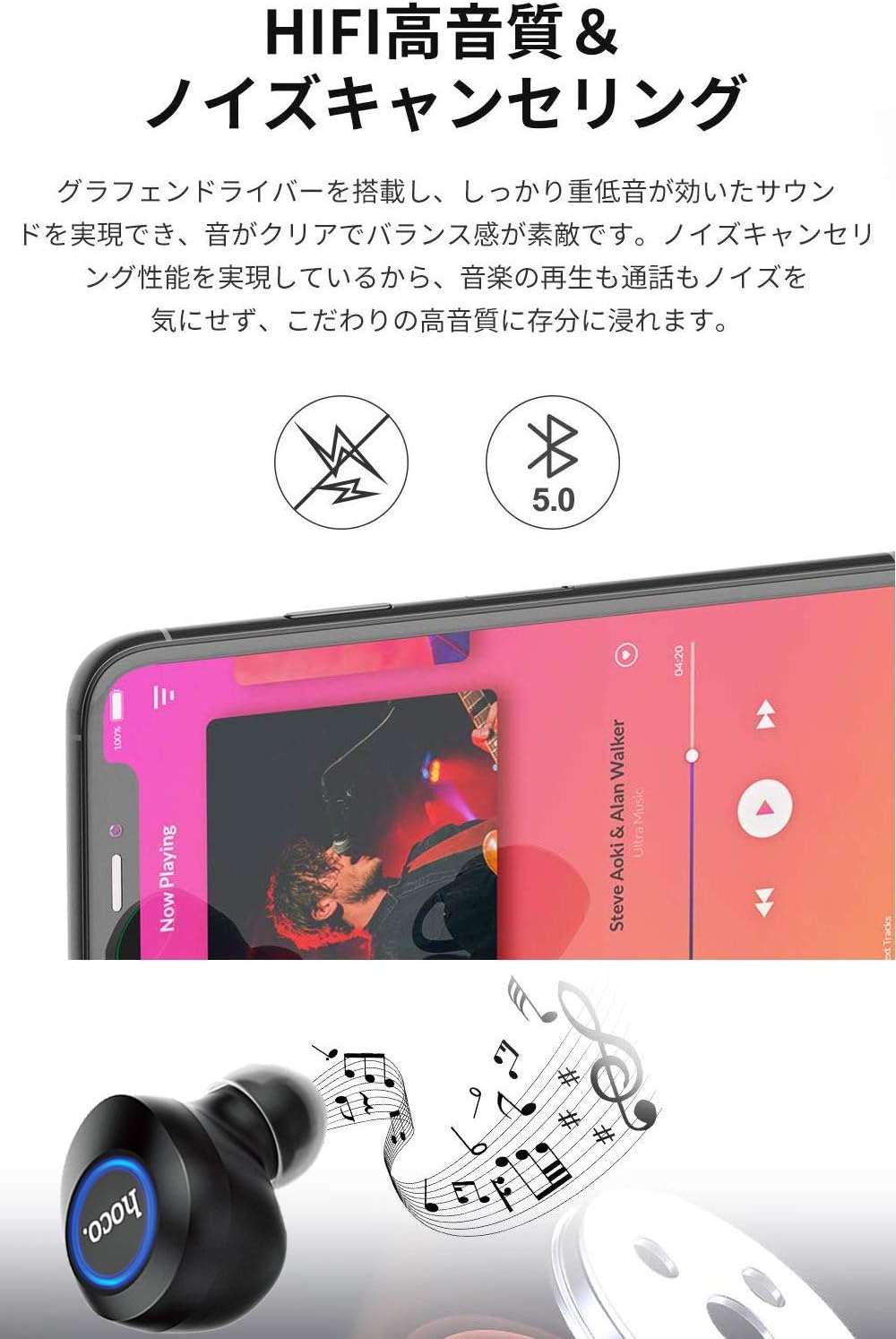
Image: A close-up of a Hoco ES24 earphone, with a smartphone screen in the background showing music playback, emphasizing HiFi sound quality and noise cancellation capabilities.
6. Maintenance
6.1 Cleaning
- Regularly clean the earphones and charging case with a soft, dry, lint-free cloth.
- Do not use abrasive cleaners, alcohol, or chemical solvents.
- Gently remove any earwax or debris from the ear tips and speaker mesh using a small, soft brush or cotton swab.
6.2 Storage
- When not in use, store the earphones in their charging case to protect them from dust and damage.
- Avoid storing the device in extreme temperatures (hot or cold) or in humid environments.
6.3 Battery Care
- To prolong battery life, avoid fully discharging the earphones and charging case frequently.
- Charge the device regularly, even if not in frequent use.
7. Troubleshooting
If you encounter any issues with your Hoco ES24 earphones, refer to the following common problems and solutions:
| Problem | Solution |
|---|---|
| Earphones do not power on. | Ensure the earphones and charging case are fully charged. Place earphones in the case and close the lid, then open again. |
| Cannot pair with device. | Make sure Bluetooth is enabled on your device. Ensure earphones are in pairing mode (flashing LED). Turn off and on your device's Bluetooth. Forget "Hoco ES24" from your device's Bluetooth list and try pairing again. |
| No sound from one or both earphones. | Check device volume. Ensure earphones are properly connected. Try re-pairing. Clean any debris from the speaker mesh. |
| Charging case not charging. | Verify the USB cable is securely connected to both the case and the power source. Try a different USB cable or power adapter. |
| Touch controls are unresponsive. | Ensure your fingers are clean and dry. Restart the earphones by placing them in the case and taking them out again. |
8. Specifications
Below are the technical specifications for the Hoco ES24 Wireless Sound Earphones:
- Model: ES24
- Connectivity: Wireless (Bluetooth 5.0)
- Form Factor: In-Ear
- Material: Plastic
- Control Method: Touch
- Microphone: Yes
- Noise Cancellation: No (Passive noise isolation may be present due to in-ear design)
- Compatible Devices: All devices with Bluetooth functionality
- Item Weight: 55 grams (earphones + case)
- Product Dimensions: 2.38 x 2.1 x 2.35 cm (earphone dimensions)
- Included Components: Protective charging case
- Color: Black
- Age Range: Adult
- Charging Time: Approximately 1 hour (fast charge)
- Usage Time: Approximately 4-5 hours (single use)
9. Safety Information
Please observe the following safety guidelines to prevent damage to the device or injury to yourself:
- Do not disassemble, repair, or modify the product.
- Keep the device away from water, moisture, and extreme temperatures.
- Avoid prolonged exposure to high volume levels to prevent hearing damage.
- Keep out of reach of children and pets.
- Dispose of the product responsibly according to local regulations.
10. Warranty and Support
Hoco products are designed and manufactured to the highest quality standards. For warranty information, technical support, or customer service inquiries, please refer to the warranty card included in your package or contact your local retailer or Hoco customer support directly. Please retain your proof of purchase for any warranty claims.


