
Introduction
The Cooler Master Hyper 212 LED CPU Cooler is designed to provide efficient cooling for your desktop processor. Featuring a 120mm XtraFlo 'Fire Red' LED PWM fan and four direct contact copper heat pipes, this cooler offers a balanced performance between cooling efficiency and low noise operation. Its universal mounting system ensures compatibility with a wide range of Intel sockets.
Please read this manual carefully before installation and use to ensure proper setup and optimal performance.
Package Contents
Verify that all items listed below are present in your package:
- 1 x Cooler Master Hyper 212 LED CPU Cooler Unit
- 1 x Mounting Kit (for Intel sockets)
- 1 x Thermal Grease Pack
- 1 x User Manual

Image: Illustrative view of the Cooler Master Hyper 212 LED CPU Cooler and its main components.
Setup and Installation
This cooler is compatible with Intel sockets: LGA 2066, 2011-v3, 2011, 1156, 1155, 1151, 1150, 1366, and 775. The installation process involves securing the backplate, applying thermal paste, mounting the heatsink, and attaching the fan.
- Prepare Motherboard: Ensure your motherboard is removed from the PC case if necessary for backplate installation. Identify the correct mounting holes for your Intel socket type.
- Install Backplate: Attach the universal Intel backplate to the rear of your motherboard, aligning the screws with the appropriate holes.
- Apply Thermal Paste: Clean the CPU surface and apply a small amount of thermal grease (included) to the center of the CPU. Spread it evenly or allow the cooler's pressure to distribute it.
- Mount Heatsink: Carefully place the heatsink onto the CPU, ensuring the direct contact heat pipes make full contact. Secure the heatsink using the provided mounting brackets and screws, tightening them in a diagonal pattern until snug. Do not overtighten.
- Attach Fan: Use the quick-snap fan brackets to attach the 120mm XtraFlo fan to the heatsink. Ensure the fan is oriented to blow air through the heatsink fins towards the rear of your PC case.
- Connect Fan Cable: Connect the 4-pin PWM fan cable to the CPU_FAN header on your motherboard.

Image: Side view of the cooler, showing the copper heat pipes extending from the base through the aluminum fins.
Operating Instructions
The Cooler Master Hyper 212 LED CPU Cooler operates automatically once connected to the motherboard's CPU_FAN header. The 4-pin PWM fan allows your motherboard to dynamically control the fan speed based on CPU temperature, optimizing for both cooling performance and noise levels.
- Automatic Speed Control: The fan speed will adjust between 600 and 1600 RPM (±10%) depending on the CPU load and temperature.
- LED Illumination: The 'Fire Red' LEDs on the fan will illuminate when the fan is operating, providing aesthetic lighting inside your PC case.
- BIOS/UEFI Settings: You can fine-tune fan control settings through your motherboard's BIOS/UEFI interface for custom performance profiles, if desired.
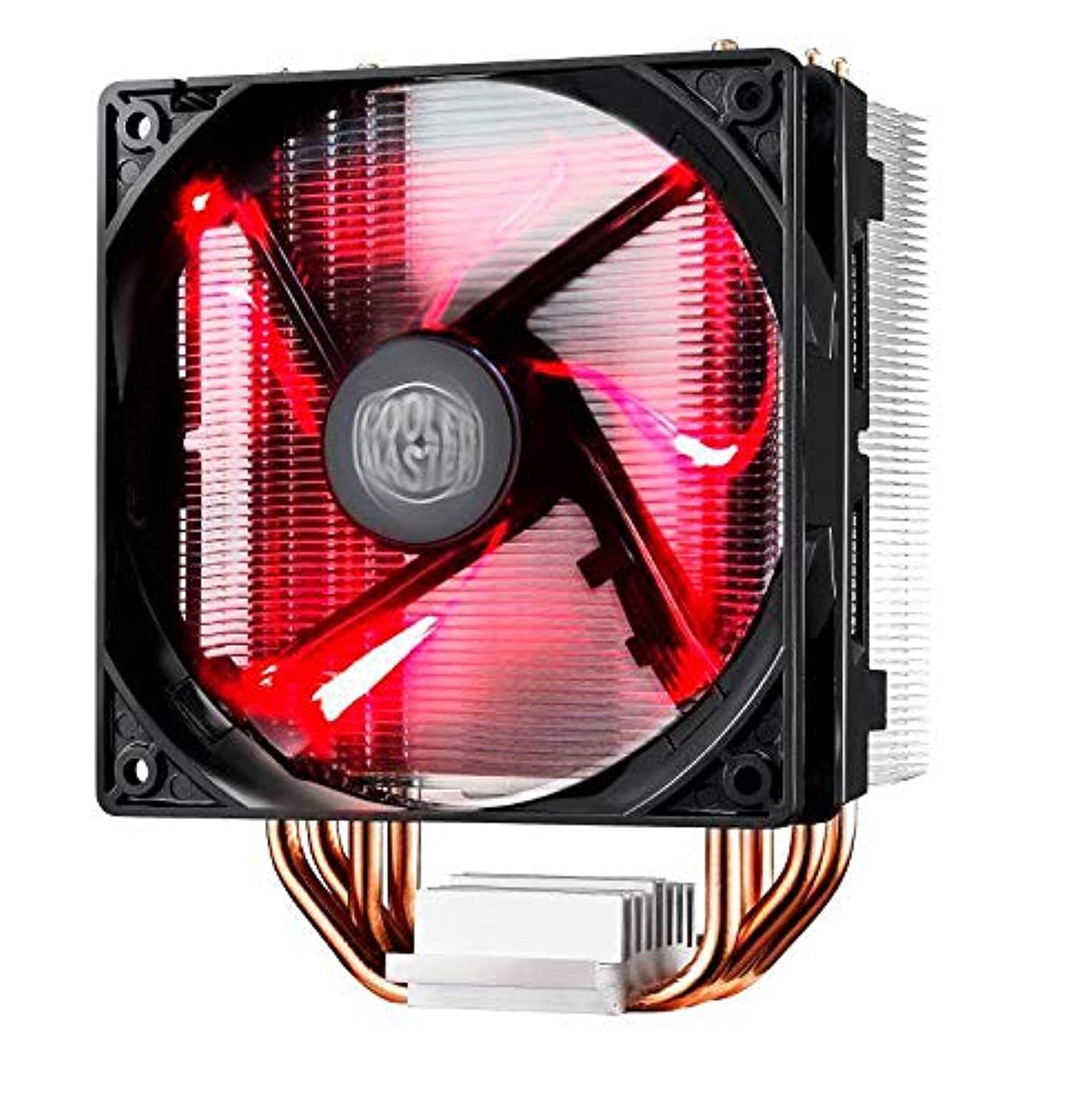
Image: The Cooler Master Hyper 212 LED CPU Cooler with its 'Fire Red' LED fan glowing.
Maintenance
Regular maintenance ensures optimal cooling performance and extends the lifespan of your CPU cooler.
- Dust Removal: Periodically clean dust from the heatsink fins and fan blades using compressed air or a soft brush. Ensure the fan is powered off before cleaning.
- Fan Cleaning/Replacement: The quick-snap fan bracket allows for easy removal of the fan for thorough cleaning or replacement if needed. Gently unclip the fan from the heatsink, clean, and reattach.
- Thermal Paste: If you remove the heatsink for any reason, it is recommended to clean off the old thermal paste from both the CPU and the cooler base and apply a fresh layer before reinstallation.
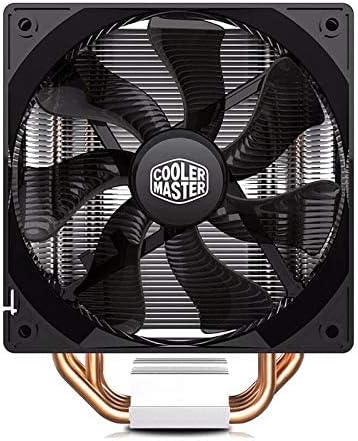
Image: Front view of the 120mm XtraFlo fan, showing its blade design.
Troubleshooting
| Problem | Possible Cause | Solution |
|---|---|---|
| High CPU Temperatures |
|
|
| Excessive Fan Noise |
|
|
| Cooler Does Not Fit in Case |
Specifications
| Feature | Detail |
|---|---|
| Product Model | RR-212L-16PR-R1 |
| Compatible Sockets | Intel LGA 2066 / 2011-v3 / 2011 / 1156 / 1155 / 1151 / 1150 / 1366 / 775 |
| Overall Dimensions (L x W x H) | 120 x 84 x 160 mm (4.7 x 3.3 x 6.3 inches) |
| Total Weight | 705 g (1.55 lbs) |
| Heatsink Dimensions (L x W x H) | 116 x 60 x 160 mm (4.6 x 2.4 x 6.3 inches) |
| Heatsink Material | 4 Direct Contact Copper Heat Pipes, Aluminum Fins |
| Heat Pipe Dimensions | Ø6 mm |
| Fan Dimensions (L x W x H) | 120 x 120 x 25 mm (4.7 x 4.7 x 1 inch) |
| Fan Speed | 600 - 1600 RPM (PWM) ±10% |
| Fan Airflow | 66.3 CFM ±10% (@ 1600RPM) |
| Fan Air Pressure | 1.7 mm H2O ±10% (@ 1600RPM) |
| Fan Life Expectancy | 40,000 hours |
| Fan Noise Level | 9 - 31 dB |
| Bearing Type | Rifle Bearing |
| Power Connector | 4-Pin PWM |
| Fan Rated Voltage | 12 VDC |
| Rated Current | 0.19 A |
| Power Consumption | 2.28 W |
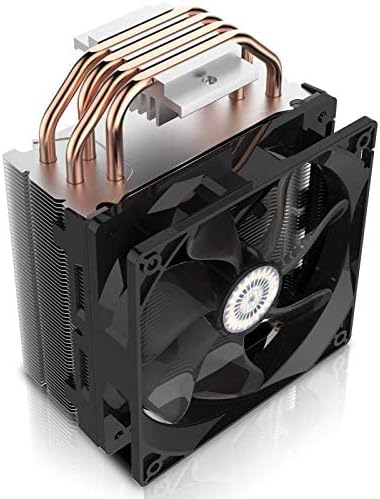
Image: Top-down view of the heatsink, showing the aluminum fins and the ends of the copper heat pipes.
Warranty and Support
For warranty information and technical support, please refer to the official Cooler Master website or contact their customer service department. Keep your purchase receipt as proof of purchase.
Cooler Master Official Website: www.coolermaster.com