1. Introduction
This instruction manual provides comprehensive guidance for the safe and effective use of your Inkbird ITC-308 Digital Temperature Controller and IHC-200 Digital Humidity Controller. These devices are designed to precisely control temperature and humidity in various environments, ensuring optimal conditions for your specific needs. Please read this manual thoroughly before operation and retain it for future reference.
2. Product Overview
The Inkbird ITC-308 is a plug-and-play digital temperature controller capable of simultaneously controlling heating and cooling devices. The Inkbird IHC-200 is a plug-and-play digital humidity controller designed for humidification and dehumidification. Together, they offer a complete solution for environmental control.

Image 2.1: Inkbird ITC-308 and IHC-200 controllers.
Key Features:
- ITC-308: Digital thermostat with dual relay output for simultaneous heating and cooling control.
- ITC-308: Features an IP68 NTC stainless steel probe (2m), temperature calibration, compressor delay protection, and alarm functions for temperature limits or sensor failure.
- IHC-200: Digital hygrostat with dual relay output for simultaneous humidification and dehumidification.
- IHC-200: Includes a 2m humidity probe for accurate measurement and control.
- Suitable for various applications including brewing, aquariums, terrariums, plant cultivation, and reptile incubators.
3. Specifications
ITC-308 Temperature Controller:
| Power Supply | 220V AC, 50/60Hz |
| Power Consumption | Less than 3W |
| Temperature Control Range | -50°C to 120°C (-58°F to 248°F) |
| Temperature Resolution | 0.1°C |
| Temperature Accuracy | ±1°C |
| Sensor Type | NTC sensor (2m cable) |
| Relay Output | Heating: 10A/220V, Cooling: 10A/220V |
| Total Power Value | 2200W / 220V |
IHC-200 Humidity Controller:
| Power Supply | 220V AC, 50/60Hz |
| Power Consumption | Less than 3W |
| Humidity Measuring Range | 5% to 99% RH |
| Humidity Control Range | 10% to 99% RH |
| Humidity Resolution | 1% RH |
| Humidity Accuracy | ±3% RH |
| Sensor Type | Humidity sensor (2m cable) |
| Relay Output | Humidification: 10A/220V, Dehumidification: 10A/220V |
| Total Power Value | 2200W / 220V |
4. Setup and Installation
Before connecting any devices, ensure both the ITC-308 and IHC-200 controllers are unplugged from the power source.
4.1 Connecting the ITC-308 Temperature Controller
- Plug the temperature probe into the designated port on the ITC-308.
- Connect your heating device (e.g., heat mat, ceramic heater) to the 'Heating' outlet.
- Connect your cooling device (e.g., fan, chiller) to the 'Cooling' outlet.
- Position the temperature probe in the environment where temperature needs to be monitored and controlled.
- Plug the ITC-308 controller into a power outlet.

Image 4.1: ITC-308 Temperature Controller connections.
4.2 Connecting the IHC-200 Humidity Controller
- Plug the humidity probe into the designated port on the IHC-200.
- Connect your humidification device (e.g., fogger, humidifier) to the 'Work 1' outlet.
- Connect your dehumidification device (e.g., dehumidifier, fan) to the 'Work 2' outlet.
- Position the humidity probe in the environment where humidity needs to be monitored and controlled.
- Plug the IHC-200 controller into a power outlet.

Image 4.2: IHC-200 Humidity Controller connections.
4.3 General Connection Diagram
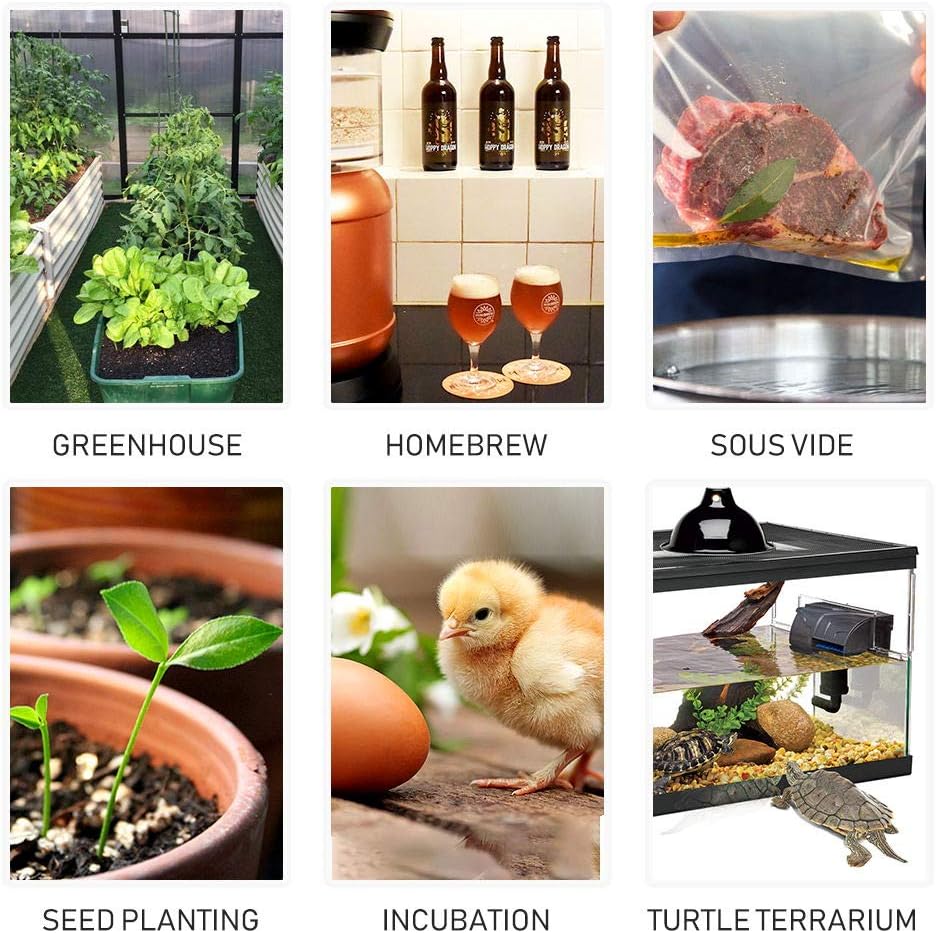
Image 4.3: Example applications for the controllers.
5. Operating Instructions
5.1 ITC-308 Temperature Controller Operation
The ITC-308 allows you to set a desired temperature range. The heating device will activate when the temperature drops below the set point, and the cooling device will activate when it rises above the set point.
- View Set Temperature: Press the 'SET' button once to view the current set temperature.
- Set Temperature: Press and hold the 'SET' button for 3 seconds until the display flashes. Use the Up/Down arrows to adjust the desired temperature. Press 'SET' again to confirm.
- Temperature Calibration: Refer to the full user manual for advanced settings like temperature calibration and compressor delay.
Video 5.1: Instructions for setting temperature on the ITC-308 controller.
5.2 IHC-200 Humidity Controller Operation
The IHC-200 allows you to maintain a specific humidity level. The humidification device will activate when humidity drops below the set point, and the dehumidification device will activate when it rises above the set point.
- View Set Humidity: Press the 'SET' button once to view the current set humidity.
- Set Humidity: Press and hold the 'SET' button for 3 seconds until the display flashes. Use the Up/Down arrows to adjust the desired humidity. Press 'SET' again to confirm.
- Humidity Calibration: Refer to the full user manual for advanced settings like humidity calibration.
Video 5.2: Instructions for setting humidity on the IHC-200 controller.
6. Maintenance
Regular maintenance ensures the longevity and accuracy of your controllers.
- Cleaning: Wipe the controller units with a soft, dry cloth. Do not use abrasive cleaners or immerse the units in water.
- Probe Care: Keep the temperature and humidity probes clean and free from debris. Avoid bending or damaging the probe cables.
- Storage: When not in use, store the controllers in a cool, dry place away from direct sunlight and extreme temperatures.
7. Troubleshooting
If you encounter issues with your Inkbird controllers, refer to the following common problems and solutions:
| Problem | Possible Cause | Solution |
|---|---|---|
| Display shows 'HHH' or 'LLL' | Sensor error or out of range. | Check sensor connection. Ensure the environment's temperature/humidity is within the device's operating range. Replace sensor if damaged. |
| Device not turning on/off as expected | Incorrect settings (set point, differential), device malfunction, or power issue. | Verify set point and differential settings. Check power supply to the controller and connected devices. Test devices independently. |
| Alarm constantly sounding | Temperature/humidity outside alarm limits, or alarm settings are too narrow. | Adjust alarm limits to suit your environment. Check if the environment is stable. |
For further assistance, please contact Inkbird customer support.
8. Warranty and Support
Inkbird products are designed for reliability and performance. While specific warranty details may vary by region and retailer, Inkbird generally offers a limited warranty against defects in materials and workmanship.
For warranty claims, technical support, or any questions regarding your ITC-308 or IHC-200 controllers, please visit the official Inkbird website or contact their customer service department directly. Ensure you have your product model number and purchase information available when seeking support.


