
Introduction
Thank you for purchasing the Coby Portable Bluetooth Speaker. This manual provides essential information for setting up, operating, maintaining, and troubleshooting your speaker. Designed for portability and durability, this speaker features IPX5 water resistance, TWS multi-device pairing, and a long-lasting battery, making it ideal for various indoor and outdoor activities.
What's in the Box
Please check the package contents to ensure all items are present:
- Coby Portable Bluetooth Speaker
- Micro-USB Charging Cable
- Auxiliary Audio Cable
- Carabiner Clip
- Suction Cup
Product Features
- IPX5 Water-Resistant Design: The speaker is certified IPX5 water-resistant, protecting it from splashes and light rain, making it suitable for poolside or beach use.
- TWS Multi-Device Pairing: Utilize True Wireless Stereo (TWS) technology to connect two Coby Portable Bluetooth Speakers wirelessly to a single device for an enhanced stereo sound experience.
- Bluetooth 4.2 Connectivity: Ensures stable and efficient wireless connection with your devices.
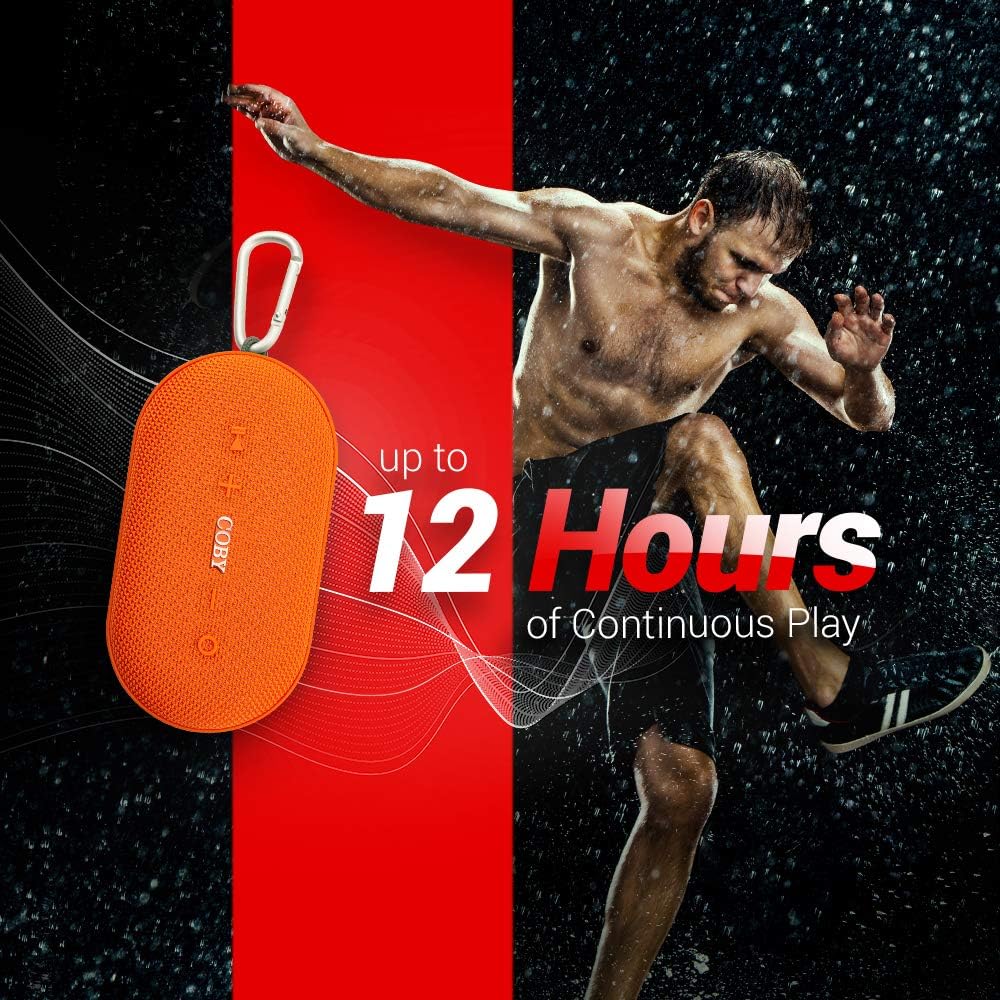
- Long-Lasting Rechargeable Battery: Equipped with a 2,000mAh battery, providing approximately 12 hours of continuous play on a single charge.
- High-Powered Speakers: Delivers loud and clear HD sound quality for an immersive audio experience.
- Built-in Microphone: Allows for hands-free calling when connected to a smartphone.
- Convenient Attachments: Includes a suction cup for attaching to smooth surfaces and a carabiner clip for easy portability on bags or belt loops.


Setup
Charging the Speaker
- Locate the micro-USB port on the speaker.
- Connect the provided micro-USB charging cable to the speaker's micro-USB port.
- Connect the other end of the USB cable to a USB power adapter (not included) or a computer's USB port.
- The LED indicator will illuminate during charging and turn off or change color when fully charged. A full charge provides approximately 12 hours of playback.
Powering On/Off
- To Power On: Press and hold the Power button (usually marked with a circle or power symbol) for a few seconds until you hear an audible prompt or see the LED indicator light up.
- To Power Off: Press and hold the Power button again for a few seconds until you hear an audible prompt or the LED indicator turns off.
Operating Instructions
Bluetooth Pairing
- Ensure the speaker is powered on and in Bluetooth pairing mode (the LED indicator will typically blink rapidly).
- On your smartphone, tablet, or other Bluetooth-enabled device, go to the Bluetooth settings.
- Search for available devices. The speaker will appear as "CSBT-351" or similar.
- Select the speaker from the list to connect. Once connected, you will hear an audible confirmation, and the LED indicator will stop blinking and remain solid.
TWS (True Wireless Stereo) Pairing
To connect two Coby Portable Bluetooth Speakers for stereo sound:
- Ensure both speakers are powered on and not connected to any other Bluetooth device.
- On one of the speakers, press and hold the TWS pairing button (refer to speaker's button layout if not explicitly marked). The speakers will attempt to connect to each other.
- Once successfully paired, you will hear an audible confirmation. One speaker will act as the master (left channel) and the other as the slave (right channel).
- Now, connect your device to the master speaker via Bluetooth as described in the "Bluetooth Pairing" section.
Audio Playback and Controls
- Play/Pause: Press the Play/Pause button (often the Power button or a dedicated button).
- Volume Up/Down: Press and hold the '+' button to increase volume, and the '-' button to decrease volume.
- Next Track: Single press the '+' button to skip to the next track.
- Previous Track: Single press the '-' button to go to the previous track.
Call Handling
When connected to a smartphone, the built-in microphone allows for hands-free calls:
- Answer Call: Press the Play/Pause button once.
- End Call: Press the Play/Pause button once during a call.
- Reject Call: Press and hold the Play/Pause button.
Maintenance
Cleaning
- Wipe the speaker with a soft, damp cloth. Do not use harsh chemicals or abrasive cleaners.
- Ensure the charging port cover is securely closed when not charging, especially when near water, to maintain IPX5 water resistance.
Storage
- Store the speaker in a cool, dry place away from direct sunlight and extreme temperatures.
- If storing for an extended period, charge the battery periodically to maintain its lifespan.
Troubleshooting
| Problem | Possible Cause | Solution |
|---|---|---|
| Speaker does not turn on or charge. | Low battery; faulty charging cable/adapter; internal issue. | Ensure the speaker is fully charged using the provided cable and a working USB power source. Try a different cable or adapter. If the issue persists, contact customer support. |
| Cannot pair with Bluetooth device. | Speaker not in pairing mode; device's Bluetooth is off; speaker already connected to another device; interference. | Ensure speaker is powered on and LED is blinking (pairing mode). Turn off and on your device's Bluetooth. Disconnect the speaker from any other paired devices. Move speaker closer to your device. |
| No sound or low sound. | Volume too low on speaker or device; speaker not connected; audio source issue. | Increase volume on both the speaker and your connected device. Ensure the speaker is properly paired. Check if the audio is playing correctly from your source device. |
| Volume/track controls behave unexpectedly (e.g., single click changes track instead of volume). | Incorrect button press duration. | To adjust volume, press and hold the '+' or '-' buttons. To skip tracks, single press the '+' or '-' buttons. |
Specifications
| Feature | Detail |
|---|---|
| Model Name | Portable Bluetooth Speaker |
| Model Number | CSBT351ORG |
| Speaker Type | Outdoor |
| Special Features | Waterproof, Built-in Microphone, Ultra-portable, Stereo Pairing (TWS) |
| Recommended Uses | Music, Pool, Outdoor, Beach, Travel |
| Compatible Devices | Laptop, Smartphone, Tablet |
| Color | Orange |
| Battery Life | 12 Hours |
| Battery Capacity | 2000 mAh (Lithium Ion) |
| Product Dimensions | 5"D x 1.8"W x 5"H |
| Item Weight | 14.4 Ounces |
| Water Resistance Level | IPX5 (Waterproof) |
| Wireless Communication Technology | Bluetooth 4.2 |
| Speaker Maximum Output Power | 12 Watts |
| Audio Output Mode | Stereo |
| Power Source | Battery Powered |
| Manufacturer | Summit Electronics, LLC |
| UPC | 083832605612 |
Warranty
This product comes with a Limited Warranty. For specific terms and conditions, please refer to the warranty information provided with your purchase or visit the official Coby website.
Support
For further assistance, technical support, or inquiries regarding your Coby Portable Bluetooth Speaker, please visit the official Coby website or contact their customer service department. Contact information can typically be found on the product packaging or the brand's official online presence.


