
Maxell 199840
Maxell Bass 13 Headphones with Microphone User Manual
Model: 199840
Introduction
Thank you for choosing the Maxell Bass 13 Headphones. These headphones are designed to provide a clear audio experience with enhanced bass, featuring an in-line microphone for convenient communication. This manual provides essential information for setup, operation, and maintenance to ensure optimal performance.
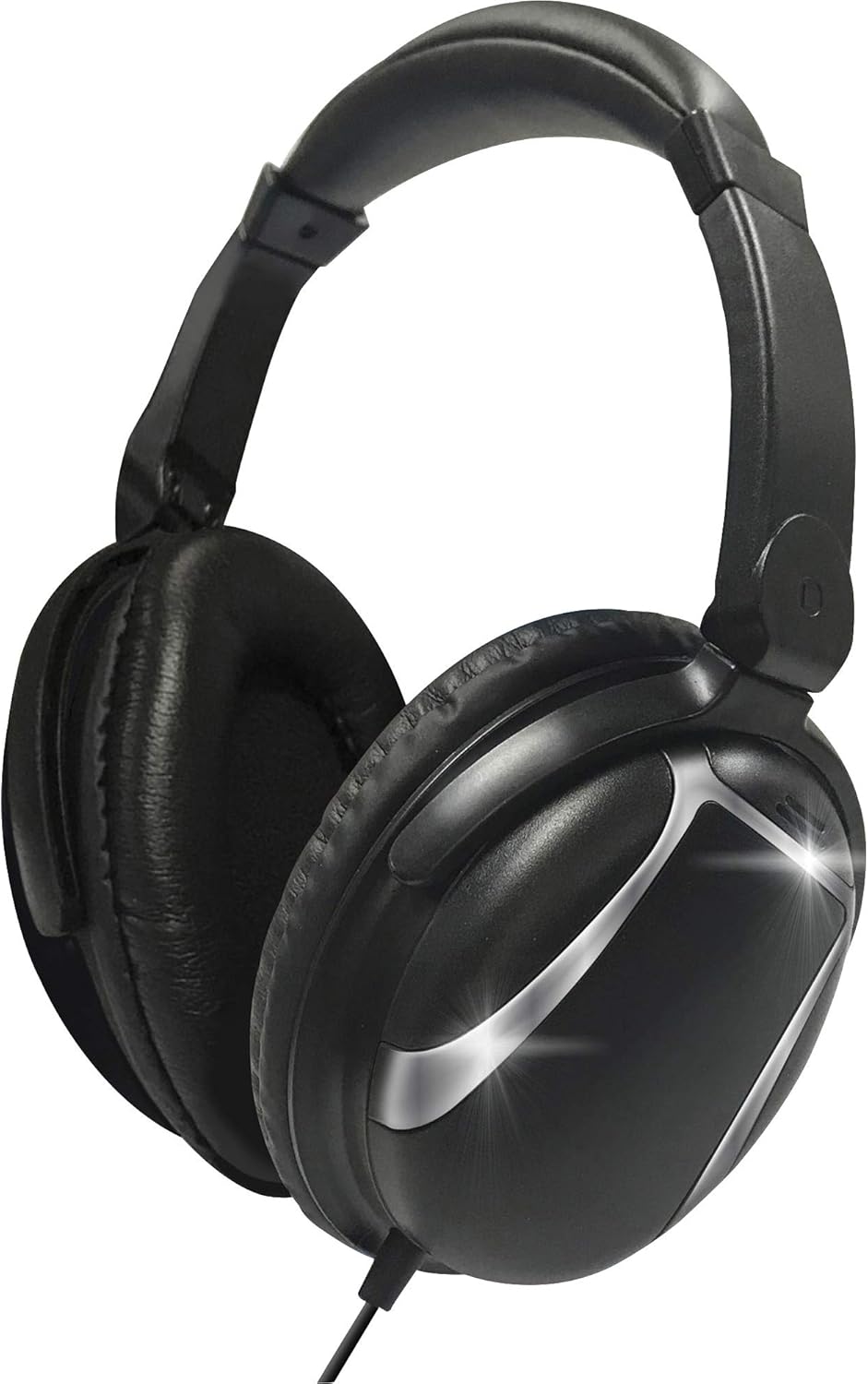
Image: Front view of the Maxell Bass 13 Headphones, showcasing the full-cup design and black finish.
Package Contents
- Maxell Bass 13 Headphones with integrated 4 ft cord and in-line microphone
Product Features
The Maxell Bass 13 Headphones are equipped with several features for an enhanced listening experience:
- Full-Cup Design: Provides comprehensive ear coverage for immersive sound.
- 40mm Drivers: Deliver powerful audio with clear sound and enhanced bass.
- In-line Microphone: Enables hands-free calling and voice commands.
- Adjustable Headband: Ensures a comfortable and secure fit for various head sizes.
- Soft Cushioned Earpads: Designed for comfort during extended use and to assist in blocking external noise.
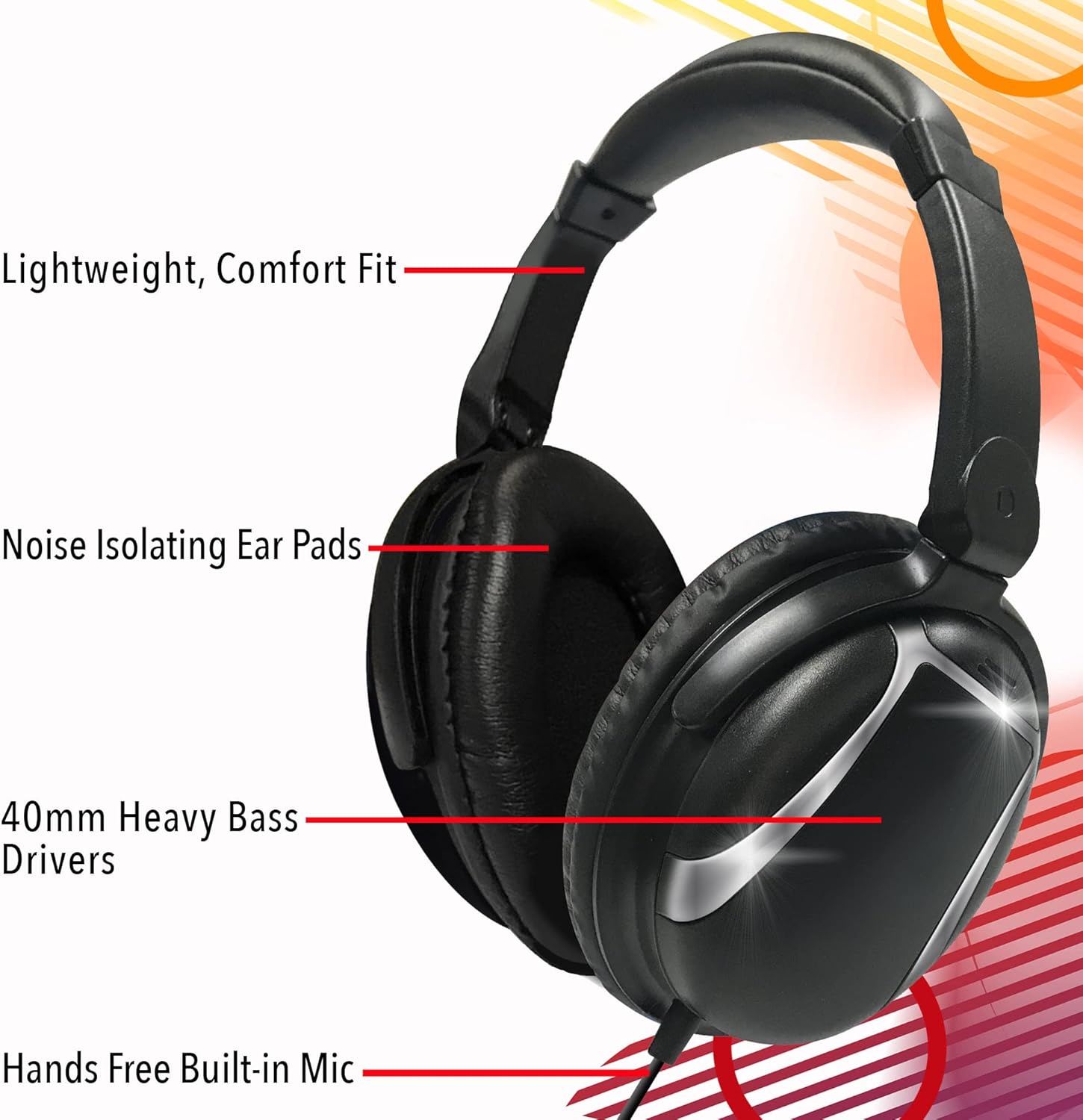
Image: Maxell Bass 13 Headphones with callouts for Lightweight, Comfort Fit, Noise Isolating Ear Pads, 40mm Heavy Bass Drivers, and Hands-Free Built-in Mic.

Image: Maxell Bass 13 Headphones with icons representing Extreme Bass, Built-in Mic, Noise Isolating, and Lightweight Comfort Fit.
Setup Instructions
- Unpack: Carefully remove the headphones from their packaging.
- Adjust Headband: Gently extend or retract the headband slides to fit your head comfortably. The earpads should fully cover your ears without excessive pressure.
- Connect to Device: Insert the 3.5mm audio jack located at the end of the headphone cord into the corresponding audio port on your device (e.g., smartphone, tablet, laptop, MP3 player). Ensure the jack is fully inserted for proper audio transmission.
- Volume Control: Adjust the volume on your connected device to a comfortable listening level before placing the headphones on your ears.

Image: A person wearing the Maxell Bass 13 Headphones, demonstrating proper fit and usage.
Operating Instructions
Audio Playback
Once connected, your headphones will play audio from your device. Control playback (play/pause, skip tracks) and volume directly from your connected device.
Using the In-line Microphone
The Maxell Bass 13 Headphones feature an in-line microphone for hands-free communication.
- Answering/Ending Calls: Press the button on the in-line control to answer an incoming call. Press it again to end the call.
- Voice Assistant: On compatible devices, a long press of the button may activate your device's voice assistant.

Image: Close-up view of the in-line control with a button and a small hole indicating the built-in microphone.
Care and Maintenance
- Cleaning: Use a soft, dry cloth to clean the exterior of the headphones. Do not use liquid cleaners or solvents.
- Storage: Store the headphones in a clean, dry place away from extreme temperatures and direct sunlight. Avoid tangling the cord.
- Handling: Do not pull on the cord to disconnect the headphones. Always grasp the 3.5mm jack directly. Avoid dropping the headphones or exposing them to excessive force.

Image: Maxell Bass 13 Headphones shown in a lifestyle context with fitness items, suggesting their suitability for active use.
Troubleshooting
| Problem | Possible Solution |
|---|---|
| No sound or low volume |
|
| Microphone not working |
|
| Sound distortion |
|
Specifications
| Feature | Detail |
|---|---|
| Model Number | 199840 |
| Connectivity Technology | Wired |
| Headphones Jack | 3.5 mm Jack |
| Audio Driver Size | 40 mm |
| Frequency Range | 20 Hz - 20,000 Hz |
| Impedance | 140 Ohm |
| Noise Control | Sound Isolation |
| Special Feature | Microphone Included |
| Material | Plastic |
| Item Weight | 8 ounces (0.5 Pounds) |
| Product Dimensions | 10.5 x 3.25 x 7.75 inches |
| Color | Black |
Warranty and Support
Maxell products are manufactured to high-quality standards. For information regarding warranty coverage and customer support, please refer to the warranty card included with your purchase or visit the official Maxell website. Keep your proof of purchase for warranty claims.
Ask a question about this manual
Ask about setup, troubleshooting, compatibility, parts, safety, or missing instructions. Manuals+ will review the question and use this page’s manual context to help answer it.