
Shark ZU561
Shark ZU561 Navigator Lift-Away Speed Upright Vacuum User Manual
Model: ZU561
Introduction
Thank you for purchasing the Shark ZU561 Navigator Lift-Away Speed Upright Vacuum. This manual provides essential information for the safe operation, assembly, maintenance, and troubleshooting of your new vacuum cleaner. The Shark Navigator ZU561 features a self-cleaning brushroll for efficient pet hair pickup without hair wrap, Lift-Away technology for versatile cleaning, and Anti-Allergen Complete Seal Technology with a HEPA filter to capture dust and allergens.
Important Safety Instructions
WARNING: To reduce the risk of fire, electric shock, or injury, always follow basic safety precautions when using your vacuum cleaner.
- Read all instructions before using this vacuum cleaner.
- Always turn off the vacuum and unplug it from the electrical outlet before performing any maintenance or troubleshooting.
- Do not use outdoors or on wet surfaces.
- Do not allow to be used as a toy. Close attention is necessary when used by or near children.
- Use only as described in this manual. Use only manufacturer’s recommended attachments.
- Do not handle plug or vacuum cleaner with wet hands.
- Keep hair, loose clothing, fingers, and all parts of body away from openings and moving parts.
- Do not pick up anything that is burning or smoking, such as cigarettes, matches, or hot ashes.
- Do not use without dust cup and/or filters in place.
What's Included
Your Shark ZU561 Navigator Lift-Away Speed vacuum includes the following components:
- Main Vacuum Unit (Motorized Floor Nozzle, Pod, Wand, Handle)
- Duster Crevice Tool
- Hair Removal Multitool
- Upholstery Tool
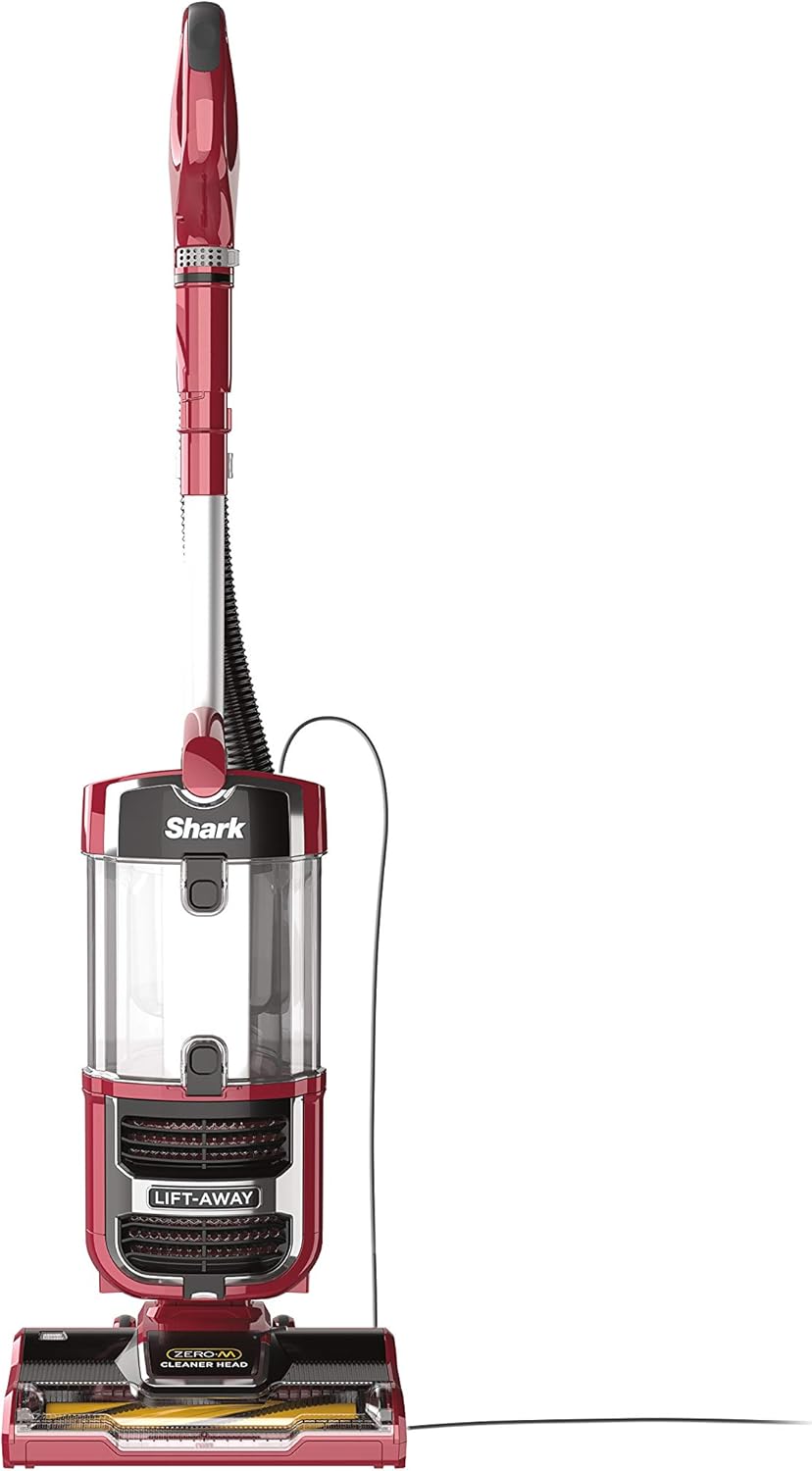
Image: The Shark ZU561 Navigator Lift-Away Speed Upright Vacuum with its main components.
Assembly and Setup
Follow these steps to assemble your vacuum cleaner:
- Place the motorized floor nozzle on a level surface.
- Insert the wand into the motorized floor nozzle until it clicks securely into place.
- Slide the vacuum pod onto the wand and push down until it clicks into place.
- Insert the handle into the top of the wand until it clicks securely into place.
- Connect the hose to the back of the vacuum pod by pushing it in until it clicks.
- Store the included accessories on the accessory posts on the vacuum pod.

Image: A fully assembled Shark ZU561 vacuum being used on a hard floor.
Operating Instructions
Power and Surface Settings
Plug the power cord into an electrical outlet. The power switch is located on the vacuum pod. Select the appropriate setting for your floor type:
- Hard Floor Setting: For bare floors and delicate area rugs. The brushroll will not spin in this mode.
- Carpet Setting: For carpets and rugs. The brushroll will spin to agitate carpet fibers for deeper cleaning.
The suction control slider allows you to adjust suction power, which is useful when cleaning delicate surfaces or when the vacuum is difficult to push.
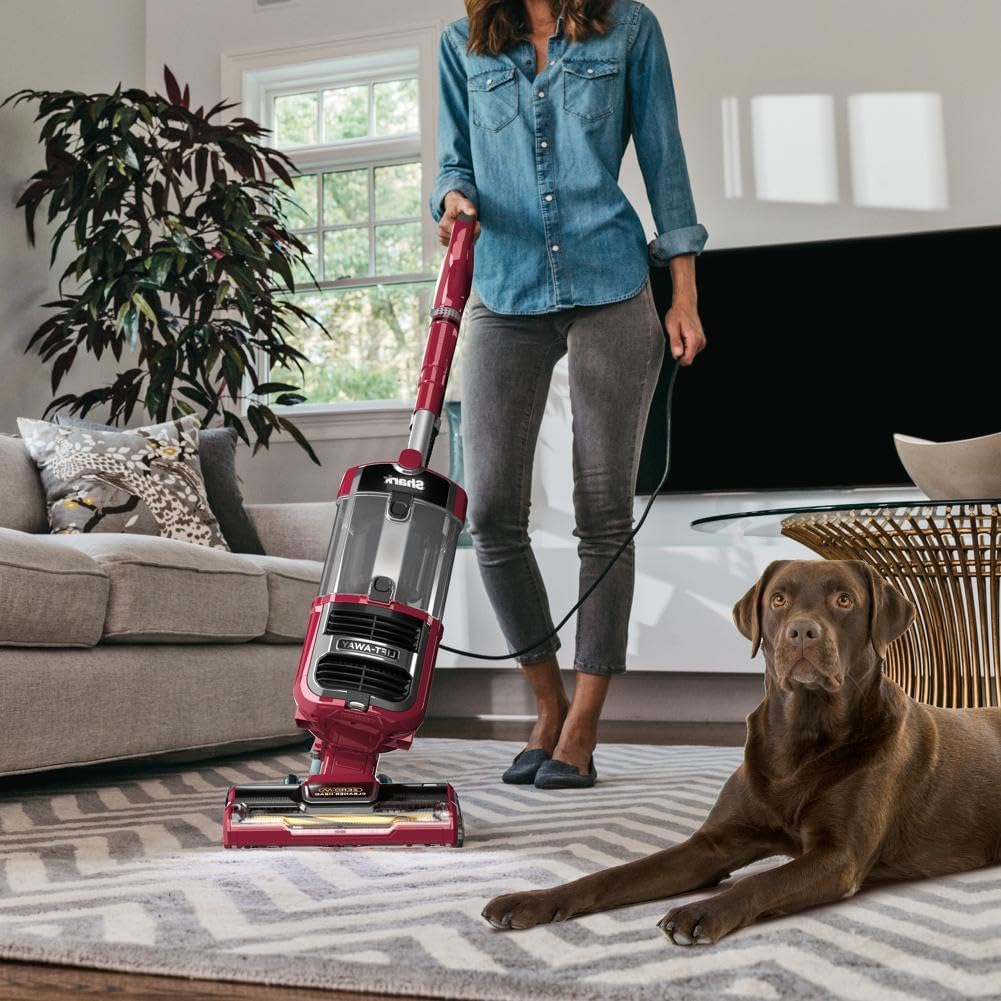
Image: A person operating the Shark ZU561 vacuum on a carpeted floor.
Lift-Away Mode
The Lift-Away feature allows you to detach the pod from the floor nozzle for portable cleaning. This is ideal for stairs, upholstery, and other above-floor areas.
- Press the Lift-Away button on the vacuum pod.
- Lift the pod away from the floor nozzle.
- Attach the desired accessory (e.g., Duster Crevice Tool, Upholstery Tool) to the end of the hose or wand.
- Begin cleaning.

Image: The Shark ZU561 in Lift-Away mode, demonstrating cleaning stairs with an attachment.

Image: The Shark ZU561 in Lift-Away mode, demonstrating cleaning a sofa with an upholstery tool.
Self-Cleaning Brushroll
The self-cleaning brushroll is designed to prevent hair wrap, making it ideal for homes with pets or long hair. It continuously removes hair from the brushroll during operation.

Image: A visual comparison illustrating the effectiveness of the self-cleaning brushroll against hair wrap.
Maintenance
Regular maintenance ensures optimal performance of your vacuum cleaner.
Emptying the Dust Cup
Empty the dust cup after each use or when debris reaches the MAX FILL line.
- Press the dust cup release latch and lift the dust cup off the vacuum pod.
- Hold the dust cup over a trash bin and press the bottom release latch to open the bottom flap.
- Tap gently to empty contents. Close the flap until it clicks.
- Reattach the dust cup to the vacuum pod.
Cleaning Filters
Your vacuum has washable foam and felt filters, and a post-motor HEPA filter. Clean them regularly to maintain suction power.
- Pre-Motor Filters (Foam & Felt): Rinse every 3 months. Remove the dust cup, then pull out the foam and felt filters. Rinse with water until the water runs clear. Air-dry completely for at least 24 hours before reinstalling.
- Post-Motor HEPA Filter: Rinse once a year. Locate the filter cover on the front of the vacuum pod. Remove the cover and pull out the HEPA filter. Rinse with water until the water runs clear. Air-dry completely for at least 24 hours before reinstalling.
IMPORTANT: Do not use soap when cleaning filters. Ensure all filters are completely dry before placing them back into the vacuum to prevent damage and maintain suction.
Troubleshooting
| Problem | Possible Cause | Solution |
|---|---|---|
| Vacuum not picking up debris or no suction. | Dust cup is full; filters need cleaning; hose or nozzle is clogged. | Empty dust cup. Clean pre-motor and post-motor filters. Check hose, wand, and floor nozzle for blockages. |
| Brushroll not spinning. | Brushroll is jammed; vacuum is in hard floor mode; floor nozzle is not properly connected. | Turn off and unplug. Remove any obstructions from the brushroll. Ensure vacuum is in carpet mode. Check connections. |
| Vacuum turns off on its own. | Overheating due to clogged filters or blockages. | Unplug vacuum. Empty dust cup and clean all filters. Check for and clear any blockages in the hose, wand, or nozzle. Allow vacuum to cool for at least 45 minutes before restarting. |
Specifications
| Feature | Detail |
|---|---|
| Model Name | ZU561 Navigator Lift-Away Speed |
| Brand | Shark |
| Special Feature | HEPA, Washable Filter, Self-Cleaning Brushroll, Lift-Away |
| Filter Type | Washable HEPA + foam filters |
| Included Components | Brushroll, Duster Crevice Tool, Hair Removal Multitool, Upholstery Tool |
| Is Cordless? | No |
| Capacity | 2.8 Liters |
| Wattage | 800 watts |
| Hose Length | 6.6 Feet |
| Recommended Uses | Carpet, Hard Floor, Furniture |
| Form Factor | Upright |
| Color | Red Peony |
| Product Dimensions | 12"L x 9.5"W x 45.6"H |
| Item Weight | 13.42 pounds |
| Noise Level | 80 dB |
| Amperage | 6.67 Amps |
| Controller Type | Push Button |
| Cleaning Path Width | 12 Inches |
Warranty Information
The Shark ZU561 Navigator Lift-Away Speed Upright Vacuum comes with a 5-year limited warranty. Please refer to the warranty card included with your product for full terms and conditions, or visit the official Shark website for detailed information on warranty coverage and claims.
Support
For additional assistance, troubleshooting, or to purchase replacement parts and accessories, please visit the official Shark website or contact Shark customer service.
You can also download the full user manual in PDF format for more detailed instructions: Download User Manual (PDF)
Note: No relevant official product videos were found in the provided data for embedding.
Related documentsZU561


Ask a question about this manual
Ask about setup, troubleshooting, compatibility, parts, safety, or missing instructions. Manuals+ will review the question and use this page’s manual context to help answer it.