
Tribesigns HOGA-YS0071-X
Tribesigns Computer Desk User Manual
Model: HOGA-YS0071-X | Brand: Tribesigns
Introduction
This manual provides comprehensive instructions for the assembly, operation, maintenance, and troubleshooting of your Tribesigns Computer Desk. Designed for home and office use, this desk offers a spacious and sturdy workspace. Please read this manual thoroughly before assembly and use to ensure proper setup and longevity of your product.
Safety Information
For safe use, always adhere to the following guidelines:
- Ensure the load on the desk does not exceed 900 lbs (total weight capacity).
- Properly fit the adjustable leg pads to ensure stability, especially on uneven floor surfaces.
- Refer to the assembly instructions carefully to ensure correct and secure setup.
- Keep small parts away from children during assembly.
Parts List
Before beginning assembly, verify that all components are present and undamaged. The package should contain:
- 1 x Desktop (Laminated MDF)
- 4 x Metal Legs (Heavy duty powder coated steel)
- 2 x Leg Bars
- Adjustable Leg Pads (pre-installed or separate)
- Assembly Hardware (screws, hex key)

Figure 1: Exploded view of desk components for assembly.
Assembly Instructions
The Tribesigns Computer Desk is designed for quick and easy assembly, typically taking less than 15 minutes. Follow these steps:
- Step 1: Attach Legs to Desktop. Carefully place the desktop upside down on a soft, clean surface to prevent scratches.
- Step 2: Secure Leg Bars. Attach the four metal legs to the designated points on the underside of the desktop using the provided screws and hex key. Ensure the leg bars are properly aligned and facing each other for correct orientation.
- Step 3: Tighten Screws. Securely tighten all screws. Avoid over-tightening to prevent damage to the paint or material.
- Step 4: Adjust Leg Pads. Once assembled, carefully flip the desk upright. Adjust the leg pads at the bottom of each leg to ensure the desk is stable and level on your floor.
Figure 2: Simplified assembly steps.
Operation and Usage
Your Tribesigns Computer Desk is designed for versatile use in various settings:
- Spacious Desktop: The 63" (L) x 23.6" (W) desktop provides ample space for your computer, monitor, printer, and other office essentials.
- Generous Leg Room: With an underneath leg distance of 58.26", the desk offers comfortable leg room, suitable for various users, including taller individuals.
- Versatile Application: Ideal for use as a computer desk, office desk, study table, or writing desk in home offices, dorm rooms, or other personal workspaces.
- Stability: The heavy-duty powder-coated steel frame and adjustable leg pads ensure the desk remains stable even on uneven surfaces.

Figure 3: Tribesigns Computer Desk in a typical office setup.
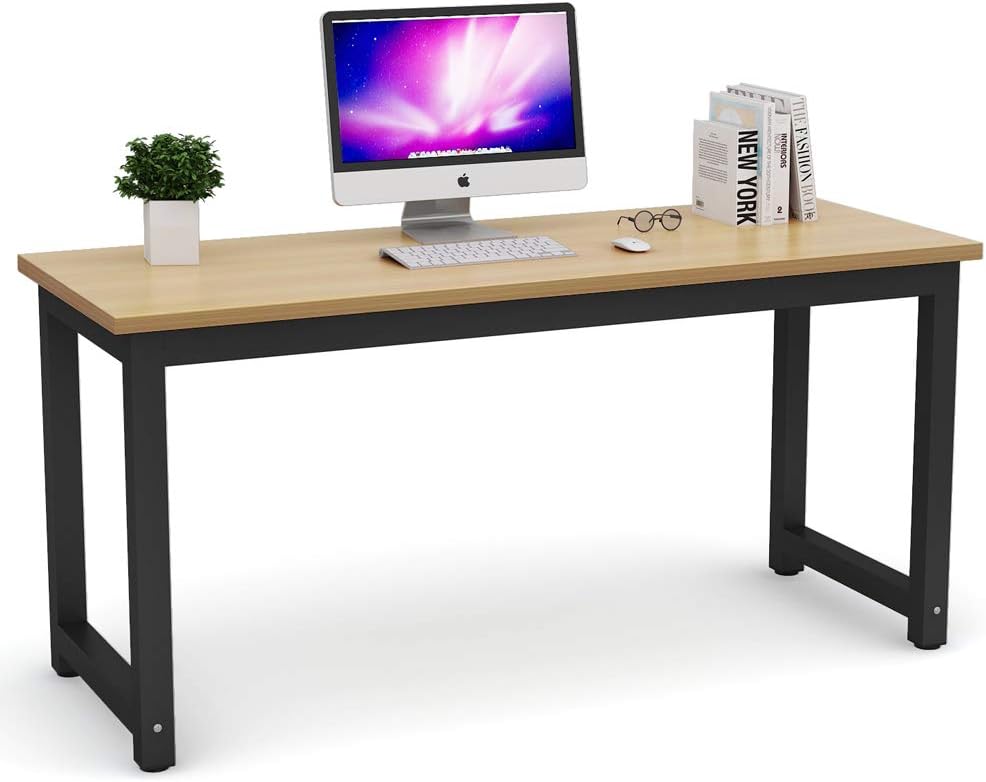
Figure 4: Detailed view of the desk surface and leg design.
Maintenance
To ensure the longevity and appearance of your Tribesigns Computer Desk, follow these simple maintenance tips:
- Cleaning: Wipe the desk surface with a damp cloth and dry immediately. Avoid using harsh chemicals or abrasive cleaners, which can damage the laminated MDF.
- Spills: Promptly clean up any spills to prevent staining or damage to the desktop.
- Stability Check: Periodically check all screws and connections to ensure they remain tight. Re-tighten if necessary.
- Avoid Excessive Weight: Do not place items exceeding the maximum weight capacity of 900 lbs on the desk.
- Protect Surface: Use coasters for drinks and mouse pads for computer mice to protect the desktop from scratches and moisture.

Figure 5: Close-up of the desktop material, highlighting its easy-to-clean surface.
Troubleshooting
If you encounter any issues with your Tribesigns Computer Desk, refer to the following common troubleshooting steps:
| Problem | Possible Cause | Solution |
|---|---|---|
| Desk wobbles | Uneven floor surface; loose screws; leg pads not adjusted. | Adjust the leg pads until the desk is stable. Check and tighten all assembly screws. Ensure legs are installed correctly. |
| Difficulty assembling legs | Legs or leg bars are not oriented correctly. | Ensure the leg bars are facing each other as indicated in the assembly diagram. Do not force parts. |
| Scratches on desktop | Sharp objects or abrasive cleaning. | Use protective mats or coasters. Avoid dragging objects across the surface. Clean with soft cloth. |
Specifications
| Feature | Detail |
|---|---|
| Model Number | HOGA-YS0071-X |
| Color | Walnut + Black Leg |
| Product Dimensions (L x W x H) | 160.02 cm x 59.94 cm x 72.9 cm (63" x 23.6" x 28.7") |
| Item Weight | 21.95 kg (48.4 lbs) |
| Weight Capacity | Up to 900 lbs |
| Primary Material | E1 Particle Board & Metal |
| Top Material Type | Engineered Wood (Laminated MDF) |
| Base Material | Metal (Powder Coated Steel) |
| Assembly Required | Yes |
| Style | Modern |
| Special Features | Scratch Resistant, Adjustable Leg Pads |

Figure 6: Desk dimensions overview.

Figure 7: Key structural features of the desk.
Warranty and Support
Tribesigns provides an 18-month warranty for this product, covering manufacturing defects and material flaws under normal use. For any questions, concerns, or assistance with your product, please contact Tribesigns customer service. Our friendly customer service team is ready to assist you.
Please visit the official Tribesigns website or refer to your purchase documentation for specific contact details and warranty claim procedures.
Related documentsHOGA-YS0071-X


Ask a question about this manual
Ask about setup, troubleshooting, compatibility, parts, safety, or missing instructions. Manuals+ will review the question and use this page’s manual context to help answer it.