1. Introduction
This manual provides essential instructions for the safe and efficient use of your Soehnle 61504 Page Comfort Digital Kitchen Scales. Please read this manual thoroughly before first use and retain it for future reference. Proper use ensures accurate measurements and extends the lifespan of your device.

Image 1.1: The Soehnle 61504 Page Comfort Digital Kitchen Scales. This image displays the sleek, silver-colored kitchen scale with its large LCD display and touch-sensitive controls for power and tare functions.
2. Safety Information
Observe the following safety precautions to prevent injury or damage to the device:
- Do not immerse the scale in water or other liquids. Clean with a damp cloth only.
- Do not overload the scale beyond its maximum capacity of 10 kg.
- Place the scale on a firm, flat, and stable surface during use to ensure accurate readings.
- Keep the scale away from strong electromagnetic fields, extreme temperatures, and direct sunlight.
- Batteries can be dangerous if swallowed. Keep batteries out of reach of children. If swallowed, seek immediate medical attention.
- Dispose of used batteries according to local regulations. Do not dispose of batteries in fire.
3. Package Contents
Verify that all items are present in the package:
- 1 x Soehnle 61504 Page Comfort Digital Kitchen Scale
- 1 x CR2430 Lithium Metal battery (pre-installed or included separately)
4. Product Overview
The Soehnle 61504 Page Comfort Digital Kitchen Scales feature an ultra-flat design, a large LCD display, and touch-sensitive controls for ease of use and cleaning. It is designed for precise weighing in the kitchen.
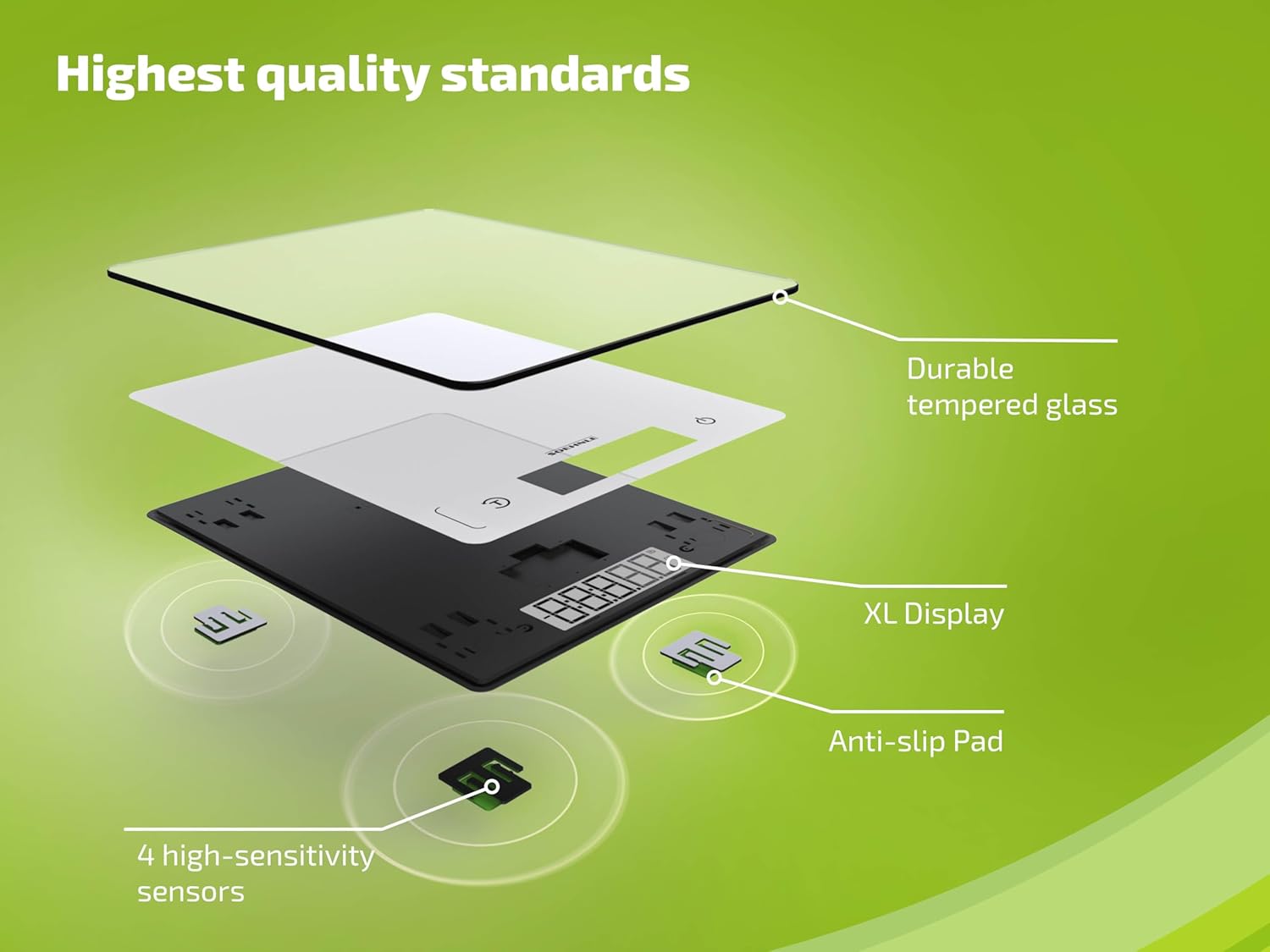
Image 4.1: Exploded view illustrating the internal components of the scale. This image highlights the durable tempered glass surface, the XL display, anti-slip pads, and the four high-sensitivity sensors that contribute to the scale's accuracy and quality.
Key features include:
- Ultra Flat Design: For space-saving storage, with a thickness of only 0.99 cm.
- Extra Large LCD Display: Ensures optimal readability of weight measurements.
- High Maximum Load: Weighs up to 10 kg with precise 1-gram increments.
- Handy Tare Function: Allows for comfortable addition of ingredients in a single bowl.
- Patented Sensor Touch: Provides easy operation and simplifies cleaning of the weighing surface.
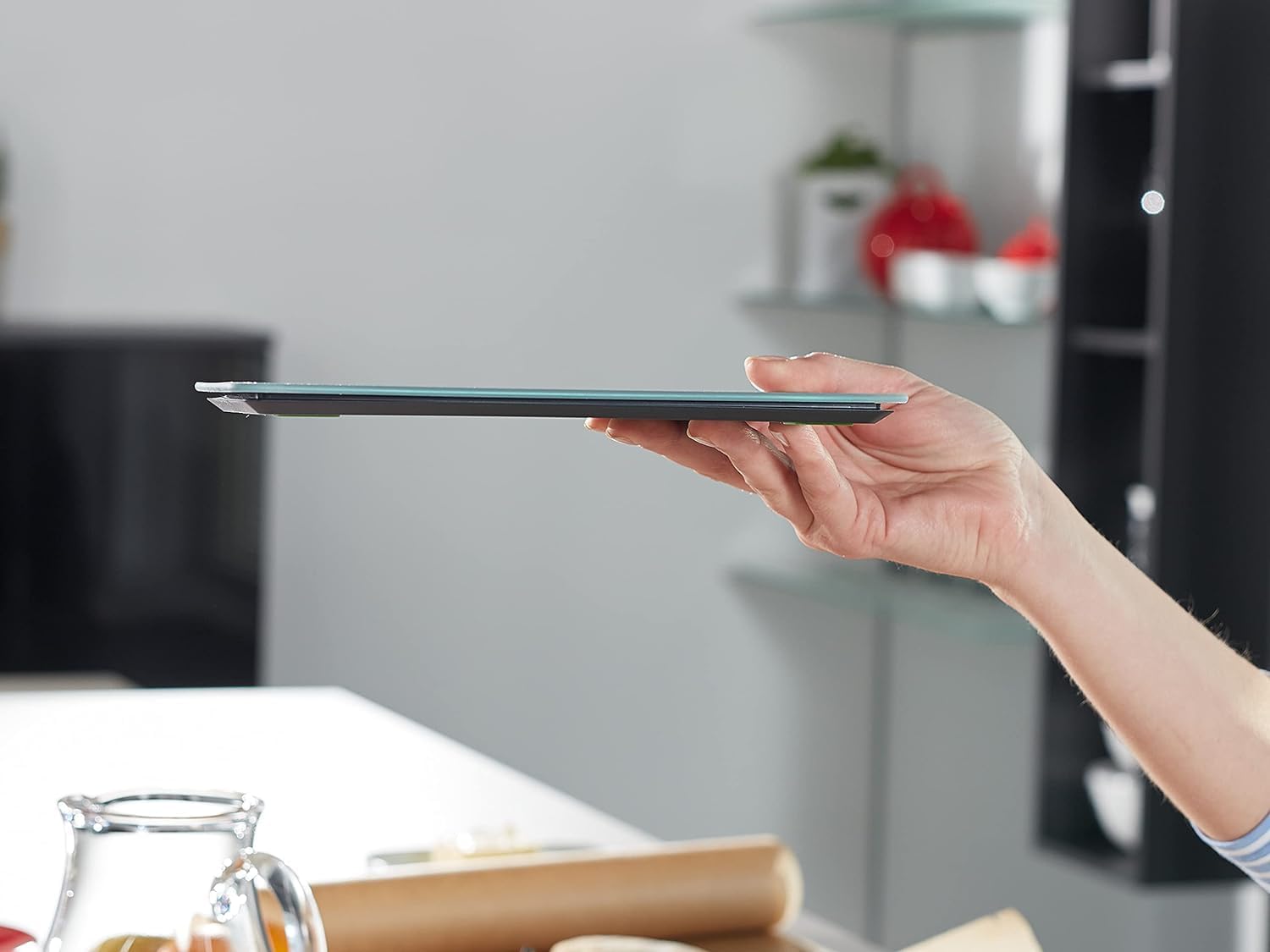
Image 4.2: Side profile of the Soehnle kitchen scale, demonstrating its ultra-slim design. This image shows how thin the scale is, making it easy to handle and store.
5. Setup
5.1. Battery Installation
- Locate the battery compartment on the underside of the scale.
- Open the battery compartment cover.
- Insert the CR2430 Lithium Metal battery, ensuring the correct polarity (+/-) as indicated inside the compartment.
- Close the battery compartment cover securely.
5.2. Placement
Place the scale on a hard, flat, and level surface. Avoid soft or uneven surfaces, as this can affect weighing accuracy. Ensure there is sufficient space around the scale for stable operation.

Image 5.1: The Soehnle kitchen scale stored vertically in a kitchen cabinet. This image demonstrates the scale's compact and slim design, allowing for convenient storage in tight spaces.
6. Operating Instructions
6.1. Power On/Off
- To turn on the scale, gently touch the power button (usually marked with a '⑂' symbol) on the weighing surface. The display will illuminate and show '0 g'.
- The scale features an automatic shut-off function to conserve battery power. It will turn off after a period of inactivity.
- To manually turn off the scale, press and hold the power button until the display turns off.
6.2. Weighing Ingredients
- Turn on the scale. Ensure the display shows '0 g'.
- Place the item to be weighed directly onto the center of the weighing surface.
- Read the weight displayed on the LCD screen.
6.3. Tare Function
The tare function allows you to weigh multiple ingredients consecutively in the same container, or to subtract the weight of a container.
- Place an empty container on the scale. The display will show its weight.
- Gently touch the 'T' (Tare) button. The display will reset to '0 g'.
- Add the first ingredient to the container. The display will show the weight of only the ingredient.
- To add another ingredient, touch the 'T' button again to reset the display to '0 g', then add the next ingredient. Repeat as needed.
- To view the total weight of all ingredients and the container, remove the container from the scale. The display will show a negative value equal to the container's weight.
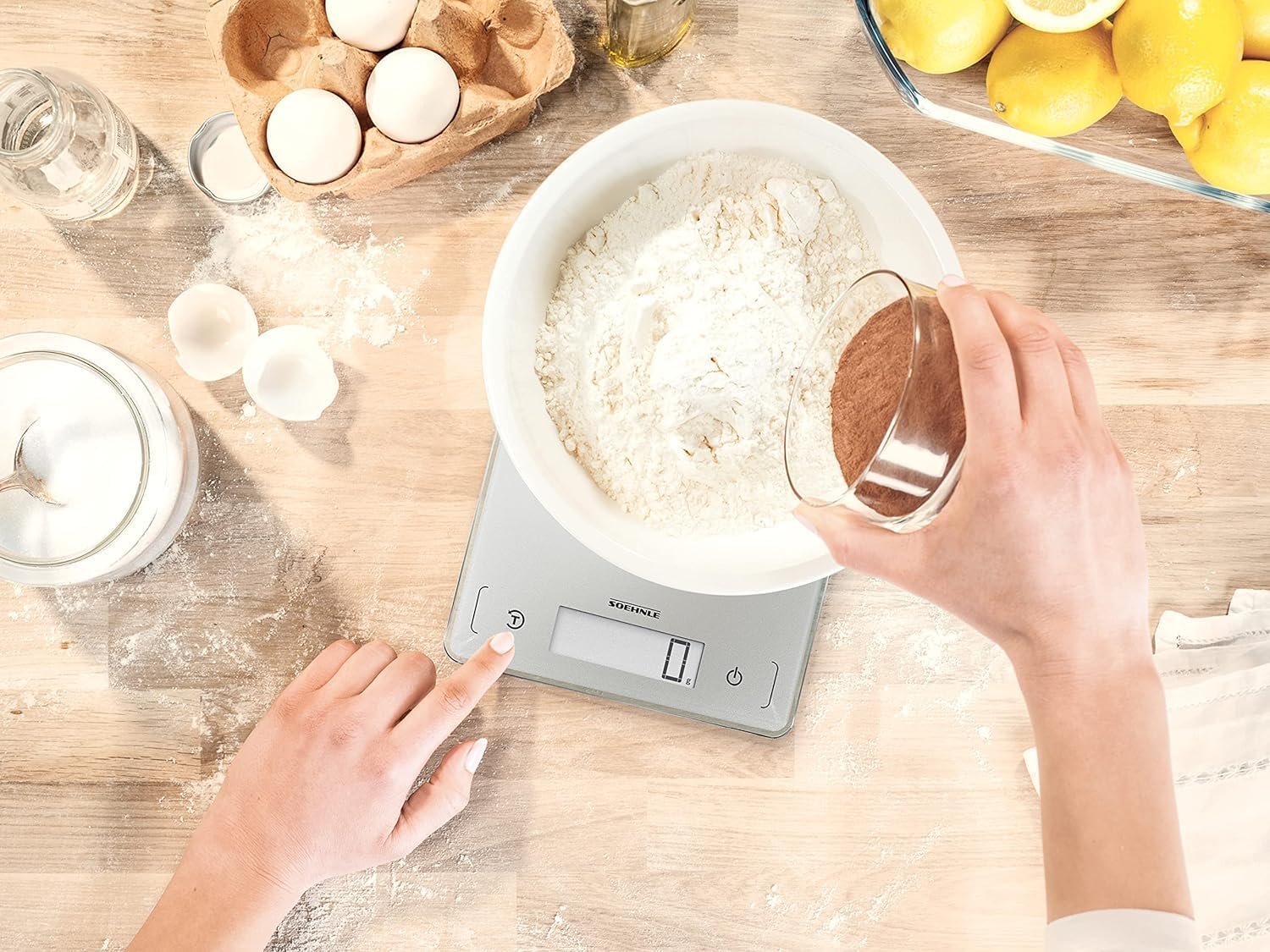
Image 6.1: A user demonstrating the tare function. The image shows a hand pressing the 'T' button on the scale while a bowl of flour is being weighed, illustrating how to reset the scale to zero after placing a container.
7. Maintenance and Care
- Cleaning: Wipe the weighing surface and body with a slightly damp cloth. Do not use abrasive cleaners or immerse the scale in water. The glass surface is easy to clean.
- Storage: Store the scale in a dry place, away from extreme temperatures. Its ultra-flat design allows for convenient storage in drawers or cabinets.
- Battery Replacement: When the battery is low, a low battery indicator may appear on the display. Replace the CR2430 battery as described in Section 5.1.
8. Troubleshooting
| Problem | Possible Cause | Solution |
|---|---|---|
| Scale does not turn on. | Dead or incorrectly installed battery. | Check battery polarity or replace the battery. |
| Inaccurate readings. | Scale not on a flat surface, overloaded, or external interference. | Place on a stable, flat surface. Ensure weight does not exceed 10 kg. Avoid strong electromagnetic fields. |
| Display shows '000000' or resets unexpectedly. | Sensor interference or temporary malfunction. | Remove any items from the scale, turn it off and on again. Ensure no objects are touching the weighing surface or controls. |
| Display shows 'Err'. | Overload. | Remove the item immediately. The scale has been overloaded. |
9. Specifications

Image 9.1: Visual representation of the Soehnle kitchen scale's dimensions and key features. This image clearly labels the length (22 cm), width (17 cm), and ultra-slim height (0.99 cm), along with icons for maximum load (10 kg), accuracy (1 g), tare function, XL display, and battery type (1x CR2430).
| Feature | Detail |
|---|---|
| Model | 61504 |
| Maximum Load Capacity | 10 kg (22.04 lbs) |
| Readout Accuracy | 1 g |
| Product Dimensions (L x W x H) | 22 x 17 x 0.99 cm |
| Item Weight | 0.42 kg (420 g) |
| Material Type | Glass |
| Display Type | LCD |
| Special Features | Auto Shut Off, Large Display, Sensor Touch |
| Battery Type | 1 x CR2430 Lithium Metal (included) |
| Manufacturer | Soehnle |
10. Warranty and Support
Soehnle products are manufactured to high-quality standards. For information regarding warranty terms and conditions, or for technical support, please refer to the official Soehnle website or contact their customer service department. Keep your purchase receipt as proof of purchase.


