
Introduction
This manual provides essential information for the safe and efficient operation of your MEAN WELL LRS-50-12 Regulated Switching Power Supply. Please read this manual thoroughly before installation and use, and retain it for future reference. This power supply is designed to convert AC input voltage to a stable 12V DC output, suitable for various electronic applications requiring 50W of power.
Safety Instructions
- Electrical Hazard: Always disconnect the power supply from the AC mains before performing any installation, wiring, or maintenance.
- Proper Grounding: Ensure the power supply is properly grounded to prevent electric shock.
- Ventilation: Do not obstruct the ventilation openings. Adequate airflow is crucial for proper cooling and to prevent overheating.
- Indoor Use Only: This device is intended for indoor use in dry environments. Do not expose to moisture, rain, or excessive humidity.
- Correct Wiring: Verify all wiring connections are correct and secure before applying power. Incorrect wiring can damage the unit or connected devices.
- Qualified Personnel: Installation and servicing should only be performed by qualified personnel.
- Output Load: Do not exceed the maximum output current (4.2A) or power (50W) ratings to avoid damage to the power supply.
Product Overview
The MEAN WELL LRS-50-12 is a compact, single-output switching power supply. It features a universal AC input range and protections against short circuit, overload, over voltage, and over temperature.

Image: The MEAN WELL LRS-50-12 switching power supply unit, showing its compact design and terminal block for connections.
Key Features:
- Universal AC input / Full range
- Withstand 300VAC surge input for 5 seconds
- Protections: Short circuit / Overload / Over voltage / Over temperature
- Cooling by free air convection
- LED indicator for power on
- No load power consumption <0.2W
Setup and Installation
Follow these steps for proper installation of the LRS-50-12 power supply.
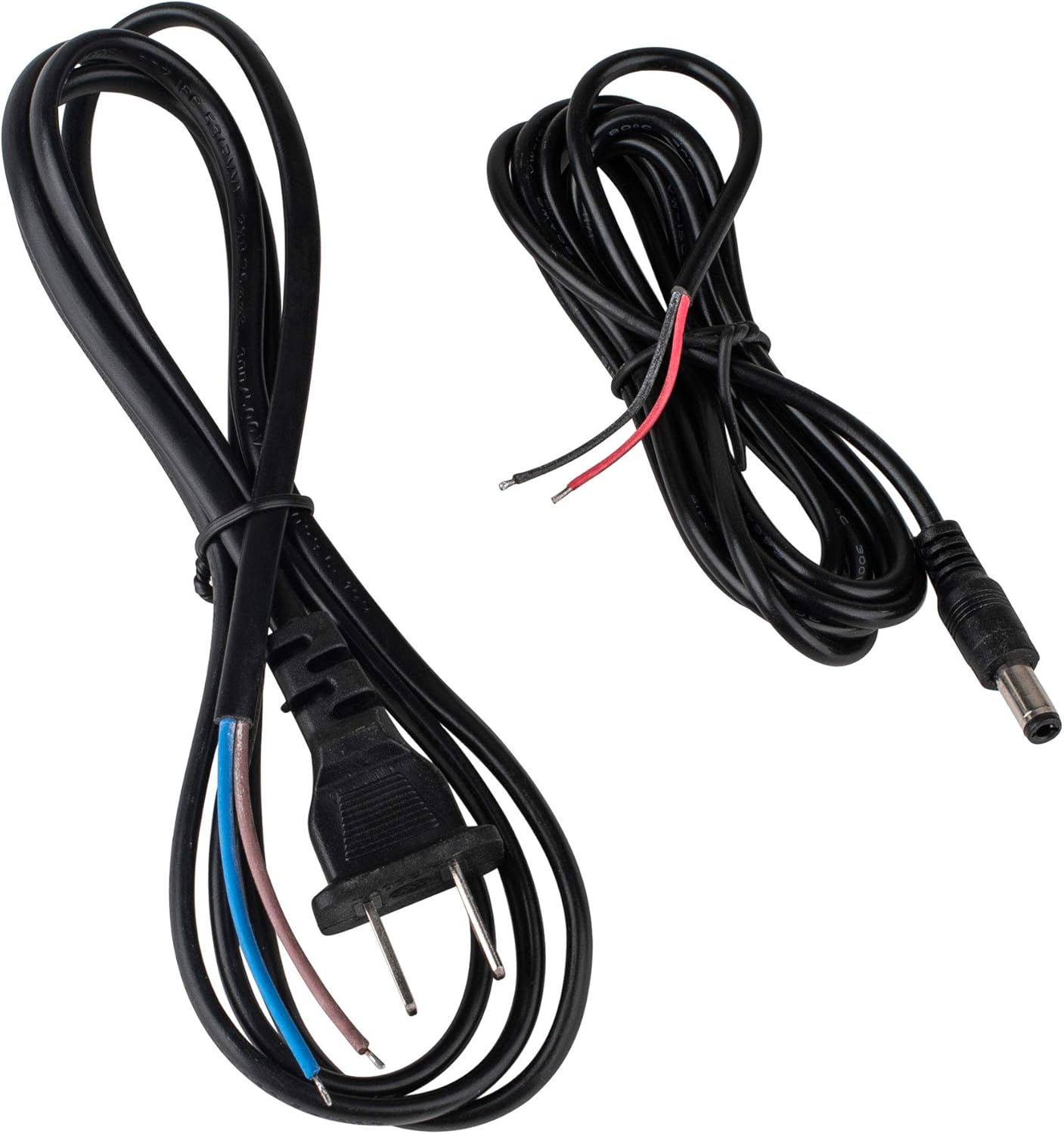
Image: Included AC input power cable with exposed wires and a 2-pin plug, and DC output cable with exposed wires and a barrel connector.
- Mounting: Mount the power supply in a location that allows for adequate air circulation. Ensure there is sufficient space around the unit for cooling by free air convection.
- AC Input Connection:
- Connect the AC input power cable to the L, N, and FG (Frame Ground) terminals on the power supply.
- Ensure the live (L), neutral (N), and ground (FG) wires are correctly identified and securely fastened to their respective terminals. Refer to local electrical codes for proper wiring practices.
- The provided AC cable typically has a 2-pin plug and exposed wires for connection to the power supply's terminal block.
- DC Output Connection:
- Connect the DC output cable to the +V and -V terminals on the power supply.
- Ensure the positive (+) and negative (-) wires are correctly identified and securely fastened.
- Connect the other end of the DC output cable (barrel connector or exposed wires) to your intended device, ensuring polarity matches.
- Verify Connections: Double-check all wiring connections for tightness and correctness before proceeding.
Operating Instructions
- Power On: Once all connections are secure and verified, connect the AC input plug to a suitable power outlet. The LED indicator on the power supply should illuminate, indicating power is on.
- Output Voltage: The power supply provides a regulated 12V DC output. Do not attempt to adjust the output voltage unless the unit has a specific adjustment potentiometer (not typically present on LRS-50-12 models for user adjustment).
- Load Connection: Connect your device to the DC output. Ensure the device's power requirements do not exceed 12V, 4.2A, or 50W.
- Power Off: To turn off the power supply, disconnect it from the AC mains outlet.
Maintenance
The LRS-50-12 power supply is designed for reliable operation with minimal maintenance. Follow these guidelines:
- Cleaning: Keep the unit clean and free from dust. Use a soft, dry cloth to wipe the exterior. Do not use liquid cleaners or solvents.
- Ventilation: Periodically check that the ventilation openings are not blocked by dust or debris.
- Connections: Occasionally inspect wiring connections to ensure they remain secure.
- Storage: If storing the unit, do so in a cool, dry place away from direct sunlight and extreme temperatures.
Troubleshooting
| Problem | Possible Cause | Solution |
|---|---|---|
| No power / LED indicator off |
|
|
| No DC output voltage |
|
|
| Output voltage unstable |
|
|
Specifications
| Parameter | Value |
|---|---|
| Model | LRS-50-12 |
| Input Voltage Range | 100 - 240V AC (Universal) |
| Output Voltage | 12V DC |
| Output Current | 4.2A |
| Output Power | 50W |
| Cooling Method | Free Air Convection |
| Protections | Short Circuit, Overload, Over Voltage, Over Temperature |
| Dimensions (Approx.) | (Refer to product datasheet for exact dimensions) |
| Weight | 0.8 Pounds (approx. 12.8 ounces) |
Warranty and Support
MEAN WELL products are manufactured to high-quality standards. For warranty information and technical support, please refer to the official MEAN WELL website or contact your authorized distributor. Keep your purchase receipt as proof of purchase.


