
1. Product Overview
The Energizer Single Head Security Light is a wireless, battery-operated LED spotlight designed to provide instant illumination in outdoor spaces. Featuring 120° motion detection and 300 lumens of brightness, it enhances safety and convenience around your home. Its durable, weather-resistant design ensures year-round performance.

Figure 1: Overview of the Energizer Single Head Security Light features.
2. Package Contents
- Energizer Motion-Activated Wireless LED Spotlight (Model 40777-S1)
- Mounting hardware (screws and anchors)
Note: 4 D batteries are required and not included.
3. Setup and Installation
The Energizer Security Light is designed for quick and effortless installation without the need for electrical wiring.
3.1 Battery Installation
- Locate the battery compartment on the back of the unit.
- Remove the screw securing the battery compartment cover.
- Gently pull the side clips to unlatch and remove the battery door.
- Insert 4 D batteries, ensuring correct polarity (+/-).
- Replace the battery cover and secure it with the screw.

Figure 2: Detailed steps for battery installation and mounting.
Video 1: Official guide demonstrating battery installation and mounting of the Energizer Motion-Activated Wireless LED Spotlight.
3.2 Mounting Instructions
- Remove the mounting bracket from the light unit by sliding it down.
- Attach the mounting bracket to your desired outdoor surface (e.g., entry doors, porch, patio, fence posts, sheds, garages, driveways, basements) using the provided screws and anchors.
- Slide the light unit onto the mounted bracket until it clicks securely into place.

Figure 3: Various mounting options for the security light.
4. Operation
The Energizer Security Light operates automatically based on motion detection and ambient light conditions.
- Motion Activation: The spotlight illuminates when motion is detected within its 120° detection angle and up to 25 feet range.
- Automatic Shut-off: The light will automatically turn off approximately 20 seconds after motion is no longer detected.
- Dark Settings: The motion sensor is designed to activate the light only in dark settings, conserving battery life during daylight hours.
- Adjustable Head: The spotlight head can rotate 280° horizontally and tilt 180° vertically, allowing you to direct the light precisely where needed.
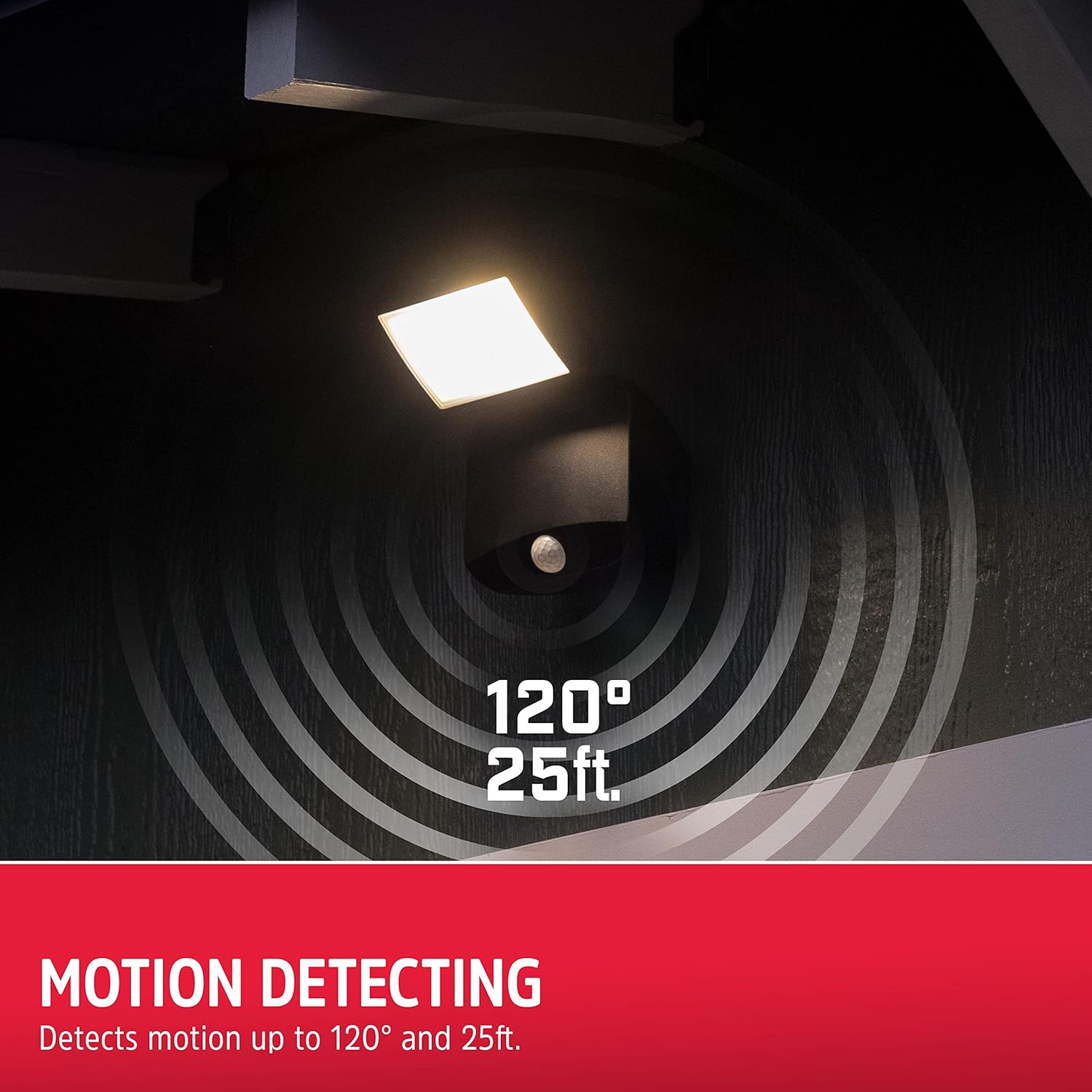
Figure 4: Motion detection capabilities of the security light.

Figure 5: Adjustable spotlight position for optimal coverage.
5. Maintenance
The Energizer Security Light requires minimal maintenance.
- Battery Replacement: When the light output diminishes or the unit stops activating, replace all 4 D batteries. Refer to Section 3.1 for battery installation instructions.
- Cleaning: Periodically wipe the light's surface and motion sensor with a soft, damp cloth to remove dirt and debris. Do not use abrasive cleaners.
- Weather Resistance: The unit is IP54 rated and designed to withstand rain and various weather conditions. Ensure the battery compartment is securely closed after battery changes to maintain water resistance.
6. Troubleshooting
- Light does not turn on:
- Check if the batteries are installed correctly with the right polarity.
- Replace old batteries with new ones.
- Ensure the ambient light is dark enough for the sensor to activate.
- Verify the motion sensor is not obstructed.
- Light stays on continuously or activates without apparent motion:
- Ensure the motion sensor is clean and free from obstructions (e.g., spiderwebs, leaves).
- Adjust the light's position to avoid triggering by passing traffic, swaying branches, or small animals if not desired.
- If the issue persists, the unit may be defective.
- Light output is dim:
- Replace the batteries. Dim light is often an indication of low battery power.
7. Specifications
| Feature | Specification |
|---|---|
| Brand | Energizer |
| Model Number | 40777-S1 |
| Light Source | LED |
| Brightness | 400 Lumens |
| Motion Detection Angle | 120° |
| Motion Detection Range | Up to 25 ft. |
| Auto Shut-off Time | 20 seconds after motion stops |
| Power Source | 4 D Batteries (not included) |
| Adjustability | 280° Horizontal Swivel, 180° Vertical Tilt |
| Weather Resistance | IP54 Rated |
| Material | Polyvinyl Chloride, Plastic |
| Color | Black |
| Item Dimensions (L x W x H) | 9.4"L x 8.1"W x 5.5"H |
8. Warranty and Support
This Energizer Security Light comes with a 1-year manufacturer's warranty.
For technical support or warranty claims, please refer to the contact information provided on the product packaging or visit the official Energizer website.


