
1. Introduction
This manual provides essential instructions for the safe and efficient operation of your Hisense 50DU6070 50-inch 4K UHD Smart LED TV. Please read this manual thoroughly before using your television and retain it for future reference. This television features a 50-inch LED display with 4K Ultra HD resolution, Smart TV capabilities, and Wi-Fi connectivity.
2. Safety Information
Always follow basic safety precautions when using this product to reduce the risk of fire, electric shock, and injury.
- Power Source: Connect the TV only to an AC 120V, 60Hz power outlet. Ensure the power cord is not damaged or pinched.
- Ventilation: Do not block ventilation openings. Allow adequate space around the TV for proper airflow.
- Water and Moisture: Do not expose the TV to rain or moisture. Do not place objects filled with liquids, such as vases, on the TV.
- Heat: Keep the TV away from heat sources such as radiators, heat registers, stoves, or other apparatus that produce heat.
- Cleaning: Unplug the TV from the wall outlet before cleaning. Use a soft, dry cloth. Do not use liquid cleaners or aerosol cleaners.
- Servicing: Do not attempt to service this product yourself. Refer all servicing to qualified service personnel.
- Stability: Ensure the TV is placed on a stable, level surface or securely mounted to a wall to prevent tipping.
3. Package Contents
Verify that all items listed below are included in your package. If any items are missing or damaged, contact your retailer.
- Hisense 50DU6070 50-inch 4K UHD Smart LED TV
- Remote Control
- Power Cord
- TV Stand (2 pieces)
- Screws for TV Stand
- Quick Setup Guide (this document)
4. Setup
4.1 Attaching the TV Stand
To ensure stability, attach the included stand to your television.
- Carefully place the TV face-down on a soft, clean surface to prevent screen damage.
- Align each stand piece with the corresponding slots on the bottom of the TV.
- Secure each stand piece with the provided screws, tightening them firmly.
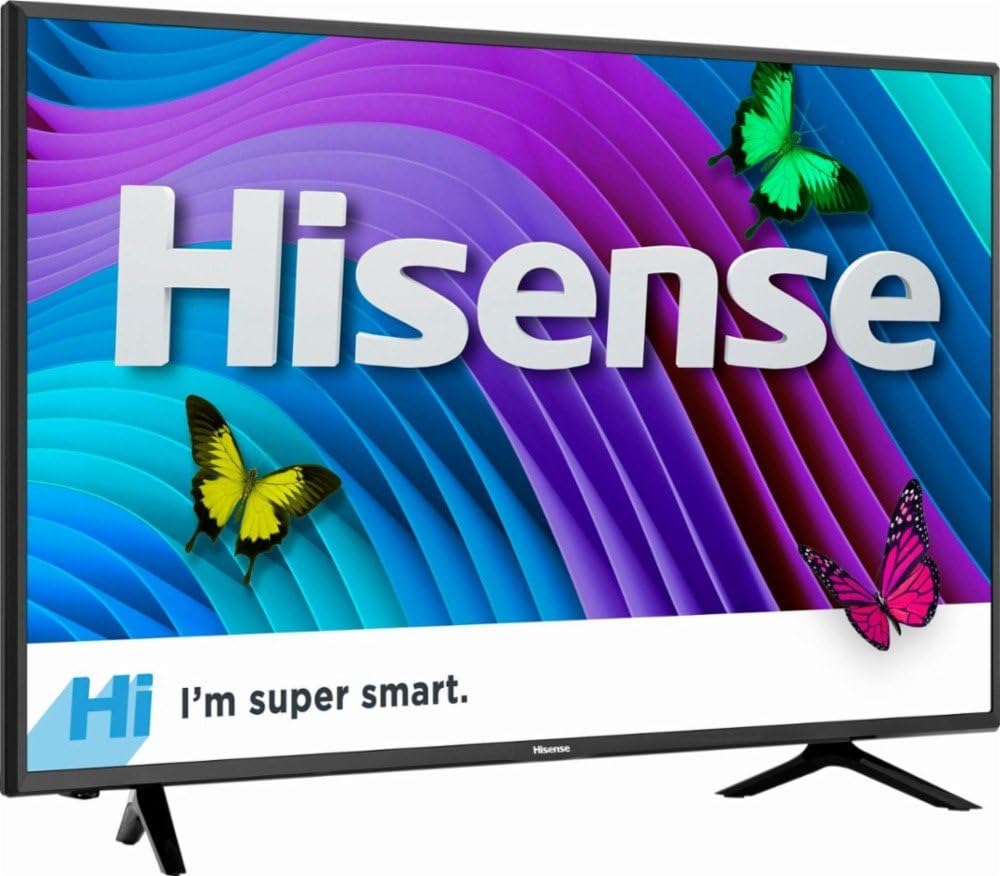
Image: Front view of the Hisense 50DU6070 TV with its stand attached, showing the display and the Hisense logo.
4.2 Wall Mounting (Optional)
If you prefer to wall mount your TV, you will need a VESA-compatible wall mount kit (not included). The VESA mounting pattern for this model is standard. Consult a professional for wall mounting installation to ensure safety.
4.3 Connecting Devices
Connect your external devices such as cable boxes, Blu-ray players, or gaming consoles to the TV using the appropriate ports.
- HDMI: For high-definition video and audio. This TV features multiple HDMI inputs.
- USB: For connecting USB storage devices to play media files.
- Power: Connect the power cord to the TV's power input and then to a wall outlet.

Image: Rear view of the Hisense 50DU6070 TV, highlighting the various input ports including HDMI and USB connections.
4.4 First Time Setup
After connecting all devices and powering on the TV for the first time, follow the on-screen instructions to complete the initial setup, which typically includes:
- Language selection
- Network connection (Wi-Fi setup)
- Channel scanning (if using an antenna)
- Time zone settings
5. Operating
5.1 Remote Control Functions
The included remote control allows you to navigate the TV's features. Common buttons include:
- Power: Turns the TV on or off.
- Input: Selects the input source (HDMI 1, HDMI 2, USB, etc.).
- Volume Up/Down: Adjusts the sound level.
- Channel Up/Down: Changes TV channels.
- Navigation (Arrow) Buttons: Moves cursor through menus.
- OK/Enter: Confirms selections.
- Home: Accesses the Smart TV home screen.
- Back/Return: Returns to the previous screen or menu.
5.2 Smart TV Features
Your Hisense 50DU6070 is a Smart TV, offering access to various internet services and applications.
- Accessing Apps: Press the 'Home' button on your remote to open the Smart TV interface, where you can select and launch installed applications.
- Wi-Fi Connectivity: Ensure your TV is connected to a stable Wi-Fi network for optimal Smart TV performance. You can manage network settings in the TV's main menu.
- Content Streaming: Use pre-installed or downloaded apps to stream movies, TV shows, and other digital content.
5.3 Input Selection
To switch between connected devices (e.g., a Blu-ray player on HDMI 1, a gaming console on HDMI 2, or a USB drive), press the 'Input' button on your remote control and select the desired source from the on-screen menu.
6. Maintenance
Proper maintenance helps extend the life of your television.
- Cleaning the Screen: Gently wipe the screen with a soft, lint-free cloth. For stubborn marks, slightly dampen the cloth with water or a specialized screen cleaner (apply to cloth, not directly to screen). Avoid harsh chemicals.
- Cleaning the Cabinet: Use a soft, dry cloth to wipe the TV cabinet.
- Dusting: Regularly dust the ventilation openings on the back of the TV to prevent overheating.
- Power Cord: Periodically check the power cord for any signs of damage. If damaged, replace it immediately with an approved cord.
7. Troubleshooting
Before contacting customer support, try these common troubleshooting steps.
| Problem | Possible Solution |
|---|---|
| No power | Ensure the power cord is securely plugged into both the TV and a working electrical outlet. Try a different outlet. Check if the power indicator light is on. |
| No picture, but sound is present | Check the input source. Ensure the connected device is powered on and functioning correctly. Try a different HDMI cable. |
| No sound, but picture is present | Check the volume level. Ensure the TV is not muted. Check audio settings in the TV menu. If using external speakers, ensure they are connected and powered on. |
| Remote control not working | Replace the batteries. Ensure there are no obstructions between the remote and the TV's IR sensor. |
| Cannot connect to Wi-Fi | Ensure your Wi-Fi router is on and working. Re-enter the Wi-Fi password. Try restarting both the TV and the router. Check network settings in the TV menu. |
8. Specifications
| Feature | Detail |
|---|---|
| Model Number | 50DU6070 |
| Screen Size | 50 Inches |
| Display Technology | LED |
| Resolution | 4K Ultra HD |
| Smart TV Features | Yes, Internet Services Compatible |
| Connectivity Technology | Wi-Fi |
| Hardware Interface | HDMI, USB |
| Audio Input | HDMI, USB |
| Mounting Type | Table Mount (VESA compatible for wall mount) |
| Controller Type | Remote Control |
| GTIN (UPC) | 819130020440 |
| ASIN | B07B8CZNG6 |
9. Warranty and Support
For warranty information and technical support, please refer to the warranty card included with your product or visit the official Hisense website. You may also contact Hisense customer service directly for assistance with product registration, troubleshooting, or service requests.
Online Support: www.hisense-usa.com/support


