
1. Introduction
This manual provides essential instructions for the proper use and care of your Casio Enticer Analog Dial Watch, Model MTP-1384BUL. Please read this manual thoroughly to ensure optimal performance and longevity of your timepiece.
Package Contents
- Casio Enticer Analog Dial Watch (MTP-1384BUL)
- Instruction Manual
- Warranty Card

Image 1.1: Front view of the Casio Enticer Analog Dial Watch.

Image 1.2: Casio Enticer Analog Dial Watch on a wrist.
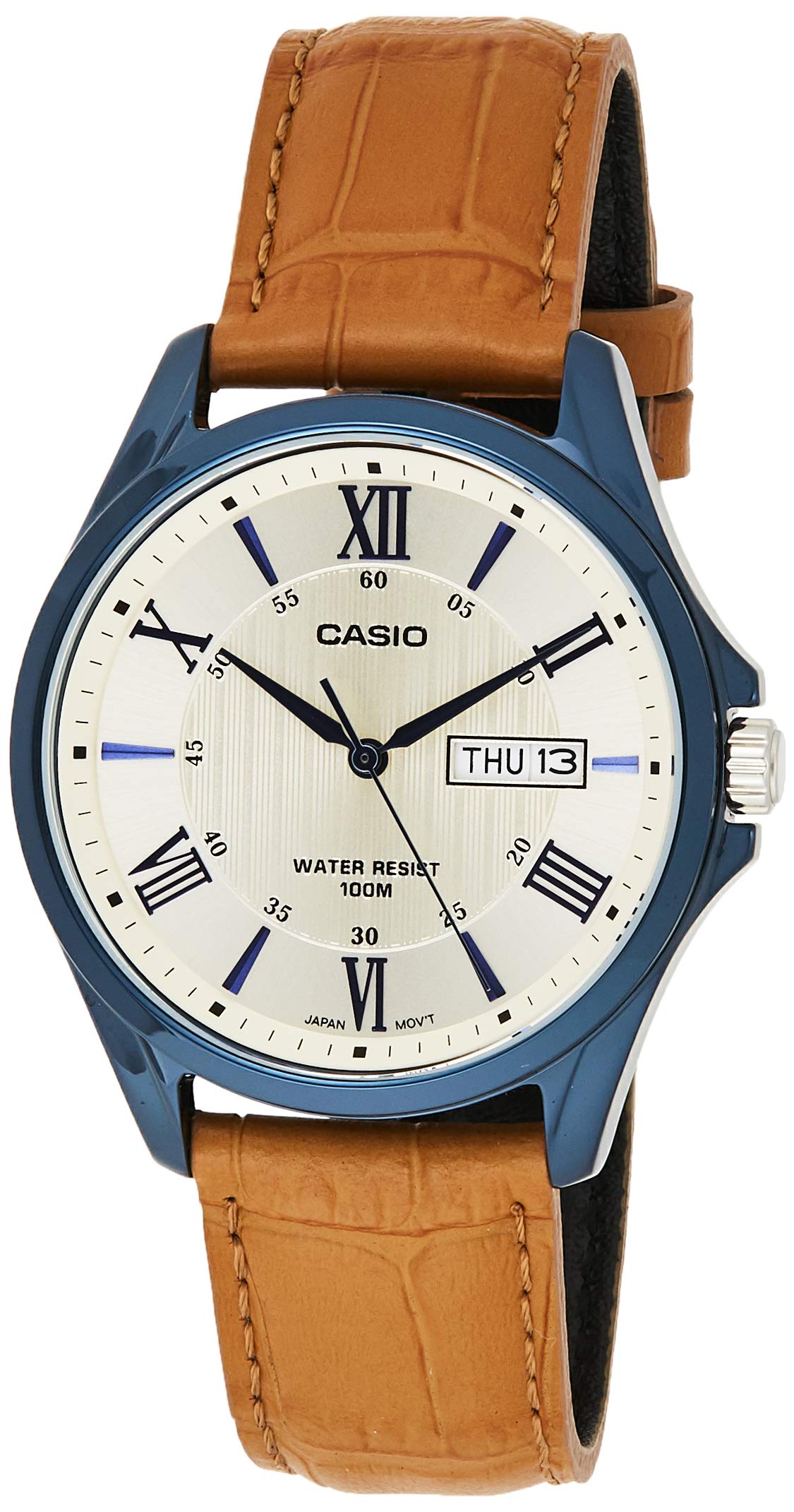
Image 1.3: Retail packaging for the Casio Enticer Analog Dial Watch.
2. Setup
Setting the Time
- Pull the crown out to the second click.
- Rotate the crown to move the hour and minute hands to the desired time.
- Push the crown back in to the normal position to start timekeeping.

Image 2.1: Side view of the watch showing the crown.
Setting the Date and Day
- Pull the crown out to the first click.
- Rotate the crown to set the desired date and day. Rotating in one direction adjusts the date, and the other direction adjusts the day.
- Push the crown back in to the normal position.
Note: Avoid setting the date and day between 9:00 PM and 1:00 AM, as this may interfere with the automatic date change mechanism.
3. Operating the Watch
Timekeeping
The watch features analog timekeeping with three hands (hour, minute, second) for precise display of time.
Day and Date Display
The watch automatically updates the day and date display. Ensure these are set correctly during initial setup.
Water Resistance
This watch is designed with 100-meter water resistance. This means it is suitable for everyday use and can withstand splashes, rain, and even swimming. However, it is not recommended for diving or prolonged underwater activities. Do not operate the crown while the watch is wet or submerged.
4. Maintenance
Cleaning the Watch
- Wipe the watch case and band with a soft, dry cloth to remove dirt and moisture.
- For the leather band, avoid excessive moisture and direct sunlight to prevent damage and discoloration.
Battery Replacement
The approximate battery life is 3 years on an SR920SW battery. When the watch stops or the second hand moves erratically, it indicates a low battery. Battery replacement should be performed by an authorized Casio service center to ensure proper sealing and water resistance.

Image 4.1: Back view of the watch, showing the case back and strap.
5. Troubleshooting
Watch Not Running
- Check if the crown is pushed in completely to the normal position.
- If the watch still does not run, the battery may need replacement. Refer to the 'Battery Replacement' section.
Incorrect Time or Date
- Follow the 'Setting the Time' and 'Setting the Date and Day' instructions to readjust.
- Ensure the crown is pushed back in after adjustment.
6. Specifications
| Feature | Description |
|---|---|
| Model Number | MTP-1384BUL (A1225) |
| Case / Bezel Material | Stainless Steel |
| Band Material | Genuine Leather |
| Glass | Mineral Glass |
| Water Resistance | 100 Meters (10 ATM) |
| Display Type | Analog (3 hands: hour, minute, second) |
| Movement Type | Quartz |
| Accuracy | ±20 seconds per month |
| Approx. Battery Life | 3 years on SR920SW |
| Case Size (H×W×D) | 47 × 41 × 10 mm |
| Total Weight | 53 g |
| Closure Type | Buckle |
7. Warranty and Support
Warranty Information
Your Casio Enticer Analog Dial Watch comes with a 2-year manufacturer warranty from the date of purchase. An additional 6 months warranty is provided for products registered online.
To avail warranty, produce the original bill copy/invoice at an authorized Casio service center. The warranty card and stamp are not mandatory for online purchases.
Product Registration
Register your product online at https://register.casio.in/ to receive an additional 6 months warranty.
Customer Support
For any service-related inquiries or feedback, please contact Casio India Customer Care:
- Helpline Number: 011-66999200
- Email: casiocare@casio.co.in


