
Introduction
This manual provides detailed instructions for the setup, operation, and maintenance of your Plantronics BackBeat FIT 500 On-Ear Sport Headphones. Designed for active lifestyles, these wireless headphones feature sweat-resistant nano-coating technology by P2i, ensuring durability during sports and exercise. Please read this manual thoroughly to ensure proper use and to maximize the lifespan of your device.
Product Overview
The Plantronics BackBeat FIT 500 headphones are lightweight, on-ear wireless headphones engineered for comfort and performance. They offer robust audio quality and intuitive controls for managing music and calls.
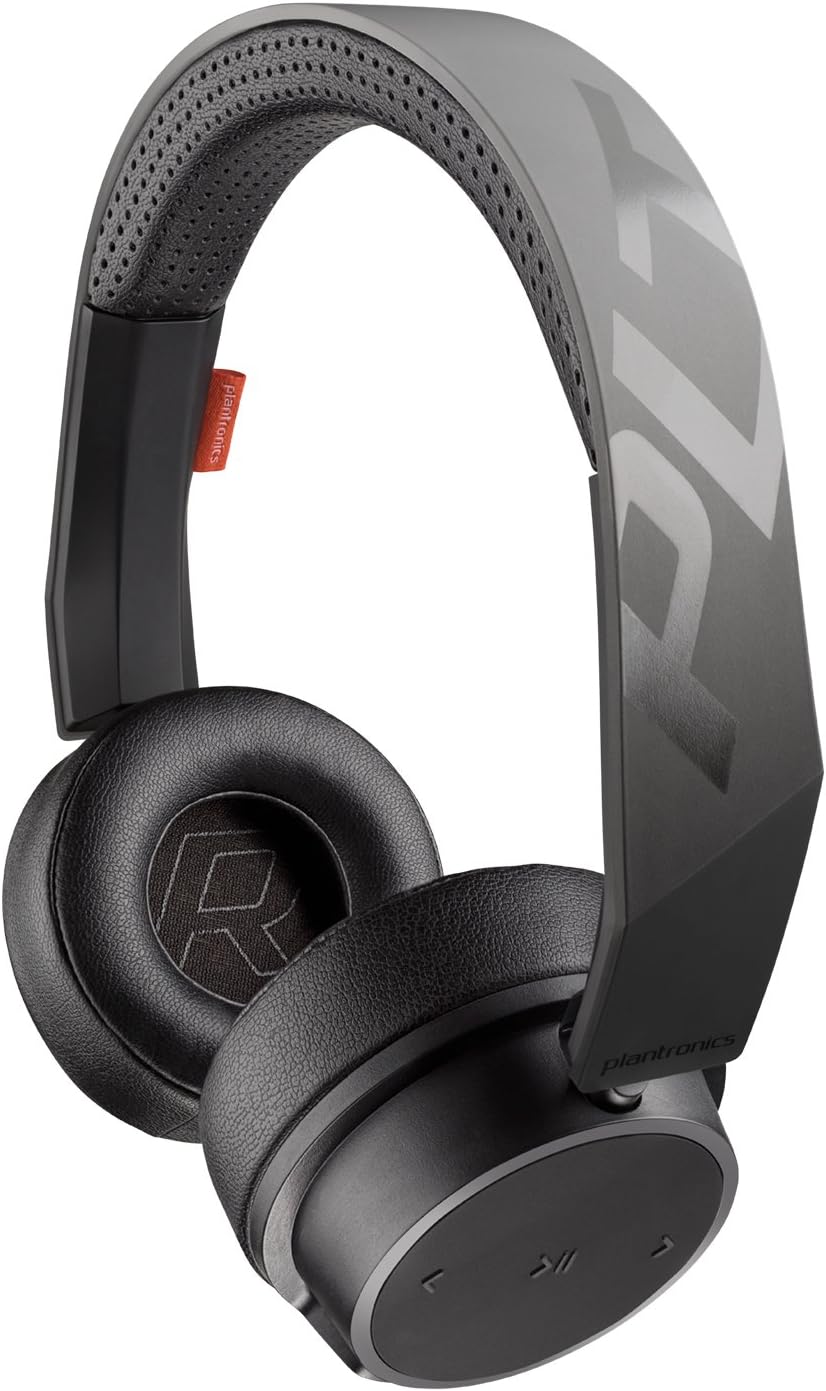
Figure 1: Front view of the Plantronics BackBeat FIT 500 headphones, showcasing their sleek black design and on-ear form factor.

Figure 2: Rear view of the headphones, highlighting the adjustable headband and earcups.

Figure 3: The headphones with visible water droplets, demonstrating their sweat-resistant P2i nano-coating technology.

Figure 4: A detailed view of the controls located on the earcup, including volume adjustments and playback buttons.

Figure 5: An individual wearing the BackBeat FIT 500 headphones during a workout, illustrating their intended use for sports and exercise.
Components
- On-Ear Headphones
- Micro-USB Charging Cable
- 3.5mm Audio Cable (for wired connection, if applicable)
Controls
The headphones feature intuitive controls on the earcups for easy access to functions:
- Power Button: Powers the headphones on/off and initiates Bluetooth pairing.
- Volume Controls: Adjusts audio volume up or down.
- Multi-function Button: Controls music playback (play/pause, skip tracks) and call management (answer/end calls).
Setup
Charging the Headphones
Before first use, fully charge your headphones. A full charge provides up to 16 hours of talk time or music playback.
- Locate the micro-USB charging port on the earcup.
- Connect the micro-USB end of the charging cable to the headphone port.
- Connect the USB-A end of the charging cable to a USB wall charger or a powered USB port on a computer.
- The LED indicator will show charging status and turn off or change color when fully charged.
Bluetooth Pairing
To connect your headphones to a device via Bluetooth:
- Ensure the headphones are powered off.
- Press and hold the Power button until the LED indicator flashes red and blue, indicating pairing mode.
- On your device (smartphone, tablet, laptop), enable Bluetooth and search for available devices.
- Select "Plantronics BackBeat FIT 500" from the list of found devices.
- Once paired, the LED indicator on the headphones will stop flashing and remain solid blue or off, depending on the model. A voice prompt may confirm the connection.
Operating Instructions
Power On/Off
- To Power On: Press and hold the Power button for approximately 2 seconds until you hear an audible prompt or see the LED indicator light up.
- To Power Off: Press and hold the Power button for approximately 4 seconds until you hear an audible prompt or the LED indicator turns off.
Music Playback
- Play/Pause: Press the Multi-function button once.
- Next Track: Double-press the Multi-function button.
- Previous Track: Triple-press the Multi-function button.
Call Management
- Answer/End Call: Press the Multi-function button once during an incoming call or active call.
- Reject Call: Press and hold the Multi-function button for 2 seconds during an incoming call.
- Redial Last Number: Double-press the Multi-function button when no call is active.
Volume Control
- Increase Volume: Press the Volume Up button.
- Decrease Volume: Press the Volume Down button.
Maintenance
Cleaning
The Plantronics BackBeat FIT 500 headphones feature a sweat-resistant P2i nano-coating. To maintain their condition:
- Wipe the headphones with a soft, damp cloth after each use, especially after intense workouts.
- Do not use abrasive cleaners, solvents, or harsh chemicals.
- Ensure the charging port cover is securely closed to prevent moisture ingress.
Storage
- Store the headphones in a cool, dry place away from direct sunlight and extreme temperatures.
- Avoid storing with heavy objects on top that could deform the headband or earcups.
- If storing for an extended period, charge the battery periodically to maintain its health.
Troubleshooting
If you encounter issues with your Plantronics BackBeat FIT 500 headphones, refer to the following common solutions:
| Problem | Possible Solution |
|---|---|
| Headphones do not power on. | Ensure the battery is charged. Connect to a power source and allow a few minutes for charging before attempting to power on again. |
| Cannot pair with device. | Ensure headphones are in pairing mode (flashing red/blue LED). Turn off and on Bluetooth on your device. Delete previous pairings from your device's Bluetooth list and try pairing again. Ensure headphones are within range. |
| No sound or poor sound quality. | Check volume levels on both headphones and connected device. Ensure headphones are properly paired. Try moving closer to the connected device to avoid interference. Test with a different audio source or device. |
| Headphones disconnect frequently. | Ensure no physical obstructions or strong Wi-Fi signals are interfering with the Bluetooth connection. Keep the connected device within the recommended range. |
If the issue persists, please refer to the official Plantronics support website for further assistance.
Specifications
| Feature | Detail |
|---|---|
| Model Name | 210700-99 |
| Connectivity Technology | Wireless (Bluetooth 5.0) |
| Ear Placement | On Ear |
| Material | Plastic, Fabric or Synthetic Leather |
| Specific Uses For Product | Sports and Exercise |
| Compatible Devices | Smartphones, Tablets, Laptops, Desktops, Smart Speakers, Televisions |
| Item Weight | 5.4 ounces (153 grams) |
| Water Resistance Level | Water Resistant (P2i Nano-coating) |
| Frequency Range | 20 Hz - 20,000 Hz |
| Battery Life | Up to 16 Hours |
| Audio Driver Type | Dynamic Driver |
| Noise Control | Sound Isolation |
| Product Dimensions | 8 x 8 x 2 inches |
| Manufacturer | Plantronics |
| UPC | 017229161474 |
Warranty and Support
Your Plantronics BackBeat FIT 500 headphones are manufactured by Plantronics. For detailed warranty information, product registration, and technical support, please visit the official Plantronics website. Keep your proof of purchase for warranty claims.
Online Support: www.plantronics.com


