
1. Introduction
This manual provides essential instructions for the safe and efficient operation, maintenance, and troubleshooting of your De'Longhi Authentica ECAM23.260.SB Fully Automatic Coffee Machine. Please read this manual thoroughly before using the appliance and keep it for future reference.
The De'Longhi Authentica ECAM23.260.SB is designed to prepare a variety of coffee beverages, including Espresso, Long Espresso, Long Coffee, Cappuccino, Hot Milk, and Hot Water, using an intuitive control panel with backlit icons. It features a removable brewing unit, a 250g beans container, and a 1.8L water tank.
2. Important Safety Instructions
- Read all instructions carefully before use.
- Do not immerse the appliance, power cord, or plug in water or other liquids.
- Ensure the voltage rating on the appliance matches your local power supply.
- Keep the appliance out of reach of children.
- Unplug the appliance from the outlet when not in use and before cleaning.
- Do not operate the appliance with a damaged cord or plug.
- Use only De'Longhi authorized accessories and spare parts.
- Avoid contact with hot surfaces.
3. Product Components
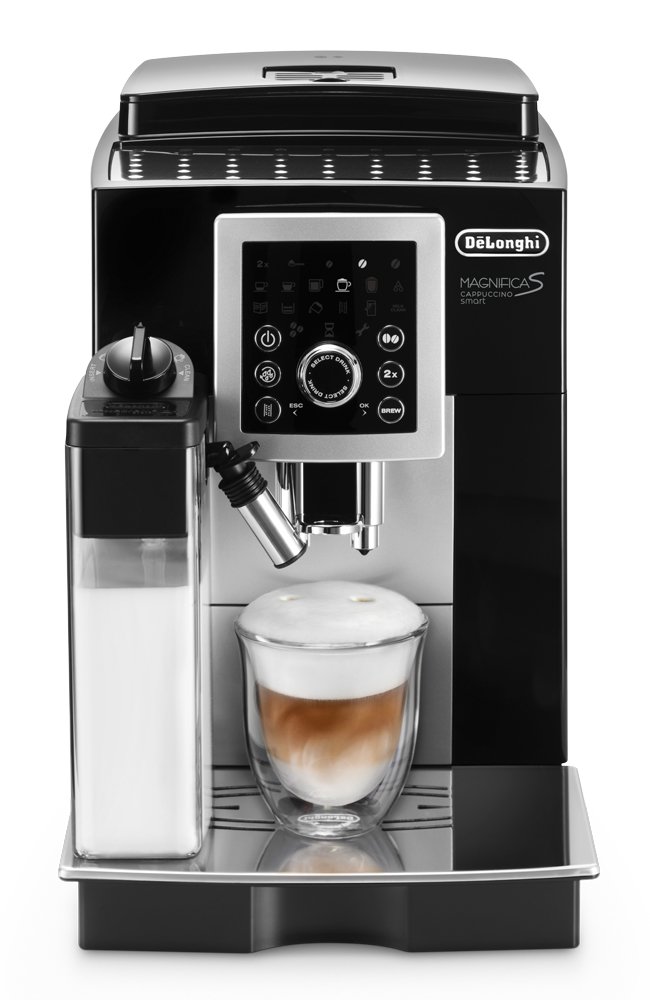
Figure 1: Front view of the De'Longhi Authentica ECAM23.260.SB Fully Automatic Coffee Machine. This image shows the overall design, including the control panel, coffee spouts, and the integrated milk frother on the left side.
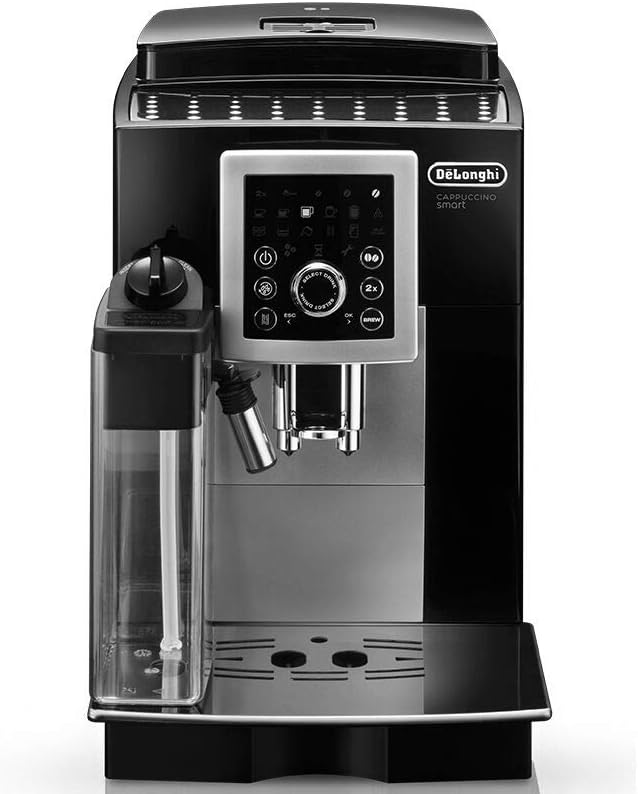
Figure 2: Close-up of the control panel. This image highlights the intuitive backlit icons and buttons for selecting beverages and adjusting settings.

Figure 3: Detailed view of the "SELECT DRINK" knob and "BREW" button. This shows the primary interface for choosing and starting coffee preparation.
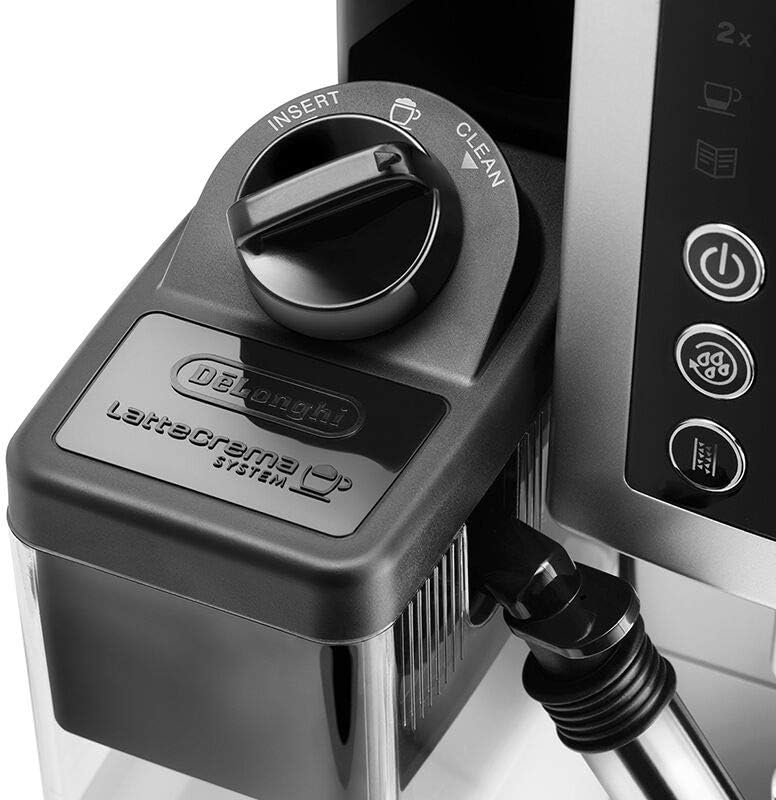
Figure 4: The LatteCrema System milk carafe attached to the machine. This image illustrates the removable milk container and its connection point, with "INSERT" and "CLEAN" indicators.

Figure 5: The machine dispensing milk foam and espresso into a glass, demonstrating the preparation of a layered coffee beverage like a latte or cappuccino.
4. Initial Setup
4.1 Unpacking
- Remove all packaging materials from the appliance.
- Place the machine on a stable, flat surface.
- Ensure all components are present: main unit, water tank, drip tray, milk carafe, power cord.
4.2 Filling the Water Tank
- Remove the water tank (1.8L capacity) from the side of the machine.
- Fill the tank with fresh, cold tap water up to the MAX level indicator.
- Reinsert the water tank firmly into its position.
4.3 Filling the Bean Container
- Open the lid of the bean container (250g capacity) located on top of the machine.
- Pour fresh coffee beans into the container. Do not use ground coffee in this container.
- Close the lid securely.
4.4 First Use Cycle
After plugging in the machine and turning it on for the first time, the machine will perform an initial rinse cycle. Follow the on-screen prompts or indicator lights. This process primes the internal circuits.
5. Operating Instructions
5.1 Making Espresso or Long Coffee
- Ensure the water tank is filled and the bean container has coffee beans.
- Place one or two cups under the coffee spouts.
- Turn the "SELECT DRINK" knob to choose between Espresso, Long Espresso, or Long Coffee.
- Press the "BREW" button to start brewing. The machine will grind the beans and dispense the coffee.
- To stop brewing early, press the "BREW" button again.
5.2 Making Cappuccino or Hot Milk
- Fill the LatteCrema System milk carafe with cold milk.
- Attach the milk carafe to the machine as shown in Figure 4.
- Place a cup under the milk spout and coffee spouts.
- Turn the "SELECT DRINK" knob to choose Cappuccino or Hot Milk.
- Press the "BREW" button. The machine will first dispense milk foam, then coffee (for cappuccino).
- After use, turn the milk carafe knob to "CLEAN" to perform a quick rinse cycle.
5.3 Dispensing Hot Water
- Place a cup under the hot water spout (usually the steam wand).
- Turn the "SELECT DRINK" knob to select Hot Water.
- Press the "BREW" button to start dispensing hot water. Press again to stop.
6. Maintenance and Cleaning
6.1 Daily Cleaning
- Drip Tray: Empty and clean the drip tray and grounds container daily.
- Milk Carafe: After each use, perform the "CLEAN" cycle for the milk carafe. Disassemble and wash all components of the milk carafe regularly with warm water and mild detergent.
- Coffee Spouts: Wipe the coffee spouts with a damp cloth.
6.2 Removable Brewing Unit
The brewing unit should be rinsed with fresh water at least once a month or when indicated by the machine. To remove:
- Turn off and unplug the machine.
- Open the service door.
- Press the two red release buttons and pull the brewing unit out.
- Rinse thoroughly under running water. Do not use detergent.
- Allow to air dry before reinserting.
6.3 Descaling
The machine will indicate when descaling is required. Use only De'Longhi descaling solution. Follow the instructions provided with the descaler and the machine's display prompts carefully. Regular descaling is crucial for machine longevity and optimal performance.
7. Troubleshooting
| Problem | Possible Cause | Solution |
|---|---|---|
| Coffee is not hot enough. | Cups are cold; machine not preheated. | Preheat cups with hot water; allow machine to fully preheat. |
| No coffee is dispensed. | Water tank empty; brewing unit blocked. | Fill water tank; clean brewing unit. |
| Milk does not froth properly. | Milk carafe dirty; milk type unsuitable; milk too warm. | Clean milk carafe thoroughly; use cold, fresh, semi-skimmed milk. |
| Machine requires descaling. | Mineral buildup in water circuits. | Perform descaling cycle as per manual instructions. |
8. Technical Specifications
- Brand: De'Longhi
- Model: ECAM23.260.SB
- Type: Fully Automatic Coffee Machine
- Power: 1450 W
- Water Tank Capacity: 1.8 Liters
- Bean Container Capacity: 250 g
- Operation Mode: Fully Automatic
- Human Interface Input: Buttons, Rotary Knob
- Special Features: Removable Tank, Cappuccino System, Backlit Icons
- Item Weight: 2.54 kg
9. Warranty and Support
This De'Longhi Authentica ECAM23.260.SB Fully Automatic Coffee Machine comes with a 1 Year Local (Singapore) Manufacturer Warranty. Please retain your proof of purchase for warranty claims.
For technical support, service, or warranty inquiries, please contact your local De'Longhi authorized service center or visit the official De'Longhi website for contact information.
You can find more information and support at the De'Longhi Store on Amazon.sg.


