
1. Introduction
This manual provides detailed instructions for the safe and effective use of your Awei A990BL Bluetooth 4.0 In-Ear Earphones. Please read this manual thoroughly before using the product and retain it for future reference.
2. Safety Information
- Do not expose the earphones to extreme temperatures, humidity, or corrosive environments.
- Avoid dropping, impacting, or bending the earphones.
- Do not disassemble or modify the earphones. This may void the warranty and cause damage.
- Keep the earphones away from children and pets.
- Use only the specified charging voltage (DC 5V).
- Prolonged listening at high volume levels may cause hearing damage. Adjust volume to a moderate level.
3. Package Contents
- Awei A990BL Bluetooth Earphones
- USB Charging Cable (not explicitly listed but implied for charging)
- User Manual (this document)
4. Product Overview
The Awei A990BL earphones are designed for wireless audio with an in-ear hook design for secure fit during activities. They feature an inline control unit and a built-in microphone.

Image 4.1: Awei A990BL Bluetooth Earphones. This image displays the overall design of the earphones, featuring the earbuds, connecting cable, and the inline control module.
4.1 Key Features
- Bluetooth 4.0: Enables high-fidelity stereo music and clear speech within a 10-meter range.
- CVC 6.0 Noise Cancellation: Reduces external noise for an immersive audio experience.
- Sweat-proof Design: Suitable for workouts and active use.
- Built-in Microphone: For hands-free calling.
- Multi-point Connection: Connects to two Bluetooth devices simultaneously.
- Voice Prompt: Provides audio notifications for calling number, low power, and Bluetooth connection status.
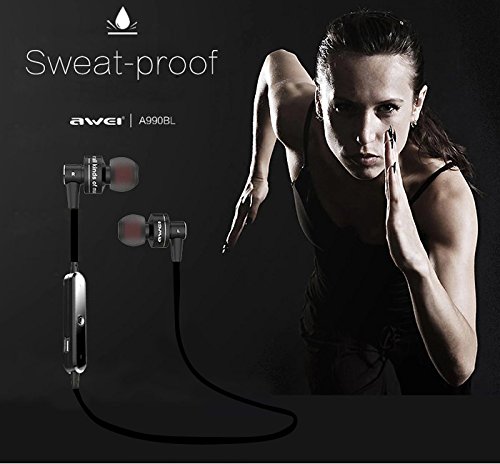
Image 4.2: Sweat-proof design. This image illustrates the earphones' resistance to sweat, making them suitable for sports and exercise.
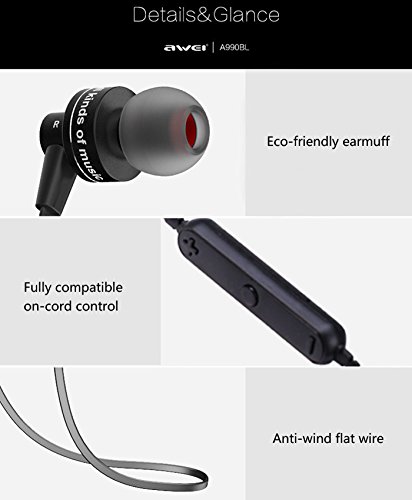
Image 4.3: Earphone details. This image highlights features such as eco-friendly earmuffs and the anti-wind flat wire design.
4.2 Inline Control Functions
The inline control unit allows for easy management of music playback and calls.
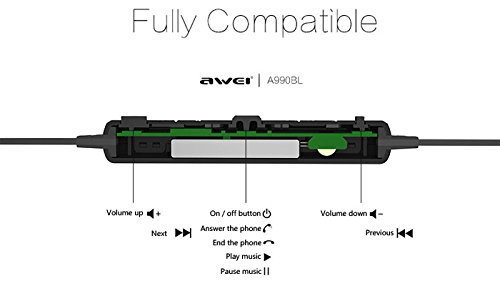
Image 4.4: Inline control button functions. This diagram details the functions of each button on the inline control: Volume Up (+), Volume Down (-), Next Track, Previous Track, and the multi-function button for Power On/Off, Answer/End Call, and Play/Pause Music.
5. Setup
5.1 Charging the Earphones
- Connect the micro USB charging cable to the charging port on the inline control unit.
- Connect the other end of the USB cable to a USB power source (e.g., computer USB port, USB wall adapter).
- The indicator light will illuminate during charging.
- Charging typically takes approximately 2.5 hours. The indicator light will change or turn off once fully charged.
5.2 Bluetooth Pairing
Before using the earphones for the first time, you need to pair them with your Bluetooth-enabled device.
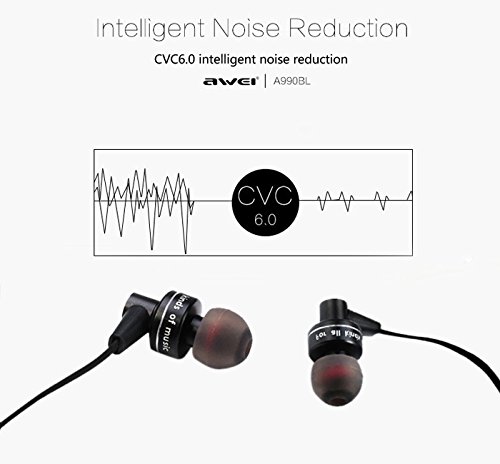
Image 5.1: Bluetooth 4.0 technology. This image highlights the core Bluetooth 4.0 technology and related features like CVC noise cancellation.
- Ensure the earphones are fully charged.
- Press and hold the multi-function button on the inline control until the indicator light flashes red and blue alternately. This indicates pairing mode.
- On your device (smartphone, tablet, etc.), enable Bluetooth and search for available devices.
- Select "Awei A990BL" from the list of found devices.
- Once paired, the indicator light will flash blue slowly, and you may hear a voice prompt confirming the connection.
- If prompted for a password, enter "0000".
Multi-point Connection: The earphones support connecting to two Bluetooth devices simultaneously. After pairing with the first device, disable Bluetooth on that device. Then, pair the earphones with the second device. Once paired, re-enable Bluetooth on the first device, and the earphones should connect to both.
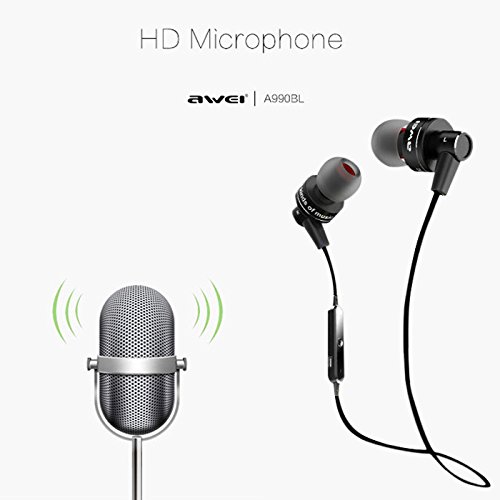
Image 5.2: Device compatibility. This diagram illustrates the earphones' compatibility with various devices such as smartphones, tablets, laptops, and desktop computers.
6. Operating Instructions
6.1 Power On/Off
- Power On: Press and hold the multi-function button until the indicator light flashes blue and you hear a voice prompt.
- Power Off: Press and hold the multi-function button until the indicator light flashes red and you hear a voice prompt.
6.2 Music Playback
- Play/Pause: Press the multi-function button once.
- Next Track: Press and hold the 'Volume Up' (+) button.
- Previous Track: Press and hold the 'Volume Down' (-) button.
6.3 Call Management
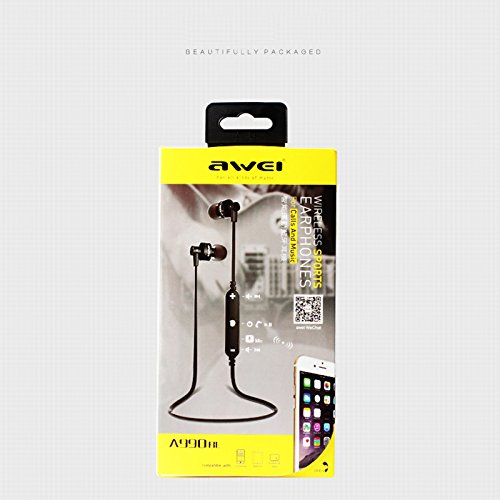
Image 6.1: HD Microphone. This image indicates the presence of a high-definition microphone for clear call quality.
- Answer Call: Press the multi-function button once when a call comes in.
- End Call: Press the multi-function button once during a call.
- Reject Call: Press and hold the multi-function button for approximately 2 seconds when a call comes in.
- Redial Last Number: Double-press the multi-function button.
6.4 Volume Control
- Increase Volume: Press the 'Volume Up' (+) button.
- Decrease Volume: Press the 'Volume Down' (-) button.
7. Maintenance
- Clean the earphones regularly with a soft, dry cloth.
- Do not use abrasive cleaners or solvents.
- Store the earphones in a cool, dry place when not in use.
- Avoid tangling the cable to prevent damage.
8. Troubleshooting
| Problem | Possible Solution |
|---|---|
| Earphones do not power on. | Ensure the earphones are fully charged. |
| Cannot pair with device. | Ensure earphones are in pairing mode (red and blue flashing light). Make sure Bluetooth is enabled on your device and it is within 10 meters. Try restarting both devices. |
| No sound or poor sound quality. | Check the volume level on both the earphones and your connected device. Ensure the earphones are properly paired. Try re-pairing. |
| Intermittent connection. | Ensure there are no obstacles between the earphones and your device. Move closer to your device. Avoid strong electromagnetic interference. |
| Microphone not working. | Ensure the earphones are properly connected and selected as the audio input device on your phone/computer. |
9. Specifications
| Feature | Detail |
|---|---|
| Bluetooth Version | V4.0 |
| Bluetooth Protocols | AVRCP, A2DP |
| Bluetooth Distance | Up to 10 meters (without obstacles) |
| Talk Time | 6 hours |
| Music Time | 4 hours |
| Standby Time | 200 hours |
| Charging Time | 2.5 hours |
| Charging Interface | Micro USB (DC 5V 300mA) |
| Wearing Type | In-Ear with Ear Hook |
| Material | Plastic |
| Noise Control | Sound Isolation (CVC 6.0) |
| Microphone | Built-In |
| Item Weight | 140 kg (Note: This value is as provided in product data and may indicate a unit discrepancy.) |
| Product Dimensions | 620 x 13 x 25 cm |
10. Warranty and Support
For warranty information and customer support, please refer to the documentation provided at the time of purchase or contact your retailer. Keep your proof of purchase for warranty claims.
