
Introduction
Thank you for purchasing the AWEI KZ-ATE In-Ear Stereo Sports Earphones. This manual provides essential information for the proper setup, operation, and maintenance of your earphones. Please read it thoroughly before use to ensure optimal performance and longevity of the product.
These earphones are designed for high-quality audio playback and communication, featuring a built-in microphone and a sweatproof, splashproof design suitable for sports and active lifestyles. They are compatible with a wide range of devices, including iPhone and Android smartphones.
Product Overview
The AWEI KZ-ATE earphones offer a comfortable in-ear fit and clear stereo sound. Their robust construction is designed to withstand moisture, making them ideal for workouts and outdoor activities. The integrated microphone allows for hands-free calling.

Image: A pair of AWEI KZ-ATE in-ear earphones, showcasing their transparent housing and braided cable design.
Parts Identification
Familiarize yourself with the different components of your AWEI KZ-ATE earphones:
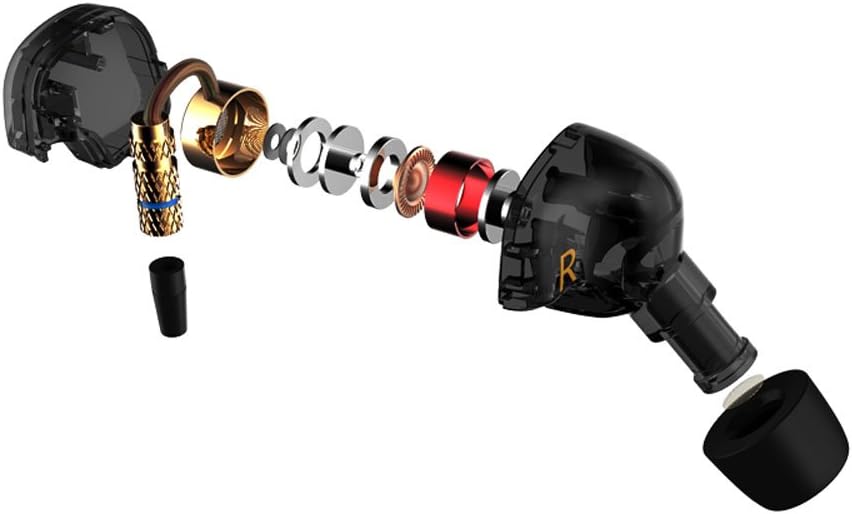
Image: An exploded view illustrating the internal components of the AWEI KZ-ATE earphone, including the driver, housing, and ear tip.
- Earphone Housing: Contains the audio driver and internal circuitry.
- Ear Tips: Silicone or foam tips that fit into your ear canal for comfort and sound isolation.
- Cable: Connects the earphones to your audio source.
- 3.5mm Audio Jack: Standard connector for most smartphones and audio devices.
- In-line Microphone/Control (if applicable): For calls and music playback control.
Setup
1. Wearing the Earphones
Proper fit is crucial for sound quality and comfort. The KZ-ATE earphones are designed for an over-ear wearing style to ensure a secure fit, especially during physical activity.
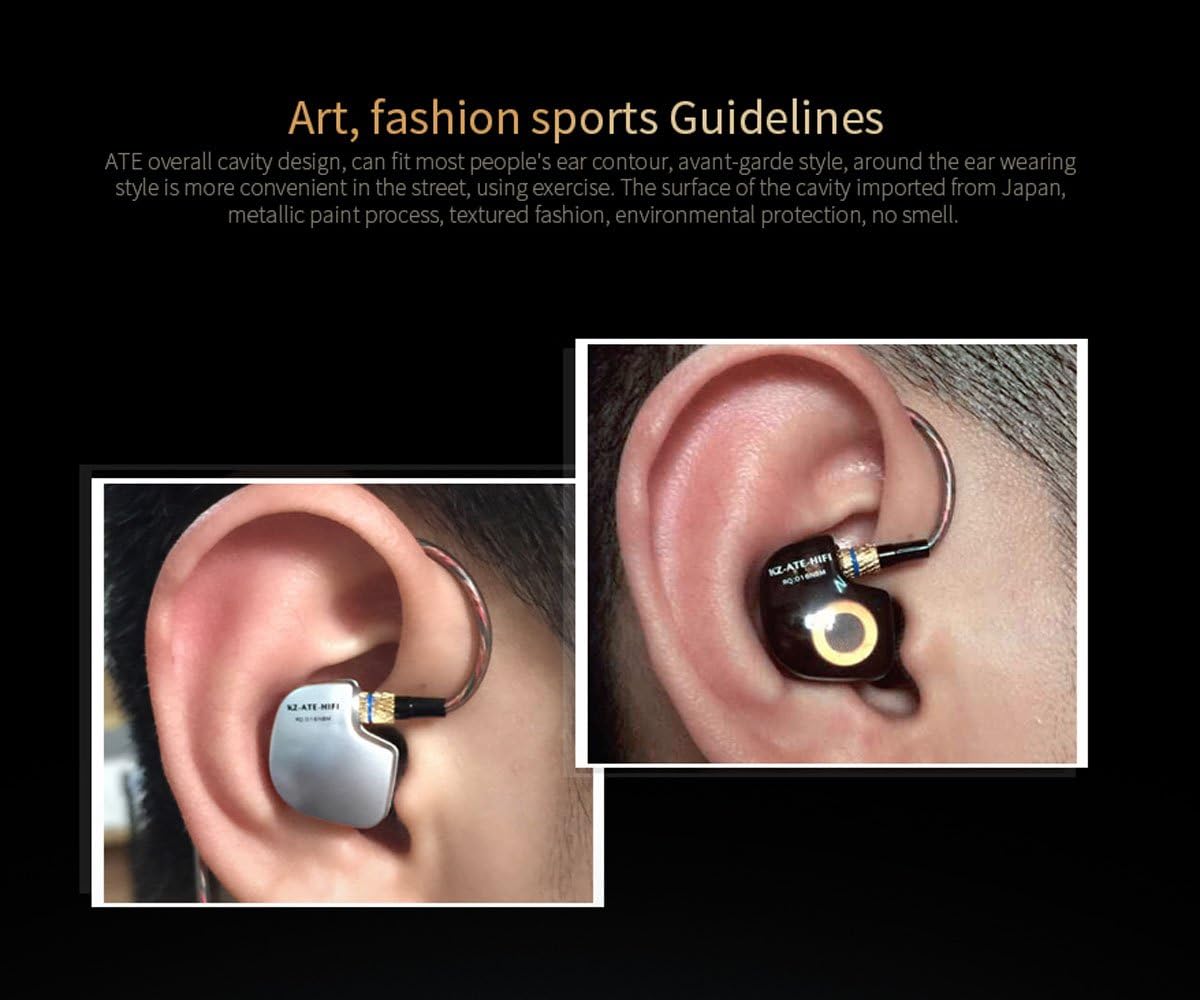
Image: A close-up of an ear with the AWEI KZ-ATE earphone properly worn, demonstrating the over-ear cable routing for a secure fit.
- Select Ear Tips: Choose the ear tips that provide the best seal and comfort for your ears. Different sizes are usually included.
- Identify Left and Right: The earphones are marked for left (L) and right (R) ears. Ensure you place them correctly.
- Over-Ear Cable Routing: Gently loop the earphone cable over the top of your ear, then insert the ear tip into your ear canal. Adjust until a comfortable and secure fit is achieved.
2. Connecting to Your Device
Connect the 3.5mm audio jack of the earphones into the headphone port of your smartphone, tablet, or audio player. Ensure the connection is firm.
Operating Instructions
The AWEI KZ-ATE earphones feature an in-line control for managing audio and calls.
Music Playback
- Play/Pause: Press the multi-function button once.
- Next Track: Press the multi-function button twice quickly.
- Previous Track: Press the multi-function button three times quickly.
Call Management
- Answer/End Call: Press the multi-function button once during an incoming call or an active call.
- Reject Call: Press and hold the multi-function button for approximately 2 seconds during an incoming call.
Volume Control
Volume is typically controlled directly from your connected audio device. If your specific model includes dedicated volume buttons on the in-line control, use them to adjust the audio level.
Maintenance
- Cleaning: Regularly clean the ear tips with a soft, dry cloth. For deeper cleaning, remove the ear tips and wash them with mild soap and water, ensuring they are completely dry before reattaching.
- Cable Care: Avoid sharp bends or excessive pulling on the cable to prevent internal damage. When storing, coil the cable loosely.
- Storage: Store your earphones in a clean, dry place, away from extreme temperatures and direct sunlight.
- Water Exposure: While sweatproof and splashproof, avoid submerging the earphones in water. Dry them thoroughly if they become wet.
Troubleshooting
| Problem | Possible Solution |
|---|---|
| No sound or low volume |
|
| Poor sound quality (e.g., distorted, muffled) |
|
| Microphone not working |
|
Specifications
- Model: KZ-ATE
- Type: In-Ear Stereo Earphones
- Features: Microphone, Sweatproof, Splashproof
- Color: Black
- Compatibility: iPhone, Android Smartphones, and other devices with a 3.5mm audio jack.
- First Available Date: 2017/04/23
Warranty and Support
For warranty information and customer support, please refer to the documentation provided at the time of purchase or contact your retailer. Keep your proof of purchase for any warranty claims.
If you encounter issues not covered in this manual, please reach out to the manufacturer's customer service or your point of purchase for further assistance.