
1. Safety Information
Please read all safety instructions carefully before using this product. Keep this manual for future reference.
- Do not expose the receiver to water or high humidity. The transmitter is IP65 waterproof, but avoid submerging it.
- Do not attempt to disassemble or repair the device yourself. Contact customer support for assistance.
- Keep the product away from direct sunlight, heat sources, and open flames.
- Ensure the receiver is plugged into a standard 220V AC outlet.
- Dispose of batteries responsibly according to local regulations.
2. Package Contents
Verify that all items are present in the package:
- 1 x Wireless Transmitter (Push Button)
- 1 x Plug-in Receiver (Chime Unit)
- 1 x CR2032 Lithium Metal Battery (pre-installed in transmitter)
- Mounting Hardware (Screws, Wall Plugs, Double-sided Adhesive Tape)
- 1 x User Manual
3. Product Overview
Components
- Transmitter: The outdoor push button unit. Features an LED indicator and is IP65 waterproof.
- Receiver: The indoor chime unit that plugs into a standard wall outlet. Features volume control, melody selection, and a blue LED indicator.
Key Features
- Extended Wireless Range: Reliable 400-meter (1312 feet) wireless signal in open areas.
- Weatherproof Design: IP65 waterproof transmitter withstands rain, snow, and temperatures from -20°C to 60°C (-4°F to 140°F).
- Customizable Chimes: Choose from 60 different melodies.
- Adjustable Volume: 5 levels of volume, ranging from 0dB (mute) to 110dB.
- Visual Alert: Blue LED indicator on both units provides a visual signal, useful for the hearing impaired.
- Long Battery Life: Transmitter battery (CR2032) lasts up to 4.5 years.
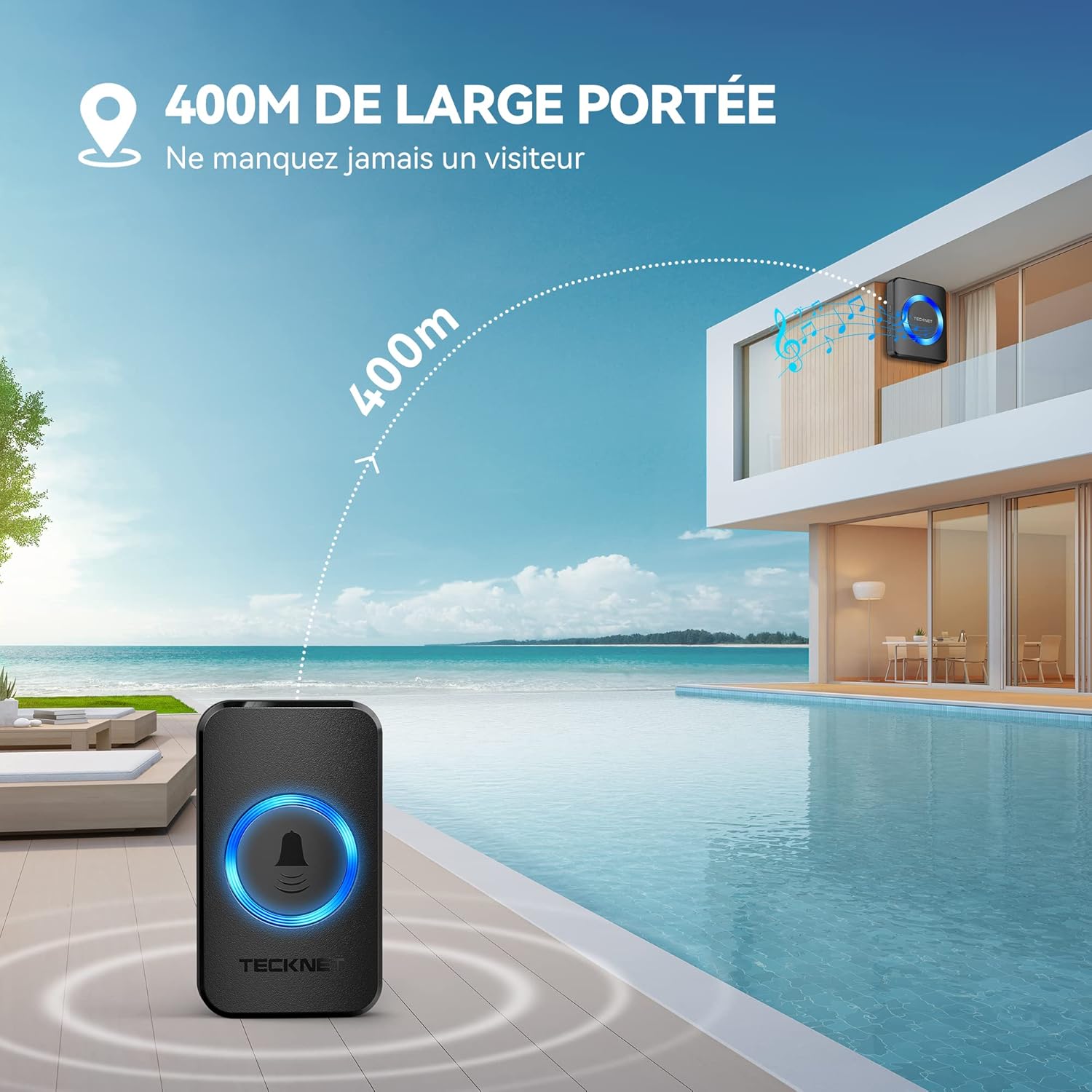
Image showing the main components of the TECKNET Wireless Doorbell system, including the transmitter and receiver, with an illustration of its 400-meter wireless range.
4. Setup and Installation
4.1 Transmitter Installation
The transmitter can be installed using either the adhesive tape or screws.
- Adhesive Method:
- Clean the desired mounting surface thoroughly to ensure it is free of dust and moisture.
- Peel off one side of the double-sided adhesive tape and attach it to the back of the transmitter.
- Peel off the other side of the tape and firmly press the transmitter onto the wall or door frame for at least 30 seconds.
- Screw Method:
- Open the back cover of the transmitter.
- Mark the desired drilling points on the wall using the screw holes on the transmitter's back plate as a guide.
- Drill two holes and insert the wall plugs.
- Secure the back plate to the wall with the provided screws.
- Attach the transmitter unit to the secured back plate.

Diagram illustrating two methods for installing the doorbell transmitter: using adhesive tape or screws, with a 'PUSH' label for clear indication.
4.2 Receiver Setup
Setting up the receiver is straightforward:
- Plug the receiver into any standard 220V AC wall outlet indoors.
- The receiver will light up, indicating it is powered on and ready for use.
5. Operating Instructions
5.1 Changing Melodies
To select a different melody:
- Press the 'Melody Selection' button on the side of the receiver to cycle through the 60 available chimes.
- Once you hear your desired melody, stop pressing the button. The receiver will automatically save your selection.
5.2 Adjusting Volume
To adjust the volume level:
- Press the 'Volume Control' button on the side of the receiver to cycle through the 5 volume levels (0dB to 110dB).
- Select the volume level that best suits your environment. The 0dB setting mutes the sound while keeping the LED flash active.
5.3 Operating Modes
The receiver offers three operating modes:
- Sound Only Mode: The receiver will play the selected melody without the LED flashing.
- Flash Only Mode: The receiver's LED will flash without playing a melody (useful for quiet environments or hearing-impaired users).
- Sound and Flash Mode: The receiver will play the selected melody and the LED will flash simultaneously.
To switch between modes, press the 'Mode Selection' button on the side of the receiver.

Close-up image of the doorbell receiver showing the volume control, melody selection, and LED indicator, highlighting the three operating modes.

Image illustrating the doorbell receiver in mute mode, ideal for ensuring uninterrupted sleep, with a visual of a sleeping baby.
6. Maintenance
6.1 Cleaning
- Wipe the doorbell units with a soft, dry cloth.
- Do not use abrasive cleaners or solvents, as these may damage the surface.
6.2 Transmitter Battery Replacement
The transmitter uses a CR2032 lithium metal battery with an estimated life of 4.5 years. If the transmitter LED no longer lights up or the signal becomes unreliable, replace the battery:
- Carefully open the back cover of the transmitter using a small screwdriver.
- Remove the old CR2032 battery.
- Insert a new CR2032 battery with the positive (+) side facing up.
- Close the back cover securely.
7. Troubleshooting
If you encounter issues with your TECKNET Wireless Doorbell, refer to the table below for common problems and solutions:
| Problem | Possible Cause | Solution |
|---|---|---|
| Doorbell does not ring | Receiver not powered on or out of range. Transmitter battery is low or dead. | Ensure receiver is plugged in. Move receiver closer to transmitter. Replace transmitter battery. |
| Short wireless range | Obstructions (thick walls, metal structures) or interference. | Relocate receiver or transmitter to minimize obstructions. Avoid placing near large metal objects or other wireless devices. |
| Melody or volume resets | Receiver was unplugged or experienced a power outage. | Re-select your desired melody and volume settings. |
| Transmitter LED does not light up | Transmitter battery is low or dead. | Replace the CR2032 battery in the transmitter. |
8. Specifications
- Model: 841577
- Wireless Range: Up to 400 meters (1312 feet) in open areas
- Waterproof Rating: IP65 (Transmitter)
- Operating Temperature: -20°C to 60°C (-4°F to 140°F)
- Melodies: 60 selectable chimes
- Volume Levels: 5 levels (0dB to 110dB)
- Receiver Power: AC 220V
- Transmitter Battery: 1 x CR2032 Lithium Metal (included)
- Material: ABS
- Dimensions (Receiver): Approximately 10.1 x 6.7 x 8.2 cm
- Dimensions (Transmitter): Approximately 7.2 x 4.2 cm
- Weight: 160 grams (total)

Image showing the compact dimensions of the doorbell receiver and transmitter units.
9. Warranty and Support
TECKNET provides a 36-month warranty for this product (for registered users only). If you encounter any issues during use, please do not hesitate to contact our professional customer service team.
For warranty claims or technical support, please refer to the contact information provided on the TECKNET official website or your purchase platform.


