
Introduction
The Monopoly Ultimate Banking game introduces a modern banking version of the classic Monopoly game. This edition eliminates physical Monopoly money, utilizing an all-in-one Ultimate Banking unit with touch technology for fast and engaging gameplay. Players can instantly buy properties, set rent, and manage their finances digitally.
Key features of this edition include:
- Introducing Event cards for an exciting game.
- Tap technology makes the game fast and fun.
- Instant transactions and cashless gameplay.
- Property values rise and fall dynamically.
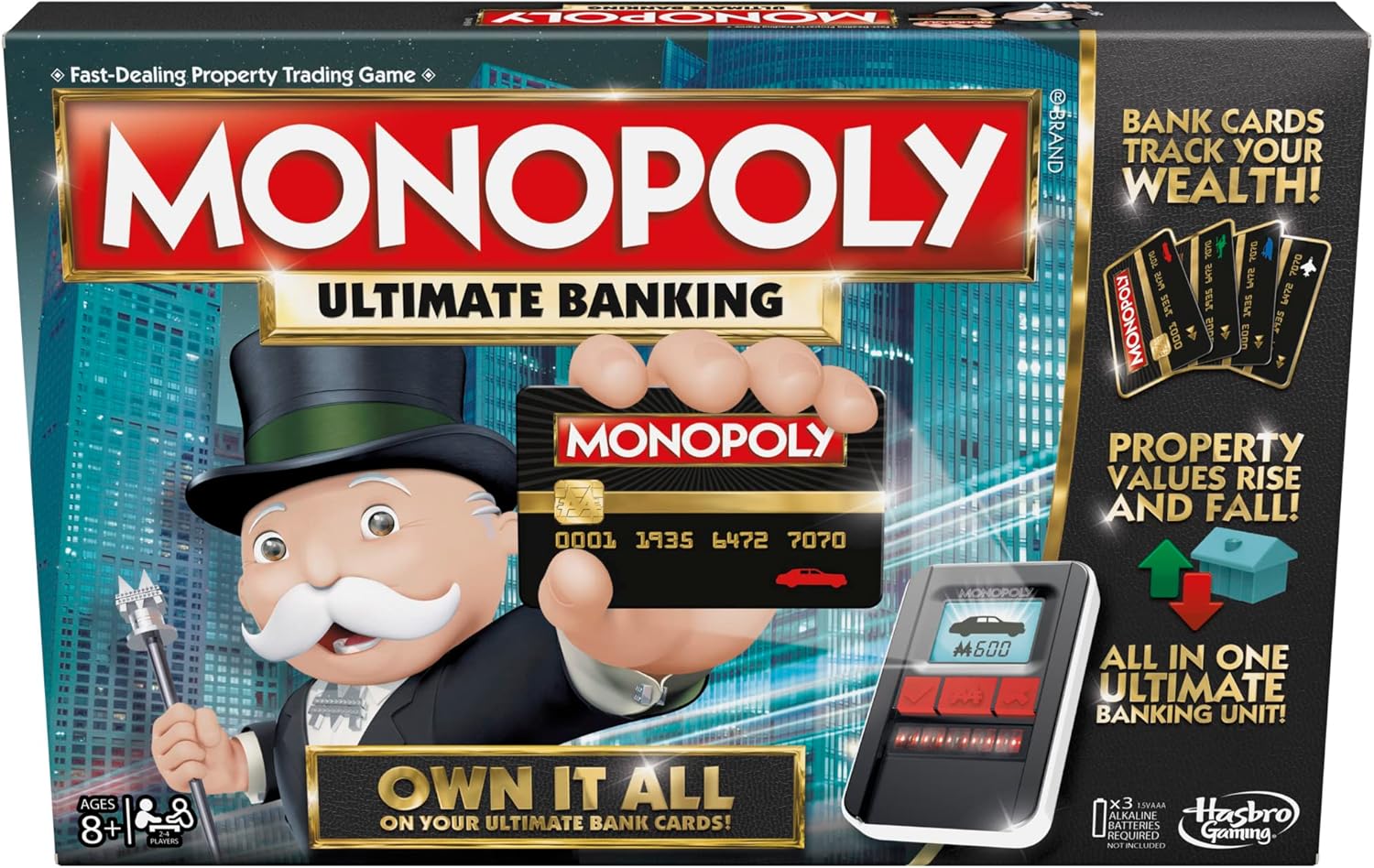
Image: The Monopoly Ultimate Banking Edition game box, highlighting the electronic banking unit and the concept of bank cards replacing cash.
What's Included
Your Monopoly Ultimate Banking Edition game box contains the following components:
- 1 gameboard
- 1 Ultimate Banking unit
- 4 plastic tokens
- 22 houses
- 49 cards (4 Bank, 22 Title Deed, 23 Event)
- 2 dice
- Game guide

Image: All components of the Monopoly Ultimate Banking game, including the game board, electronic banking unit, various cards, and player tokens.
Setup
- Install Batteries: The Ultimate Banking unit requires 3 AAA batteries. Open the battery compartment on the back of the unit, insert the batteries according to the polarity markings, and close the compartment securely.
- Prepare the Gameboard: Unfold the gameboard and place it on a flat playing surface.
- Place the Banking Unit: Position the Ultimate Banking unit in the center of the gameboard or within easy reach of all players.
- Distribute Bank Cards: Each player selects one plastic token and one corresponding Bank card. Insert your Bank card into the designated slot on the Ultimate Banking unit to register your starting balance.
- Arrange Cards: Separate the Title Deed cards by color group. Shuffle the Event cards and Location cards separately and place them face down on their designated spaces on the gameboard.
- Place Houses: Place the houses near the gameboard, ready to be purchased and placed on properties.
- Choose a Banker: One player will act as the Banker, responsible for managing the Ultimate Banking unit and facilitating transactions.

Image: An overview of the game setup, indicating the recommended age of 8+ and player count of 2-4.
Operating Instructions
The Ultimate Banking Unit
The Ultimate Banking unit is the central hub for all financial transactions in the game. It uses touch technology to record balances, property ownership, and market changes. Each player's Bank card is linked to their account on the unit.

Image: A player interacting with the electronic banking unit, demonstrating how bank cards replace traditional cash.
Gameplay Overview
The game proceeds similarly to traditional Monopoly, but with digital transactions. Players roll dice, move their tokens around the board, and interact with spaces. When landing on a property, players can purchase it by tapping their Bank card and the property's Title Deed card on the banking unit. Rent is automatically calculated and transferred when another player lands on an owned property.

Image: Two children engaged in gameplay, using the all-in-one banking unit to manage their transactions.
Event Cards and Location Spaces
Instead of traditional Chance and Community Chest cards, this edition features Event cards and Location spaces:
- Event Cards: Landing on an Event Space requires drawing an Event card. These cards can cause rents to be raised or lowered, players to earn or lose money, or even send a player to Jail. The banking unit will guide you through the transaction.
- Location Spaces: Landing on a Location Space allows players to pay a fee and instantly move to any property space on the gameboard. This adds a strategic element to movement.

Image: A close-up of a hand scanning a property card with the banking unit, demonstrating how the unit scans property cards to boost or crash the market.
Property Value Fluctuations
A unique aspect of the Ultimate Banking Edition is that property values can rise and fall. The banking unit tracks these changes, adding an element of market volatility to the game. This means the value of your properties and the rent you collect can change throughout the game.
Video: An official product video demonstrating the gameplay of Monopoly Ultimate Banking, including the use of the electronic banking unit and property transactions.
Maintenance
- Cleaning: Wipe the gameboard, banking unit, and plastic components with a soft, dry cloth. Do not use abrasive cleaners or immerse the banking unit in water.
- Storage: Store all game components in their original box in a cool, dry place away from direct sunlight.
- Battery Care: Remove batteries from the Ultimate Banking unit if the game will not be used for an extended period to prevent leakage.
Troubleshooting
| Problem | Solution |
|---|---|
| Ultimate Banking unit does not turn on or respond. |
|
| Transactions are not registering correctly. |
|
| Game seems to be stuck or frozen. |
|
Specifications
| Attribute | Detail |
|---|---|
| Product Dimensions | 31.5 x 7.87 x 0.04 inches |
| Item Weight | 2 pounds |
| Item Model Number | B6677 |
| Manufacturer Recommended Age | 8 - 15 years |
| Batteries Required | 3 AAA batteries (not included) |
| Language | English |
| Manufacturer | Hasbro |
Warranty and Support
For detailed warranty information, product support, or to contact customer service, please refer to the official Hasbro Gaming website or the full User Manual (PDF) provided with your product.
You can access the digital User Manual here: Monopoly Ultimate Banking User Manual (PDF)


