1. Introduction
This user manual provides essential information for the proper setup, operation, and maintenance of your BLOW 78-295# Europe GPS 50V Car Gear Street Elite Navigation system. Please read this manual thoroughly before using the device to ensure safe and efficient operation.
2. Safety Information
- Do not operate the device or input data while driving. Always pull over to a safe location before making adjustments.
- Ensure the device is securely mounted and does not obstruct your view of the road or interfere with vehicle controls.
- Avoid exposing the device to extreme temperatures, direct sunlight for prolonged periods, or excessive moisture.
- Use only the provided charging cables and adapters to prevent damage to the device and ensure safety.
- Keep the device out of reach of children.
3. Package Contents
Upon unpacking, please verify that all items listed below are present:
- BLOW 78-295# GPS Navigation Device
- Car Charger (12V)
- USB Cable
- Suction Cup Mount
- User Manual (this document)

Image: The BLOW GPS navigation system shown with its essential accessories, including the car charger, USB cable, and a suction cup mount for vehicle installation.
4. Product Overview
The BLOW 78-295# is a 5-inch GPS navigation system designed for automotive use, featuring a touch panel display and pre-loaded European maps.

Image: A front-facing view of the BLOW GPS navigation device, securely attached to a suction cup mount, with its screen actively displaying a detailed map interface.
4.1 Device Components

Image: This composite image displays various angles of the BLOW GPS device, including its front with the screen, the back panel, and both side profiles, highlighting its compact design.
- Front Panel: 5.0-inch TFT Touch Panel Display.
- Side Ports: Mini USB 2.0 port for charging and data transfer, TF/microSD card slot for external memory.
- Back Panel: Power button, Reset button, Built-in speaker.

Image: A detailed view of the back of the BLOW GPS device, clearly showing the power button, reset button, and the various ports for connectivity and external memory.
5. Setup
5.1 Charging the Device
- Connect the provided car charger to your vehicle's 12V power outlet.
- Connect the mini USB end of the cable to the device's USB port.
- The LED indicator will show red during charging and turn blue when fully charged.
5.2 Mounting the Device
- Attach the suction cup mount to a clean, smooth surface on your windshield or dashboard, ensuring it does not obstruct your view.
- Secure the GPS device onto the mount until it clicks into place.
- Adjust the viewing angle for optimal visibility without impeding driving.
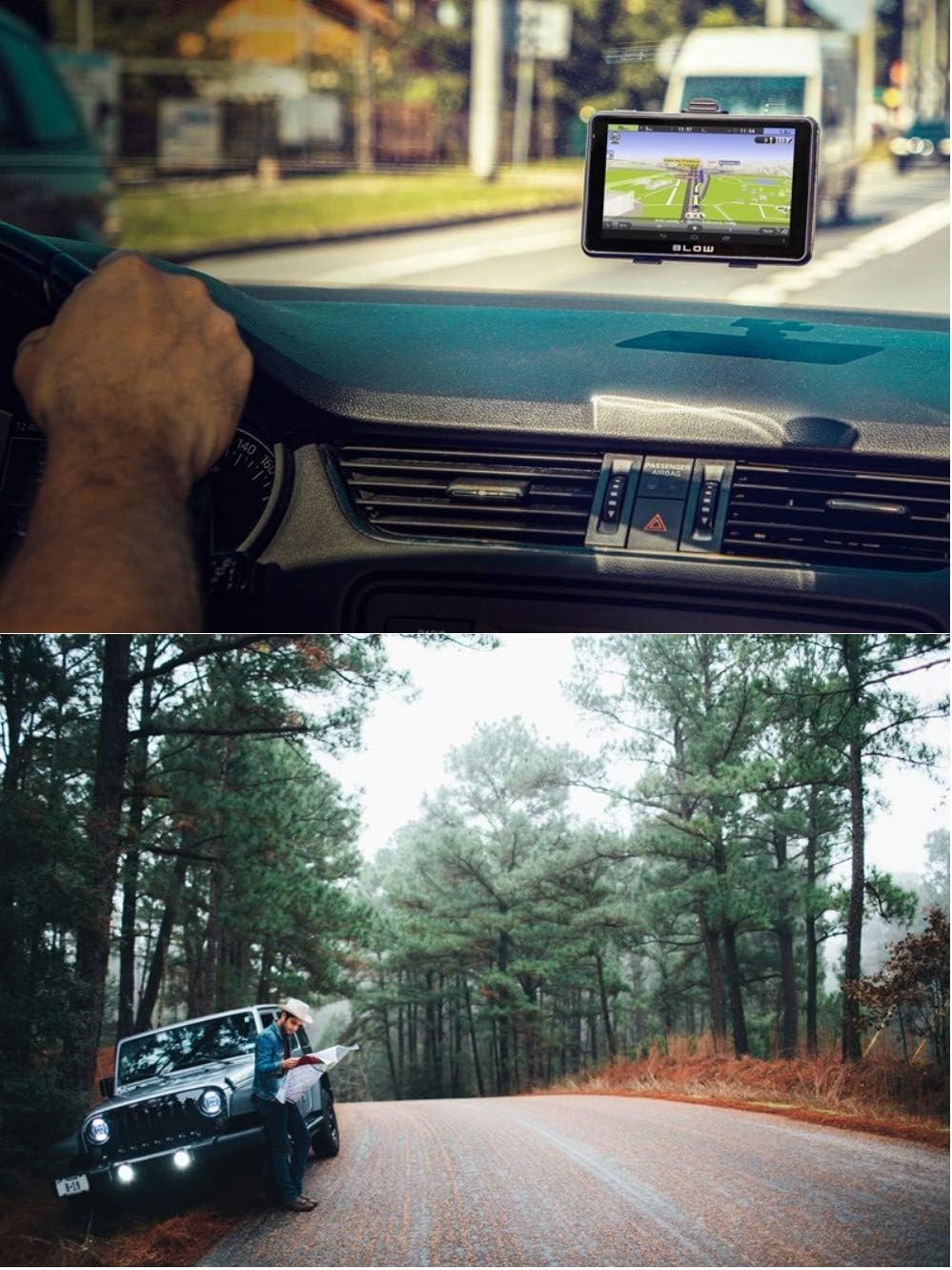
Image: The BLOW GPS device is shown mounted on the dashboard of a car, positioned for easy viewing by the driver, demonstrating a typical installation.
5.3 Initial Power-On
- Press and hold the power button on the back of the device until the screen illuminates.
- Follow the on-screen prompts to select your preferred language and region settings.
6. Operating the Navigation System
6.1 GPS Signal Acquisition
Upon initial power-on or after a long period of disuse, the device may take longer to acquire a GPS signal. Ensure the device has a clear view of the sky for best performance. Cold start acquisition is typically less than 42 seconds, while hot start is less than 9 seconds in open areas.
6.2 Basic Navigation
- From the main menu, tap 'Navigation' or the map icon.
- Select 'Find Destination' or 'Address'.
- Enter the desired address, point of interest (POI), or coordinates using the on-screen keyboard.
- Confirm your selection, and the device will calculate the route.
- Follow the voice prompts and on-screen directions to your destination.

Image: A collage of screenshots from the BLOW GPS device, illustrating different aspects of its navigation interface, such as the detailed map view, route information, and accessible menu options.
6.3 Media Playback
The device supports various media formats for entertainment:
- Video: WMV9, MPEG4, Divx 5.0, 3.11, Xvid, MPEG2, AVI
- Music: WMA9, MP3, WAV
- Photo: GIF, JPEG, PNG, BMP
To play media, insert a TF/microSD card containing your media files into the card slot and select the corresponding media player application from the main menu.
7. Maintenance
7.1 Cleaning the Device
Use a soft, dry, lint-free cloth to clean the screen and exterior of the device. Do not use abrasive cleaners or solvents, as they may damage the surface.
7.2 Battery Care
The device is equipped with a 3.7V Lithium-ion battery. To prolong battery life:
- Avoid fully discharging the battery frequently.
- Do not expose the device to extreme heat or cold.
- If storing the device for an extended period, charge it to approximately 50% before storage.
7.3 Software Updates
Periodically check the manufacturer's official website for available software or map updates. Follow the instructions provided with the update package carefully.
8. Troubleshooting
| Problem | Possible Cause | Solution |
|---|---|---|
| Device does not turn on. | Low battery; device frozen. | Charge the device for at least 30 minutes. Press the reset button with a thin object. |
| No GPS signal. | Obstructed view of sky; device indoors. | Move to an open area with a clear view of the sky. Wait for signal acquisition. |
| Touch screen unresponsive. | Software glitch; screen dirty. | Restart the device. Clean the screen. If issue persists, perform a reset. |
| No audio from speaker. | Volume too low; audio settings incorrect. | Check volume settings in the menu. Ensure mute is not enabled. |
9. Specifications
| Feature | Detail |
|---|---|
| CPU | MStar, ARM Cortex A7 800MHz |
| SDRAM | 128MB |
| NandFlash | 4GB |
| LCD Display | Touch Panel TFT 5.0 inch, 800 x 480 pixels |
| USB Port | Mini USB high speed 2.0 |
| External Memory | TF/microSD Card slot |
| Audio System | Built-in speaker 1W 8ohm |
| GPS Cold Start | <42 seconds (open area) |
| GPS Hot Start | <9 seconds (open area) |
| Battery | Lithium ion 3.7V (included) |
| Operating Temperature | 0°C ~ 60°C |
| Storage Temperature | -20°C ~ 70°C |
| Operating System | Microsoft Windows CE 6.0 |
| Video Playback | WMV9, MPEG4, Divx 5.0, 3.11, Xvid, MPEG2, AVI |
| Music Playback | WMA9, MP3, WAV |
| Photo Format | GIF, JPEG, PNG, BMP |
| Dimensions (W x H x T) | 133.7mm x 84.3mm x 10.7mm |
| Weight | 450 g |
10. Warranty and Support
For warranty information, please refer to the documentation provided at the time of purchase or contact your retailer. For technical support, please visit the official Blow website or contact their customer service department.


