
1. Introduction
This manual provides essential information for the proper setup, operation, and maintenance of your TFA Dostmann 30.3220.02 Temperature Sensor. This sensor is designed as a replacement or additional unit for the TFA Dostmann weather station model 30.3061.02. Please read these instructions carefully before use to ensure optimal performance and longevity of your device.
2. Product Overview and Features
The TFA Dostmann 30.3220.02 is a wireless temperature sensor built for outdoor use. It transmits temperature data to a compatible base station (model 30.3061.02). Its weather-resistant design ensures reliable performance in various environmental conditions.
Key Features:
- Replacement temperature sensor for TFA Dostmann model 30.3061.02.
- No integrated LCD display; data is shown on the main unit.
- Weather-resistant construction for outdoor placement.
- Wireless transmission up to 30 meters (unobstructed).
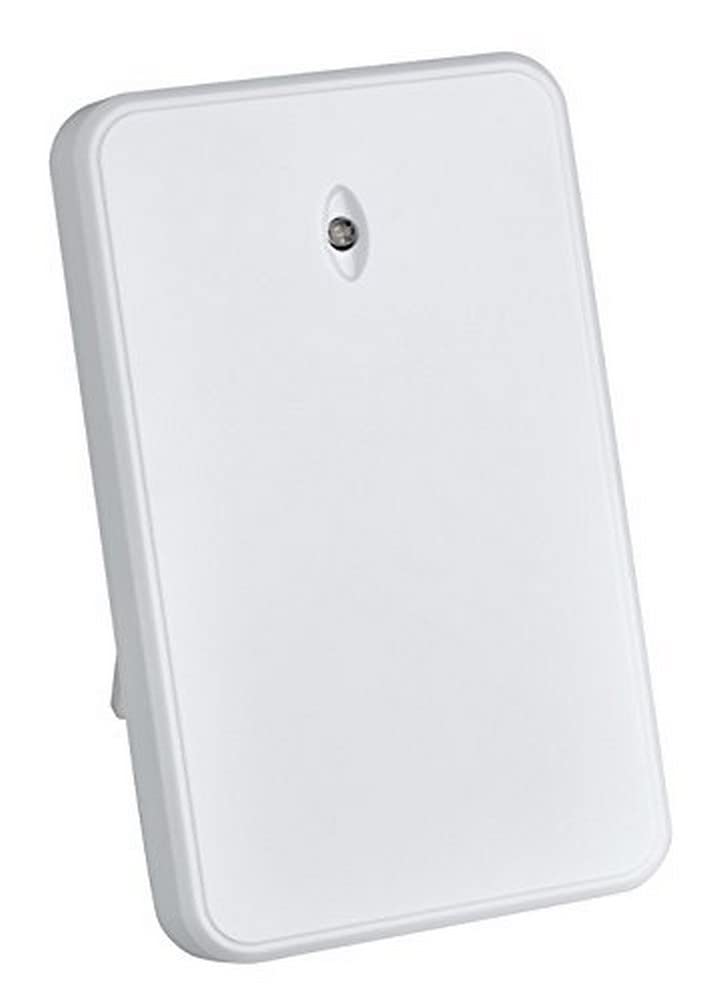
Image 1: Front view of the TFA Dostmann 30.3220.02 Temperature Sensor. The sensor is white, rectangular, and features a small indicator light at the top. It is designed for discreet outdoor placement.
3. Setup
3.1 Battery Installation
- Locate the battery compartment on the back of the sensor.
- Open the battery compartment cover. This may require a small screwdriver or gentle prying.
- Insert the required batteries (not included), ensuring correct polarity (+/-). Refer to the compartment markings.
- Close the battery compartment cover securely to maintain weather resistance.
Note: Always use fresh batteries of the recommended type. Low battery power can affect transmission range and accuracy.
3.2 Pairing with the Main Unit (Model 30.3061.02)
For the sensor to transmit data, it must be paired with its compatible main unit (TFA Dostmann 30.3061.02). Refer to the instruction manual of your main unit for specific pairing procedures. Generally, this involves:
- Placing the sensor and main unit close to each other during the initial setup.
- Activating a search or pairing mode on the main unit.
- The sensor will automatically attempt to transmit its signal once batteries are installed.
3.3 Sensor Placement
To ensure accurate temperature readings and optimal wireless transmission:
- Choose a location that is protected from direct sunlight and precipitation. While weather-resistant, extreme direct exposure can affect accuracy and lifespan.
- Mount the sensor vertically on a surface or hang it using the integrated hanging hole.
- Ensure there are no major obstructions (thick walls, large metal objects, electronic devices) between the sensor and the main unit that could interfere with the wireless signal.
- Keep the sensor within the maximum detection distance of 30 meters from the main unit.
4. Operating Instructions
Once the sensor is set up and successfully paired with your TFA Dostmann 30.3061.02 main unit, it will automatically begin transmitting temperature data. There are no user-operable controls on the sensor itself.
- The sensor continuously measures the ambient temperature.
- Data is sent wirelessly to the main unit at regular intervals.
- Temperature readings will be displayed on the main unit's screen.
Refer to the main unit's manual for details on how to view and interpret the temperature data.
5. Maintenance
5.1 Cleaning
To clean the sensor, wipe it gently with a soft, damp cloth. Do not use abrasive cleaners, solvents, or immerse the device in water.
5.2 Battery Replacement
When the batteries are low, the main unit may indicate a low battery warning for the sensor, or the sensor may stop transmitting data. Replace the batteries as described in Section 3.1. Always replace all batteries at the same time with new ones of the same type.
6. Troubleshooting
| Problem | Possible Cause | Solution |
|---|---|---|
| No temperature reading on main unit. |
|
|
| Inaccurate temperature readings. |
|
|
| Intermittent signal loss. |
|
|
7. Specifications
| Model: | 30.3220.02 |
| Brand: | TFA Dostmann |
| Dimensions (L x W x H): | 5.6 x 2.1 x 9.1 cm (2.2 x 0.8 x 3.6 inches) |
| Material: | Plastic |
| Item Weight: | 45 Grams (1.6 ounces) |
| Detection Distance: | Up to 30 Meters (98 feet) |
| Mounting Type: | Surface mount or suspend |
| Max. Rated Temperature: | 60 Degrees Celsius (140 Degrees Fahrenheit) |
| Specific Uses: | Temperature measurement |
| Country of Origin: | France |
8. Warranty and Support
TFA Dostmann products are manufactured with quality and reliability in mind. For information regarding warranty coverage, please refer to the warranty card included with your original TFA Dostmann 30.3061.02 weather station or visit the official TFA Dostmann website.
If you encounter any issues that cannot be resolved using the troubleshooting guide, or for further technical assistance, please contact TFA Dostmann customer support. Contact details can typically be found on the manufacturer's website or on the packaging of your main unit.
Online Resources: For additional information and support, you may visit the TFA Dostmann Brand Store on Amazon.


