
1. Introduction
This manual provides essential instructions for setting up, operating, and maintaining your Apple iPhone 4S. The iPhone 4S is a smartphone featuring a 3.5-inch Retina display, an 8-megapixel camera, and runs on iOS. This specific model is an 8 GB, unlocked version, compatible with GSM carriers.
2. Safety Information
- Do not expose the device to extreme temperatures, direct sunlight, or excessive moisture.
- Avoid dropping or subjecting the device to severe impacts.
- Use only Apple-approved accessories for charging and connectivity.
- Do not attempt to disassemble or repair the device yourself, as this may void any applicable warranty and cause damage.
- Keep the device away from medical devices to avoid potential interference.
3. Package Contents
Verify that your package contains the following items:
- Apple iPhone 4S (8 GB, Unlocked)
- USB Power Adapter (charger)
- USB to 30-pin Dock Connector Cable

Image: Included accessories, typically a USB power adapter and a 30-pin USB cable.
4. Device Overview
Familiarize yourself with the physical components of your iPhone 4S.

Image: Front view of the iPhone 4S, showing the display, Home button, earpiece, and front camera.
- Front Camera: Located above the display, used for video calls and selfies.
- Earpiece: For listening during phone calls.
- Display: 3.5-inch Retina multi-touch screen.
- Home Button: Below the display, used to return to the Home screen, activate Siri, and switch applications.

Image: Side view of the iPhone 4S, highlighting the SIM card tray and volume buttons.
- Volume Buttons: On the left side, used to adjust media and call volume.
- Ring/Silent Switch: Above the volume buttons, to quickly switch between ring and silent modes.
- SIM Card Tray: On the right side, for inserting your micro-SIM card.
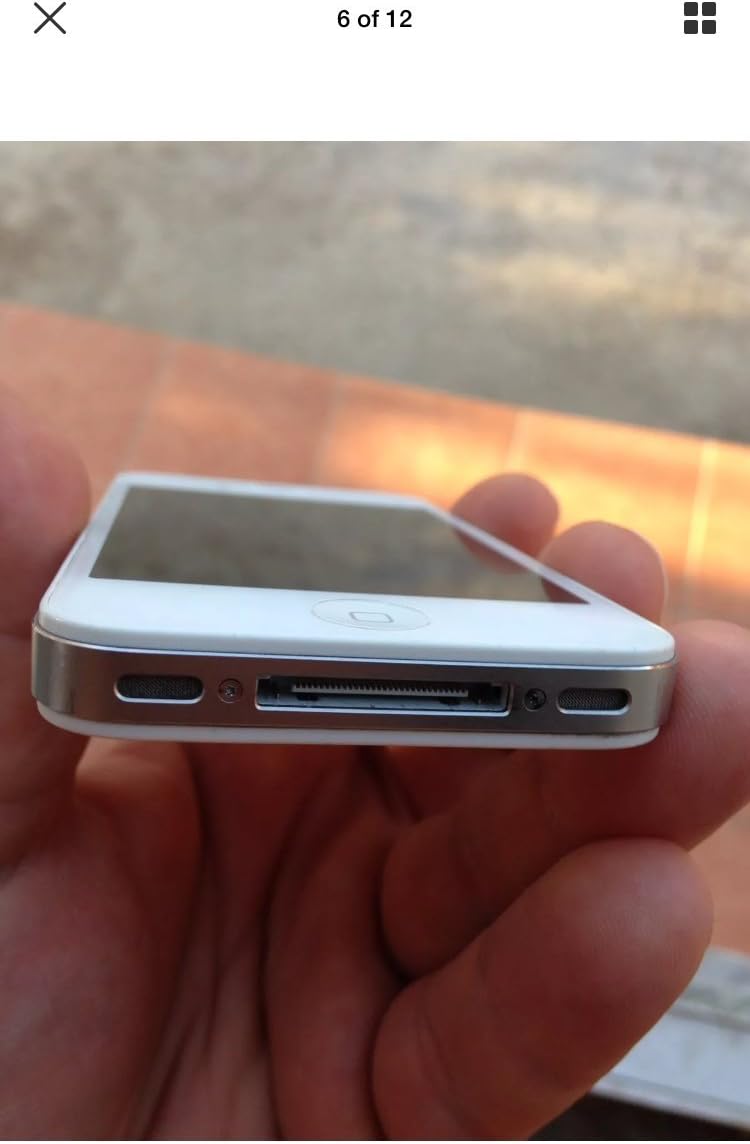
Image: Bottom view of the iPhone 4S, showing the 30-pin dock connector and speaker grilles.
- 30-pin Dock Connector: At the bottom, used for charging and connecting to a computer.
- Speakers: Located on either side of the dock connector.
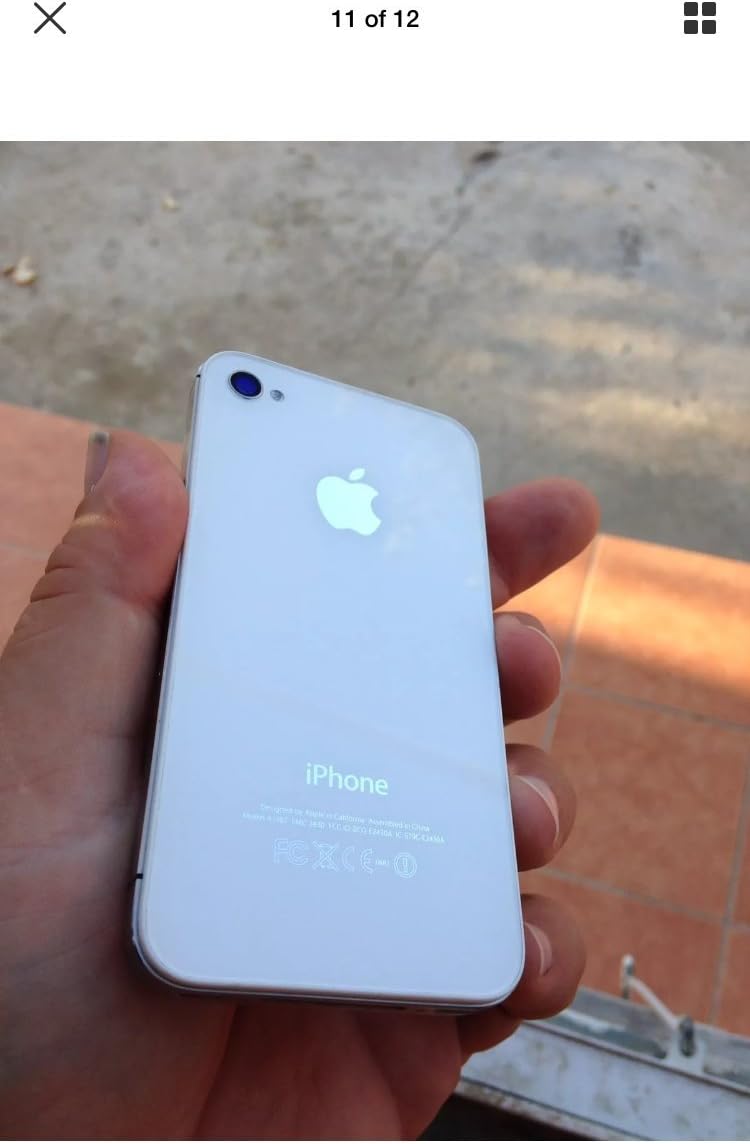
Image: Top view of the iPhone 4S, showing the power/sleep button and headphone jack.
- Power/Sleep Button: On the top right, used to turn the device on/off or put it to sleep.
- Headphone Jack: On the top left, for connecting headphones.

Image: Back view of the iPhone 4S, showing the 8-megapixel rear camera with LED flash and the Apple logo.
- Rear Camera: 8-megapixel camera with LED flash for photos and 1080p video recording.
5. Setup
5.1. SIM Card Installation
- Locate the SIM card tray on the right side of the iPhone.
- Insert a SIM ejector tool (or a small paperclip) into the small hole on the SIM tray. Press firmly until the tray pops out.
- Place your micro-SIM card into the tray with the gold contacts facing down and the notched corner aligned.
- Carefully push the SIM tray back into the iPhone until it is flush with the side.
5.2. Initial Power On and Activation
- Press and hold the Power/Sleep button on the top of the device until the Apple logo appears.
- Follow the on-screen instructions to set up your iPhone. This includes selecting your language, region, connecting to a Wi-Fi network, and activating the device.
- You may be prompted to sign in with an Apple ID or create a new one.
6. Operating Instructions
6.1. Basic Navigation
- Touchscreen: Tap to select, swipe to scroll, pinch to zoom.
- Home Button: Press once to return to the Home screen. Double-press to open the multitasking switcher. Press and hold to activate Siri.
- Power/Sleep Button: Press once to lock/unlock the screen. Press and hold to power off the device.
6.2. Making Calls and Sending Messages
- Open the Phone app to make calls.
- Open the Messages app to send and receive SMS/MMS messages.
6.3. Using the Camera
The iPhone 4S features an 8-megapixel rear camera capable of 1080p HD video recording and a front VGA camera for video calls.
- Open the Camera app.
- Tap the screen to focus.
- Tap the shutter button to take a photo or start/stop video recording.
6.4. Internet and Applications
- Connect to Wi-Fi via Settings > Wi-Fi.
- Access the internet using the Safari web browser.
- Download applications from the App Store.
7. Maintenance
7.1. Cleaning Your iPhone
- Use a soft, lint-free cloth to clean the screen and exterior.
- Avoid using abrasive cleaners, aerosols, or solvents.
7.2. Battery Care
- The iPhone 4S is equipped with a 1500 mAh Lithium-Ion battery.
- Charge your device regularly using the provided USB power adapter and cable.
- Avoid fully discharging the battery frequently to prolong its lifespan.
7.3. Software Updates
Regularly check for and install software updates to ensure optimal performance and security. Go to Settings > General > Software Update.
8. Troubleshooting
8.1. Device Not Turning On
- Ensure the battery is charged. Connect the iPhone to a power source for at least 15 minutes.
- Perform a force restart: Press and hold both the Home button and the Power/Sleep button simultaneously until the Apple logo appears.
8.2. No Network Service
- Check if the SIM card is correctly inserted.
- Verify that cellular data is enabled in Settings > Cellular.
- Restart the iPhone.
- Ensure your account with your carrier is active and in good standing.
8.3. Apps Crashing or Freezing
- Close and reopen the app.
- Restart the iPhone.
- Ensure your iOS is up to date.
9. Specifications
| Brand | Apple |
| Model Name | iPhone 4S |
| Operating System | iOS 5 (upgradable to iOS 7.1.2, planned upgrade to iOS 8) |
| CPU Speed | 1 GHz Dual-Core Cortex-A9 (Apple A5) |
| Memory Storage Capacity | 8 GB |
| Screen Size | 3.5 Inches |
| Resolution | 960 x 640 pixels (Retina Display) |
| Cellular Technology | 2G, 3G (GSM 850/900/1800/1900, HSDPA 850/900/1700/1900/2100) |
| Connectivity Technology | Wi-Fi, Bluetooth |
| Rear Camera | 8 MP, 3264 x 2448 pixels, autofocus, LED flash, 1080p@30fps video |
| Front Camera | VGA, 480p@30fps video |
| Battery Capacity | 1500 mAh Lithium-Ion |
| Item Weight | 4.96 ounces (140 grams) |
| Dimensions (H x W x D) | 4.5 x 2.31 x 0.37 inches (115.2 x 58.6 x 9.3 mm) |
| SIM Card Slot | Single Micro-SIM |
10. Warranty and Support
This product is described as refurbished and comes with no manufacturer warranty. For any issues or support inquiries, please contact the seller directly from whom you purchased the device. Refer to your purchase documentation for seller contact information.


