
1. Overview
The Casio MRW200H Series is a versatile and durable analog watch designed for everyday wear and outdoor activities. It combines a classic diver-inspired aesthetic with practical features, including 100-meter water resistance, a day and date display, and a comfortable resin band. Powered by a reliable quartz movement, this watch ensures accurate timekeeping with minimal maintenance.
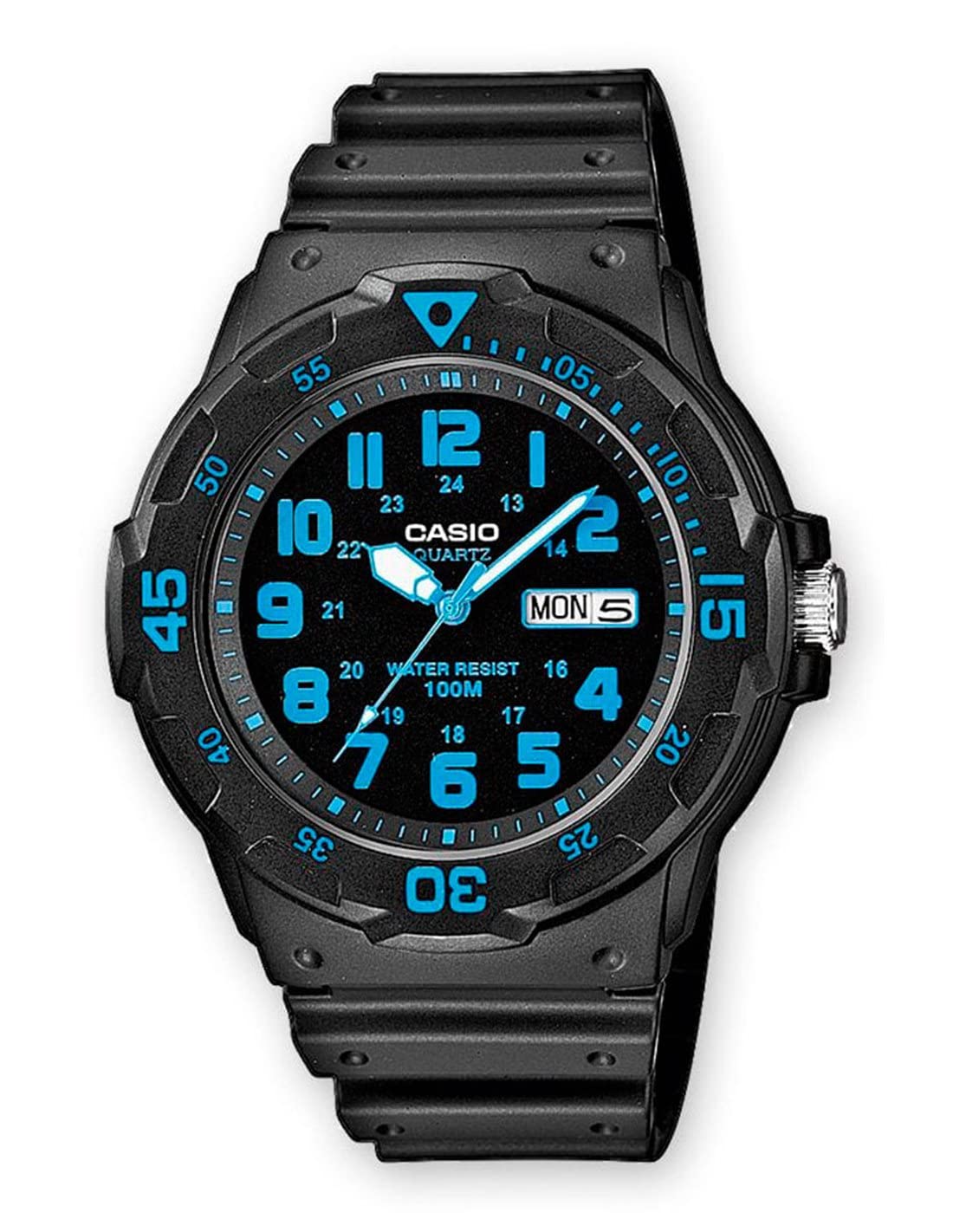
Image: Casio MRW200H Series Analog Watch, featuring a black dial with prominent white hour markers, a red second hand, and a silver-tone stainless steel band. The watch displays the date at the 3 o'clock position.
Key Features:
- Diver-Inspired Design: Sporty aesthetic with a functional rotary bezel for time tracking. Large analog display with bold hour markers for quick readability.
- 100M Water Resistance: Suitable for swimming, snorkeling, and daily water exposure.
- Day & Date Display: Integrated window at the 3 o'clock position for convenient calendar tracking.
- Durable Resin Band: Provides a secure, lightweight, and comfortable fit for all-day wear.
- Long-Lasting Battery: Powered by a SR626SW battery, offering up to 3 years of operation.
- Reliable Quartz Movement: Ensures accurate timekeeping with an accuracy of ±20 seconds per month.
2. Setup
Setting Time and Date:
- To set the time, pull the crown out to the second click position. The second hand will stop.
- Rotate the crown to move the hour and minute hands to the desired time. Ensure the AM/PM is correctly set for the date change.
- To set the date and day, push the crown back in to the first click position.
- Rotate the crown to adjust the day and date. The day display may offer multiple language options; rotate until your preferred language appears.
- Once the time, day, and date are set, push the crown fully back into the normal position to start the watch.
Adjusting the Band:
The Casio MRW200H Series features a durable resin band with a buckle closure. To adjust the fit, simply move the buckle pin to the desired hole on the strap. Ensure the fit is snug but comfortable, allowing for proper blood circulation and preventing the watch from sliding excessively on your wrist.
3. Operating the Watch
Water Resistance:
This watch is rated for 100-meter (330 feet) water resistance. This means it is suitable for everyday use, including showering, swimming, and snorkeling. It is not recommended for scuba diving or high-impact water sports where significant water pressure changes may occur. Always ensure the crown is fully pushed in before any water exposure.
Using the Rotating Bezel:
The bi-directional rotating bezel can be used for basic time tracking. Align the triangular marker on the bezel with the minute hand to mark a starting point. As time progresses, the minute hand will indicate the elapsed time against the bezel's markings. This feature is useful for timing short events, such as parking meters or cooking intervals.
4. Maintenance
Battery Replacement:
The watch is powered by one SR626SW battery, which typically lasts up to 3 years. When the watch stops or begins to lose time, it is an indication that the battery needs replacement. It is recommended to have the battery replaced by a qualified watch technician to ensure proper sealing and maintain water resistance. Improper battery replacement can compromise the watch's water resistance.
Cleaning:
To maintain the appearance and longevity of your watch, regularly wipe the case and band with a soft, damp cloth. For stubborn dirt, a mild soap solution can be used, followed by rinsing with clean water and thorough drying. Avoid using harsh chemicals or abrasive materials, as these can damage the resin and finish.
5. Troubleshooting
- Watch Not Running: Check if the crown is fully pushed in. If it is, the battery may need replacement.
- Incorrect Time/Date: Refer to the "Setting Time and Date" section to re-adjust. Ensure the crown is pulled out to the correct click position for each adjustment.
- Condensation Inside Crystal: This may indicate a loss of water resistance. Have the watch inspected by a professional immediately to prevent further damage.
6. Specifications
| Brand: | Casio |
| Model Number: | MRW200H-2BV |
| Movement: | Quartz |
| Water Resistance: | 100 Meters (330 Feet) |
| Case Material: | Resin |
| Band Material: | Resin |
| Battery Type: | 1 x SR626SW (included) |
| Battery Life: | Approximately 3 years |
| Product Dimensions: | 2.36 x 4.17 x 3.78 inches |
| Item Weight: | 3.84 ounces |
7. Warranty and Support
This Casio watch is covered by the manufacturer's standard warranty. Please refer to the warranty card included with your purchase for specific terms, conditions, and duration. For technical support, service, or warranty claims, please contact Casio customer service or visit their official website for authorized service centers.
For further assistance, please visit the Casio Store on Amazon.


