Product Overview
The SCS Sentinel CodeAccess A Keypad is a vandal-resistant code keypad designed for activating door openers or gates. It features backlit keys for visibility, operates on 12V DC power, includes an integrated buzzer, and can store up to 100 unique access codes. This keypad provides a secure and convenient solution for controlling access to your property.

Image: Front view of the SCS Sentinel CodeAccess A Keypad, showing the illuminated numeric keys and the sleek design.

Image: Close-up of the CodeAccess A keypad, highlighting the clear numbering and the brand's identification.

Image: Pictograms illustrating key features: low power consumption (<30mA), 12V operation, easy installation, surface mounting, and activation for gate or door.
Package Contents
Before beginning installation, please ensure all components are present in the package:
- SCS Sentinel CodeAccess A Keypad
- Connection cable with multi-colored wires
- Mounting screws
- Wall plugs
- Instruction Manual

Image: The product box for the SCS Sentinel CodeAccess A Keypad, showing the keypad itself and indicating its features and compatibility.
Video: A closer look at the SCS Sentinel CodeAccess A Keypad and its components, demonstrating the items included in the package.
Installation
The CodeAccess A keypad is designed for surface mounting and offers straightforward installation. It is compatible with all OneGate, SCS, and OpenGate drives. No transformer is needed if your drive is from the SCS Sentinel brand.
Mounting Steps:
- Choose a suitable location for the keypad, ensuring it is easily accessible and protected from direct heavy weather if possible, despite its weather-resistant housing.
- Separate the front panel from the back mounting plate of the keypad.
- Use the back mounting plate as a template to mark the drilling points on the wall.
- Drill holes at the marked points and insert the provided wall plugs.
- Route the connection cable through the opening in the mounting plate.
- Secure the mounting plate to the wall using the provided screws.
- Connect the keypad's wires to your gate or door opener system according to the wiring diagram in the detailed manual (not provided here, but implied by the product description).
- Attach the keypad's front panel back onto the mounted plate, ensuring it clicks securely into place.
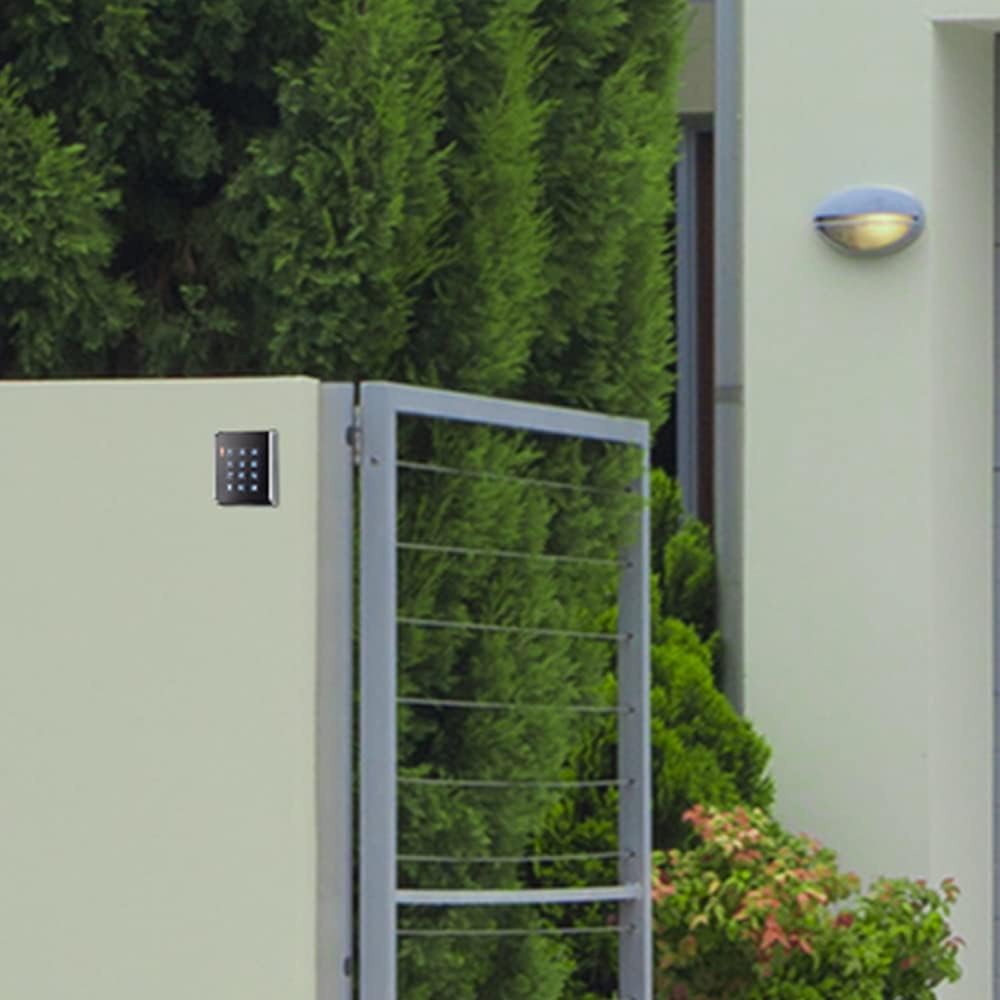
Image: The SCS Sentinel CodeAccess A Keypad mounted on a wall next to a gate, demonstrating a typical installation scenario.
Video: An instructional video demonstrating the installation process of the SCS Sentinel keypad, including mounting and wiring connections.
Operating Instructions
The keypad supports up to 100 user codes, which can be programmed directly from the front of the keypad. The tri-color LED indicator (red, yellow, and green) provides feedback on the keypad's operational status.
Programming Codes:
Detailed programming instructions for adding, deleting, or modifying user codes are typically found in the comprehensive user manual provided with the product. Generally, programming involves entering a master code followed by specific sequences to manage user access codes.
Daily Use:
To activate the gate or door, simply enter your pre-programmed access code using the backlit keys. The integrated buzzer will provide audible feedback upon successful code entry or error.
Maintenance
The SCS Sentinel CodeAccess A Keypad is designed for durability and requires minimal maintenance. Its plastic housing is weather-resistant, ensuring reliable operation in various conditions.
- Cleaning: Use a soft, damp cloth to clean the keypad surface. Avoid abrasive cleaners or solvents that could damage the plastic or key markings.
- Inspection: Periodically check the mounting screws for tightness and ensure the keypad is securely attached to the wall.
- Wiring: Ensure all wiring connections remain secure and free from corrosion.
Troubleshooting
If you encounter issues with your SCS Sentinel CodeAccess A Keypad, consider the following common troubleshooting steps:
- Keypad not responding:
- Check the power supply (12V DC) to ensure it is connected and providing adequate power.
- Verify all wiring connections are correct and secure.
- Code not activating gate/door:
- Ensure the correct code is being entered.
- Check the tri-color LED indicator for error signals.
- Verify the connection between the keypad and the gate/door opener system.
- Confirm that the gate/door opener itself is functioning correctly.
- Backlight not working:
- This may indicate a power issue or a fault with the keypad. Check power supply first.
- Buzzer not sounding:
- Ensure the buzzer is enabled in the keypad's settings (refer to the full manual for programming details).
- Check for any physical obstructions or damage to the buzzer.
For more complex issues or if troubleshooting steps do not resolve the problem, please contact SCS Sentinel technical support.
Specifications
| Feature | Detail |
|---|---|
| Model Number | AAA0005 / SEN4130085 |
| Brand | SCS Sentinel |
| Power Supply | 12V DC |
| Current Consumption | 30 mA (standby) |
| Code Capacity | Up to 100 codes |
| Keypad Type | Wired, Backlit |
| Indicator | Tri-color LED (Red, Yellow, Green) |
| Material | Plastic housing |
| Dimensions (L x W x H) | 9.6 x 2 x 7.3 cm |
| Weight | 126 g |
| Installation Type | Surface mounting |
| Recommended Use | Gates, doors, garage doors |
Warranty and Support
SCS Sentinel guarantees the reliability of its technical products, which are designed for easy installation and use, combining comfort and security.
- Warranty: This product comes with a 2-year warranty.
- Technical Support: Technical support is available in France to assist with product installation and provide informed, personalized advice.

Image: A graphic summarizing key product benefits including low consumption, gate/door compatibility, 2-year warranty, and hotline support.

Image: An icon representing the 2-year warranty provided with the product.


