
1. Introduction
Welcome to the user manual for your Timex Ironman T5K200SU Digital Watch. This guide provides essential information on setting up, operating, maintaining, and troubleshooting your watch to ensure optimal performance and longevity. Please read these instructions carefully before using your watch.
2. Product Overview
The Timex Ironman T5K200SU is a robust digital watch designed for active lifestyles. It features a clear digital display, durable resin case and band, and is built to withstand various conditions. Key features include water resistance and a scratch-resistant crystal.
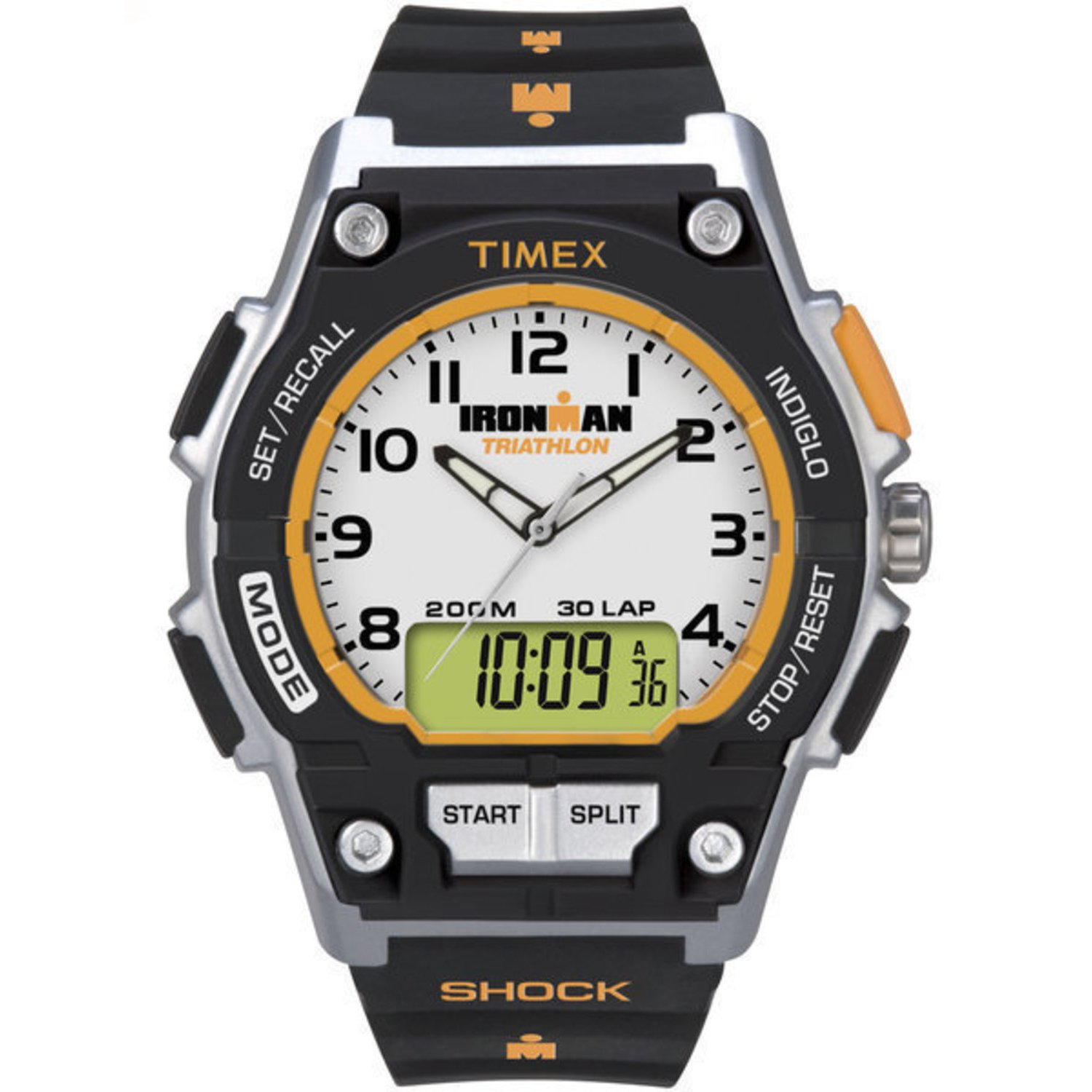
Figure 2.1: Front view of the Timex Ironman T5K200SU Digital Watch, showing its digital display and button layout.
3. Setup
3.1 Initial Battery Activation
Your watch comes with a pre-installed Lithium Ion battery. If the display is not active, press any button to wake the watch. No special activation is typically required for initial use.
3.2 Setting Time and Date
- Press and hold the SET or MODE button (refer to watch specific button labels) until the time display begins to flash.
- Use the START/STOP or ADJUST button to increment the flashing digit (hours, minutes, seconds).
- Press the MODE button again to move to the next setting (e.g., minutes, then year, month, day).
- Once all settings are correct, press the SET or MODE button to exit the setting mode.
4. Operating Instructions
4.1 Basic Time Display
In normal timekeeping mode, the watch displays the current time (hours, minutes, seconds) and often the day of the week and date. Pressing the MODE button cycles through different functions.
4.2 Mode Functions
Your Ironman watch typically includes several modes:
- Time Mode: Displays current time, date, and day.
- Stopwatch Mode: For timing events. Press START/STOP to begin/pause, LAP/RESET to record laps or reset.
- Timer Mode: For countdowns. Set the desired time, then press START/STOP.
- Alarm Mode: Set daily alarms.
4.3 INDIGLO Night-Light
Press the INDIGLO button (usually located on the top left of the watch face) to illuminate the display for easy viewing in low-light conditions.
4.4 Water Resistance

Figure 4.1: Illustration of the watch's water resistance feature.
Your Timex Ironman T5K200SU is rated as waterproof. This means it is suitable for swimming, showering, and general water activities. However, avoid pressing buttons underwater, as this can compromise the water seal. Always ensure the crown (if present) is pushed in completely before exposure to water.
5. Maintenance
5.1 Cleaning Your Watch
To clean your watch, wipe it with a soft, damp cloth. For resin bands, mild soap and water can be used. Avoid harsh chemicals or abrasive materials that could damage the watch's finish or crystal.

Figure 5.1: Close-up of the watch's scratch-resistant crystal.
5.2 Battery Replacement
When the display dims or functions become erratic, it may be time to replace the battery. It is recommended to have the battery replaced by an authorized Timex service center to ensure the watch's water resistance is maintained. Note: Replacing the battery yourself or by an unauthorized service may compromise the watch's water-resistant properties.
5.3 Storage
Store your watch in a cool, dry place away from direct sunlight and extreme temperatures when not in use.
6. Troubleshooting
- Watch Not Working / Blank Display:
Check if the battery needs replacement. If recently replaced, ensure it was installed correctly. - Incorrect Time Display:
Refer to Section 3.2 for instructions on setting the time and date. Ensure you are in the correct 12-hour or 24-hour format if applicable. - Buttons Not Responding:
Ensure the watch is not in a locked mode (if applicable). If the issue persists, a battery replacement might be necessary, or contact customer support. - Water Inside Watch:
If moisture appears inside the watch, stop using it immediately and take it to an authorized service center. This indicates a compromised seal.
7. Specifications
| Feature | Specification |
|---|---|
| Model Number | T5K200SU |
| Display Type | Digital |
| Case Diameter | 42 Millimetres |
| Band Width | 20 Millimetres |
| Case Thickness | 14 Millimetres |
| Water Resistance Level | Waterproof |
| Band Material Type | Resin |
| Case Material Type | Resin |
| Power Source Type | Battery Powered (1 Lithium Ion battery included) |
| Item Weight | 113 g |
| Closure Type | Buckle (Tang Buckle) |
8. Warranty and Support
Your Timex watch is covered by a manufacturer's warranty against defects in materials and workmanship. For specific warranty terms and conditions, please refer to the warranty card included with your purchase or visit the official Timex website.
For service, repairs, or technical assistance, please contact an authorized Timex Service Centre. Using unauthorized service may void your warranty.

Figure 8.1: Information regarding Timex Service Centres.


