Introduction
The Deerma DEM-HX10W Shoe Dryer is designed to provide comprehensive care for your footwear. It features a U-shaped design allowing simultaneous drying of two pairs of shoes, saving time and ensuring thorough drying. Beyond just drying, this device incorporates a ceramic ozone generator to eliminate bacteria and odors, promoting foot health. It offers multiple drying modes suitable for various shoe types and includes a triple security system for safe operation. The extendable hoses ensure deep penetration into footwear, and its multifunctionality extends to drying clothes or dehumidifying small spaces.
Safety Instructions
- Always place the shoe dryer on a stable, flat, and heat-resistant surface.
- Ensure the power supply matches the specifications (220-240V ~ 50/60Hz).
- Do not block the air inlets or outlets during operation.
- Keep the device away from water or other liquids. Do not immerse the unit.
- Do not operate the device if the power cord or plug is damaged.
- Avoid touching the heating elements directly during or immediately after use, as they can be hot.
- The device is equipped with a fuse to protect against overheating. Do not attempt to bypass or modify safety features.
- Allow the device to cool down completely before storing it.
- Keep out of reach of children and pets.
- Do not use the device for purposes other than drying and deodorizing footwear or small garments.

Product Overview
Components
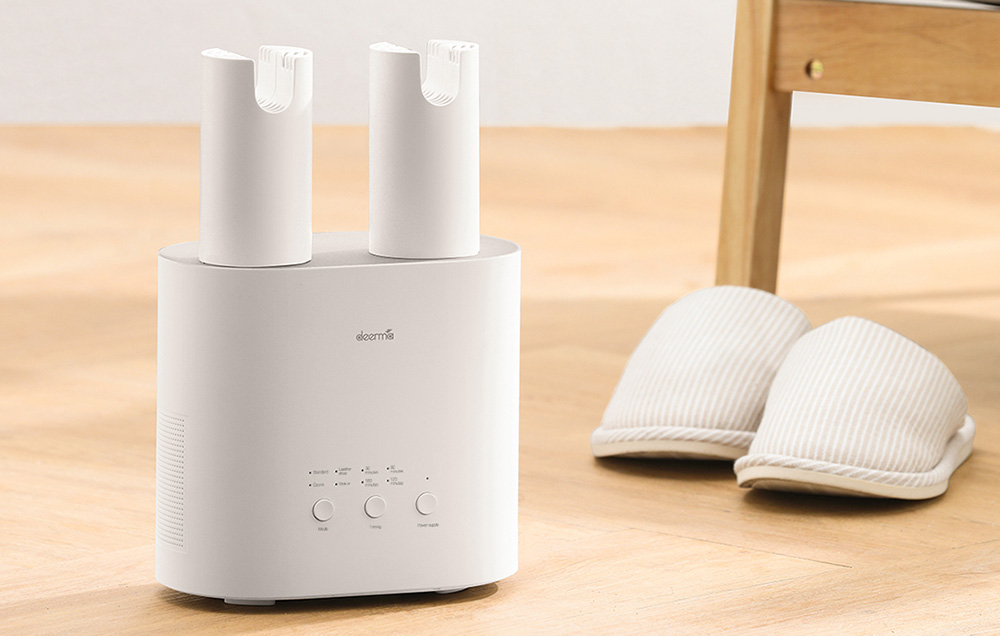
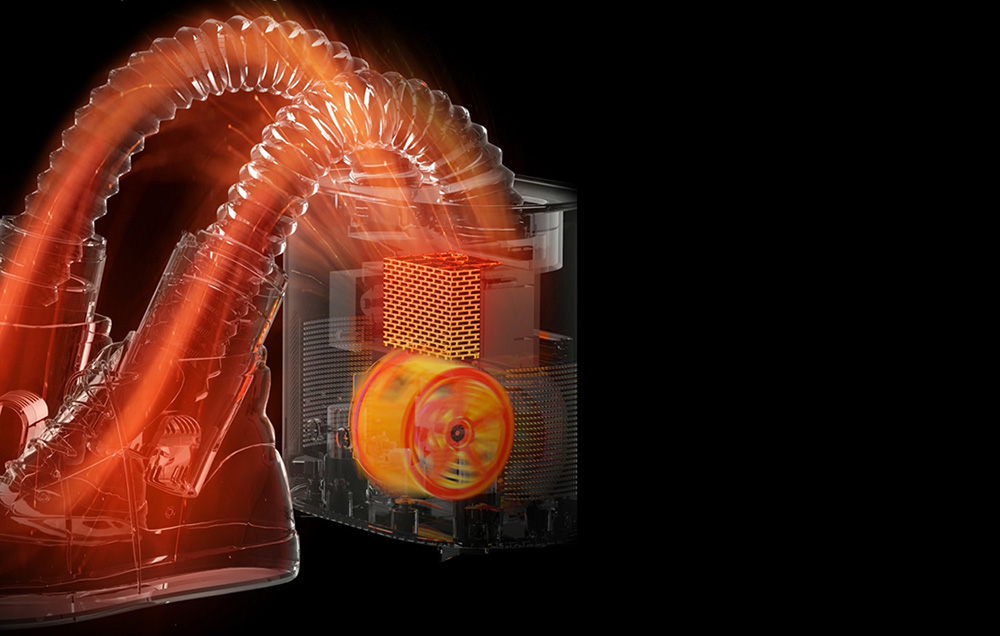
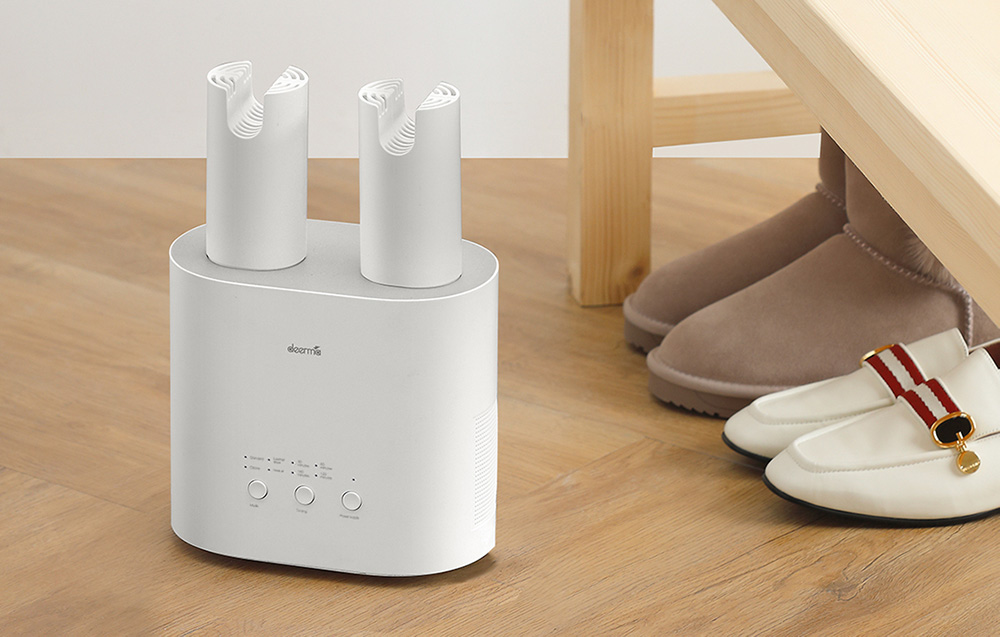
- Main Unit: Houses the heating element, fan, and control panel.
- U-shaped Drying Tubes/Hoses: Two flexible, extendable hoses for directing hot air into footwear.
- Control Panel: Located on the front of the main unit.
- Power Cord: For connecting to an electrical outlet.
Control Panel

The control panel features three circular buttons and indicator lights:
- MODE Button: Cycles through different drying modes.
- Standard (for general footwear like boots)
- Leather (gentle drying for leather shoes)
- Sneaker (for sports shoes)
- Ozonation (for sterilization and deodorization, e.g., socks)
- Timing Button: Sets the drying duration.
- 30 minutes
- 60 minutes
- 120 minutes
- 180 minutes
- Power Supply Button: Turns the device on and off.
Setup
- Unpack the Deerma DEM-HX10W shoe dryer and place it on a flat, stable surface.
- Ensure there is adequate space around the unit for proper ventilation.
- Plug the power cord into a suitable electrical outlet (220-240V ~ 50/60Hz).
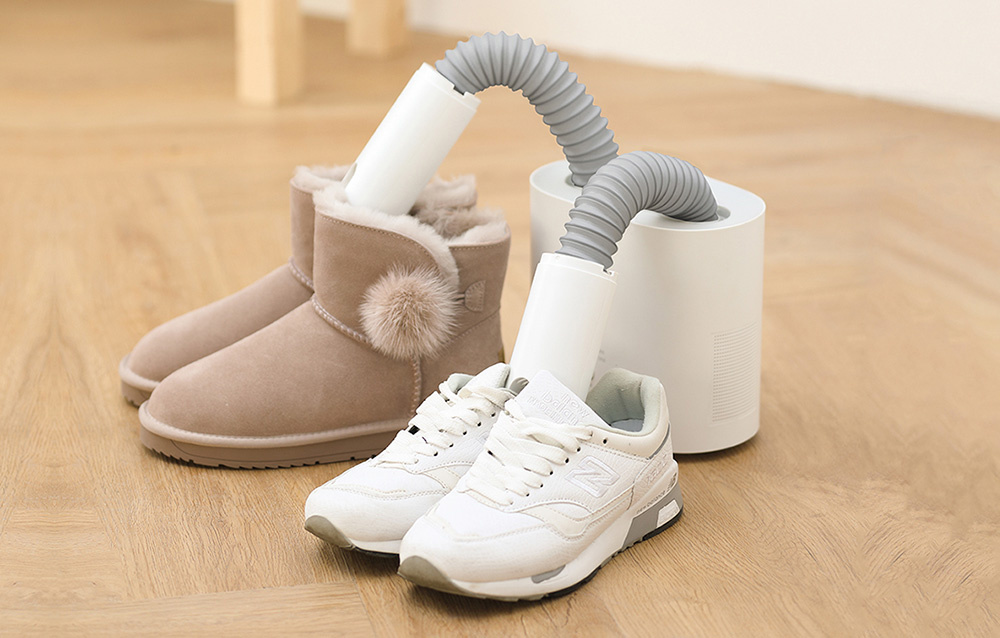
- Extend the flexible drying hoses and insert them into the footwear you wish to dry. For tall footwear like boots, ensure the hoses reach deep inside.
Operating Instructions
General Operation
- After setup, press the "Power Supply" button to turn on the device.
- Press the "MODE" button repeatedly to select the desired drying mode. The corresponding indicator light will illuminate.
- Press the "Timing" button repeatedly to set the desired drying duration. The indicator light for the selected time will illuminate.
- The device will begin the drying process.
- Once the selected time has elapsed, the device will automatically turn off.
- To manually stop the drying process, press the "Power Supply" button again.
Drying Modes
- Standard Mode: Ideal for general footwear, including boots and winter shoes.
- Leather Mode: Provides gentle drying to protect delicate leather materials from damage.
- Sneaker Mode: Suitable for sports shoes and sneakers, ensuring thorough drying.
- Ozonation Mode: Utilizes a ceramic ozone generator to oxidize and decompose odors, inhibit fungal growth, and sterilize footwear, such as socks.
Drying Tall Footwear
For high boots or ankle boots, the DEM-HX10W is equipped with special feet/extensions that provide better balance and stability, allowing the device to effectively dry the footwear along its entire height. Ensure the 27cm flexible hoses are fully extended and inserted deep into the footwear for optimal results.
Maintenance
- Always unplug the device from the power outlet before cleaning.
- Allow the device to cool down completely before cleaning.
- Wipe the exterior of the unit with a soft, damp cloth. Do not use abrasive cleaners or solvents.
- Ensure no water enters the internal components.
- Regularly check the air inlets and outlets for any dust or debris and clean if necessary to maintain optimal airflow.
- Store the device in a dry place when not in use.
Troubleshooting
| Problem | Possible Cause | Solution |
|---|---|---|
| Device does not turn on. | No power supply. | Check if the power cord is securely plugged into a working outlet. |
| Drying is ineffective. | Hoses not properly inserted; incorrect mode/timer selected; blocked air vents. | Ensure hoses are deep inside shoes. Select appropriate mode and longer drying time. Check and clear any obstructions from air vents. |
| Unusual smell during operation. | Initial use smell; ozone generation. | A slight smell may occur during initial uses. The ozonation mode produces ozone, which has a distinct smell. Ensure adequate ventilation. If the smell is strong or burning, discontinue use and contact support. |
| Device overheats and shuts off. | Overheating protection activated. | Unplug the device and allow it to cool down. Check for blocked air vents. Ensure proper ventilation around the unit. |
Specifications
| Feature | Detail |
|---|---|
| Manufacturer | Deerma |
| Model | DEM-HX10W |
| Power Supply | 220-240V ~ 50/60Hz |
| Power | 235W |
| Dimensions | 211x117x280mm |
| Weight | 1.2 kg |
| Material | ABS |
| Color | White |
| Temperature | 30-55 °C |
| Functions | Drying, Timer, Sterilization, Ozonation |
User Tips
No specific user tips were available from reviews or Q&A for this product. However, general tips for shoe dryers include:
- For very wet shoes, consider pre-drying with a towel to speed up the process.
- Always ensure the drying hoses are fully inserted into the shoes to maximize efficiency.
- Use the ozonation mode periodically to keep shoes fresh and prevent odor buildup, even if they are not wet.
- For delicate materials, always opt for the "Leather" mode or a shorter drying time at a lower temperature if available.
Warranty and Support
For warranty information, technical support, or service inquiries, please refer to the documentation provided with your purchase or contact the retailer/manufacturer directly. Keep your proof of purchase for warranty claims.


