Programming Device Manuals & User Guides

User manuals, setup guides, troubleshooting help, and repair information for Programming Device products.

Tip: include the full model number printed on your Programming Device label for the best match.

Programming Device manuals

Latest posts, featured manuals, and retailer-linked manuals for this brand tag.

Nice IBT4N Pro-View Programming Device Instruction Manual

January 21, 2026
Nice IBT4N Pro-View Programming Device Introduction Pro-View: The Pro-View accessory is a device, that through Wi-Fi communication, allows the configuration of Nice devices available on Gate & Door catalogues. The interface includes the functions of the traditional O-View and OBox.…

WINKHAUS BXP BS 5044551 Programming Device User Guide

October 15, 2025
WINKHAUS BXP BS 5044551 Programming Device Product Information Specifications: Model: BXP BS (5044551)/BXP BS 61 (5044573) or BXP BS Start (5085527)/BXP BS 61 Start (5085528) Connection Socket: Power supply unit, USB-B port, RJ 45 interface Key Features: RFID card compatibility,…

WINK HAUS 5085527 Programming Device User Guide

September 27, 2025
WINK HAUS 5085527 Programming Device Specifications Product Name: Programming Device BXP BS Model Numbers: 5044551, 5044573, 5085527, 5085528 Components: Power supply unit, USB-B port, RJ 45 interface, key insertion slot, RFID card contact surface, adapter cable connection socket, USB-A port,…

WINKHAUS BCP-NG Programming Device User Guide

March 26, 2025
WINKHAUS BCP-NG Programming Device Specifications Model: BCP-NG Color: BlueSmart design Interfaces: RS 232, USB Power supply: External power supply Description of Components: The programming device BCP-NG consists of various components Including: Connection socket for adapter cable Illuminated display Navigation switch…

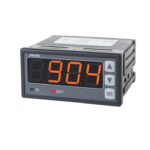
APAR AR904 Programming Device User Manual

April 14, 2023
APAR AR904 Programming Device Product Information The product has four different modes of operation: automatic, manual, disabled, and enabled. These modes can be selected using the equals sign (=) and the numbers 2 through 9. Product Usage Instructions Turn on…