
Samsung QE55QN85FAU
Samsung Neo QLED 4K Vision AI Smart TV 55-inch QE55QN85FAUXZT User Manual
Model: QE55QN85FAU
1. Bubuka
This manual provides essential information for the safe and efficient use of your Samsung Neo QLED 4K Vision AI Smart TV, model QE55QN85FAUXZT. Please read these instructions thoroughly before operating your TV and retain them for future reference.
Your new Samsung Neo QLED TV features a 55-inch display with a NQ4 AI Gen2 Processor, offering 4K AI Upscaling for vivid and realistic colors. It includes advanced audio technologies like Dolby Atmos & OTS Lite for an immersive sound experience, and smart features such as Smart Hub, Gaming Hub, and SmartThings for comprehensive entertainment and home management.
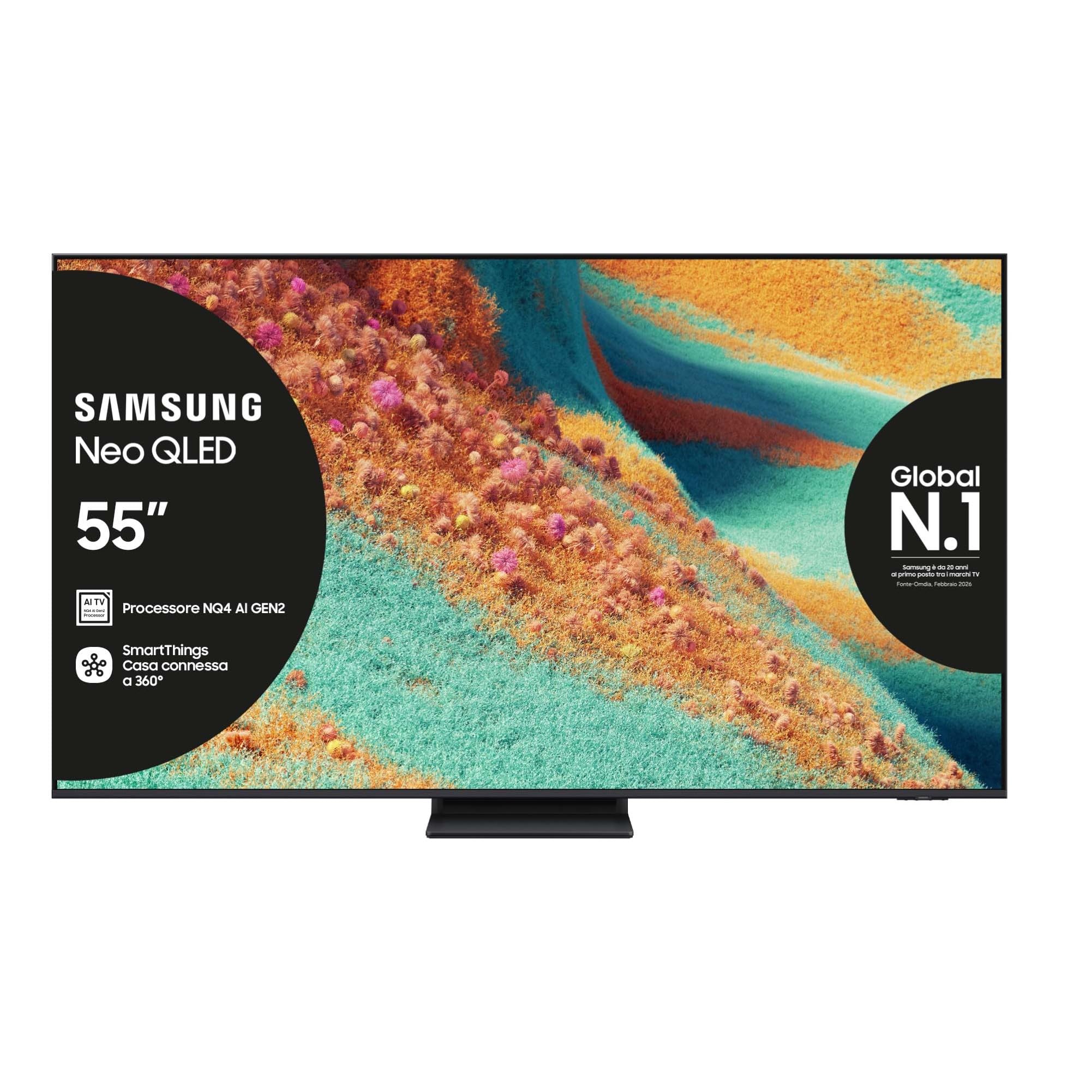
Hareupeun view of the Samsung Neo QLED 4K Vision AI Smart TV 55-inch.

Samping view of the Samsung Neo QLED 4K Vision AI Smart TV 55-inch, highlighting its slim design.
2. Setélan
2.1 Unboxing jeung Eusi Paket
Carefully unpack your TV and check that all components are present. The package should include:
- 1x Samsung Smart TV 55" Serie QN85F
- 2x Remote Controls (one solar-powered, one standard)
- Kabel Daya
- Manual pangguna (dokumén ieu)

Contents of the TV package, including the power cable, user manual, solar remote, and standard remote.
2.2 Instalasi fisik
Place the TV on a stable, flat surface or mount it on a wall using a compatible VESA mount (200 x 200 mm). Ensure adequate ventilation around the TV.

Detailed dimensions of the 55-inch TV, including width, height, and depth with stand.
2.3 Nyambungkeun périferal
Connect your external devices to the appropriate ports on the back of the TV. The TV features multiple connectivity options:
- Port HDMI: 4 ports for connecting devices like Blu-ray players, game consoles, or set-top boxes. One port supports eARC.
- Port USB: 2 ports (1x USB 3.0, 1x USB 2.0) for connecting USB storage devices.
- Port Ethernet (LAN): Pikeun sambungan internét kabel.
- Antenna (ANT) Input: Pikeun nyambungkeun anteneu terestrial atanapi kabel.
- Optik Digital Audio Out: Pikeun nyambungkeun ka soundbar atawa panarima audio.

Rear panel of the TV displaying the HDMI, USB, LAN, and antenna input ports.
2.4 Mimiti Power-on jeung Network Setup
After connecting the power cable, press the power button on the remote control. Follow the on-screen instructions to complete the initial setup, including language selection, network connection (Wi-Fi or Ethernet), and channel scanning.
3. Parentah Operasi
3.1 Pamakéan Remote Control
Your TV comes with two remote controls. The solar-powered remote offers convenient charging via ambient light, while the standard remote provides traditional battery operation. Both remotes allow full control over TV functions, including navigation, volume, channel selection, and smart features.

The remote control interacting with the Samsung Vision AI Companion interface, demonstrating voice command capabilities.
3.2 Smart Features (Smart Hub, Gaming Hub, SmartThings)
Access a world of entertainment and smart home control through your TV's integrated smart features:
- Smart Hub: Your central portal for streaming apps (Disney Plus, Netflix, Prime Video, YouTube), live TV, and connected devices.
- Hub kaulinan: Provides access to cloud gaming services and optimizes settings for a smooth gaming experience (Motion Xcelerator 144 Hz).
- SmartThings: Control compatible smart home devices directly from your TV, creating a connected living environment.

The Smart Hub interface displaying various streaming content and navigation options.

The Gaming Hub interface, optimized for gaming with various game titles displayed.

The SmartThings interface showing control options for various smart home devices.
3.3 Téhnologi Gambar jeung Sora
Your TV incorporates advanced technologies for an enhanced viewpangalaman nguping sareng ngupingkeun:
- NQ4 AI Gen2 Processor & 4K AI Upscaling: Utilizes artificial intelligence to optimize picture quality, enhancing details and colors to near-4K resolution, regardless of the original source.
- Quantum Matrix Plus: Precisely controls the TV's Mini LEDs for ultra-fine light and dark areas, delivering exceptional contrast and detail.
- Neo Quantum HDR+: Provides extraordinary brightness and vivid colors, enhancing the dynamic range of content.
- Dolby Atmos & OTS Lite: Object Tracking Sound Lite creates a 3D audio experience where sound follows the action on screen, complemented by Dolby Atmos for immersive surround sound.
- Adaptive Sound Pro: Automatically calibrates sound based on the content and room acoustics for optimal audio delivery.
- Q-Symphony: Synchronizes the TV's speakers with a compatible Samsung soundbar (not included) for a richer, more expansive soundstage.

The NQ4 AI Gen2 Processor, the brain behind the TV's advanced AI features and 4K upscaling.

Visual representation of 4K AI Upscaling, showing how lower resolution content is enhanced.

Quantum Matrix Plus technology illustrated with a surfing scene, highlighting precise light control.

Comparison showing the enhanced brightness and color of Neo Quantum HDR+ versus standard dynamic range (SDR).

Dolby Atmos and OTS Lite audio technology creating a three-dimensional sound experience with a wave scene.

Object Tracking Sound Lite (OTS Lite) visually represented with sound waves emanating from a train on screen.

Adaptive Sound Pro adjusting audio based on different content types, from nature sounds to sports commentary.
4. Pangropéa
4.1 Ngabersihan TV
Pikeun ngabersihkeun layar, usap lembut nganggo kaen anu lemes sareng teu aya serat. Pikeun tanda nekad, rada dampen lawon jeung cai atawa cleaner layar husus. Ulah make bahan kimia kasar, bahan abrasive, atawa nyemprot langsung kana layar.
Bersihkeun pigura TV sareng tempatkeun nganggo lawon anu lemes sareng garing. Pastikeun TV parantos dicabut tina colokan sateuacan dibersihkeun.
4.2 Perawatan Umum
- Hindarkeun nempatkeun TV dina sinar panonpoé langsung atanapi caket sumber panas.
- Ensure proper ventilation by not blocking the TV's vents.
- Nangtayungan layar tina objék seukeut atawa tekanan kaleuleuwihan.
- Cabut colokan TV salila badai kilat atawa lamun teu dipaké pikeun période nambahan.
5. Cara ngungkulan
Upami anjeun ngalaman masalah sareng TV anjeun, tingali léngkah-léngkah ngungkulan umum di handap ieu sateuacan ngahubungi dukungan.
5.1 Taya Daya / Taya Gambar
- Pariksa lamun kabel kakuatan disambungkeun aman ka duanana TV jeung stop kontak témbok.
- Pastikeun stop kontak témbok berpungsi ku cara nyolokkeun alat anu sanés.
- Press the power button on the remote control or directly on the TV.
5.2 Kualitas Gambar Miskin
- Pariksa deui naha sumber input parantos dipilih kalayan leres.
- Check the quality of the signal from your antenna or external device.
- Saluyukeun setelan gambar (kacaangan, kontras, seukeutna gambar) dina menu TV.
- Catet éta viewing from extreme horizontal angles may show some image degradation, which is characteristic of certain display technologies.
5.3 Taya Sora
- Ningkatkeun polumeu nganggo kadali jauh.
- Pariksa naha TV dipareuman.
- Ensure external audio devices (soundbars, receivers) are properly connected and powered on.
- Pariksa setelan kaluaran audio dina menu TV.
5.4 Remote Control Teu Gawé
- For the solar remote, ensure it has sufficient light exposure to charge.
- For the standard remote, replace the batteries if necessary.
- Pastikeun teu aya halangan antara remote sareng TV.
6. Spésifikasi
| Fitur | Rincian |
|---|---|
| Ngaran modél | QE55QN85FAU |
| Ukuran layar | 55 inci |
| Téknologi tampilan | QLED |
| Resolusi | 4K (3840 x 2160) |
| Refresh Laju | 120 Hz (Motion Xcelerator 144 Hz) |
| Prosesor | Prosesor NQ4 AI Gen2 |
| Format HDR Dirojong | Neo Quantum HDR + |
| Mode Kaluaran Audio | Surround (2.1 Channel) |
| Surround Sound Format | Dolby Atmos |
| Konektipitas | Bluetooth, Ethernet, HDMI (4 port), USB (2 port), Wi-Fi |
| Sistem operasi | Tizen |
| Métode kontrol | App, Remote, Voice (Amazon Alexa, Google Assistant, SmartThings) |
| Standar Pamasangan VESA | 200 x 200 mm |
| Ukuran produk (L x W x H) | 122.8P x 24.7l x 76.1H cm (with stand) |
| Item Beurat | 18 kg |
| Warna | Eclipse Silver |
| Negara asal | Slowakia |
6.1 Énergi Énergi
The TV's energy efficiency information is provided on the energy label.
EU Energy Label for model QE55QN85FAU. For detailed information, refer to the Basis data EPREL.
7. Garansi
This Samsung TV comes with a 2-taun jaminan produsén urang. Please retain your proof of purchase for warranty claims. The warranty covers manufacturing defects under normal use conditions. For full terms and conditions, please refer to the warranty card included in your package or visit the official Samsung support websitus.
8. Rojongan
For further assistance, technical support, or to download the full user manual, please visit the official Samsung support websitus atanapi tingali manual PDF anu disayogikeun:
- Unduh Buku Panduan Pamaké (PDF)
- Nganjang ka Samsung Store on Amazon pikeun inpo produk jeung asesoris.
You can also contact Samsung customer service for personalized support.
Ask a question about this manual
Ask about setup, troubleshooting, compatibility, parts, safety, or missing instructions. Manuals+ will review the question and use this page’s manual context to help answer it.