Bubuka
This manual provides essential information for setting up, operating, maintaining, and troubleshooting your Samsung Galaxy Book Pro 360 15.6-inch touchscreen laptop. This device combines the power of a laptop with the versatility of a tablet, featuring a 360-degree hinge and S Pen compatibility. Please read this manual thoroughly to ensure proper use and to maximize your product's lifespan.

Image: The Samsung Galaxy Book Pro 360 showcasing its convertible design and the included S Pen.
Disetél
1. Mimiti Power-on jeung Ngecas
Connect the provided USB-C power adapter to the laptop's Thunderbolt 4 or USB-C port and then to a power outlet. The battery icon on the screen will indicate charging status. Press the power button located on the side of the laptop to turn it on.
2. Setelan Windows 11
Follow the on-screen prompts to complete the initial Windows 11 setup. This includes selecting your region, language, accepting terms, and creating a user account.
3. Sambungan jaringan
During the Windows setup, you will be prompted to connect to a Wi-Fi network. Select your network from the list and enter the password. The device supports Wi-Fi 6E for fast wireless connectivity.
4. Sidik Reader Setup
For enhanced security, set up the fingerprint reader. Navigate to Setélan > Akun > Pilihan asup > Pangakuan sidik jari (Windows Hello) and follow the instructions to register your fingerprints.
5. S Pen Pairing and Usage
The S Pen is typically pre-paired. To use it, simply remove it from its storage slot (if applicable) or ensure it is charged. The S Pen allows for precise input on the touchscreen, including writing, drawing, and navigating the interface.
Ngoperasikeun
1. Convertible Modes
The Galaxy Book Pro 360 features a 360-degree hinge, allowing it to be used in various modes:
- Modeu Laptop: Konfigurasi laptop standar pikeun ngetik sareng produktivitas.
- Modeu tablet: Fold the screen back completely to use as a tablet.
- Mode tenda: Position the device like a tent for media consumption or presentations.
- Mode nangtung: Flip the keyboard face down to use the screen as a display.
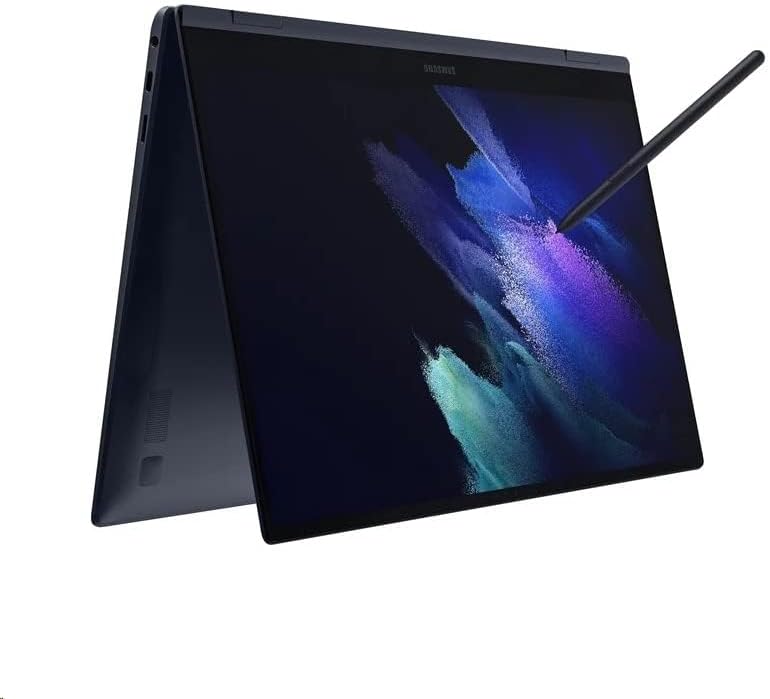
Image: The Samsung Galaxy Book Pro 360 configured in tablet mode, demonstrating its flexibility.
2. Touchscreen and S Pen Interaction
The 15.6-inch FHD AMOLED touchscreen supports multi-touch gestures. Use the S Pen for precise input, note-taking, drawing, and navigating the interface. Air Command features can be accessed by hovering the S Pen over the screen and pressing its button.
3. Kibor sareng Trackpad
The full-sized keyboard includes a backlight, adjustable via function keys (e.g., F9). The large trackpad supports multi-touch gestures for navigation. For external input, connect a mouse to a USB port.
4. Port Dianggo
- Guntur 4: High-speed data transfer, video output, and charging.
- USB-C: Data transfer, video output, and charging.
- USB-A: Connect standard USB devices like external drives or peripherals.
- HDMI: Sambungkeun ka layar éksternal atanapi proyéktor.
- Pamaca Kartu Micro SD: Expand storage or transfer files tina kartu memori.
- Mic/Headphone Combo Jack: Sambungkeun headphone atanapi mikropon éksternal.
5. Audio sareng Webkaméra
Experience enhanced audio with Dolby Atmos speakers. The integrated HD webkaméra ieu cocog pikeun nelepon vidéo sareng konperénsi.
Pangropéa
1. beberesih
Make kaen nu lemes, teu aya lint rada dampened with water or a screen cleaner to wipe the display. For the body and keyboard, use a dry or slightly damp lawon. Hindarkeun bahan kimia anu kasar atanapi bahan abrasive.
2. Kaperawatan batré
To prolong battery life, avoid fully discharging the battery frequently. Store the laptop in a cool, dry place. If storing for an extended period, charge the battery to around 50-70%.
3. Apdet parangkat lunak
Regularly check for and install Windows updates and Samsung software updates to ensure optimal performance, security, and compatibility. Go to Setélan > Windows Update.
4. Manajemén gudang
Périodik ulangview jeung mupus teu perlu files to maintain sufficient free space on the 1TB SSD. Utilize cloud storage or external drives for large files.
Pamérésan masalah
1. Laptop Teu Bisa Dihurungkeun
- Pastikeun adaptor kakuatan disambungkeun sacara aman ka laptop sareng stopkontak listrik anu tiasa dianggo.
- Pariksa naha stop kontak listrik berpungsi ku cara nyolokkeun alat sejen.
- Upami batréna tos lemes, peryogi sababaraha menit ngecas sateuacan laptop tiasa hurung.
2. Isu tampilan
- If the screen is blank, try adjusting the brightness using the function keys.
- Ensure no external display is connected and set as the primary output.
- Balikan deui laptop.
3. Masalah Konéktivitas Wi-Fi
- Pariksa yén Wi-Fi diaktipkeun dina setélan Windows.
- Balikan deui router sareng modem anjeun.
- Poho jaringan jeung sambungkeun deui, ngasupkeun sandi deui.
- Apdet panggerak Wi-Fi ngalangkungan Manajer Alat.
4. S Pen Teu Ngarespon
- Ensure the S Pen is properly seated in its storage slot (if applicable) to charge.
- Check if the S Pen settings are correctly configured in Windows.
- Balikan deui laptop.
spésifikasi
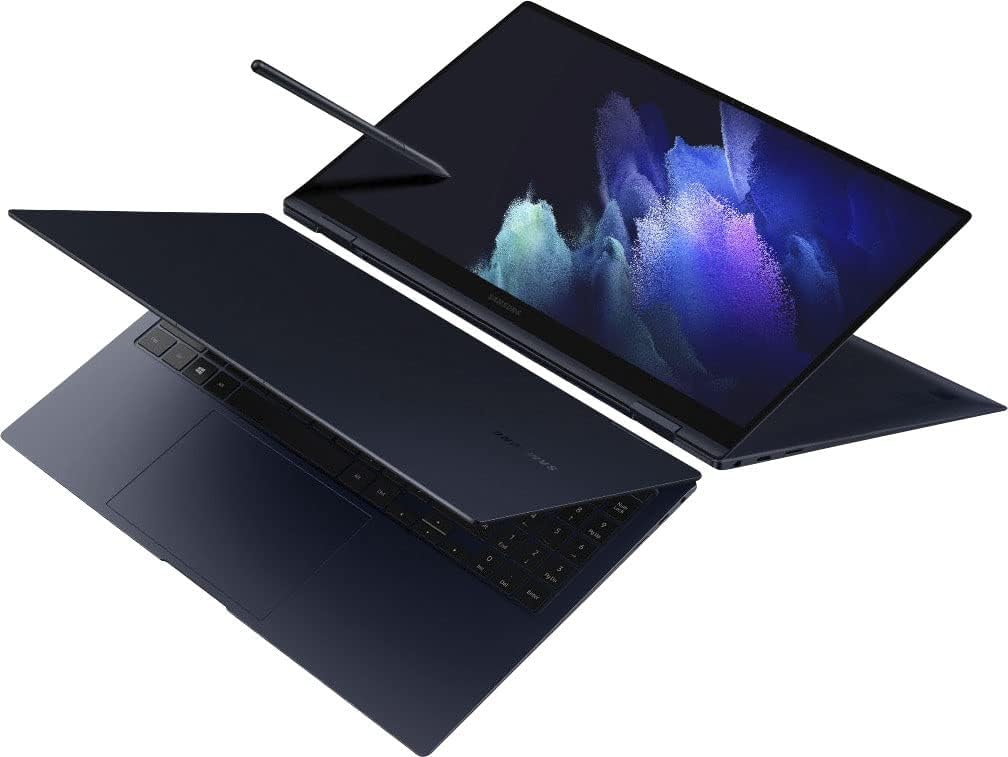
Gambar: A luhur-handap view of the Samsung Galaxy Book Pro 360 in traditional laptop mode.
| Fitur | Rincian |
|---|---|
| Nomer modél | NP950QDB-KB3US |
| tampilan | 15.6-inch FHD (1920 x 1080) AMOLED Touchscreen |
| Prosesor | Intel Core i7-1165G7 (2.8 GHz, up to 4.7 GHz) |
| Grafika | Grafik Intel Iris Xe (Terpadu) |
| Ram | 16 GB DDR4 |
| Panyimpenan | 1 TB SSD |
| Sistem operasi | Windows 11 Imah |
| Palabuhan | 1 x Thunderbolt 4, 1 x USB-C, 1 x USB-A, 1 x HDMI, 1 x Micro SD Card Reader, 1 x Mic/Headphone Combo |
| Konéktipitas Wireless | Wi-Fi 6E, Bluetooth 5.1 |
| Audio | Speaker Dolby Atmos |
| Webkaméra | HD Webkaméra |
| Fitur husus | Backlit Keyboard, Fingerprint Reader, S Pen Support |
| Warna | Mystic Navy |
| Ukuran (L x W x H) | 19.29 x 11.42 x 2.64 inci |
| Beurat | 4.1 pon |
| Kahirupan Batré (Rata-rata) | Nepi ka 20 Jam |
Émbaran jaminan
Your Samsung Galaxy Book Pro 360 is covered by a limited manufacturer's warranty. Specific warranty terms, conditions, and duration may vary by region and point of purchase. Please refer to the warranty card included with your product packaging or visit the official Samsung support websitus pikeun inpo wincik.
Ngarojong
Pikeun pitulung salajengna, rojongan teknis, atawa inquiries jasa, mangga buka rojongan resmi Samsung website or contact Samsung customer service in your region. You can find contact details and extensive FAQs on the Samsung websitus.
Rojongan Samsung Websitus: www.samsung.com/us/support/