Bubuka
Thank you for choosing the JBL Cinema SB190 Soundbar. This manual provides essential information for setting up, operating, and maintaining your soundbar system. Please read it thoroughly to ensure proper use and optimal performance.
Émbaran Kasalametan penting
Salawasna turutan tindakan pencegahan kaamanan dasar ieu nalika nganggo sistem soundbar anjeun:
- Baca parentah ieu taliti.
- Tetep parentah ieu pikeun rujukan hareup.
- Heed sagala warnings.
- Turutan sagala parentah.
- Entong nganggo alat ieu caket cai.
- Ngabersihan ngan ku kaén garing.
- Ulah meungpeuk sagala bukaan ventilasi. Pasang saluyu sareng parentah produsén.
- Entong dipasang di deukeut sumber panas sapertos radiator, register panas, kompor, atanapi aparat sanésna (kalebet ampLiifiers) anu ngahasilkeun panas.
- Nangtayungan kabel listrik tina leumpang atawa diciwit, utamana dina colokan, wadah merenah, jeung titik dimana aranjeunna kaluar tina aparat.
- Ngan anggo kantétan/aksésori anu ditunjuk ku produsén.
- Cabut colokan alat ieu nalika badai kilat atanapi nalika henteu dianggo kanggo waktos anu lami.
- Rujuk sadayana jasa ka tanaga jasa anu mumpuni. Diperlukeun ngalayanan nalika aparatur ruksak ku cara naon waé, sapertos kabel catu daya atanapi colokan rusak, cairan tumpah atanapi barang murag kana aparatur, aparatur parantos kakeunaan hujan atanapi lembab, henteu beroperasi normal. , atawa geus turun.
Naon dina Box
Your JBL Cinema SB190 package includes the following components:
- Soundbar
- Subwoofer nirkabel
- Kadali jauh sareng batré
- Power cords (region specific)
- kabel HDMI
- Kit bracket témbok-mount jeung screws
- Pituduh ngamimitian gancang
- Kartu jaminan
- Lambaran kaamanan

Image: Included accessories for the JBL Cinema SB190, featuring the remote control, HDMI cable, power cords, and wall-mount hardware.
Produk Leuwihview
Soundbar Front and Top Panel

Gambar: Hareupeun view of the JBL Cinema SB190 Soundbar, showcasing desain na sleek.
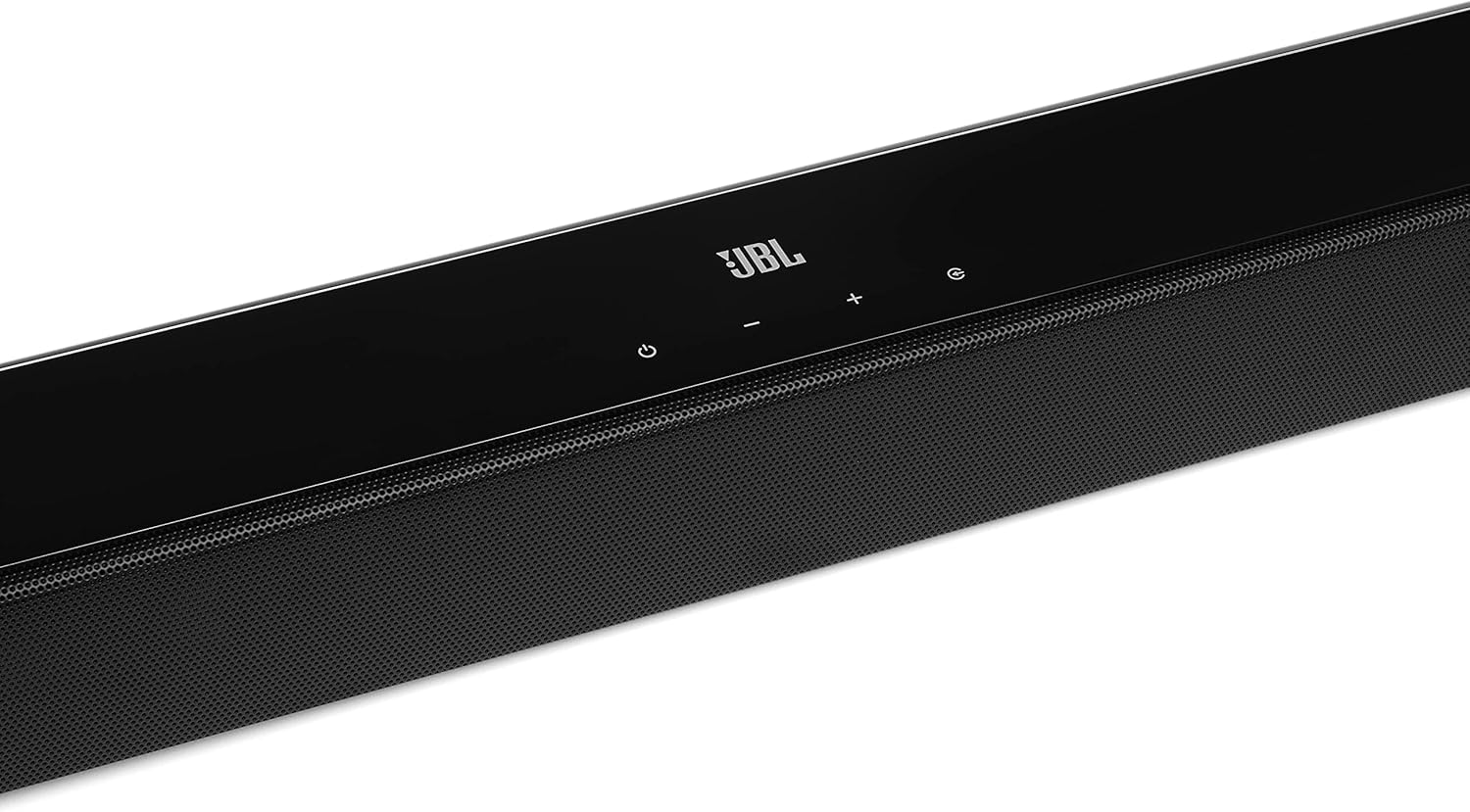
Image: Close-up of the top panel controls on the JBL Cinema SB190 Soundbar, including power, volume, and source selection buttons.
The soundbar features a minimalist design with essential controls located on the top panel for easy access. These include power, volume up/down, and input selection.
Soundbar Rear Panel Connections

Image: Rear panel of the JBL Cinema SB190 Soundbar, showing the power input, HDMI eARC, HDMI In, and Optical In ports.
The rear panel provides various connection options for your audio sources and TV, including HDMI eARC, HDMI In, and Optical In. A power input is also located here.
Subwoofer nirkabel

Gambar: Hareupeun view of the JBL Cinema SB190 Wireless Subwoofer, featuring the JBL logo at the bottom.

Gambar: Tukangeun view of the JBL Cinema SB190 Wireless Subwoofer, showing the power input and pairing button.
The wireless subwoofer provides deep bass and connects automatically to the soundbar. Its rear panel includes the power input and a pairing button if manual pairing is required.
Kadali jauh
The included remote control allows full command over your soundbar system, including power, volume, input selection, sound modes (Music, Movie, News), Voice enhancement, and Bass level adjustment.
Disetél
1. Panempatan
Soundbar: Place the soundbar on a flat surface directly in front of your TV, centered. Ensure no objects obstruct the front of the soundbar. Alternatively, you can wall-mount the soundbar using the provided bracket kit.
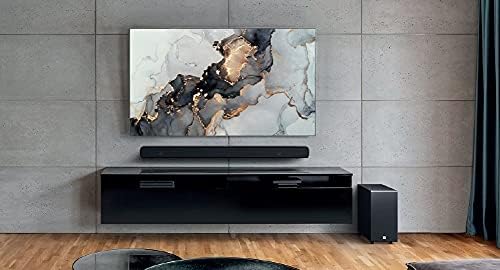
Image: The JBL Cinema SB190 Soundbar positioned below a television, with the wireless subwoofer to the side.
Subwoofers: The wireless subwoofer can be placed anywhere in the room, ideally within 50 feet (15 meters) of the soundbar, for optimal bass distribution. Avoid placing it in a corner directly, as this can sometimes lead to boomy bass.
2. Panyambungan
Choose one of the following connection methods to connect your soundbar to your TV:
- HDMI eARC (Disarankeun): For the highest quality audio, connect an HDMI cable (included) from the HDMI eARC port on your soundbar to the HDMI eARC port on your TV. This connection supports Virtual Dolby Atmos and allows for TV remote control of the soundbar volume.

Image: HDMI icon, representing the HDMI eARC connection.
- Optik Dina: If your TV does not have an HDMI eARC port, connect an optical cable (not included) from the OPTICAL IN port on your soundbar to the optical output on your TV.

Image: TV icon, indicating connection to a television.
- HDMI Dina: You can also connect an external device (e.g., Blu-ray player, game console) directly to the HDMI IN port on the soundbar. The video signal will pass through to your TV via the HDMI eARC/ARC connection.
3. Sambungan Daya
- Connect the power cords to the soundbar and subwoofer.
- Plug the power cords into an AC outlet.
- The soundbar and subwoofer will automatically power on and attempt to pair. The subwoofer's LED indicator will turn solid white once successfully paired.
Ngoperasikeun Soundbar Anjeun
Daya Hurung/Pareuman
Pencét éta Kakuatan tombol dina soundbar atawa kadali jauh pikeun ngahurungkeun atawa mareuman sistem.
Volume Control
Ngagunakeun éta Jilid + or Volume - tombol dina soundbar atawa remote control pikeun nyaluyukeun tingkat volume.
Pilihan Input
Pencét éta Sumber button on the soundbar or the dedicated input buttons (HDMI IN, HDMI ARC, OPT, BT) on the remote control to switch between audio sources.
Modeu sora
Remot kontrol ieu ngagaduhan tombol khusus pikeun ngaoptimalkeun audio pikeun rupa-rupa jinis eusi:
- MUSIK: Ningkatkeun audio pikeun muterkeun musik.
- Pilem: Optimizes sound for cinematic experiences, including Virtual Dolby Atmos effects.
- WARTA: Enhances vocal clarity for news and dialogue-heavy content.
Voice and Bass Adjustment
The remote control allows for fine-tuning of voice clarity and bass levels:
- SORA: Press the VOICE button repeatedly to cycle through different levels of voice enhancement. This helps make dialogue clearer.
- BASS: Press the BASS button repeatedly to adjust the subwoofer's bass output level.
Papasangan Bluetooth
Pikeun ngalirkeun audio sacara nirkabel tina alat sélulér anjeun:
- Pencét éta BT button on the remote control or soundbar. The soundbar's indicator will flash, indicating pairing mode.
- Dina alat sélulér anjeun, aktipkeun Bluetooth sareng pilih "JBL Cinema SB190" tina daptar alat anu sayogi.
- Once connected, the indicator on the soundbar will turn solid. You can now stream audio from your device.

Image: Bluetooth icon, representing wireless audio streaming.
Pangropéa
To ensure the longevity and optimal performance of your JBL Cinema SB190 Soundbar:
- beberesih: Anggo lawon anu garing sareng lemes pikeun ngabersihan permukaan soundbar sareng subwoofer. Ulah make cleaners cair atawa bahan abrasive, sabab bisa ngaruksak finish.
- Ventilasi: Pastikeun bukaan ventilasi dina soundbar sareng subwoofer henteu diblokir pikeun nyegah panas teuing.
- Panyimpenan: Upami nyimpen unit kanggo waktos anu lami, cabut colokan tina stop kontak listrik teras simpen di tempat anu tiis sareng garing.
Pamérésan masalah
Upami anjeun mendakan masalah sareng soundbar anjeun, tingal masalah sareng solusi umum ieu:
Teu Aya Sora ti Soundbar
- Ensure the soundbar is powered on and the volume is not muted or set too low.
- Pastikeun sumber input anu bener dipilih dina bar sora (contona, HDMI ARC, Optical, Bluetooth).
- Check all cable connections (HDMI, Optical) between the soundbar and your TV/source device. Ensure they are securely plugged in.
- If using HDMI ARC/eARC, ensure your TV's HDMI ARC/eARC feature is enabled in its settings.
- Try restarting both the soundbar and your TV.
Taya Sora ti Subwoofer
- Ensure the subwoofer is plugged into a power outlet and powered on.
- Check the LED indicator on the subwoofer. If it's not solid white, it may not be paired with the soundbar.
- To manually pair the subwoofer:
- Press and hold the pairing button on the back of the subwoofer until the LED flashes rapidly.
- Dina bar sora, pencét jeung tahan tombol Kakuatan button for 5 seconds. The soundbar will enter pairing mode.
- Once paired, the LED on the subwoofer will turn solid white.
Audio/Video Sync Issues
- If using HDMI eARC, this feature is designed to minimize sync issues. Ensure your TV's firmware is up to date.
- Some TVs have an audio delay setting (lip-sync) that can be adjusted. Consult your TV's manual.
- If connecting via Optical, audio lag can sometimes occur. Try connecting via HDMI eARC if available.
Masalah Sambungan Bluetooth
- Ensure Bluetooth is enabled on your mobile device and the soundbar is in pairing mode.
- Pindahkeun alat anjeun ngadeukeutan bar sora.
- Pupus daptar papasangan Bluetooth dina alat anjeun teras cobian pasangkeun deui.
- Pastikeun teu aya alat Bluetooth sanés anu ngaganggu.
spésifikasi
| Fitur | Rincian |
|---|---|
| Ngaran modél | Bioskop SB190 |
| Tipe Speaker | Soundbar |
| Konfigurasi Saluran Sakuliling Sora | 2.1 |
| Total Speaker Power Output | 380 Watt |
| Diaméter Subwoofer | 6.5 inci |
| Fitur husus | Bluetooth 5.1 streaming, Dedicated sound mode to enhance voice clarity, HDMI In and Optical In connection, HDMI eARC capable, Virtual Dolby Atmos technology |
| Téhnologi konektipitas | Bluetooth, Wired (HDMI, Optical) |
| Métode kontrol | Jauh |
| Dimensi Produk (Soundbar) | 89.9W x 6.2D x 6.6H Sentimeter |
| Item Beurat | 7.5 Kilograms (Total system) |
| Bahan | palastik |
| Warna | Hideung |
| Komponén Kaasup | Soundbar, Wireless subwoofer, Remote control with batteries, Power cords, HDMI cable, Wall-mount bracket kit with screws, Quick start guide, Warranty card, Safety sheet |
Garansi sareng Rojongan
For detailed warranty information, please refer to the warranty card included in your product package. For technical support, product registration, or further assistance, please visit the official JBL support websitus atanapi ngahubungan layanan palanggan maranéhna.
Anjeun tiasa mendakan langkung seueur inpormasi sareng sumber dukungan dina JBL Store on Amazon.