1. Produk Langkungview
The JBL LIVE 100 In-Ear Headphones are designed to deliver high-quality audio with enhanced bass performance. Featuring an inline remote with a microphone, these headphones allow for hands-free calls and voice assistant interaction. The premium aluminum housing and tangle-free fabric cable ensure durability and ease of use. Multiple ear-tip sizes are included for a comfortable and secure fit.
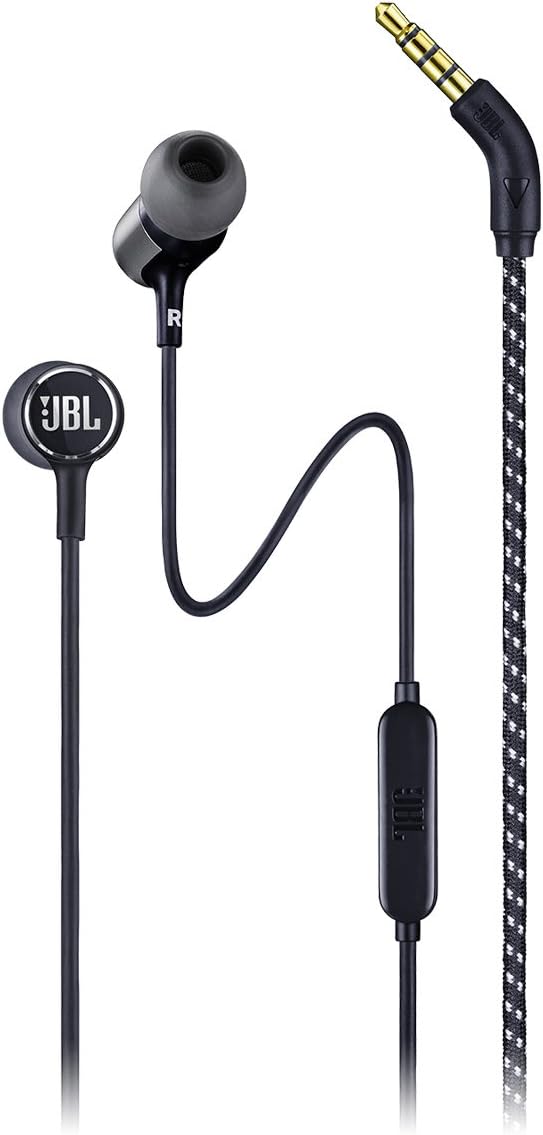
Gambar 1.1: Pinuh view of the JBL LIVE 100 In-Ear Headphones, showcasing the earbuds, inline remote, and 3.5mm audio jack.
2. Naon dina Box
Upon unboxing your JBL LIVE 100 In-Ear Headphones, you should find the following items:
- JBL LIVE 100 In-Ear Headphones
- Mawa Kantong
- Multiple Sized Ear-tips (S, M, L)
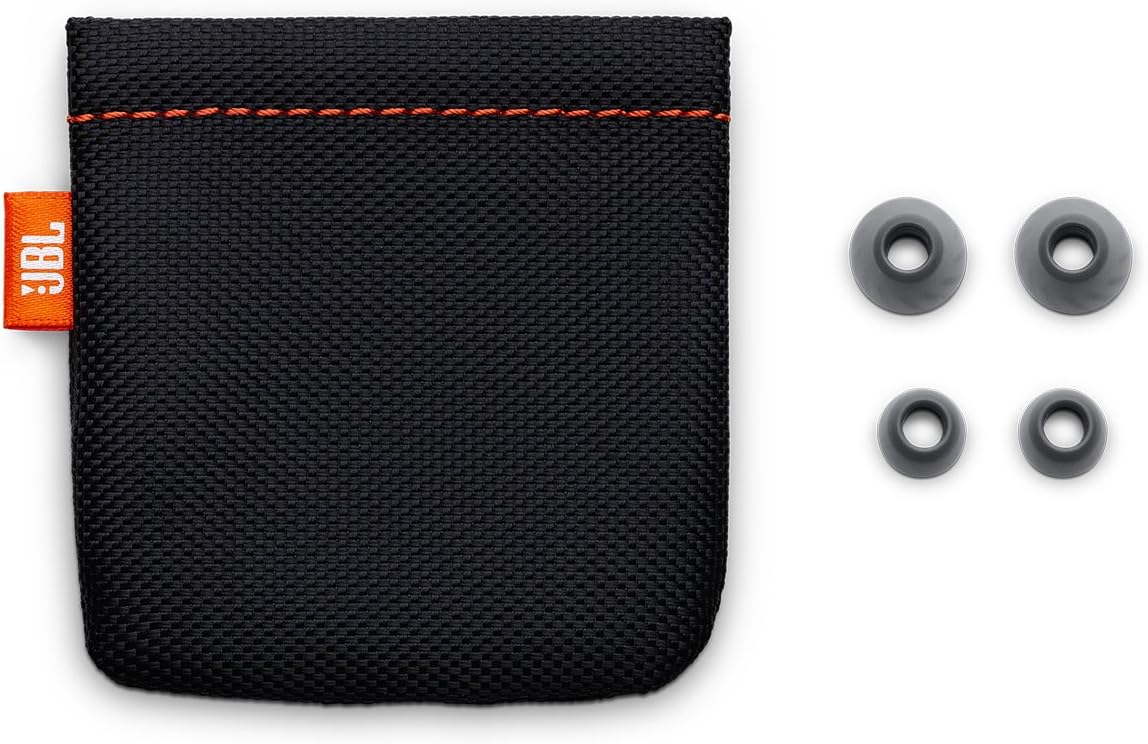
Image 2.1: The included carrying pouch and various sizes of ear tips for a customized fit.
3. Parentah Setup
- Select the Correct Ear-tips: Choose the ear-tip size that provides the most comfortable and secure fit in your ears. A good seal is essential for optimal sound quality and noise isolation.
- Selapkeun Headphone: Gently insert the earbuds into your ears. The 'L' marking indicates the left earbud, and 'R' indicates the right earbud. Adjust them until they feel snug and comfortable.
- Nyambung ka Alat: Plug the 3.5mm stereo jack into the audio output port of your smartphone, laptop, tablet, or other compatible audio device.
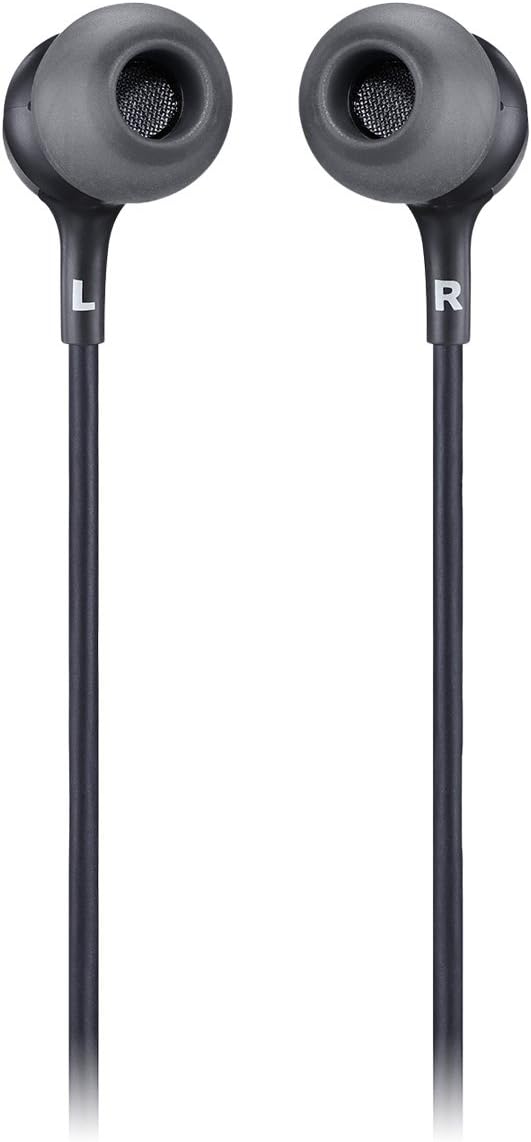
Image 3.1: Close-up of the JBL LIVE 100 earbuds, highlighting the left (L) and right (R) indicators for proper placement.
4. Parentah Operasi
The JBL LIVE 100 In-Ear Headphones feature an inline remote for convenient control of your audio and calls.
- Puteran Audio: Once connected, your device's audio will play through the headphones. Use your device's volume controls to adjust the listening level.
- Telepon Hand-Free: The integrated microphone allows you to make and receive calls without removing your headphones. Press the button on the inline remote to answer or end a call.
- Asistén Sora: The inline remote supports voice assistant functionality. Press and hold the button to activate your device's voice assistant (e.g., Siri, Google Assistant).

Image 4.1: Detail of the inline remote control, which includes a microphone for hands-free communication.
Video 4.1: An official product video demonstrating the features and usage of the JBL LIVE 100 In-Ear Headphones.
5. Pangropéa
To ensure the longevity and optimal performance of your JBL LIVE 100 In-Ear Headphones, follow these maintenance guidelines:
- beberesih: Regularly clean the ear-tips with a soft, damp cloth. Ensure they are completely dry before reattaching them to the earbuds. Do not use harsh chemicals or abrasive materials.
- Perawatan kabel: The tangle-free fabric cable is designed for durability, but avoid excessive pulling or sharp bends to prevent damage.
- Panyimpenan: When not in use, store the headphones in the provided carrying pouch to protect them from dust, dirt, and physical damage.
- Hindarkeun Uap: These headphones are not water-resistant. Avoid exposure to liquids, high humidity, or extreme temperatures.
6. Cara ngungkulan
If you encounter issues with your JBL LIVE 100 In-Ear Headphones, refer to the following common solutions:
- Henteu aya sora:
- Pastikeun jack 3.5mm diselapkeun pinuh kana port audio alat Anjeun.
- Pariksa setélan volume alat anjeun.
- Uji headphone nganggo alat audio anu sanés pikeun nyingkirkeun masalah khusus alat éta.
- Kualitas Sora goréng:
- Verify that the ear-tips are correctly sized and form a good seal in your ears.
- Bersihkeun kokotor naon waé tina kisi-kisi earbud.
- Pastikeun sumber audiona kualitasna alus.
- Mikropon Teu Gawé:
- Ensure the 3.5mm jack is fully inserted. Some older devices may not fully support inline microphone functionality.
- Pariksa setélan input mikropon alat anjeun.
- Headphones Fall Out:
- Try different sizes of ear-tips to find the most secure fit.
- Ensure the headphones are inserted correctly into your ear canal.
7. Spésifikasi
| Fitur | Spésifikasi |
|---|---|
| Ngaran modél | JBL LIVE 100 |
| Téhnologi konektipitas | Dikabel |
| Tipe Panyambung | 3.5mm stéréo Jack |
| Ukuran Supir Audio | 8 milimeter |
| Réspon Frékuénsi | 20 Hz - 20 kHz |
| Impedansi | 31 ohm |
| Kontrol bising | Isolasi sora |
| Tipe Kontrol | Remote, Voice Assistant |
| Fitur kabel | Tangle Free Fabric Cable |
| Bahan | alumunium |
| Item Beurat | 3.17 ons (90 gram) |
| Dimensi produk | 3.94 x 1.26 x 6.3 inci |
| Tingkat Résistansi Cai | Henteu Tahan Cai |
8. Garansi jeung Rojongan
JBL products are manufactured to the highest standards and are designed for reliable performance. For detailed warranty information, please refer to the warranty card included with your product or visit the official JBL websitus. Kanggo dukungan téknis, pendaptaran produk, atanapi bantosan salajengna, mangga buka halaman dukungan JBL atanapi hubungi layanan palangganna sacara langsung.
Dukungan Online: www.jbl.com/support


