1. Уредот завршиview
The Samsung Galaxy A56 5G is a powerful smartphone designed for reliable performance and a rich user experience. It features a 6.7-inch FHD+ Super AMOLED display, a 50MP camera system, and IP67 dust and water resistance. This manual provides essential information for setting up, operating, and maintaining your device.
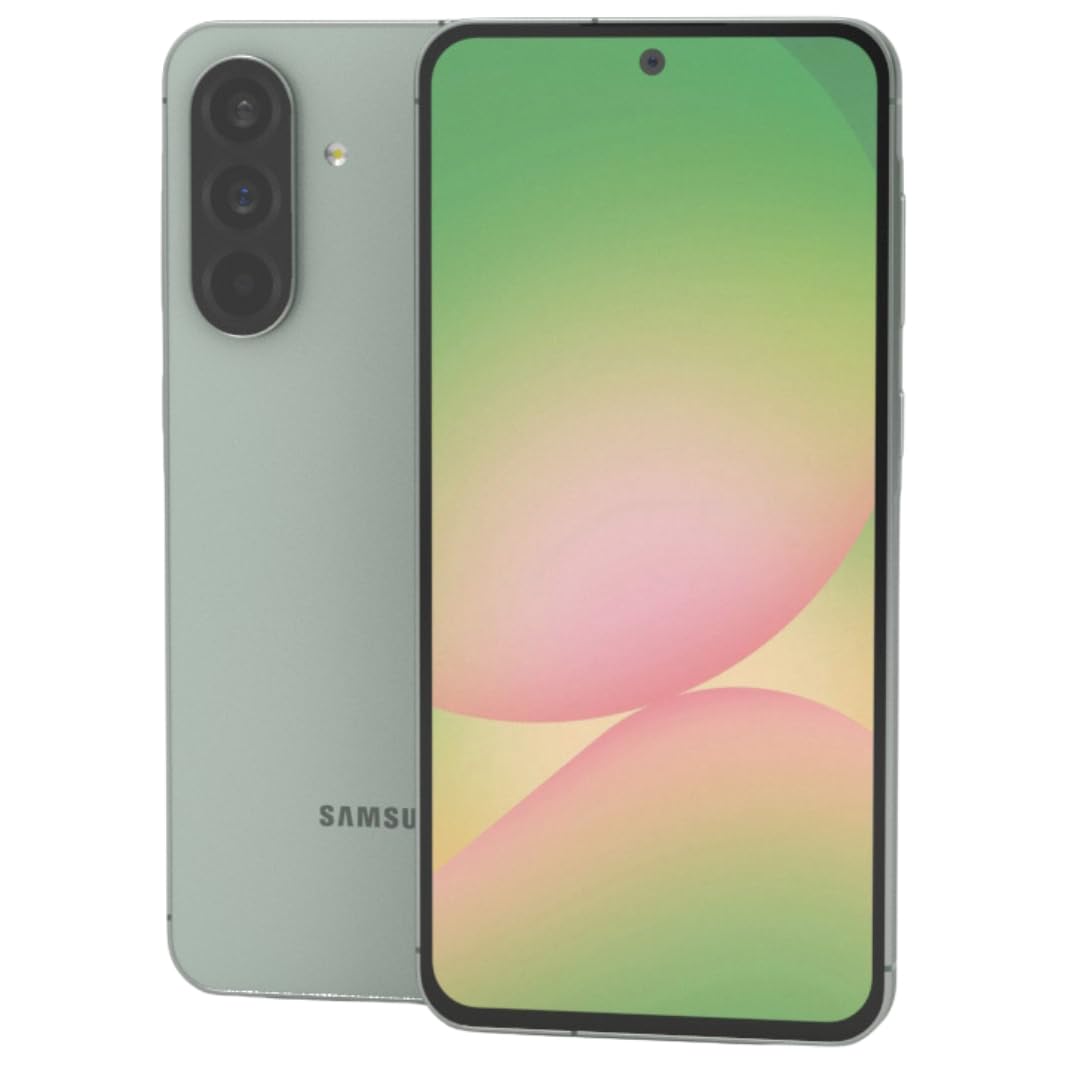
Слика 1: Предна страна view на паметниот телефон Samsung Galaxy A56 5G, прикажаноasing неговиот голем дисплеј.
2. Водич за поставување
2.1. Откачување и првична проверка
Внимателно извадете ги сите предмети од пакувањето. Проверете дали се присутни следните компоненти:
- Samsung Galaxy A56 5G smartphone
- USB-C кон USB-C кабел
- 25W Samsung Super Fast Charger
- Алатка за исфрлање на SIM
- Водич за брз почеток (доколку е вклучен)
Проверете го уредот за какво било физичко оштетување пред да продолжите.
2.2. Inserting SIM Card(s) and eSIM
The Galaxy A56 5G supports Dual SIM functionality and eSIM. You can use two physical Nano-SIM cards or one physical Nano-SIM and one eSIM simultaneously.
- Пронајдете го држачот за SIM-картичка на страната од уредот.
- Вметнете ја алатката за исфрлање на SIM картичката во малата дупка до фиоката и нежно притискајте додека фиоката не излезе.
- Ставете ја/ги вашата/ите нано-СИМ/СИМ картичка/и во лежиштето со златните контакти свртени надолу. Проверете дали се правилно поставени.
- Внимателно вратете го држачот за SIM картичка во уредот.
- For eSIM activation, follow the on-screen prompts during initial setup or navigate to Settings > Connections > SIM card manager.
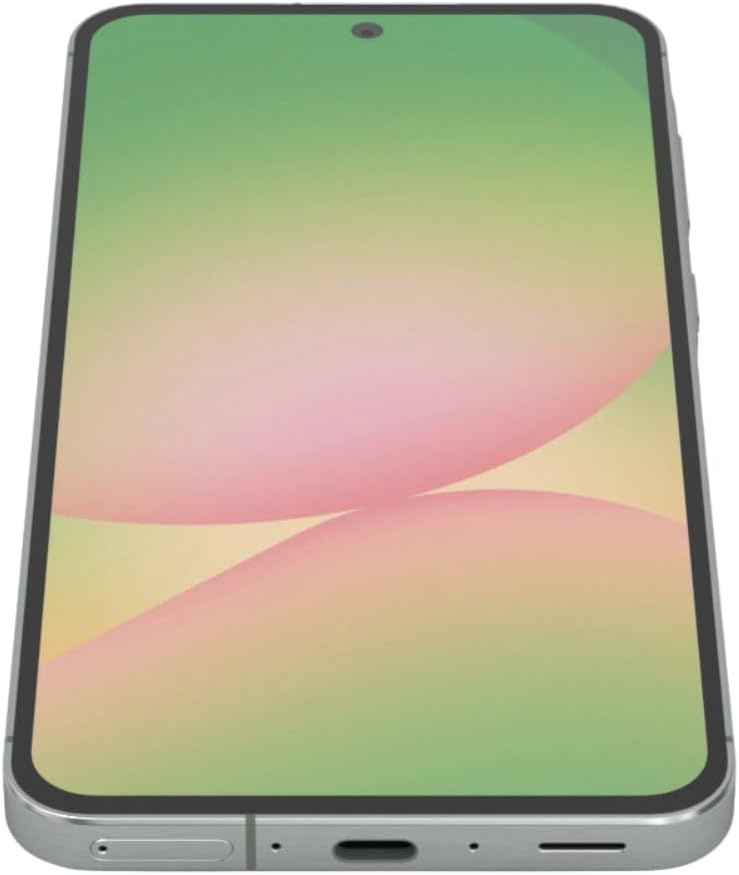
Слика 2: Страна view of the Samsung Galaxy A56 5G, showing the location of the SIM card tray and USB-C port.
2.3. Полнење на батеријата
Before first use, fully charge the device battery. Use only the provided 25W Samsung Super Fast Charger and USB-C cable.
- Поврзете го USB-C кабелот со приклучокот за полнење на долниот дел од телефонот.
- Поврзете го другиот крај од кабелот со адаптерот за напојување од 25 W.
- Приклучете го адаптерот за напојување во ѕиден штекер.
- Индикаторот за полнење ќе се појави на екранот.
Забелешка: The device supports 25W Super Fast Charging. Using a lower wattage charger may result in slower charging times.
2.4. Вклучување/исклучување
- За вклучување: Press and hold the Side key (Power button) until the Samsung logo appears.
- За исклучување: Press and hold the Side key and Volume Down button simultaneously, then tap "Power off" on the screen. Alternatively, swipe down from the top of the screen to open the Quick Panel, tap the Power icon, and select "Power off".
- За рестартирање: Follow the power off steps, but select "Restart".
2.5. Почетно поставување на уредот
Upon first power-on, the device will guide you through the initial setup process. This includes:
- Избор на јазик
- Wi-Fi мрежна врска
- Најавување на сметка на Google
- Data transfer from an old device (using Samsung Smart Switch)
- Setting up screen lock (PIN, pattern, password, fingerprint)
- Reviewing and agreeing to terms and conditions
3. Ракување со вашиот уред
3.1. Навигација и кориснички интерфејс
The Galaxy A56 5G runs on Android 15 with Samsung's One UI 7. Navigation is primarily touch-based.
- Почетен екран: Вашиот централен центар за апликации и виџети.
- Фиока за апликации: Повлечете нагоре од почетниот екран за да пристапите до сите инсталирани апликации.
- Брз панел: Повлечете надолу од горниот дел на екранот за да пристапите до брзи поставки и известувања.
- Неодамнешни апликации: Swipe up and hold from the bottom of the screen (if using gesture navigation) or tap the Recent Apps button (if using navigation buttons) to view неодамна користени апликации.
3.2. Google Circle to Search Feature
The Circle to Search with Google feature allows for quick information retrieval. Simply circle, highlight, or tap an object or text on your screen to initiate a Google Search.
3.3. Повици и испраќање пораки
- Повици: Отворете го Телефон апликацијата, внесете го бројот и допрете ја иконата за повик.
- Пораки: Отворете го Пораки app, tap the new message icon, enter the recipient's number or select from contacts, type your message, and tap send.
3.4. Употреба на камера
The device features a 50MP main camera, 12MP ultra-wide, 5MP macro, and a 12MP front camera. The camera system includes AI enhancements that optimize image quality by recognizing elements like sky, skin, and hair. The front camera supports Super HDR for high-resolution selfie videos with optimized colors and contrast. The camera app also includes an Object Eraser tool that allows you to remove unwanted elements from your photos.
- Отворете го Камера апликација.
- Select your desired mode (Photo, Video, Portrait, Pro, etc.).
- Допрете го копчето за бленда за да снимите фотографија или да започнете/запрете снимање видео.
- Користете ги контролите за зумирање на екранот за да го прилагодите зголемувањето.
- Префрлувајте се помеѓу предните и задните камери користејќи ја иконата за прекинувач за камера.
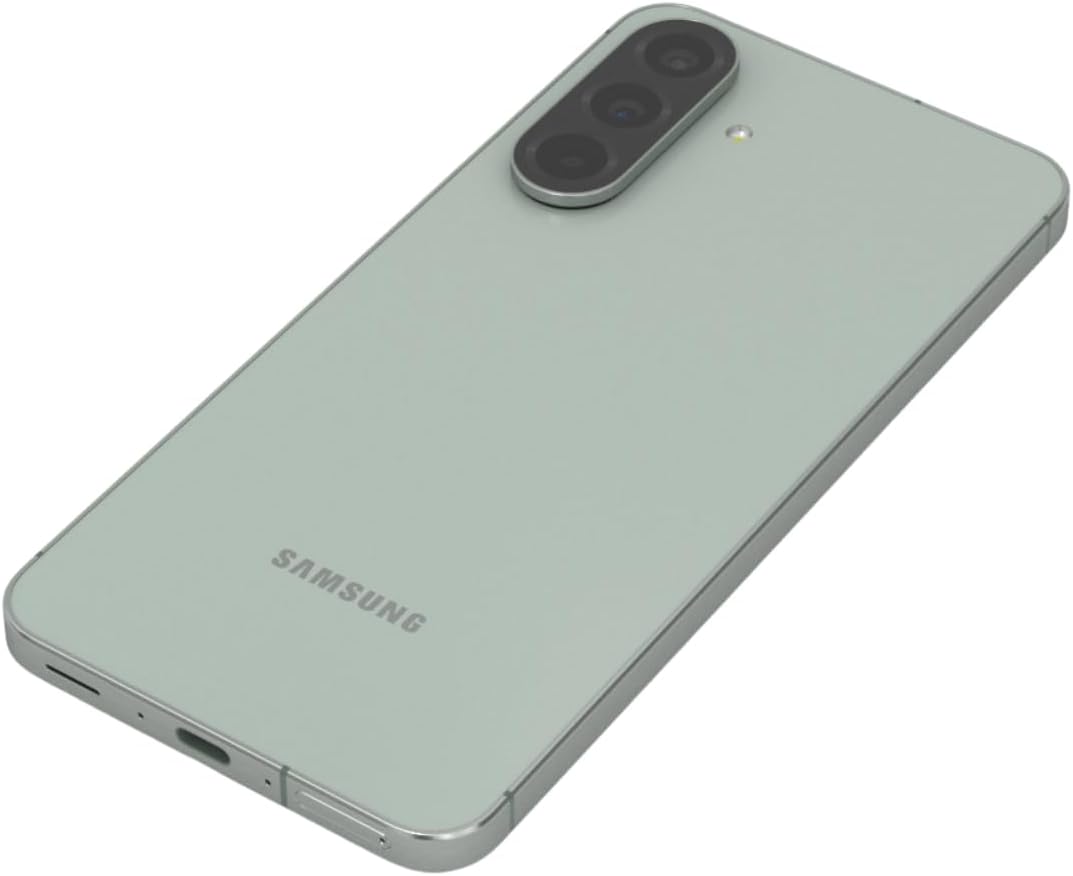
Слика 3: Заден дел view of the Samsung Galaxy A56 5G, highlighting the triple camera system.
3.5. Интернет и поврзување
- Wi-Fi: Одете на Поставки > Врски > Wi-Fi за да се поврзете со достапните мрежи.
- Мобилни податоци: Проверете дали мобилните податоци се овозможени во Поставки > Врски > Користење податоци.
- Bluetooth: Pair with other devices via Поставки > Конекции > Bluetooth.
- NFC: Use for contactless payments and quick sharing via Settings > Connections > NFC and contactless payments.
3.6. Безбедносни карактеристики
The Galaxy A56 5G includes an in-display optical fingerprint sensor for secure unlocking.
- Одете на Поставки > Безбедност и приватност > Биометрија > Отпечатоци од прсти.
- Следете ги упатствата на екранот за да го регистрирате вашиот/вашите отпечаток/и од прсти.
- You can also set up Face Recognition for convenient unlocking.
4. Одржување и грижа
4.1. Оптимизација на батеријата
To maximize battery life (5000mAh capacity):
- Прилагодете ја осветленоста на екранот.
- Овозможи режим на заштеда на енергија (Поставки > Грижа за батеријата и уредот > Батерија).
- Затворете ги неискористените апликации што работат во заднина.
- Ограничете го користењето на податоци во позадина за одредени апликации.
4.2. Софтверски ажурирања
Keep your device's software up to date for optimal performance and security. Samsung provides up to 6 major Android upgrades for this model.
- Одете на Поставки > Ажурирање на софтвер.
- Допрете Преземете и инсталирајте.
- Следете ги упатствата на екранот.
4.3. Чистење на вашиот уред
Use a soft, lint-free cloth to clean the screen and body of the phone. Avoid harsh chemicals or abrasive materials. The device has an IP67 rating for dust and water resistance, meaning it can withstand immersion in up to 1 meter of fresh water for up to 30 minutes. However, it is not recommended for beach or pool use and water resistance may decrease over time with normal wear.
5 Смена на проблеми
5.1. Чести проблеми и решенија
| Проблем | Решение |
|---|---|
| Уредот не се вклучува | Проверете дали батеријата е наполнета. Притиснете го и држете го копчето за вклучување најмалку 10 секунди за да го рестартирате. |
| Poor network connectivity | Check SIM card insertion. Toggle Airplane mode on/off. Restart the device. Verify network settings with your carrier. |
| Апликациите паѓаат или замрзнуваат | Исчисти кешот на апликацијата (Поставки > Апликации > [Име на апликација] > Складирање > Избриши кеш). Update the app. Restart the device. |
| Батеријата брзо се троши | Review користење на батеријата во Поставки > Грижа за батеријата и уредот > Батерија. Reduce screen brightness. Close background apps. |
| Сензорот за отпечатоци од прсти не работи | Ensure your finger and the screen are clean and dry. Re-register your fingerprint if necessary. |
6. Спецификации
| Карактеристика | Детал |
|---|---|
| Име на моделот | Galaxy A56 5G |
| Број на модел | A566E/DS |
| Приказ | 6.7-inch FHD+ Super AMOLED, 120Hz Refresh Rate, 1080 x 2340 Resolution |
| Процесор | Exynos 1580 (4nm), Octa-core, 2.9 GHz CPU Speed |
| RAM меморија | 12 GB |
| Складирање | 256 GB (без слот за SD картичка) |
| Задна камера | 50MP (f/1.8) главен, 12MP (f/2.2) ултраширок, 5MP (f/2.4) макро |
| Предна камера | 12MP (f/2.2) |
| Батерија | 5000 mAh, 25W Super Fast Charging |
| Оперативен систем | Android 15 (with up to 6 major Android upgrades) |
| Поврзување | 5G, 4G LTE, Wi-Fi, Bluetooth 5.3, GPS, NFC |
| Тип на SIM | Dual SIM + eSIM |
| Отпорност на вода/прашина | IP67 |
| Димензии | 6 x 4 x 2 инчи |
| Тежина | 10.6 унци |
| Посебни карактеристики | Fingerprint (under display, optical), Accelerometer, Internet Browser, Music Player, Speakerphone, Touchscreen, Unlocked |
7. Гаранција и поддршка
This is an International Model and may not include a U.S. manufacturer warranty. Please refer to the seller's return policy for details regarding returns and exchanges.
For technical assistance, you can visit the official Samsung support website or contact their customer service. For issues related to your purchase, please contact your seller directly.
Optional protection plans may be available for purchase to extend coverage beyond the standard return policy. Please check with your retailer for details on available plans.
8. Видеа за производи
Watch these official videos for additional guidance and feature demonstrations.
Video 1: Device Overview
Ова видео дава краток прегледview of the Samsung Galaxy A56 5G, highlighting its key features and design. (Duration: 0:17)
Video 2: Advanced Features
A detailed video demonstrating some of the advanced functionalities and user interface elements of the device. (Duration: 1:25)
Video 3: Camera Capabilities
Explore the various camera modes and features available on the Galaxy A56 5G. (Duration: 0:36)
Video 4: Performance and Gaming
This video showcases the device's performance, including its capabilities for gaming and multitasking. (Duration: 0:48)
Video 5: Durability and Design
Learn about the robust design and IP67 water resistance of the Samsung Galaxy A56 5G. (Duration: 1:27)
Video 6: Display Features
This video highlights the vibrant 6.7-inch FHD+ Super AMOLED display and its Vision Booster technology. (Duration: 1:17)
Video 7: Software Experience
Надview of the Android 15 operating system and Samsung's One UI 7 interface. (Duration: 0:36)
Video 8: Quick Features
A short video highlighting some quick and convenient features of the device. (Duration: 0:10)
Video 9: Connectivity Options
This video explains the various connectivity options, including 5G, Wi-Fi, and Bluetooth. (Duration: 1:12)
Video 10: Ecosystem Integration
Discover how the Galaxy A56 5G integrates with the broader Samsung ecosystem. (Duration: 1:04)


