
Вовед
This manual provides comprehensive instructions for the SAMSUNG Galaxy A54 5G smartphone. It covers setup, operation, maintenance, and troubleshooting to ensure you get the most out of your device.
The SAMSUNG Galaxy A54 5G features a bright and clear 6.4-inch FHD+ Infinity-O AMOLED display with a 120 Hz refresh rate, offering a vibrant and smooth visual experience. It boasts a 50MP 4K Triple Camera system with VDIS and OIS for high-quality photos and videos, even in low light conditions. With an IP67 water and dust resistance rating, the device is built for durability. It is powered by an Octa-core processor and a 5,000mAh battery for extended usage.
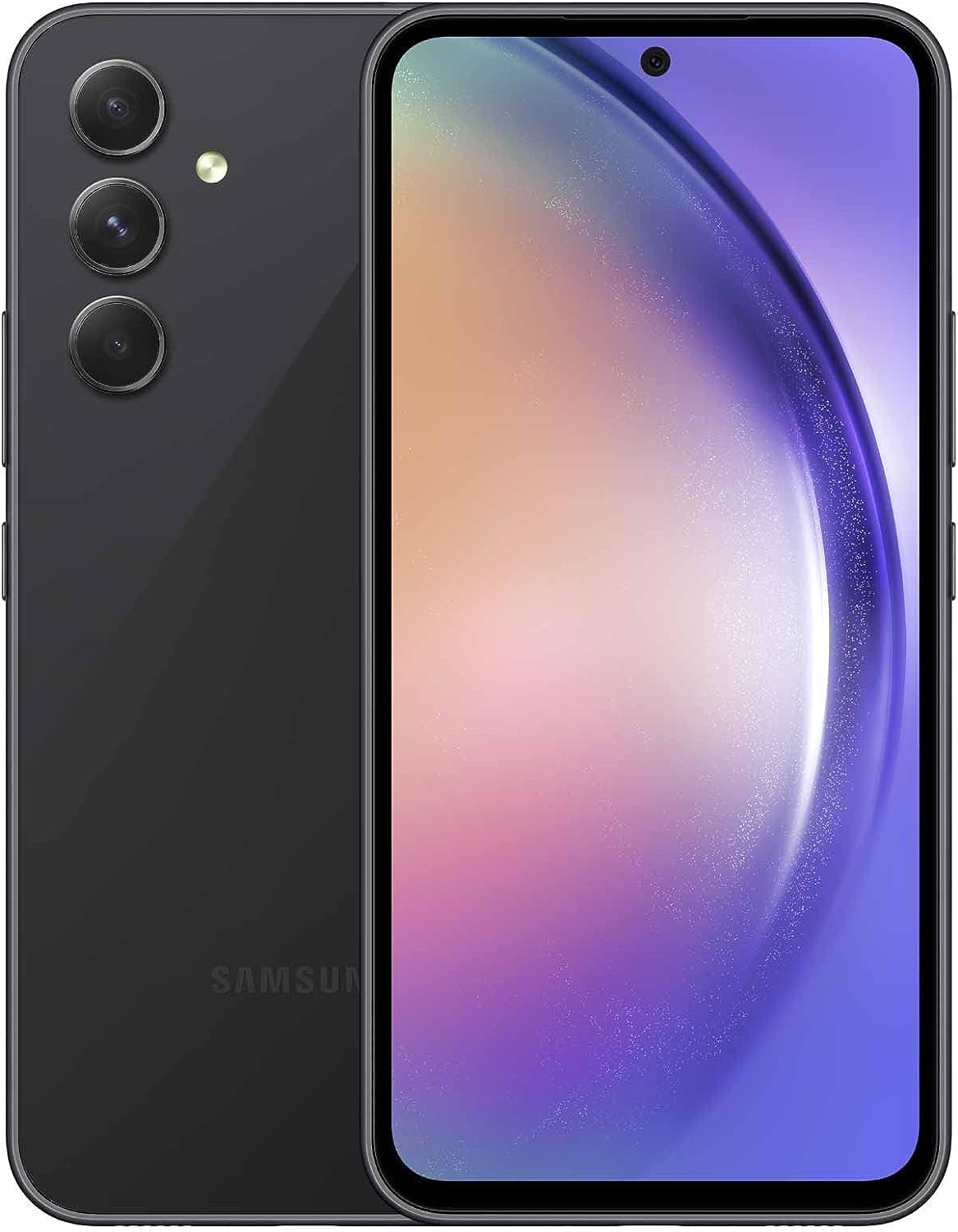
Слика 1: Напред и назад view of the SAMSUNG Galaxy A54 5G.
Поставување
Почетно поставување на уредот
- Вклучување: Press and hold the Power/Side key until the Samsung Galaxy logo appears.
- Избор на јазик: Следете ги упатствата на екранот за да го изберете вашиот претпочитан јазик и регион.
- Поврзете се на Wi-Fi: Select a Wi-Fi network and enter the password to connect to the internet. This is recommended for faster setup and software updates.
- Копирајте апликации и податоци: You can transfer data from an old device (Android or iOS) using Samsung Smart Switch or Google's setup process.
- Sign In to Google Account: Enter your Google account credentials or create a new one. This is essential for accessing the Play Store, Gmail, and other Google services.
- Поставете безбедност: Configure your preferred screen lock method (PIN, pattern, password, fingerprint, or face recognition).
- Review Дополнителни услуги: Accept or decline various Samsung and Google services based on your preferences.
Инсталација на SIM картичка
The device supports GSM unlocked networks. It does not come with a SIM card.
- Locate the SIM tray on the top edge of the phone.
- Insert the SIM ejector tool (or a small paperclip) into the hole on the SIM tray.
- Нежно притискајте додека послужавникот не излезе.
- Ставете ја/ги вашата/ги Nano-SIM картичка/и и/или microSD картичка во лежиштето со златните контакти свртени надолу. Проверете дали се правилно наместени.
- Внимателно турнете го држачот назад во отворот додека не се поклопи со телото на телефонот.
Design & Physical Features
The Galaxy A54 5G features a premium design with a glass back and a cool-to-the-touch frame. Its dimensions are approximately 6 x 4 x 2 inches and it weighs about 12 ounces.
Распоред на копчиња
- Десна страна: Volume rockers and Power/Side key.
- Горниот раб: Фиока за SIM/microSD картичка.
- Долен раб: USB-C port, speaker, and microphone.
Трајност
The device is equipped with Gorilla Glass 5 for scratch and minor drop protection. It also carries an IP67 rating for water and dust resistance, providing protection against immersion in up to 1 meter of fresh water for up to 30 minutes.
Екран и аудио
Карактеристики на прикажување
- Тип: 6.4-inch FHD+ Infinity-O Super AMOLED display.
- Резолуција: 1080 х 2408 пиксели.
- Стапка на освежување: 120 Hz for smooth scrolling and fluid animations. The display can adapt its frame rate between 60 Hz and 120 Hz for optimized performance and battery life.
- Осветленост: Up to 1000 nits peak brightness, ensuring clear visibility even in bright outdoor conditions.
- Заштита: Gorilla Glass 5.
Аудио карактеристики
The Galaxy A54 5G features dual speakers for stereo sound. While specific audio technologies like Dolby Atmos are not explicitly detailed in the provided product information, Samsung devices often include such enhancements for an immersive audio experience.
Note: This device does not include a 3.5mm headphone jack.
Изведба
The Galaxy A54 5G is powered by an Octa-core processor (Exynos 1380, 2x2.6 GHz Cortex-A78 & 6x2.0 GHz Cortex-A55) and Mali-G68 MC4 GPU, built on a 5nm process for efficiency. It comes with 6GB of RAM and 128GB of internal storage.
Секојдневна употреба
The device handles everyday tasks such as browsing, social media, and email efficiently. While it may not offer flagship-level performance for highly demanding applications or intensive multitasking, it provides a smooth and responsive experience for typical daily use.
Играње
For casual gaming, the Galaxy A54 5G performs well, offering a satisfactory experience. More graphically intensive games may experience occasional frame drops or require lower graphics settings for optimal play.
Камери
The Galaxy A54 5G features a versatile camera system designed to capture high-quality photos and videos.
Задни камери
- Главна камера: 50MP with Optical Image Stabilization (OIS) and Video Digital Image Stabilization (VDIS) for sharp, stable photos and 4K videos.
- Ултраширок објектив: 12MP за снимање пошироки сцени.
- Макро објектив: 5MP за детални снимки одблиску.
Предна камера
- Селфи камера: 32MP for clear and crisp self-portraits.
Фотографски карактеристики
- Ноќографија: Enhanced low-light photography capabilities, automatically shifting to night mode in dark conditions.
- Auto Cropping & Auto Focus: Features to assist in shooting high-quality videos with ease.
Поврзување
The Galaxy A54 5G offers robust connectivity options to keep you connected.
- Мрежа: US 5G / Global 4G Volte (GSM Unlocked for AT&T, T-Mobile, Metro).
- Безжични технологии: Bluetooth 5.3, Wi-Fi 6.
- Локација: GPS enabled.
- NFC: Supported for contactless payments and quick pairing.
Батерија и полнење
The device is equipped with a large capacity battery for extended use.
- Капацитет на батеријата: 5,000mAh (Lithium Ion).
- Траење на батеријата: Designed to provide long-lasting power, supporting up to 21 hours of continuous video playback. For casual users, this can translate to 2-3 days of usage without needing to plug in.
- Полнење: Supports 25W fast wired charging. A full charge can be achieved in approximately 1.5 hours.
- Забелешка: Уредот не поддржува безжично полнење.
Software & Updates
The Galaxy A54 5G runs on Android 13.0 with Samsung's One UI overlay.
- Оперативен систем: Андроид 13.0.
- Кориснички интерфејс: One UI 5.1 (upgradable to One UI 6.0 and beyond).
- Поддршка на софтвер: Samsung commits to 4 years of OS updates and 5 years of security patches, ensuring your phone remains secure and up-to-date for years to come.
Што има во кутијата
Upon unboxing your SAMSUNG Galaxy A54 5G, you should find the following items:
- Паметен телефон SAMSUNG Galaxy A54 5G
- USB кабел
- Адаптер
Note: The device does not come with headphones or a SIM card.
Спецификации
| Карактеристика | Детал |
|---|---|
| Бренд | Samsung |
| Име на моделот | Galaxy A54 5G |
| Број на модел на ставка | SM-A546W |
| Оперативен систем | Андроид 13.0 |
| Големина на екранот | 6.4 инчи |
| Резолуција | 1080 x 2408 |
| RAM меморија | 6 GB |
| Капацитет за складирање на меморија | 128 GB |
| Капацитет на батеријата | 5000 милиониamp Часови |
| Безжичен носач | Отклучен за сите оператори |
| Димензии на производот | 6 x 4 x 2 инчи |
| Тежина на ставката | 12 унци |
| Боја | Awesome Graphite |
Решавање проблеми
Заеднички прашања и решенија
- Уредот не се вклучува: Ensure the battery is charged. Connect the device to the charger for at least 15 minutes before attempting to power on again. If the issue persists, perform a forced restart by holding the Power/Side key and Volume Down button simultaneously for 7-10 seconds.
- Екранот не реагира: If the screen is frozen or unresponsive, perform a forced restart as described above.
- Паѓање/замрзнување на апликации: Clear the cache and data for the problematic app in Settings > Apps. If the issue continues, uninstall and reinstall the app. Ensure your device's software is up to date.
- Лошо траење на батеријата: Check battery usage in Settings > Battery and device care to identify apps consuming excessive power. Adjust screen brightness, disable unnecessary background app refresh, and use power-saving modes.
- Проблеми со поврзување (Wi-Fi/Bluetooth/Мобилен телефон): Toggle Wi-Fi/Bluetooth/Airplane Mode off and on. Restart the device. For cellular issues, ensure your SIM card is properly inserted and contact your carrier if necessary.
- Отклучувањето со отпечаток од прст/лице не работи: Ensure your fingers/face are clean and dry. Re-register your fingerprints/face in Settings > Biometrics and security.
For more complex issues, refer to Samsung's official support webсајт или контактирајте со службата за корисници.
Гаранција и поддршка
Гаранција на производот
This SAMSUNG Galaxy A54 5G is a renewed product. Please refer to the specific warranty terms provided by the seller or Amazon Renewed for details regarding coverage and duration. Typically, renewed products come with a limited warranty or a satisfaction guarantee.
Поддршка за корисници
For technical assistance, product inquiries, or warranty claims, please utilize the following resources:
- Официјална поддршка на Samsung: Посетете го официјалниот Samsung webвеб-страница за вашиот регион за пристап до често поставувани прашања, упатства за употреба, преземања на софтвер и контакт информации за корисничка поддршка.
- Обновена поддршка од Amazon: For issues related to the renewed status or specific seller warranties, contact Amazon customer service or the seller directly through your order details.
- Поддршка на оператор: For network-related issues (calls, data, SMS), contact your mobile service provider (e.g., AT&T, T-Mobile, Metro).