📘 Rayrun manuals • Free online PDFs
Rayrun logo

Rayrun Manuals & User Guides

Rayrun manufactures smart LED control solutions, including Casambi-ready drivers, Bluetooth mesh dimmers, and programmable LED controllers for versatile lighting systems.

Tip: include the full model number printed on your Rayrun label for the best match.

About Rayrun manuals on Manuals.plus

Rayrun Technology is a specialized provider of intelligent LED control products and power supply solutions. Focusing on the integration of wireless technology with lighting electronics, Rayrun designs and manufactures Casambi-compatible LED drivers, Bluetooth Mesh controllers, and phase-cut dimmers.

Their product lineup addresses the needs of modern lighting infrastructure, offering features like tunable white control, RGBW color mixing, and precise voltage or current adjustments via smartphone applications. With a commitment to innovation, Rayrun utilizes advanced components to ensure high efficiency and compact form factors in their driver modules.

Rayrun manuals

Latest manuals from manuals+ curated for this brand.

Rayrun K50 LED Controller Instructions

September 25, 2023
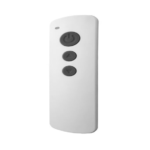
Rayrun K50 LED Controller Product Information The K50/K50W LED controller is a 5-in-1 multi-function model that can be controlled by an RF remote controller (K50) or a remote controller and…

Rayrun N21 2-Wire CCT LED Controller User Manual

user manual
This document provides comprehensive instructions for the Rayrun N21 2-wire CCT LED controller, detailing its features, installation, operation, pairing, protection mechanisms, and technical specifications for tunable white LED lighting systems.

Rayrun support FAQ

Common questions about manuals, registration, and support for this brand.

  • How do I pair my Rayrun remote to the receiver?

    To pair a new remote, press the specific key combination (often the power and mode keys) simultaneously to enter search mode, then use the Setup page in your app to add the new device within 30 seconds.

  • Which app should I use to control Rayrun LED drivers?

    Many Rayrun products are compatible with the Casambi app or the 'Light Mesh' app, which allow you to configure settings like output current, dimming curves, and scene programming via Bluetooth.

  • How can I adjust the output voltage on my Rayrun driver?

    For programmable drivers, you can fine-tune the output voltage using the Casambi app. Navigate to the 'Voltage trim' parameter in the settings to adjust the voltage between 75% and 105% of the rated value.

  • What does the LED indicator status on the controller mean?

    Typically, a steady blue light indicates normal operation. A flashing red light often signals overload or short circuit protection, while a yellow flash may indicate overheat protection.