
1. Important Safety Information
Please read all instructions carefully before assembly and use to ensure safe operation and prolong the life of your desk frame. Keep this manual for future reference.
- Ensure all components are present and undamaged before beginning assembly.
- Do not exceed the maximum load capacity of 200 kg (static) / 160 kg (dynamic) to prevent damage or injury.
- Keep children and pets away from the desk during height adjustments.
- Verify that there are no obstacles in the desk's path (above or below) when adjusting its height.
- Only use the power adapter supplied with the product.
- Do not attempt to disassemble the motor or control box. Contact customer support for repairs.
- If any unusual sounds, smells, or malfunctions occur, immediately unplug the desk and contact customer support.
2. Product Overview
Key Features
- Powerful Dual Motor System: Ensures smooth and strong lifting, supporting static loads up to 200 kg and dynamic loads up to 160 kg. Offers a rapid adjustment speed of 40 mm/s.
- Extra-Wide Height Adjustment Range: 3-section inverted frame allows height adjustments from 60 cm to 125 cm, suitable for various users and activities.
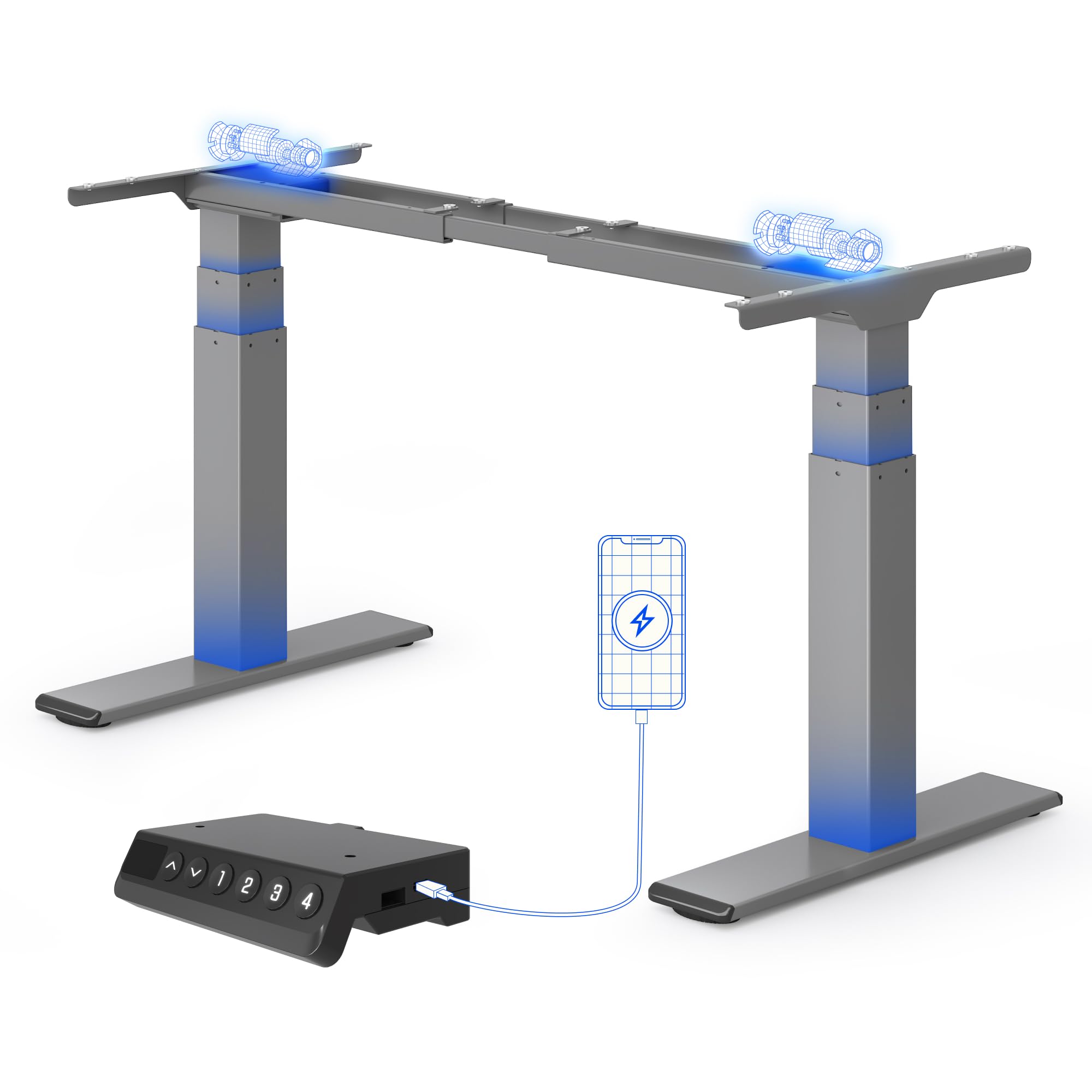
- Smart Control Panel with Memory: Features an LED display, 4 programmable memory presets for quick height adjustments, and an integrated USB charging port.
- Flexible Desktop Compatibility: Accommodates desktops ranging from 120 cm to 180 cm in width.
- Anti-Collision System: Automatically stops and reverses if an obstruction is detected during height adjustment.
- Reinforced Stability: Features reinforced lower columns for enhanced stability, even at maximum height.
- Quiet Operation: Operates at a low noise level, typically below 45 dB.
Components
The FLEXISPOT E200 desk frame includes all necessary parts for assembly, such as the leg columns, feet, crossbar, control box, handset, and power adapter. A desktop is not included and must be purchased separately.
A clear view of the FLEXISPOT E200 electric standing desk frame in grey. This image showcases the robust dual-motor design and the overall structure of the frame, ready for a desktop to be installed.
3. Setup and Assembly
Assembly of the FLEXISPOT E200 desk frame requires careful attention to detail. Please refer to the separate detailed assembly manual included in your product packaging for step-by-step instructions and diagrams. Ensure you have adequate space and assistance if needed, as the components can be heavy.
General Assembly Steps:
- Unpack all components and verify against the parts list in your manual.
- Attach the feet to the leg columns.
- Connect the leg columns to the crossbar.
- Mount the control box and handset to the frame.
- Connect all cables (motors to control box, handset to control box, power adapter to control box).
- Secure your chosen desktop to the frame using the provided screws.
Desktop Compatibility
The E200 frame is designed to be compatible with a wide range of desktop sizes. Ensure your desktop falls within the following dimensions for optimal performance and stability:
- Desktop Width: 120 cm to 180 cm

This image shows the adjustable frame width of the FLEXISPOT E200, indicating its compatibility with various desktop sizes. The frame can accommodate desktops with a minimum width of 120 cm and a maximum width of 180 cm, offering versatility for different workspace needs.
4. Operating Instructions
Control Panel
The E200 features an intuitive smart control panel for easy operation.

This image displays the intelligent control panel of the FLEXISPOT E200. It features an LED screen showing the current height, up and down adjustment buttons, four programmable memory buttons (1, 2, 3, 4) for saving preferred heights, and a convenient integrated USB port for charging devices.
- Up/Down Arrows: Press and hold to adjust the desk height upwards or downwards. Release to stop at the desired height. The LED display will show the current height.
- Memory Presets (1, 2, 3, 4): These buttons allow you to save and recall up to four preferred height settings.
- USB Port: An integrated USB port is available for charging your mobile devices or accessories.
Setting Memory Presets
- Adjust the desk to your desired height using the Up/Down arrows.
- Press the 'M' button (Memory button). The LED display will show 'S-'.
- Within 3 seconds, press one of the number buttons (1, 2, 3, or 4). The display will show 'S-1', 'S-2', etc., and beep to confirm the setting is saved.
- To recall a saved height, simply press the corresponding number button (1, 2, 3, or 4). The desk will automatically move to the saved position.
Anti-Collision System
The FLEXISPOT E200 is equipped with an anti-collision system to prevent damage to the desk or objects in its path. If the desk encounters an obstruction during height adjustment, it will automatically stop and reverse slightly to avoid collision. This feature enhances safety and protects your belongings.
5. Maintenance
Regular maintenance helps ensure the longevity and optimal performance of your FLEXISPOT E200 desk frame.
- Cleaning: Wipe the desk frame with a soft, damp cloth. Avoid using abrasive cleaners or harsh chemicals that could damage the finish.
- Inspection: Periodically check all screws, bolts, and connections to ensure they are tight. Retighten if necessary.
- Obstruction Clearance: Keep the area around the lifting columns and motors free from dust, debris, and any obstructions.
- Lubrication: Do not lubricate the lifting columns or internal mechanisms unless specifically instructed by FLEXISPOT customer support.
6. Troubleshooting
If you encounter any issues with your FLEXISPOT E200 desk frame, please refer to the following common troubleshooting steps. If the problem persists, contact customer support.
| Problem | Possible Cause | Solution |
|---|---|---|
| Desk does not move. | No power, loose connection, or motor error. |
|
| Desk moves unevenly or makes unusual noises. | Uneven load, loose components, or motor synchronization issue. |
|
| Anti-collision system triggers too often or not at all. | Sensitivity setting or obstruction. |
|
| LED display shows an error code. | Specific system malfunction. | Refer to the detailed manual for a list of error codes and their corresponding solutions. If not found, contact customer support. |
7. Specifications
| Feature | Detail |
|---|---|
| Brand | FLEXISPOT |
| Model Number | E200 |
| Shape | Rectangular |
| Product Dimensions (D x W x Min H) | 60 x 125 x 58 cm |
| Color | Grey |
| Item Weight | 28.7 Kilograms |
| Load Capacity (Static/Dynamic) | 200 kg / 160 kg |
| Height Adjustment Range | 60 - 125 cm |
| Max Lifting Speed | 40 mm/s |
| Noise Level | <45 dB |
| Included Components | Integrated USB port |
| Assembly Required | Yes |
| UPC | 840521562768 |
| Country of Origin | China |

This diagram illustrates the key dimensions and performance specifications of the FLEXISPOT E200 electric standing desk frame. It highlights the adjustable height range of 60-125 cm, a maximum load capacity of 200 kg, a lifting speed of 40 mm/s, and a low noise level of less than 45 dB. The image also confirms a 10-year warranty and anti-collision rebound function.
8. Warranty and Support
Warranty Information
The FLEXISPOT E200 Electric Standing Desk Frame comes with a 10-year warranty, reflecting our confidence in its durability and quality. This warranty covers manufacturing defects and ensures reliable performance under normal use. Please retain your proof of purchase for warranty claims.
Customer Support
For any questions, assistance with assembly, troubleshooting, or warranty claims, please contact FLEXISPOT customer service. Our dedicated support team is ready to help you.
You can find more information and contact details on the official FLEXISPOT website or through their Amazon brand store: