
1. Safety Information
Before operating the Joyhis Electric Scooter JS03, please read and understand all safety warnings and instructions. Failure to follow these instructions may result in serious injury or property damage.
- Always wear a helmet and appropriate safety gear (knee pads, elbow pads) when riding.
- Do not ride in wet conditions, heavy rain, or on slippery surfaces. The scooter has an IP65 waterproof rating, meaning it is protected from dust and low-pressure water jets, but it is not designed for submersion or heavy rain.
- Ensure all components are securely fastened before each ride. Regularly check brakes, tires, and the folding mechanism.
- Adhere to local laws and regulations regarding electric scooter usage.
- Do not exceed the maximum weight limit of 265 lbs (120 kg).
- Avoid riding on steep inclines or rough terrain that exceeds the scooter's capabilities.
- Maintain a safe distance from pedestrians and other vehicles.
- Children should only operate the scooter under direct adult supervision.
2. Package Contents
Upon unpacking your Joyhis Electric Scooter JS03, verify that all the following items are included:
- Joyhis Electric Scooter JS03
- Charger
- User Manual (this document)
- Assembly Tools (if required)
3. Assembly and Initial Setup
The Joyhis Electric Scooter JS03 comes mostly pre-assembled. Follow these steps for final assembly and initial preparation:
- Unfold the Scooter: Carefully lift the handlebar stem until it locks into the upright position. Secure the folding mechanism latch.
- Attach Handlebars: Insert the handlebars into the stem and secure them with the provided screws and tools. Ensure they are firmly attached and do not wobble.
- Initial Charge: Before first use, fully charge the scooter's battery. Connect the charger to the charging port and then to a power outlet. The indicator light on the charger will change (e.g., from red to green) when charging is complete. A full charge typically takes 5 hours.
- Power On: Press and hold the power button on the display to turn on the scooter.
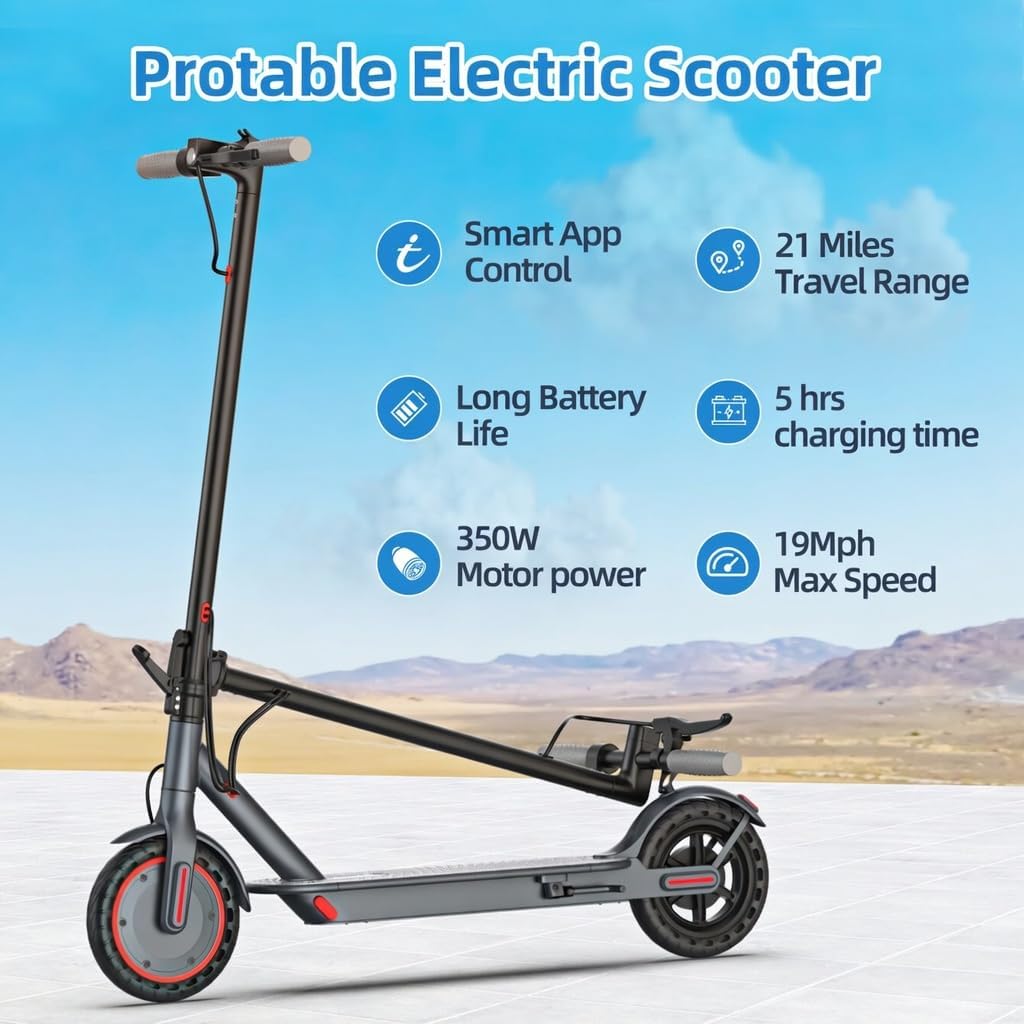
Figure 3.1: Joyhis Electric Scooter JS03 overview with key features.
4. Operating Instructions
4.1 Power On/Off and Display
To power on the scooter, press and hold the power button on the handlebar display. To power off, press and hold the same button. The smart LCD display shows essential information:
- Speed Display: Shows current speed.
- Power Display: Indicates battery level.
- Cruise Control Indicator: Lights up when cruise control is active.
- Speed Mode Switch: Allows selection of riding modes.

Figure 4.1: Smart LCD Display and handlebar controls.
4.2 Riding Modes
The scooter offers four riding modes to suit different preferences and conditions:
- W (Stroll Mode): Approximately 3 MPH max speed (requires setting in the app).
- E (ECO Mode): Approximately 8 MPH max speed.
- D (Comfort Mode): Approximately 12 MPH max speed.
- S (Sport Mode): Up to 19 MPH max speed (factory default is 16 MPH, can be set to 19 MPH via app).
Switch between modes by pressing the power button briefly when the scooter is on.
4.3 App Control
Enhance your riding experience by connecting the scooter to its dedicated smartphone application via Bluetooth. The app allows you to:
- Select riding modes and adjust speed levels.
- Control the light system.
- Activate cruise control.
- Monitor scooter status, mileage, and battery indicator.
- Lock/unlock the scooter.

Figure 4.2: Scooter connected to the smartphone app.
4.4 Braking System
The scooter is equipped with a dual braking system for reliable stopping power:
- Rear Drum Brake: Operated by the brake lever on the handlebar.
- EBS Electronic Braking System: Provides additional stopping power and enhances safety.
Always apply brakes smoothly to avoid sudden stops, especially at higher speeds.
4.5 Lighting System
For increased visibility and safety, especially during low-light conditions or at night, the scooter features:
- Ultra-bright Headlight: Located on the front of the handlebar stem.
- Taillight: Located on the rear fender, also functions as a brake light.
Ensure lights are functional before riding in the dark. Lights can be controlled via the app or the scooter's display.

Figure 4.3: Scooter's headlight and taillight system.
4.6 Folding and Portability
The Joyhis Electric Scooter JS03 features a one-step folding design for easy storage and transport. To fold:
- Ensure the scooter is powered off.
- Locate the folding buckle/latch mechanism on the stem.
- Release the latch and carefully fold the handlebar stem downwards until it clicks into place, securing it to the rear fender.
The scooter weighs approximately 27.6 lbs, making it lightweight and easy to carry or store in a car trunk.

Figure 4.4: Folding the electric scooter for transport.
5. Maintenance
Regular maintenance ensures the longevity and safe operation of your scooter.
- Tires: The scooter is equipped with 8.5-inch maintenance-free honeycomb solid tires, eliminating the need for inflation or puncture repairs. Regularly inspect them for wear and tear.
- Cleaning: Wipe the scooter with a damp cloth after use. Avoid using high-pressure water jets or harsh chemicals. Ensure the charging port cover is securely closed when cleaning.
- Battery Care: Charge the battery regularly, even if not in use, to maintain its health. Avoid completely draining the battery. Store the scooter in a cool, dry place.
- Brakes: Periodically check the brake lever and drum brake for proper function and adjustment.
- General Inspection: Before each ride, check all screws, bolts, and the folding mechanism to ensure they are tight and secure.

Figure 5.1: Maintenance-free honeycomb solid tire.
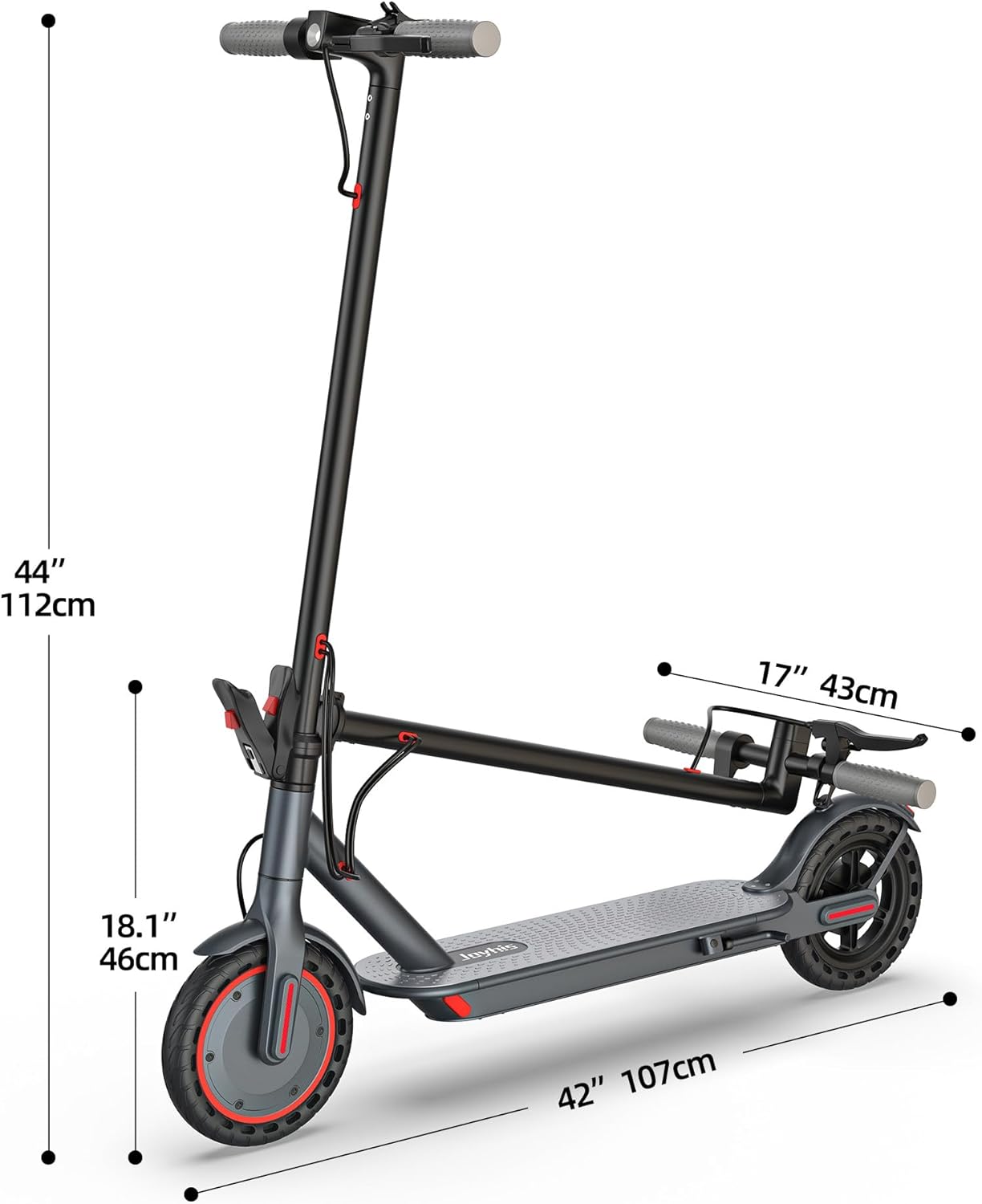
Figure 5.2: IP65 waterproof rating for general protection.
6. Troubleshooting
This section addresses common issues you might encounter with your Joyhis Electric Scooter JS03.
| Problem | Possible Cause | Solution |
|---|---|---|
| Scooter does not power on | Low battery; Power button not pressed correctly; Loose connections. | Charge the battery fully. Press and hold the power button for 3-5 seconds. Check all visible cable connections. |
| Reduced range or speed | Low battery; Riding uphill; Heavy load; Cold weather; Incorrect riding mode. | Charge the battery. Select a higher speed mode. Reduce load. Note that performance may decrease in cold temperatures. |
| Steering feels stiff or locks | Potential mechanical issue; Obstruction. | Immediately stop riding. Inspect the steering column for any obstructions or damage. If the issue persists, contact customer support. |
| App connection issues | Bluetooth not enabled; Scooter not in pairing mode; App requires update. | Ensure Bluetooth is on your phone. Restart the scooter and app. Check for app updates. |
| Scooter stuck in 'P' (Park) mode | Safety feature engaged; Software glitch. | Refer to the app or specific scooter instructions for 'P' mode disengagement. Often, a specific sequence of button presses or a kick-start is required. If persistent, restart the scooter. |
7. Specifications
Detailed technical specifications for the Joyhis Electric Scooter JS03:
- Brand: Joyhis
- Model Name: JS03
- Motor: 350W Brushless Motor
- Max Speed: 19 MPH (adjustable via App, default 16 MPH)
- Max Range: Up to 21 Miles (36V 7.8Ah Lithium Battery)
- Battery Charge Time: 5 Hours
- Weight Limit: 265 Pounds
- Item Weight: 27.6 Pounds
- Product Dimensions (L x W x H): 42" x 17" x 44.49" (107cm x 43cm x 112cm)
- Frame Material: Aluminum
- Wheel Size: 8.5 Inches
- Wheel Type: Solid (Maintenance-Free Honeycomb)
- Brake Style: Rear Drum Brake + EBS Electronic Braking
- Special Features: App Control, Dual Brakes, Foldable, IP65 Waterproof
- UPC: 714855963587
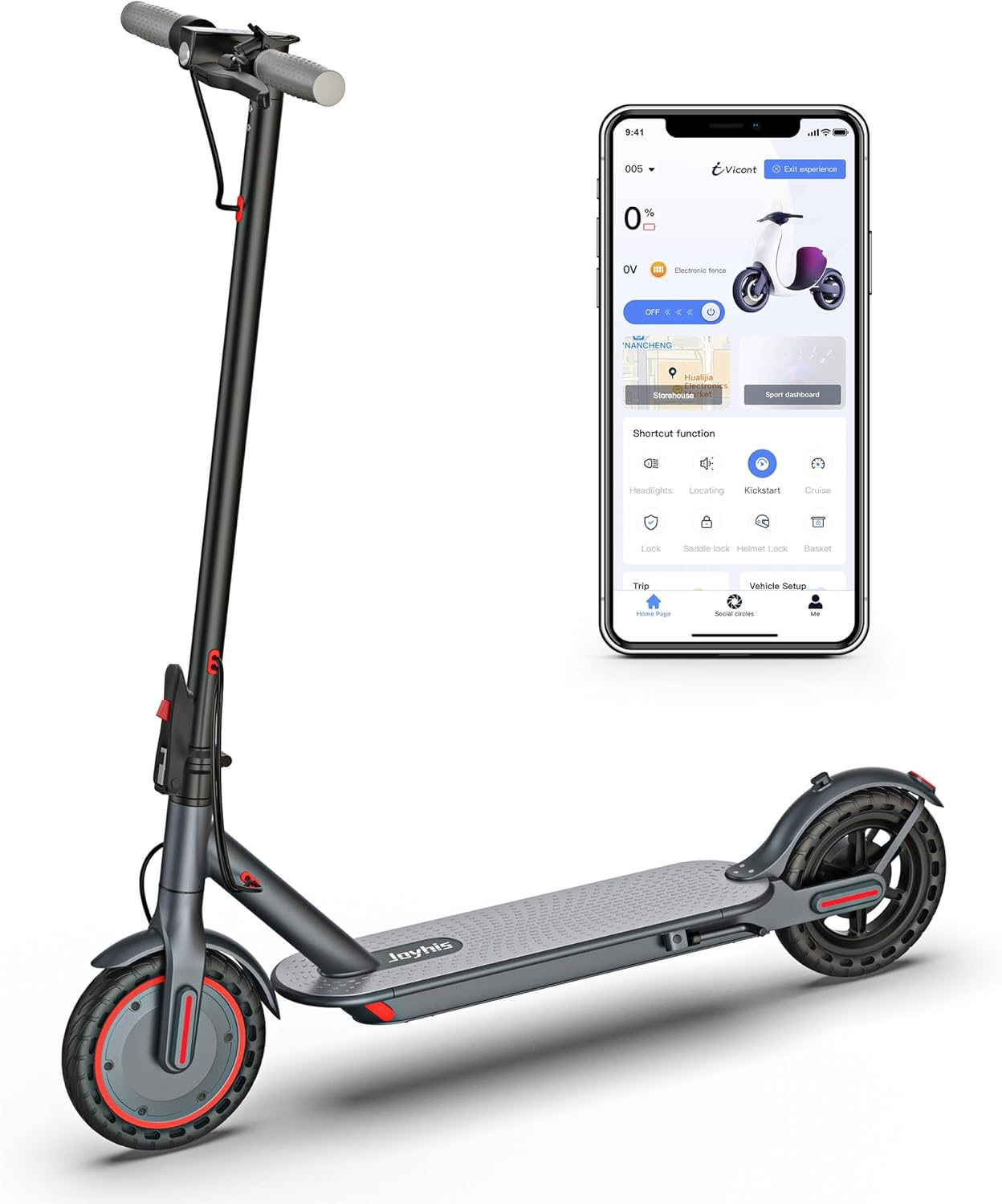
Figure 7.1: Joyhis Electric Scooter JS03 dimensions.
8. Warranty and Support
The Joyhis Electric Scooter JS03 comes with a limited warranty.
- Warranty Period: 1 Year Limited Warranty.
- Coverage: The warranty covers manufacturing defects under normal use. It does not cover damage caused by misuse, accidents, unauthorized modifications, or normal wear and tear.
For warranty claims, technical support, or any inquiries, please contact Joyhis customer service through the retailer where the product was purchased or visit the official Joyhis store on Amazon: Joyhis Store.