
1. Introduction
The KAIWEETS KTS02 is a versatile 2-in-1 tool combining a voltage tester and a slotted screwdriver. It is designed for electrical circuit checks, voltage measurement, non-contact voltage detection, live wire identification, continuity testing, and basic screw tightening or loosening. This manual provides essential information for safe and effective use of the device.
Package Contents:
- 1 x KAIWEETS KTS02 2-in-1 Voltage Tester Screwdriver
- User Manual
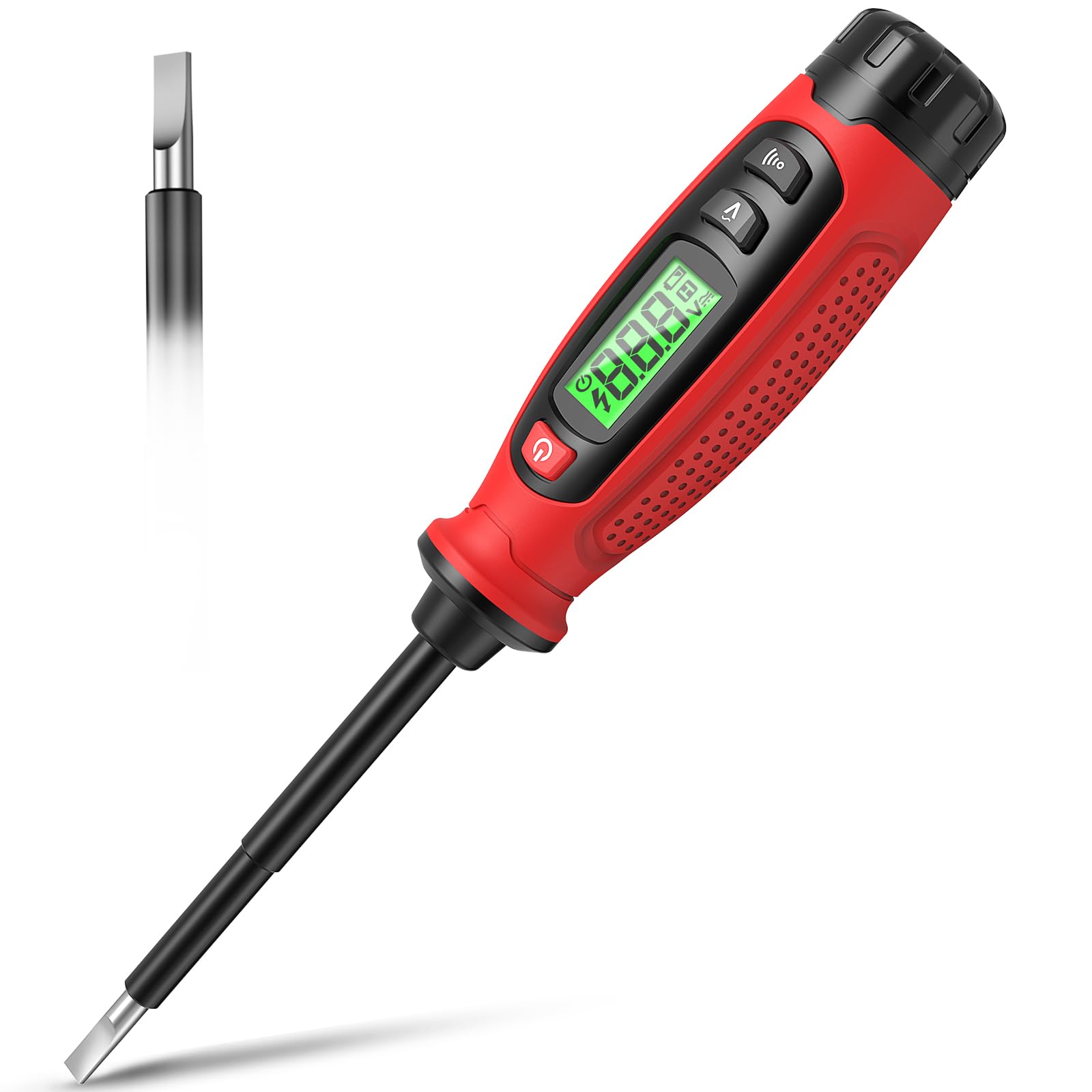
Image 1.1: KAIWEETS KTS02 2-in-1 Voltage Tester Screwdriver.
2. Safety Guidelines
Always prioritize safety when working with electrical systems. Failure to follow these safety instructions may result in electric shock, fire, or personal injury.
- Read the Manual: Thoroughly read and understand all instructions before using the device.
- Inspect Before Use: Before each use, inspect the device for any damage, cracks, or exposed wiring. Do not use if damaged.
- Voltage Limits: Do not attempt to measure voltages outside the specified range of 3-500V AC.
- Insulation: Ensure your hands are dry and you are standing on an insulated surface when testing live circuits.
- Personal Protective Equipment (PPE): Always wear appropriate PPE, such as safety glasses and insulated gloves, when working with electricity.
- Non-Contact Detection: Non-contact voltage detection is a preliminary test. Always verify with direct contact measurement when possible and safe.
- Battery Replacement: Replace batteries promptly when the low battery indicator appears to ensure accurate readings.
- Children: Keep this device out of reach of children.
3. Product Features
The KAIWEETS KTS02 offers a range of functionalities for electrical testing and light-duty fastening:
- 2-in-1 Design: Combines a voltage tester with a slotted screwdriver, featuring a magnetic tip for convenience.
- AC Contact Voltage Measurement: Directly measures AC voltage from 3V to 500V.
- Non-Contact Voltage (NCV) Detection: Detects voltage presence without direct contact, indicated by an audible buzzer and LCD display.
- Live Wire Identification: Helps distinguish between live and neutral wires.
- Continuity Test: Verifies the continuity of wires, switches, and fuses.
- Breakpoint Test: Locates breaks in electrical wires.
- LCD Display: Provides clear, real-time voltage levels and signal strength readings.
- Auto Shut-off: Automatically powers off after 3 minutes of inactivity to conserve battery life.
- Low Battery Indicator: Alerts users when batteries need replacement.
- Insulated Body: Designed with a fully insulated body and non-slip grip for enhanced safety.

Image 3.1: Overview of KAIWEETS KTS02 features.
4. Getting Started
Battery Installation:
The KTS02 is powered by AAA batteries (not always included). Ensure correct polarity during installation.
- Locate the battery compartment cap at the end of the handle.
- Twist or slide the cap to open the compartment.
- Insert the required AAA batteries, observing the polarity markings (+/-).
- Securely close the battery compartment cap.
5. Operating Instructions
5.1 Power On/Off
Press the power button (usually marked with ⑂ ) to turn the device on or off. The LCD will illuminate upon activation.
5.2 AC Contact Voltage Measurement
This mode allows for direct measurement of AC voltage.
- Ensure the device is powered on.
- Press the AC Contact Test Button (often marked with a 'V' or wave symbol).
- Carefully touch the metal probe tip to the conductor or terminal you wish to test.
- The LCD will display the measured AC voltage. An audible beep may also sound.
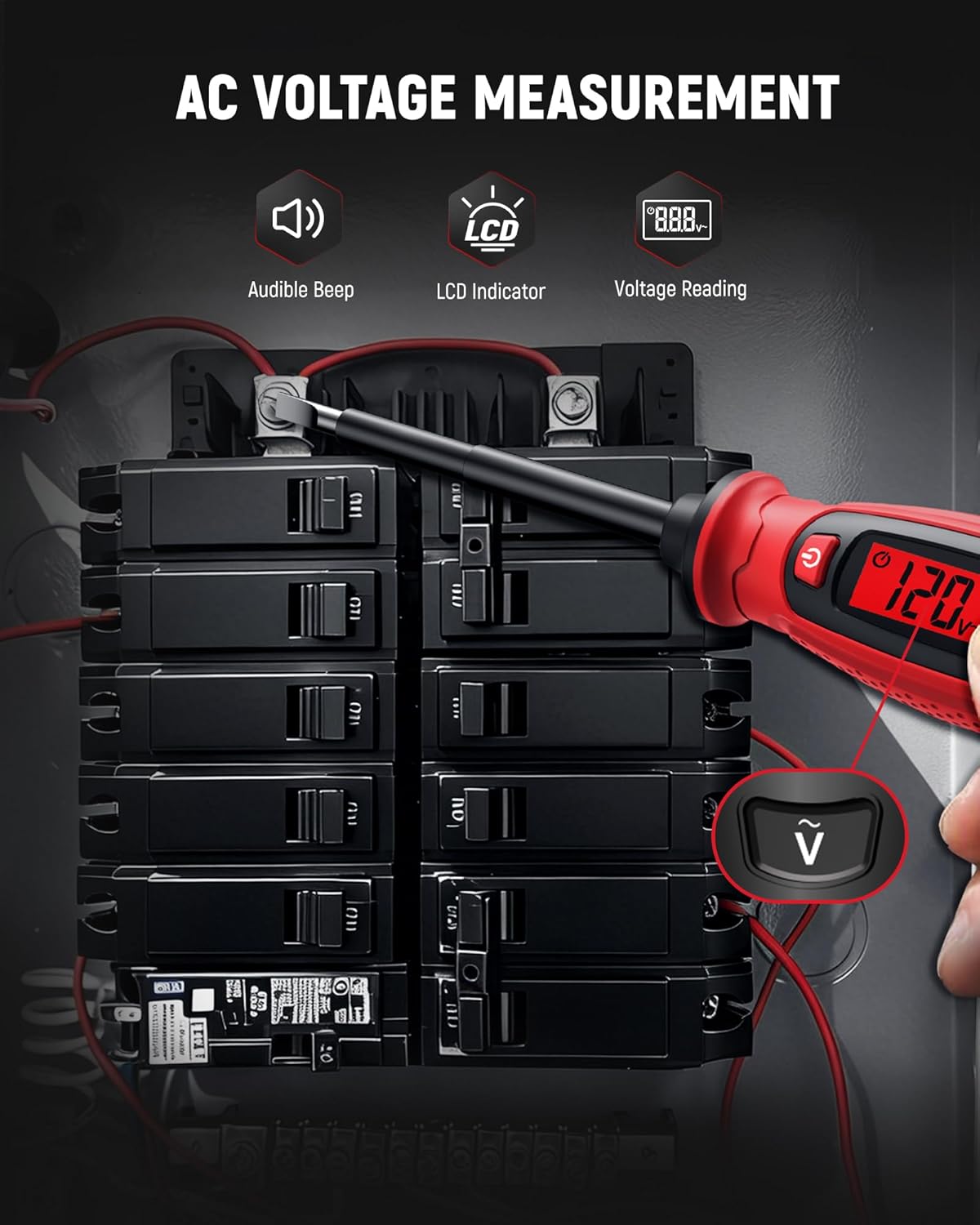
Image 5.1: Measuring AC voltage on a circuit breaker.
5.3 Non-Contact Voltage (NCV) Detection
Use NCV mode to detect the presence of AC voltage without direct contact, enhancing safety.
- Ensure the device is powered on.
- Bring the tip of the tester close to the wire, outlet, or breaker panel.
- If AC voltage is detected, the LCD will indicate signal strength (e.g., 'HI' for high voltage) and an audible buzzer will sound.

Image 5.2: Non-contact voltage detection near a wall switch.
5.4 Live Wire Identification
This function helps identify live wires in an electrical system.
- In AC Contact Voltage Measurement mode, touch the probe tip to the wire.
- A higher voltage reading or a specific indicator on the LCD (refer to device display for specific symbols) typically signifies a live wire.
- A lower or zero reading indicates a neutral or ground wire.
5.5 Continuity Test
Test the continuity of circuits, wires, switches, or fuses.
- Ensure the circuit or component is de-energized before testing continuity.
- Press the Continuity Test Button (often marked with a speaker or wave symbol).
- Touch the probe tip to one end of the component and the other end to a reference point (e.g., your finger on the metal cap if applicable, or another part of the circuit).
- A continuous beep and a 'Connected' indication on the LCD signify continuity. No beep or a 'Disconnected' indication means an open circuit.

Image 5.3: Performing a wire continuity test.
5.6 Breakpoint Test
Locate breaks in insulated wires.
- Ensure the wire is connected to a live AC source at one end.
- Use the NCV detection mode.
- Run the tip of the tester along the insulated wire.
- The tester will indicate voltage up to the point of the break. The absence of a signal beyond a certain point indicates a break in the wire.

Image 5.4: Performing a breakpoint test.
5.7 Screwdriver Function
The integrated slotted screwdriver can be used for light-duty fastening tasks.
- Ensure the electrical circuit is de-energized before using the screwdriver on electrical components.
- Align the slotted tip with the screw head.
- Turn the handle to tighten or loosen the screw.

Image 5.5: Using the integrated screwdriver function.
5.8 Official Product Video
Video 5.1: An official product video demonstrating the KAIWEETS KTS02 2-in-1 Voltage Tester Screwdriver (Slotted) in use, showcasing its various functions.
6. Care and Maintenance
- Cleaning: Wipe the device with a dry, clean cloth. Do not use abrasive cleaners or solvents.
- Storage: Store the device in a cool, dry place, away from direct sunlight and extreme temperatures.
- Battery Removal: If the device will not be used for an extended period, remove the batteries to prevent leakage.
7. Troubleshooting
| Problem | Possible Cause | Solution |
|---|---|---|
| Device does not power on. | Dead or incorrectly installed batteries. | Check battery polarity or replace with new AAA batteries. |
| Inaccurate voltage readings. | Low battery, environmental interference, or improper contact. | Replace batteries. Ensure firm contact with the conductor. Avoid strong electromagnetic fields. |
| NCV not detecting voltage. | Voltage too low, thick insulation, or device malfunction. | Ensure voltage is within detectable range. Try direct contact measurement if safe. |
| Continuity test fails on a known good circuit. | Poor contact or device malfunction. | Ensure firm contact. Test on a known continuous wire to verify device function. |
8. Specifications
| Parameter | Value |
|---|---|
| Brand | KAIWEETS |
| Model | KTS02 |
| Type | 2-in-1 Voltage Tester Screwdriver (Slotted) |
| AC Voltage Measurement Range | 3V - 500V AC |
| Non-Contact Voltage (NCV) | Yes |
| Continuity Test | Yes |
| Live Wire Detection | Yes |
| Display | LCD |
| Power Source | Battery Powered (AAA) |
| Auto Shut-off | 3 minutes |
| Low Battery Indicator | Yes |
| Color | Black/Red |
9. Warranty and Support
The KAIWEETS KTS02 Voltage Tester Screwdriver is backed by a 3-year warranty, providing peace of mind for reliable use. For warranty claims, technical support, or any inquiries, please refer to the contact information provided on the product packaging or the official KAIWEETS website.
Additionally, the product is eligible for a 30-day refund/replacement return policy through Amazon, as per standard terms.


