
1. Important Safety Information
Before operating the THERUN Treadmill Model ZDP, please read and understand all safety instructions. Failure to follow these instructions may result in injury or damage to the product.
- Read the Manual: Always read the entire user manual before assembly or operation.
- Supervision: Keep children and pets away from the treadmill during operation. This equipment is for adult use only.
- Proper Attire: Wear appropriate athletic footwear and clothing. Avoid loose clothing that could get caught in moving parts.
- Emergency Stop: Always attach the safety clip to your clothing before starting the treadmill. In case of an emergency, pulling the safety clip will immediately stop the machine.
- Stable Surface: Place the treadmill on a solid, level surface with adequate clearance around it (at least 2 feet on sides and rear).
- Electrical Safety: Ensure the power cord is not damaged and is plugged into a grounded outlet. Do not use extension cords.
- Medical Advice: Consult a physician before starting any exercise program, especially if you have pre-existing health conditions.
- Weight Limit: Do not exceed the maximum user weight of 300 pounds (136 kg).
- Remote Control: The treadmill operates primarily via its remote control. Ensure the remote is always accessible and functional. Losing the remote will prevent operation.
2. Product Overview
The THERUN Treadmill Model ZDP is designed for home fitness, offering a range of features for effective workouts. It includes an adjustable auto incline, a powerful motor, and a foldable design for convenient storage.
Key Features
- Auto Incline: 12 levels of automatic incline (0% to 12%) for varied workout intensity.
- Running Belt: Spacious 43.3" x 16.5" running surface.
- Motor: 3.0 HP motor for smooth and quiet operation.
- Speed Range: Adjustable speed from 0.5 to 9.0 MPH.
- Shock Absorption: Features 2+4 Intelligent Shock Absorption with 4 internal shock absorbers and 2 layers of non-slip cushioning to reduce joint impact.
- Display: Integrated LED display shows time, distance, speed, calories, and incline.
- Foldable Design: Space-saving design allows for easy folding and storage.
- Pulse Sensors: Handrail-mounted pulse sensors for heart rate monitoring.
Product Components
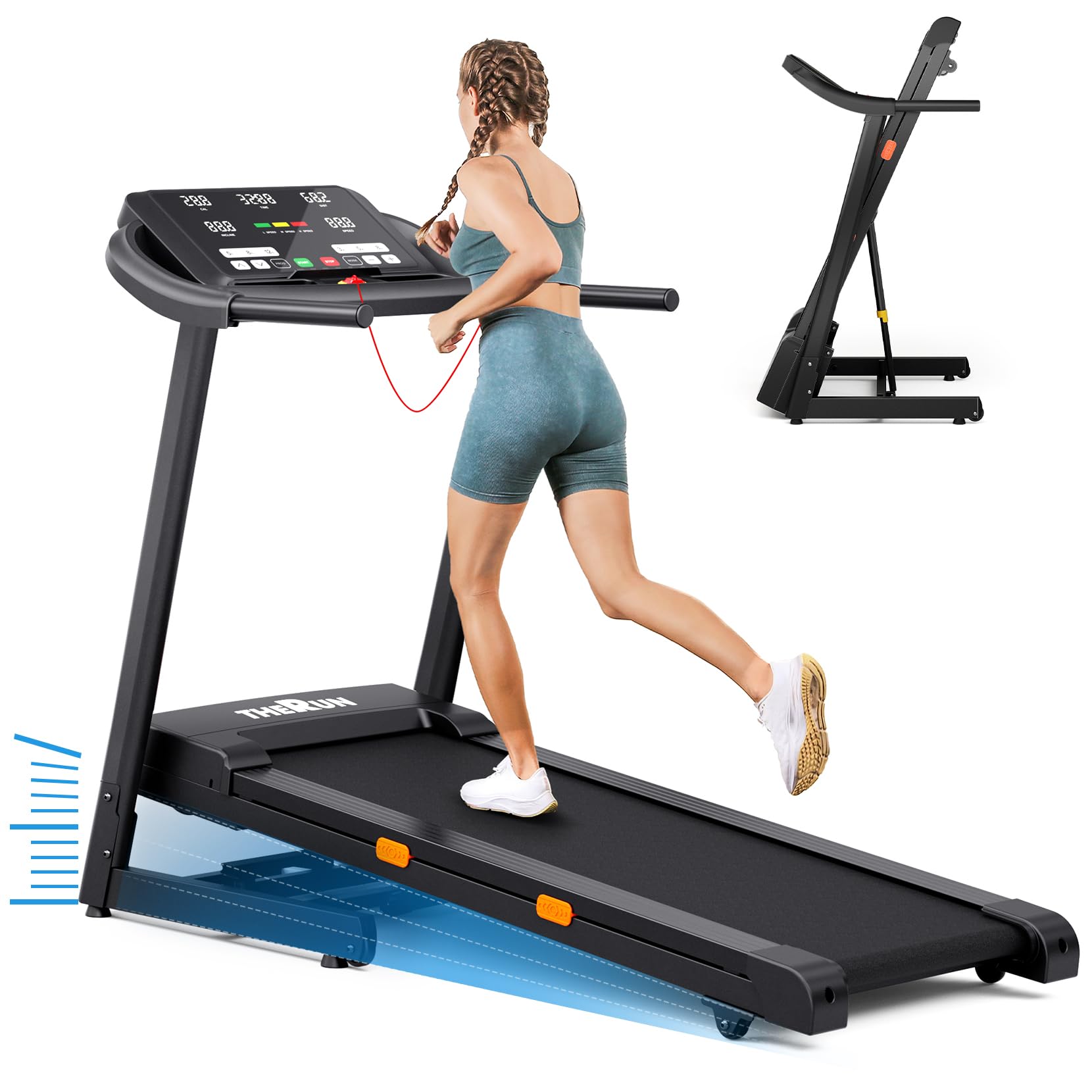
Overall view of the THERUN Treadmill Model ZDP, showcasing its design and main features.

Close-up of the 18-inch LED display panel, showing controls for speed, incline, and workout data. Includes safety clip and pad holder.

Detailed view of the high-definition large screen, illustrating the multi-shortcut key design for quick setting of sports modes and display of calories, time, distance, incline, and speed.

Side view of the treadmill demonstrating the 12% auto incline feature, with visual indicators for calorie burn at different incline levels.

Illustration of the 0-12 degree auto incline options, allowing users to adjust the incline level for a challenging session.

View of the 16.5-inch wide running deck, highlighting the spacious sides for steady footing and safety.

Diagram showing the multi-layer running belt and shock absorption design, indicating reduced knee impact.

Illustration of the double-deck treadmill design, emphasizing the shock absorption system for low-impact workouts.

Image highlighting the 3.0 HP motor, 9 MPH max speed, 45 DB low noise level, and 300 lbs weight capacity.

The treadmill in both unfolded and folded positions, demonstrating its space-saving design for home use.
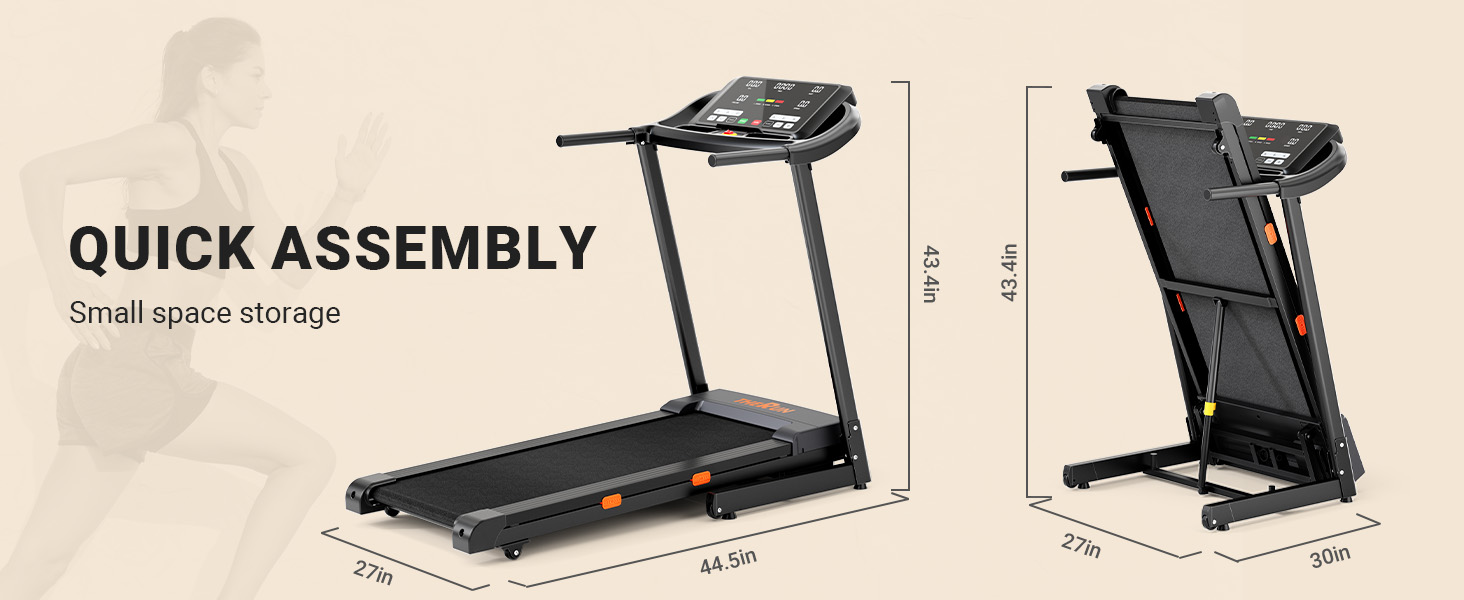
Visual guide for quick assembly and the compact dimensions of the treadmill when folded for small space storage.
3. Setup Instructions
The THERUN Treadmill Model ZDP is designed for straightforward assembly. Follow these steps to set up your treadmill.
Unpacking and Placement
- Carefully remove all components from the packaging. Retain packaging materials for future transport or storage.
- Place the treadmill on a firm, level surface. Ensure there is at least 2 feet of clear space on the sides and rear of the treadmill for safe operation and access.
- Inspect the treadmill for any signs of damage during shipping. Contact customer support if any damage is found.
Assembly
While the treadmill is largely pre-assembled, some minor assembly is required. Refer to the included user manual for detailed, step-by-step assembly instructions specific to your model. Typically, this involves attaching the console and handrails.
Power Connection
- Ensure the treadmill's power switch is in the OFF position.
- Plug the power cord into a grounded electrical outlet. Do not use extension cords or adapters.
- Turn the power switch to the ON position. The display should illuminate.
4. Operating Instructions
Familiarize yourself with the treadmill's controls and functions before beginning your workout.
Getting Started
- Attach Safety Clip: Always attach the safety clip to your clothing. The treadmill will not operate without the safety clip in place.
- Stand on Side Rails: Step onto the side rails of the treadmill, not directly onto the running belt.
- Power On: Ensure the treadmill is plugged in and the main power switch is ON.
Using the Console and Remote Control
The treadmill is controlled via the console and the included remote control. The remote control is essential for operation as the treadmill itself may not have physical buttons for starting or stopping.
- Start/Stop: Press the 'Start' button on the console or remote to begin. Press 'Stop' to pause or end your workout.
- Speed Adjustment: Use the '+' and '-' buttons on the console or remote to increase or decrease speed (0.5-9.0 MPH). Quick speed buttons (e.g., 3, 5, 8 MPH) may also be available.
- Incline Adjustment: Use the 'Incline Up' and 'Incline Down' buttons to adjust the incline level (0%-12%). Quick incline buttons (e.g., 5%, 8%, 12%) may also be available.
- Workout Programs: The 'Prog' or 'Mode' button allows you to select pre-set workout programs. Refer to the detailed manual for program descriptions.
- Display: The LED display shows your workout data, including time, distance, calories burned, current speed, and incline level.
- Pulse Sensors: Grip the pulse sensors on the handrails to monitor your heart rate. Ensure both hands are firmly on the sensors for an accurate reading.
Video: THERUN Incline Treadmill Operation
This video demonstrates the operation of the THERUN Incline Treadmill, including speed and incline adjustments. It highlights the 0-12% auto incline feature and general usage.
5. Maintenance
Regular maintenance ensures the longevity and optimal performance of your treadmill.
Cleaning
- After Each Use: Wipe down the console and handrails with a damp cloth to remove sweat and dust. Avoid abrasive cleaners.
- Weekly: Vacuum underneath the treadmill to prevent dust and debris from accumulating in the motor area.
Lubrication
The running belt requires periodic lubrication to reduce friction and extend its lifespan. Use only silicone-based treadmill lubricant.
- Turn off and unplug the treadmill.
- Gently lift one side of the running belt.
- Apply a thin line of lubricant along the center of the deck, underneath the belt.
- Repeat on the other side.
- Plug in the treadmill and run it at a low speed (e.g., 2 MPH) for 5 minutes to distribute the lubricant evenly.
- Frequency: Lubricate every 3 months or after 50 hours of use, whichever comes first.
Belt Adjustment
If the running belt is off-center or slipping, it may need adjustment.
- Centering the Belt: If the belt drifts to one side, use the included wrench to turn the adjustment bolt on the rear roller. Turn clockwise to move the belt to the right, counter-clockwise to move it to the left. Make small adjustments (quarter turns) and run the treadmill for a few minutes to check.
- Belt Tension: If the belt is slipping, it may be too loose. Turn both rear roller adjustment bolts clockwise in equal increments (quarter turns) to increase tension. Do not overtighten.
6. Troubleshooting
This section addresses common issues you might encounter with your treadmill.
| Problem | Possible Cause | Solution |
|---|---|---|
| Treadmill does not start | 1. Power cord not plugged in. 2. Safety clip not attached. 3. Main power switch is OFF. 4. Remote control battery low/dead. | 1. Ensure power cord is securely plugged into a grounded outlet. 2. Attach the safety clip to the console. 3. Turn the main power switch ON. 4. Replace remote control batteries. |
| Running belt slips or hesitates | 1. Belt tension too loose. 2. Belt requires lubrication. | 1. Adjust belt tension (refer to Maintenance section). 2. Lubricate the running belt (refer to Maintenance section). |
| Unusual noise from treadmill | 1. Loose components. 2. Belt friction. 3. Motor issue. | 1. Check and tighten all visible bolts and screws. 2. Lubricate the running belt. 3. If noise persists, discontinue use and contact customer support. |
| Incline not adjusting | 1. Incline motor issue. 2. Obstruction. | 1. Ensure no obstructions are under the treadmill. Power cycle the machine. If issue persists, contact support. 2. Check for any objects blocking the incline mechanism. |
If you encounter a problem not listed here or if solutions do not resolve the issue, please contact THERUN customer support.
7. Specifications
| Brand | THERUN |
| Model Name | ZDP |
| Product Dimensions (D x W x H) | 45"D x 27"W x 44"H |
| Material | Alloy Steel |
| Motor Horsepower | 3.0 HP |
| Speed Range | 0.5 - 9.0 MPH |
| Maximum Incline Percentage | 12% (Automatic) |
| Running Belt Dimensions | 43.3" x 16.5" |
| Maximum Weight Recommendation | 300 Pounds |
| Display Type | LED (18-inch) |
| Special Feature | Foldable |
| Included Components | User Manual |
8. Warranty and Support
Warranty Information
The THERUN Treadmill Model ZDP comes with a 1-Year Limited Warranty from the date of purchase. This warranty covers manufacturing defects in materials and workmanship under normal use. It does not cover damage caused by misuse, accident, unauthorized modifications, or improper maintenance.
Please retain your proof of purchase for warranty claims.
Customer Support
For technical assistance, warranty claims, or to order replacement parts, please contact THERUN customer support. Refer to the contact information provided in your product packaging or visit the official THERUN website for the most up-to-date support details.
When contacting support, please have your model name (ZDP) and purchase date available.


