
Introduction
Thank you for choosing the OhO sunshine 2K QHD Camera Sunglasses. These sunglasses are designed to capture high-quality video and photos hands-free, featuring advanced anti-shake stabilization, 2K QHD resolution, and photochromic lenses that adapt to various light conditions. The water-resistant design and record-while-charging function make them ideal for outdoor activities. Please read this manual carefully to ensure proper use and optimal performance of your device.
Package Contents
Verify that all items are present in your package:
- OhO sunshine 2K QHD Camera Sunglasses
- USB Charging Cable
- Cleaning Cloth
- User Manual
- Protective Case
- Storage Pouch

Image: Contents of the OhO sunshine camera sunglasses package.
Video: Unboxing the OhO sunshine Anti-Shake Sunglasses, showing the included items and initial handling.
Product Overview
The OhO sunshine camera sunglasses integrate a high-definition camera discreetly into the frame. Key components include:
- Camera Lens: Located at the center of the frame, between the lenses.
- Power/Record Button: Typically on the side arm for easy access.
- LED Indicator: Provides status feedback (power, recording, charging).
- Microphone: For audio recording.
- USB Port: For charging and data transfer.
- Photochromic Lenses: Automatically adjust tint based on light conditions.

Image: Detail of the camera lens and frame, highlighting 2K Ultra HD capability.
Setup
- Initial Charge: Before first use, fully charge the sunglasses using the provided USB cable. Connect the cable to the USB port on the sunglasses and to a power source (e.g., computer USB port or wall adapter). The LED indicator will show charging status and turn off or change color when fully charged.
- Power On: Press and hold the Power/Record button for approximately 3 seconds until the LED indicator lights up, indicating the device is powered on.
- Power Off: Press and hold the Power/Record button for approximately 3 seconds until the LED indicator turns off, indicating the device is powered off.
Operating Instructions
Video Recording
- Start Recording: With the device powered on, briefly press the Power/Record button. The LED indicator will flash to confirm recording has started.
- Stop Recording: Briefly press the Power/Record button again. The LED indicator will stop flashing, indicating recording has stopped and the file has been saved.
- Anti-Shake Stabilization: The sunglasses feature built-in anti-shake stabilization (EIS) to ensure smoother video capture during movement. This feature operates automatically.
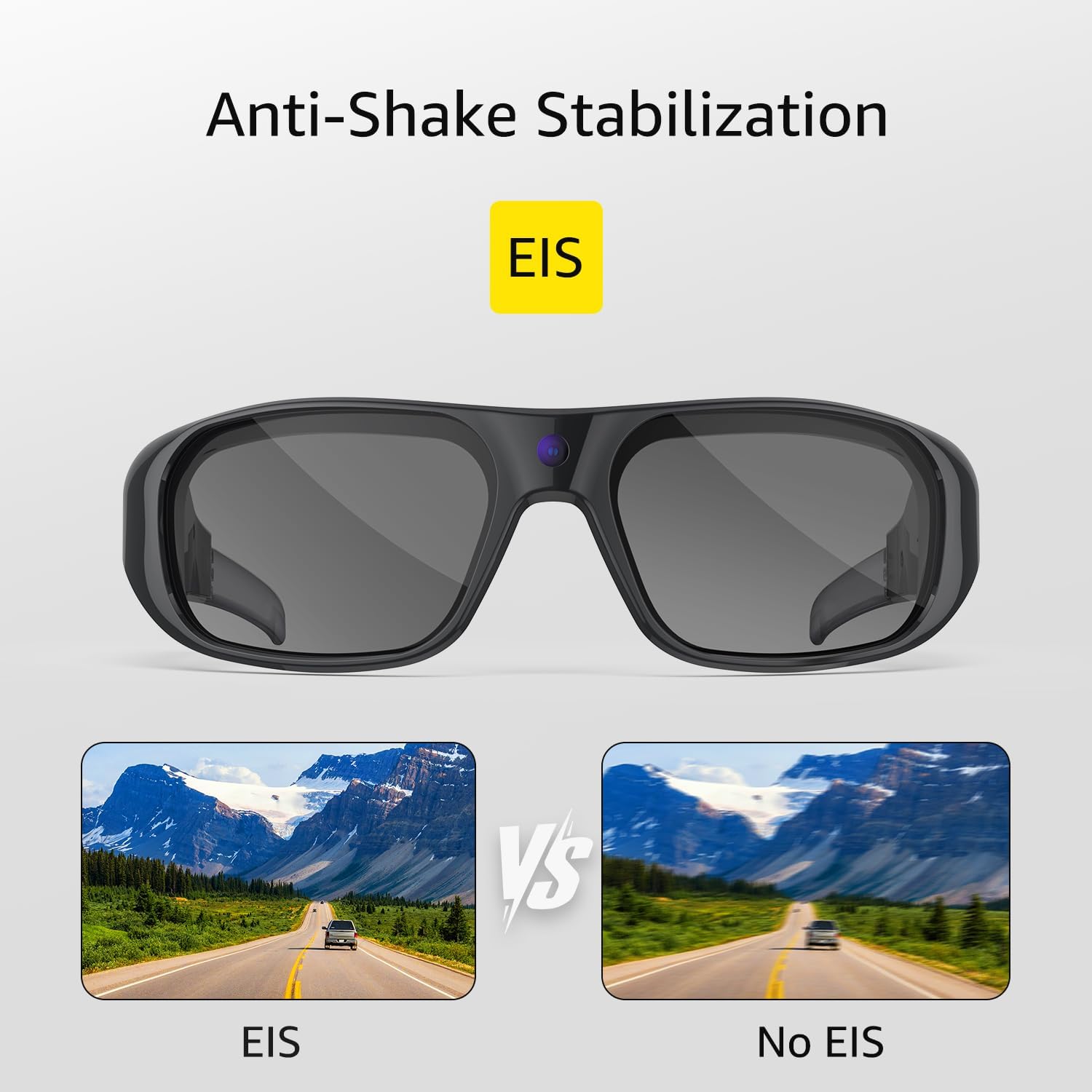
Image: Visual demonstration of anti-shake stabilization (EIS) in action.
Video: Demonstrating the anti-shake stabilization and 2K QHD video capabilities of the camera sunglasses.
Photo Taking
While the device is powered on and not recording video, quickly double-press the Power/Record button to take a photo. The LED indicator may flash briefly to confirm the photo has been captured.
Record-While-Charging
The sunglasses support recording while connected to a power source. This feature allows for extended recording sessions, ideal for long outdoor activities. Connect the USB cable to the sunglasses and a portable power bank or wall adapter to utilize this function.

Image: Continuous recording feature, showing the sunglasses being charged on the go.
Data Transfer
To transfer recorded videos and photos to your computer:
- Ensure the sunglasses are powered off.
- Connect the sunglasses to your computer using the provided USB cable.
- The sunglasses will appear as a removable disk drive on your computer.
- Open the drive to access your video and photo files. Copy them to your desired location on the computer.
- Safely eject the removable disk drive before disconnecting the USB cable.
Video: Instructions on how to access and transfer recorded images and videos from the sunglasses to a computer.
Maintenance
- Cleaning Lenses: Use the provided cleaning cloth to gently wipe the lenses. Avoid using abrasive materials or harsh chemicals that could damage the photochromic coating.
- Cleaning Frame: Wipe the frame with a soft, damp cloth. Do not submerge the sunglasses in water.
- Storage: Store the sunglasses in their protective case when not in use to prevent scratches and damage. Avoid exposing them to extreme temperatures or direct sunlight for prolonged periods.
- Water Resistance: The sunglasses are water-resistant, protecting against sweat, splashes, and light rain. They are not designed for submersion or heavy water exposure.

Image: Photochromic lenses automatically adjusting to light, emphasizing lens care.
Troubleshooting
| Problem | Possible Cause | Solution |
|---|---|---|
| Device does not power on. | Low battery. | Charge the device fully. |
| Cannot record video/take photos. | Memory full. | Transfer files to computer and delete from device to free up space. |
| Video quality is poor or shaky. | Insufficient lighting; rapid movement beyond stabilization limits. | Ensure adequate lighting. While EIS is present, extreme movements may still affect clarity. |
| Computer does not recognize device. | Improper connection; driver issue. | Ensure the USB cable is securely connected. Try a different USB port or computer. Ensure the sunglasses are powered off before connecting. |
| Camera angle is too high/low. | Fixed camera position. | The camera has a fixed angle. Adjusting how the glasses sit on your face may slightly alter the field of view. |
Specifications
- Model: 628S
- Video Resolution: 2K QHD
- Stabilization: Anti-Shake (EIS)
- Lenses: Photochromic, Non-Polarized, Polycarbonate
- Frame Material: Plastic (TR90 Technical Material)
- Memory: Built-in 64GB (stores approximately 9 hours of video)
- Water Resistance: Sweat & Water Resistant
- Charging: Record-While-Charging supported
- Lens Width: 5.7 centimeters
- Age Range: Adult

Image: TR90 Technical Material for lightweight and flexible wear.
Warranty and Support
For warranty information or technical support, please refer to the contact details provided with your purchase or visit the official OhO sunshine website. Keep your proof of purchase for warranty claims.
Online Resources: For additional support, FAQs, and firmware updates, please visit OhO sunshine Store on Amazon.


