
1. Introduction
The TAGRY K08 AI Translation Earbuds provide real-time language translation capabilities, enabling communication across 164 languages. These earbuds integrate multiple functions including translation, audio/video calls, phone calls, and music playback, designed for various scenarios such as travel, business meetings, and language learning.
2. What's in the Box
Upon unboxing, verify that all components are present:
- TAGRY K08 AI Translation Earbuds (Left and Right)
- Portable Charging Case
- USB Charging Cable
- User Manual

Image: The TAGRY K08 AI Translation Earbuds and their portable charging case.
3. Product Overview
The TAGRY K08 earbuds feature an ergonomic design for comfortable wear and are equipped with advanced technology for translation and audio functions.
Earbud Components
- Microphones: For voice input during calls and translation.
- Touch Control Area: For managing playback, calls, and translation modes.
- Charging Contacts: For charging within the case.
Charging Case Components
- Earbud Slots: Securely holds and charges the earbuds.
- LED Display: Indicates battery level of the charging case.
- USB-C Charging Port: For recharging the case.
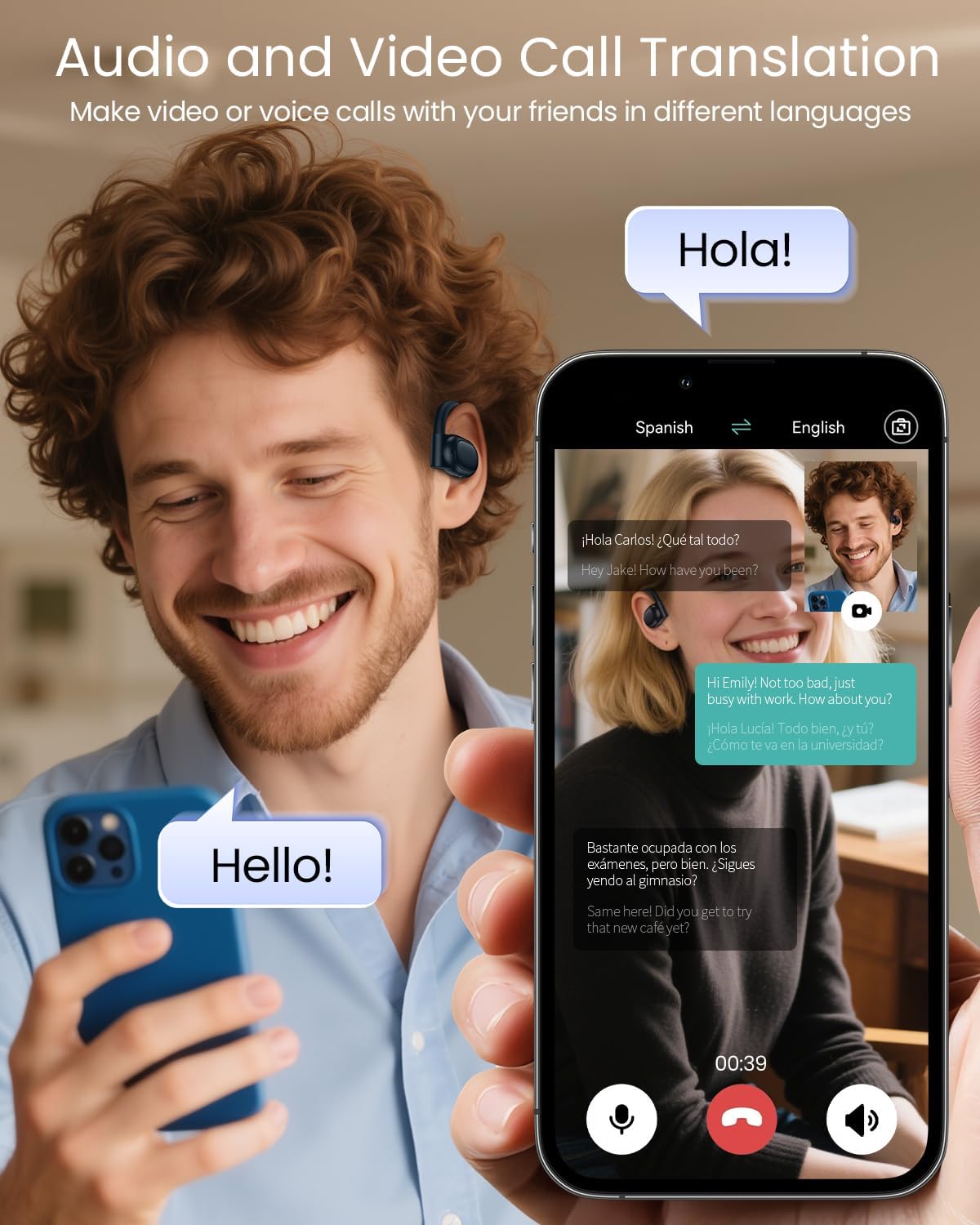
Image: A close-up view of the TAGRY K08 earbuds and their charging case, highlighting their design.

Image: The charging case of the TAGRY K08 earbuds, showing the LED display indicating battery percentage.
4. Setup
4.1 Initial Charging
Before first use, fully charge the earbuds and the charging case. Place the earbuds into the charging case and connect the case to a power source using the provided USB cable. The LED display on the case will show the charging progress.
4.2 Pairing with Your Device
- Ensure the earbuds are charged.
- Open the charging case. The earbuds will automatically enter pairing mode.
- On your smartphone or device, enable Bluetooth.
- Search for available Bluetooth devices and select "TAGRY K08" to connect.
- Once connected, a voice prompt will confirm successful pairing.
4.3 App Installation
To utilize the full translation features, download the dedicated TAGRY translation app from your device's app store. Follow the in-app instructions to complete the setup and connect your earbuds to the application.

Image: The TAGRY K08 earbuds shown alongside a smartphone displaying the translation application interface.
5. Operating Instructions
The TAGRY K08 earbuds offer five distinct translation modes and other functionalities.
5.1 Translation Modes
Access these modes via the dedicated TAGRY translation app:
- Free Talk Mode: Both users wear an earbud for real-time, face-to-face conversation translation.
- Headphone + Phone Mode: One user wears an earbud, and the other speaks into the smartphone for two-way conversation translation.
- Audio/Video Call Translation: Translate audio or video calls by sharing a link within the app.
- Photo Translation: Use the app to translate text from images.
- Translation Machine Mode: Use the earbuds as a standalone translation device with the app.

Image: A visual representation of the 164 languages supported by the TAGRY K08 AI Translation Earbuds.

Image: Two individuals engaging in a conversation, each wearing a TAGRY K08 earbud, demonstrating the Free Talk translation mode.

Image: A person using the TAGRY K08 earbuds while on a video call, illustrating the audio/video call translation feature.
5.2 AI Chat Mode
Engage with a multilingual AI assistant through the app. This feature can answer questions, provide tips, and assist with language practice.
5.3 Audio Playback and Calls
- Music: Enjoy high-fidelity audio playback.
- Phone Calls: Make and receive standard phone calls.
- Controls: Use the touch control area on the earbuds to manage music playback (play/pause, skip tracks) and answer/end calls. Refer to the app for specific touch gestures.
6. Maintenance
6.1 Charging and Battery Life
The earbuds provide up to 13.5 hours of use on a single charge. The portable charging case extends the total battery life to approximately 80 hours. Monitor the battery level via the LED display on the charging case.
6.2 Cleaning
Regularly clean the earbuds and charging case with a soft, dry cloth. Avoid using abrasive materials or harsh chemicals. Ensure charging contacts are free of debris.
6.3 Waterproofing
The earbuds are IPX7 waterproof, meaning they can withstand immersion in water up to 1 meter for 30 minutes. This makes them suitable for use during workouts or in light rain. Do not submerge the charging case.

Image: The TAGRY K08 earbuds with water droplets, visually representing their IPX7 waterproof capability.
7. Troubleshooting
| Problem | Possible Cause | Solution |
|---|---|---|
| Earbuds not pairing | Low battery; Bluetooth off; Earbuds not in pairing mode; Device too far. | Charge earbuds; Enable Bluetooth; Place earbuds in case and reopen; Move device closer. |
| No sound | Volume too low; Earbuds not connected; Media paused. | Increase volume on device; Reconnect earbuds; Play media. |
| Translation not working | App not open; Internet connection unstable; Incorrect language settings. | Ensure app is running; Check internet connection; Verify language settings in app. |
| Charging case not charging | Cable issue; Power source issue; Dirty charging port. | Try a different cable/adapter; Use a different power outlet; Clean charging port. |
8. Specifications
- Model Number: K08
- Product Dimensions: 4.11 x 1.49 x 3.6 inches
- Item Weight: 4.2 ounces
- Batteries: 3 Lithium Ion batteries (included)
- Translation Languages: 164
- Earbud Playtime: Up to 13.5 hours (single charge)
- Total Playtime (with case): Up to 80 hours
- Waterproof Rating: IPX7 (earbuds only)
- Manufacturer: TAGRY
9. Warranty and Support
For warranty information and technical support, please refer to the official TAGRY website or contact their customer service directly. Keep your purchase receipt for any warranty claims.


