
1. Introduction
This manual provides essential information for the safe and efficient operation of your CONTOURE AZ-990S-OTR Over-the-Range RV Microwave. Please read these instructions thoroughly before installation and use, and retain them for future reference. This microwave oven is designed for residential use, specifically in RV and compact kitchen environments, offering 1.9 cubic feet capacity and 900 watts of cooking power.
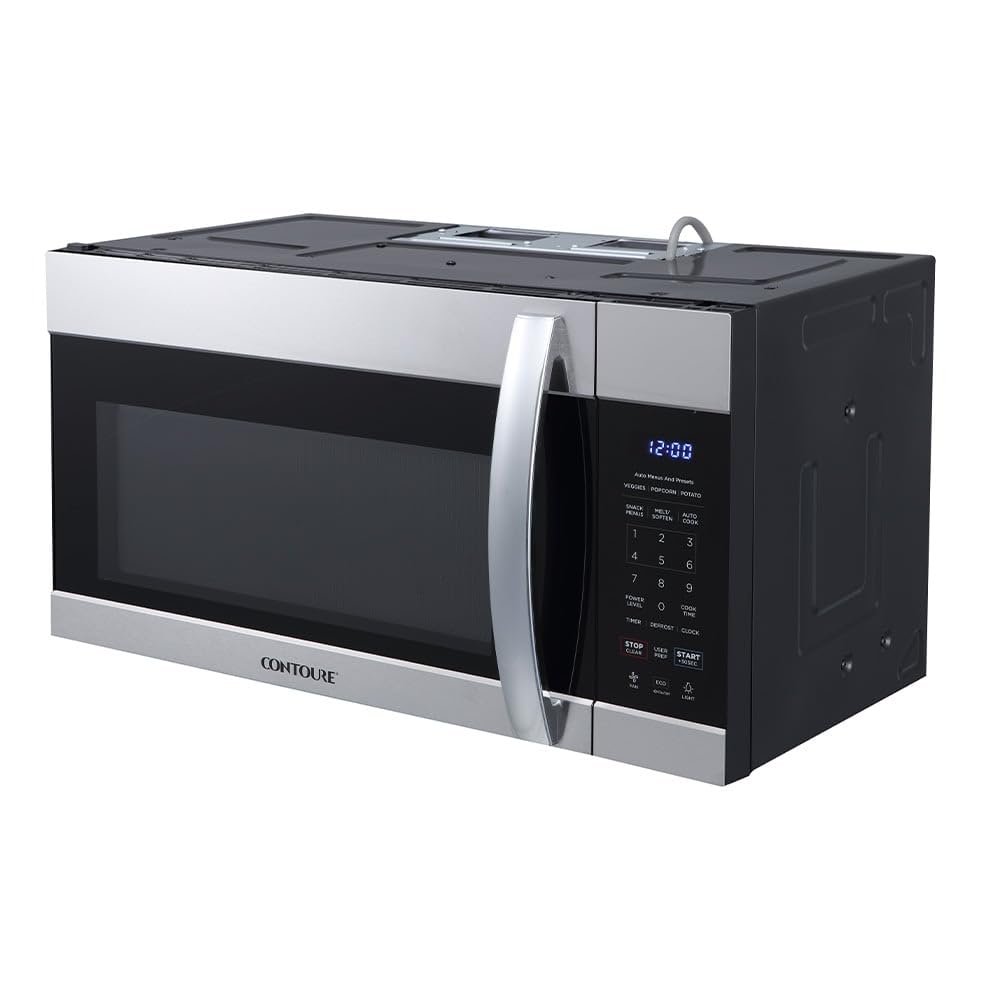
Figure 1: Front view of the CONTOURE AZ-990S-OTR Over-the-Range RV Microwave.
2. Important Safety Instructions
When using electrical appliances, basic safety precautions should be followed, including the following:
- Read all instructions before using the appliance.
- To reduce the risk of fire, electric shock, or injury to persons, do not use this appliance for other than its intended purpose.
- Do not heat liquids or other foods in sealed containers as they are liable to explode.
- Do not operate the oven if it has a damaged cord or plug, if it is not working properly, or if it has been damaged or dropped.
- Only allow children to use the oven without supervision when adequate instructions have been given so that the child is able to use the oven in a safe way and understands the hazards of improper use.
- Maintain the inside of the oven. Food particles or spilled liquids can cause arcing or fire.
- Do not attempt to service this appliance yourself. Contact qualified service personnel for repairs.
3. Product Features
The CONTOURE AZ-990S-OTR microwave oven includes several features designed for convenience and efficiency:
- 1.9 cu. ft. Capacity: Accommodates full-size cookware, suitable for RV and compact kitchen spaces.
- 900-Watt Cooking Power: Provides consistent and even heating with 10 power levels.
- Integrated Ventilation System: Features a 4-speed fan with 300 CFM airflow to remove smoke and odors.
- Auto Cooking Menus: Simplifies meal preparation with pre-set cooking options.
- 30-Second Express Button: Allows for quick operation and adjustment of cook times.
- 2-Stage Cooking Controls: Enables multi-step meal preparation.
- LED Cooktop Lighting: Improves visibility over the cooking surface below.
- Blue LED Display: Offers a clear and modern interface for settings and time.
- Air-Purifying Charcoal Filters: Enhances air quality by filtering cooking odors.

Figure 2: Control panel highlighting key functions for everyday use.
4. Setup and Installation
This CONTOURE microwave is designed for over-the-range installation. Proper installation is crucial for safe and optimal performance. It is recommended that installation be performed by a qualified technician.
4.1 Unpacking
- Carefully remove all packaging materials and accessories.
- Inspect the oven for any damage, such as dents or a broken door. Do not install if damaged.
- Ensure all included components are present: Microwave Oven, Turntable, Turntable Ring, and Installation Hardware.
4.2 Location Requirements
- The microwave must be installed above a cooking surface, ensuring adequate clearance.
- Ensure the mounting surface is structurally sound to support the microwave's weight (approximately 57.6 lbs).
- A dedicated, properly grounded electrical outlet (120V, 60Hz, 15A or 20A circuit) is required.
4.3 Dimensions
Refer to the diagram below for precise product dimensions to ensure proper fit and installation clearance.

Figure 3: Product dimensions for installation planning.
Overall Dimensions:
- Depth: 33.25 inches
- Width: 20.13 inches
- Height: 19.5 inches

Figure 4: Example of the microwave installed in an RV kitchen.
5. Operating Instructions
Familiarize yourself with the control panel and functions for efficient use.
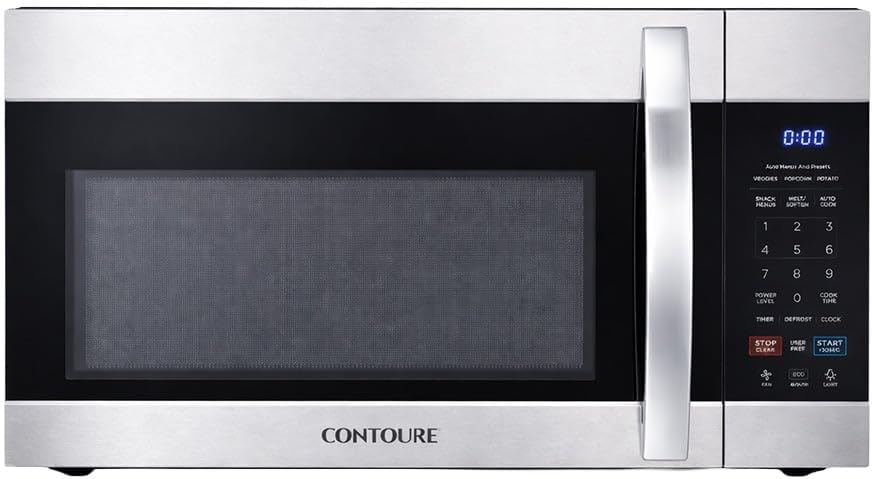
Figure 5: Control panel overview.
5.1 Setting the Clock
- Press the CLOCK button.
- Use the number pad to enter the current time (e.g., 1-2-3-0 for 12:30).
- Press the CLOCK button again to confirm.
5.2 Microwave Cooking
- Place food in a microwave-safe container on the turntable.
- Close the oven door.
- Enter the desired cooking time using the number pad.
- Press the POWER LEVEL button, then enter the desired power level (1-10, 10 being full power).
- Press START/+30SEC to begin cooking.
5.3 Auto Cooking Menus
The microwave features pre-programmed settings for common foods:
- POPCORN: For popping popcorn.
- POTATO: For baking potatoes.
- VEGGIES: For cooking vegetables.
- SNACK: For reheating snacks.
- MELT/SOFTEN: For melting butter or softening ice cream.
- AUTO COOK: Additional pre-set options.
To use an auto menu, press the corresponding button, then select the quantity or weight if prompted, and press START/+30SEC.
5.4 Ventilation Fan Operation
The integrated ventilation fan helps remove cooking odors and smoke.
- Press the FAN button repeatedly to cycle through the 4 fan speeds (Low, Medium, High, Boost) or to turn the fan off.
5.5 Cooktop Lighting
The LED cooktop light illuminates the cooking surface below the microwave.
- Press the LIGHT button to turn the light on or off.
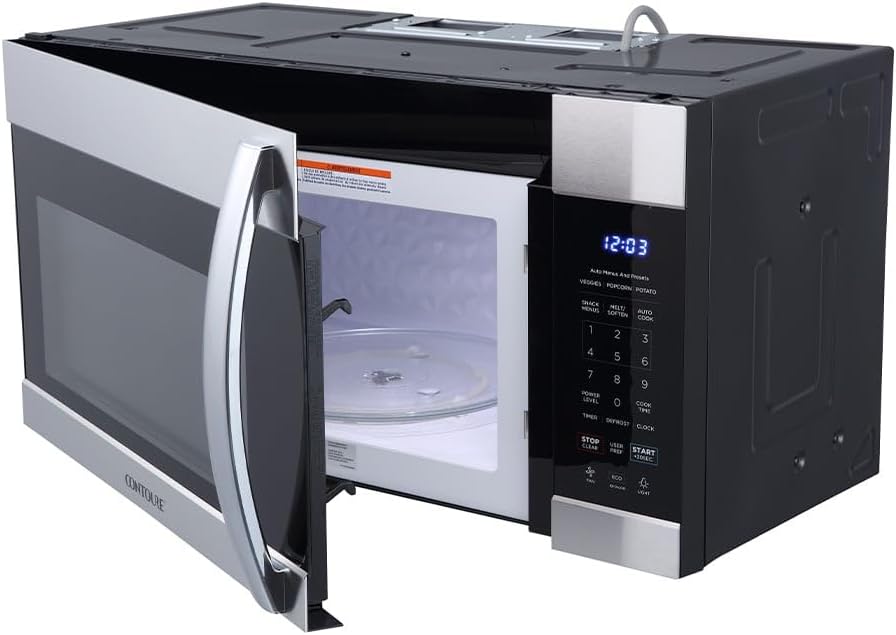
Figure 6: Interior view with door open, showing the turntable.
6. Maintenance
Regular maintenance ensures the longevity and optimal performance of your microwave oven.
6.1 Cleaning the Exterior
- Wipe the exterior with a damp cloth and mild soap. Dry thoroughly.
- Avoid abrasive cleaners or scouring pads that can scratch the stainless steel finish.
6.2 Cleaning the Interior
- Clean the interior cavity with a damp cloth and mild detergent after each use.
- For stubborn food splatters, place a bowl of water with lemon slices inside and microwave for 2-3 minutes to loosen residue, then wipe clean.
- The glass turntable and turntable ring can be removed and washed in warm, soapy water or in the dishwasher.
6.3 Filter Maintenance
The microwave is equipped with grease filters and charcoal filters for the ventilation system.
- Grease Filters: These should be cleaned monthly or as needed. Remove them from the bottom of the microwave and wash in hot, soapy water or a dishwasher.
- Charcoal Filters: These are not washable and should be replaced approximately every 6-12 months, depending on usage. Refer to the installation guide for replacement instructions.
7. Troubleshooting
If you experience issues with your microwave, consult the following table before contacting service.
| Problem | Possible Cause | Solution |
|---|---|---|
| Oven does not start | Door not closed properly; Power cord unplugged; Blown fuse/tripped circuit breaker | Ensure door is securely latched; Check power cord connection; Reset circuit breaker or replace fuse |
| Food not cooking evenly | Food not stirred/rotated; Incorrect power level/cook time; Turntable not rotating | Stir or rotate food during cooking; Adjust power level/cook time; Ensure turntable and ring are correctly placed and clean |
| Excessive steam from vent | High moisture content in food; Fan speed too low | This is normal for some foods; Increase fan speed |
| Oven light not working | Bulb burned out | Contact customer support for bulb replacement instructions or service |
8. Specifications
Detailed technical specifications for the CONTOURE AZ-990S-OTR microwave oven.
| Feature | Specification |
|---|---|
| Brand | CONTOURE |
| Model Name | AZ-990S-OTR |
| Capacity | 1.9 cubic feet |
| Wattage | 900 watts |
| Power Levels | 10 |
| Installation Type | Over-the-Range |
| Product Dimensions (D x W x H) | 33.25" x 20.13" x 19.5" |
| Item Weight | 57.6 pounds |
| Material | Stainless Steel |
| Ventilation Airflow | 300 CFM (4-speed fan) |
| Special Feature | Air-Purifying Charcoal Filters |
| Controller Type | Touch |
| Human Interface Input | Buttons |
| Heating Method | Electric |
| UPC | 810139220473 |
9. Warranty and Support
9.1 Manufacturer's Warranty
This CONTOURE microwave oven is covered by a Manufacturer Defective, One Year Limited Warranty. This warranty covers defects in materials and workmanship under normal use for a period of one year from the date of purchase. Please retain your proof of purchase for warranty claims.
9.2 Customer Support
For technical assistance, warranty service, or to order replacement parts (such as charcoal filters), please contact CONTOURE customer support. Refer to the contact information provided with your product packaging or visit the official CONTOURE website for current support details.


