
Introduction
Thank you for choosing the PUSOKEI Single Ear Bluetooth Headset. This manual provides detailed instructions for the proper setup, operation, and maintenance of your device. Please read this manual thoroughly before use to ensure optimal performance and longevity of your headset.
Package Contents
Verify that all items listed below are present in your package:
- 1 x Bluetooth Earphone
- 1 x Earphone Charging Case
- 2 x Ear Tips (different sizes)
- 1 x USB Adapter (Dongle)
- 1 x User Manual (this document)
- 1 x USB Charging Cable

Image: All components included in the PUSOKEI Single Ear Bluetooth Headset package.
Product Overview
The PUSOKEI Single Ear Bluetooth Headset is designed for clear communication and comfort. Key features include:
- Bluetooth V6.1: For stable and fast wireless connections.
- ENC Dual Microphone Noise Cancellation: Filters background noise for clear calls.
- IPX6 Water Resistance: Protects against splashes and sweat.
- Rotatable Earpiece and Ear Hook: Allows wearing on either left or right ear with adjustable fit.
- Multi-function Button (MFB): For call management and media control.
- Volume Buttons: For adjusting audio levels and track navigation.
Headset Components and Controls
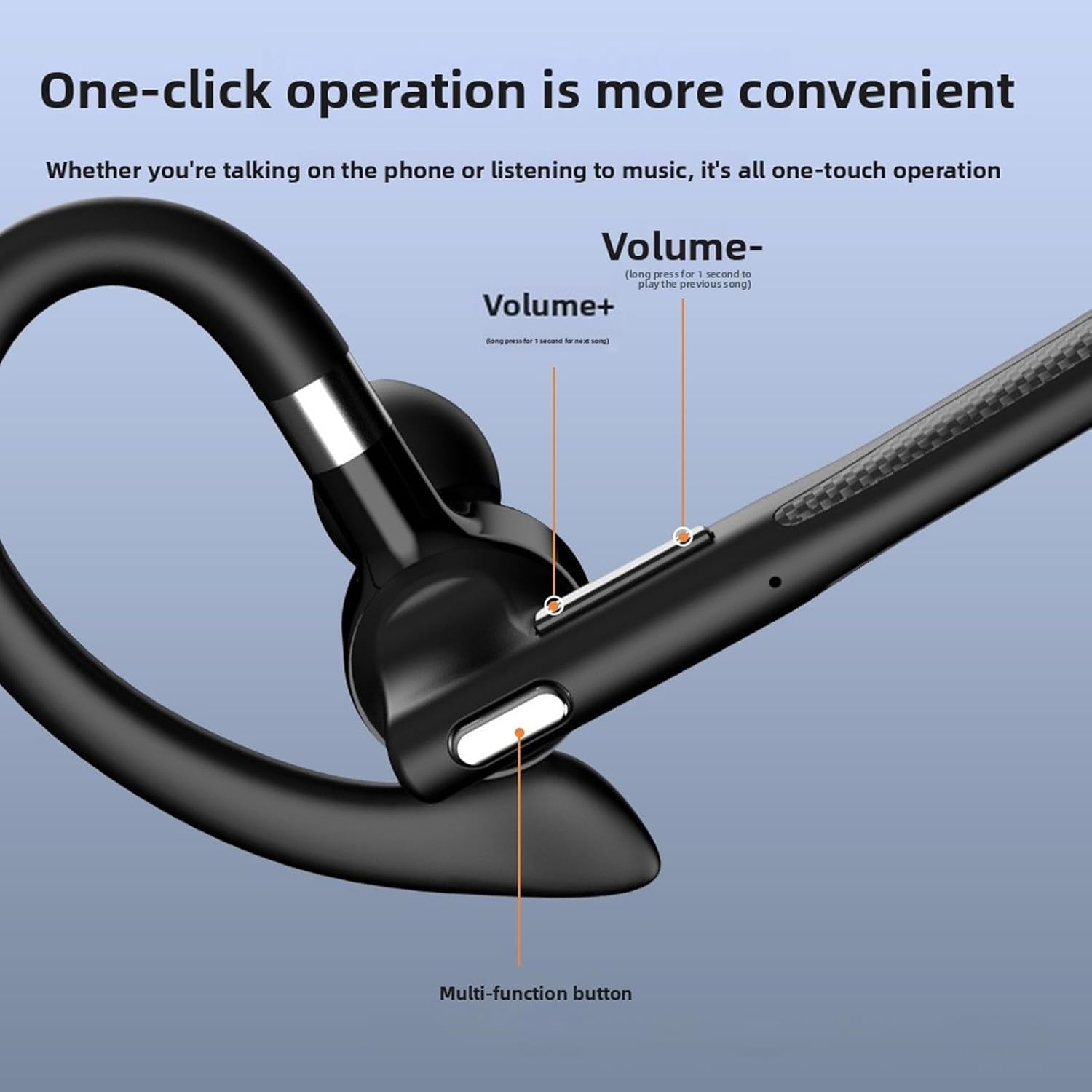
Image: Detailed view of the headset's control buttons, including Volume +/-, and the Multi-function button.
- Volume + Key: Short press to increase volume. Long press for 1 second to play the next song.
- Volume - Key: Short press to decrease volume. Long press for 1 second to play the previous song.
- Multi-function Button (MFB): Used for power on/off, answering/ending calls, playing/pausing music, and activating voice assistant.
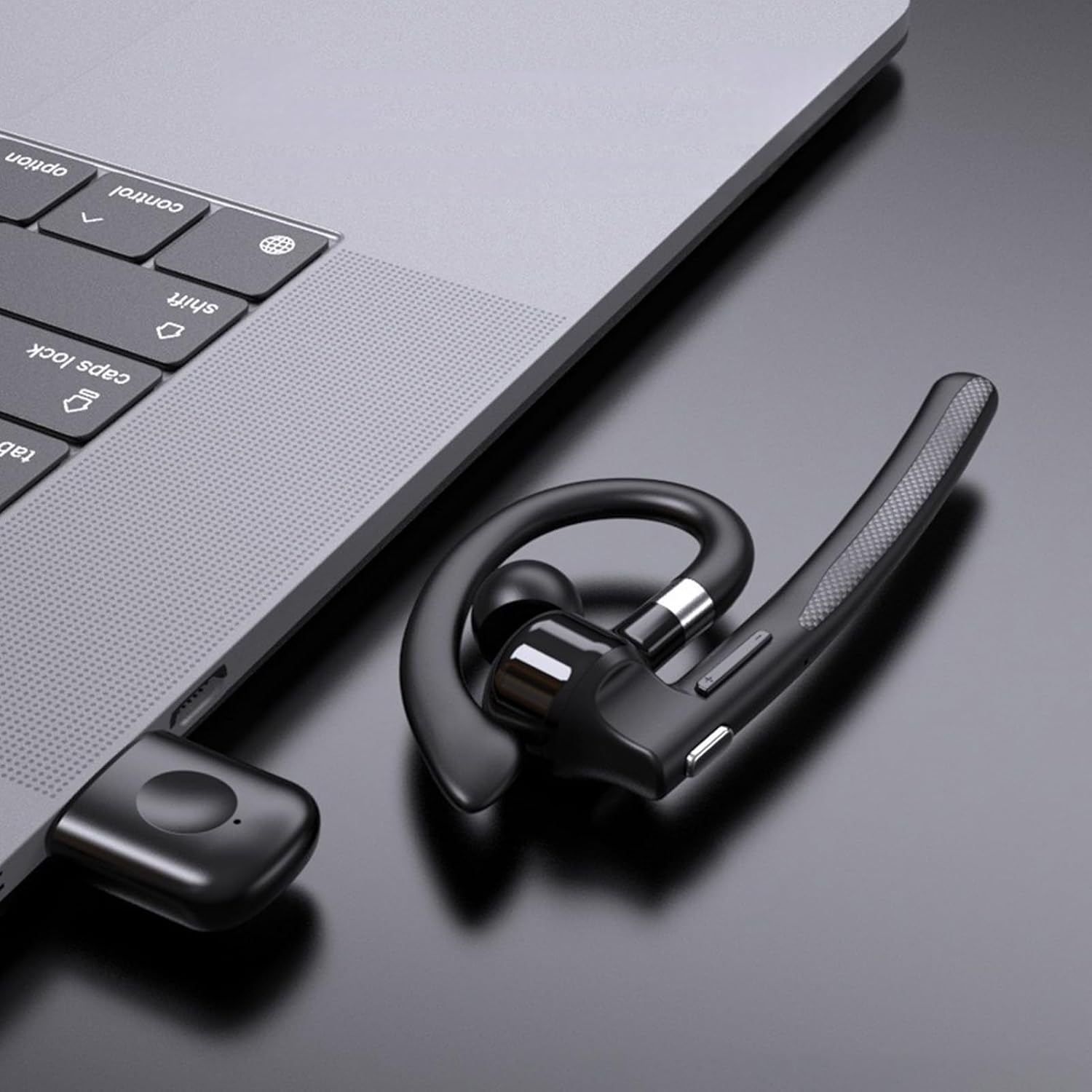
Image: Illustration of the headset's rotatable earpiece and ear hook for left or right ear wearing.
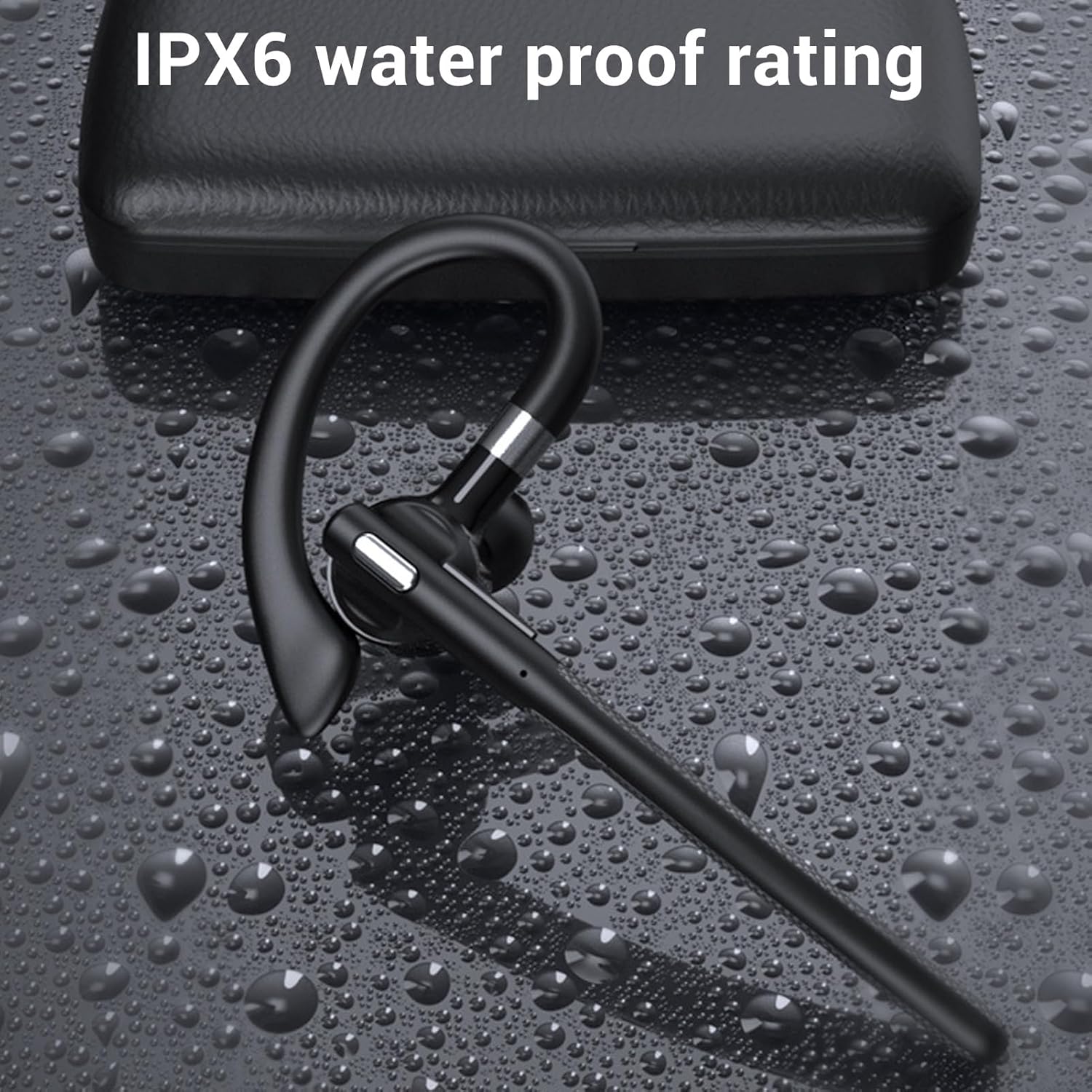
Image: The headset demonstrating its IPX6 water resistance.

Image: The headset highlighting its ENC Dual Microphone Noise Cancellation feature.
Setup
1. Charging the Headset and Charging Case
Before first use, fully charge both the headset and the charging case.
- Place the headset into the charging case.
- Connect the USB charging cable to the charging case and a power source (e.g., computer USB port, wall adapter).
- The LED display on the charging case will indicate the charging status. Ensure both are fully charged for optimal battery life.
2. Powering On/Off
- Power On: Press and hold the Multi-function Button (MFB) for approximately 3 seconds until you hear a voice prompt or see an indicator light.
- Power Off: Press and hold the MFB for approximately 5 seconds until you hear a voice prompt or see an indicator light turn off.
3. Bluetooth Pairing (Without USB Dongle)
To connect the headset directly to your phone, tablet, or other Bluetooth-enabled device:
- Ensure the headset is powered off.
- Press and hold the MFB for about 5-7 seconds until the indicator light flashes red and blue alternately, indicating pairing mode.
- On your device, go to Bluetooth settings and turn Bluetooth on.
- Search for available devices and select "YYK 526 USB" from the list.
- Once connected, the indicator light on the headset will flash blue slowly.
4. Connecting with USB Dongle (For PC/Laptop)
The USB dongle provides a stable connection for computers, especially those without built-in Bluetooth or for enhanced stability.
- Plug the USB adapter (dongle) into an available USB port on your computer.
- Power on the headset (if not already on). The headset will automatically attempt to connect to the dongle.
- Once connected, the indicator light on the headset will flash blue slowly, and the dongle's indicator light will be solid blue.
- On your computer's sound settings, ensure the PUSOKEI headset is selected as the input and output device.

Image: Headset, smartphone, and laptop with USB dongle demonstrating pairing capabilities.
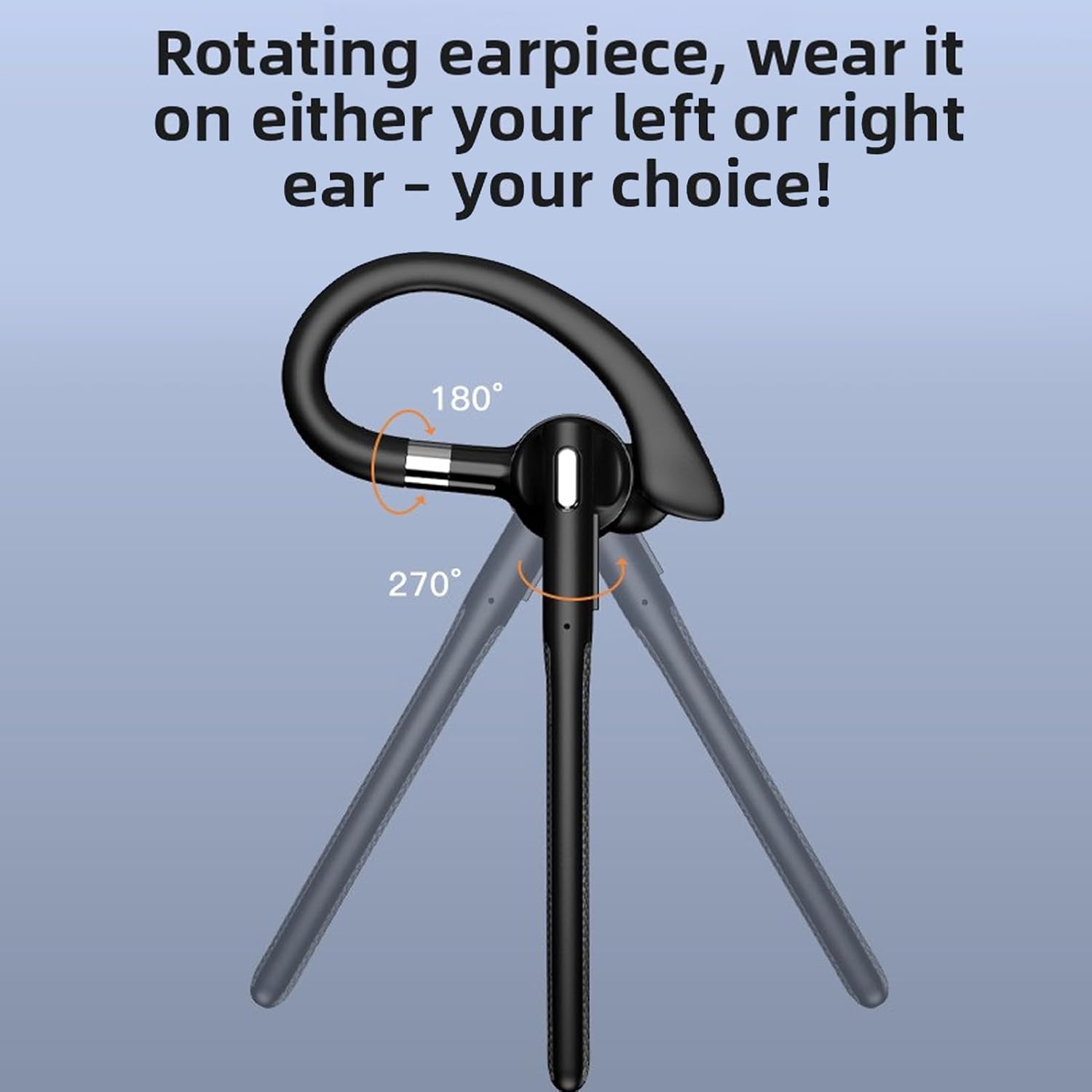
Image: The headset and USB dongle connected to a laptop.
Operating Instructions
Wearing the Headset
The headset features a rotatable earpiece and ear hook for comfortable wear on either your left or right ear.
- Adjust the ear hook to fit comfortably over your ear.
- Rotate the earpiece to position the speaker inside your ear canal and the microphone boom towards your mouth.
- Ensure a snug fit for optimal sound quality and microphone performance.
Call Management
- Answer Call: Short press the MFB.
- End Call: Short press the MFB during a call.
- Reject Call: Long press the MFB for 2 seconds during an incoming call.
- Mute/Unmute: During a call, short press the MFB twice to mute or unmute the microphone.
- Redial Last Number: Double-press the MFB when not on a call.
Music Playback
- Play/Pause: Short press the MFB.
- Next Track: Long press the Volume + button for 1 second.
- Previous Track: Long press the Volume - button for 1 second.
Volume Control
- Increase Volume: Short press the Volume + button.
- Decrease Volume: Short press the Volume - button.
Voice Assistant
- Activate Voice Assistant: Triple-press the MFB when not on a call.
Maintenance
Cleaning
Regular cleaning helps maintain the headset's performance and hygiene.
- Wipe the headset and charging case with a soft, dry, lint-free cloth.
- For stubborn dirt, use a slightly damp cloth with mild soap, then wipe dry immediately.
- Do not use abrasive cleaners, alcohol, or chemical solvents.
- The headset has an IPX6 water-resistant rating, meaning it can withstand splashes and sweat. Do not submerge it in water.
Storage
- When not in use, store the headset in its charging case to protect it and keep it charged.
- Store in a cool, dry place away from extreme temperatures and direct sunlight.
Battery Care
- To preserve battery life, charge the headset and case regularly, even if not used frequently.
- Avoid fully discharging the battery for extended periods.
Troubleshooting
If you encounter issues with your headset, refer to the following common solutions:
Headset Not Powering On
- Ensure the headset is charged. Place it in the charging case and connect the case to power.
- Press and hold the MFB for at least 3 seconds.
Cannot Pair with Device
- Ensure the headset is in pairing mode (red and blue indicator lights flashing alternately).
- Make sure Bluetooth is enabled on your device and it is within 10 meters (33 feet) of the headset.
- Forget/delete "YYK 526 USB" from your device's Bluetooth list and try pairing again.
- Restart both the headset and your device.
No Sound or Poor Sound Quality
- Check the volume levels on both the headset and your connected device.
- Ensure the headset is properly connected to your device. Re-pair if necessary.
- If using the USB dongle, ensure it is securely plugged in and the headset is selected as the audio device in your computer's sound settings.
- Move closer to your device to avoid interference or being out of range.
- Try playing audio from a different application or source.
Microphone Not Working
- Ensure the microphone is not muted (double-press MFB during a call to toggle mute).
- Check your device's settings to ensure the headset is selected as the input (microphone) device.
- Ensure the microphone boom is positioned correctly towards your mouth.
Specifications
| Item Type | Bluetooth Headset |
| Model | PUSOKEIxkopsj7mg5 |
| Material | ABS |
| Bluetooth Version | V6.1 |
| Bluetooth Support | A2DP/AVDTP/AVRCP/RFCOMM/HSP/SPP |
| Reception Distance | Approx. 10m / 32.81ft |
| Bluetooth Name | YYK 526 USB |
| Frequency Band | 2.402GHz - 2.480GHz |
| Speaker Impedance | 32Ω±10% |
| Microphone Sensitivity | -84dBm |
| Water Proof Rating | IPX6 |
| Earphone Battery | Built-in Polymer Lithium-ion Battery (Capacity: 40mAh) |
| Charging Case Battery | Built-in Polymer Lithium-ion Battery (Capacity: 500mAh) |
| Talk Time | Up to 50 hours |
| Standby Time | Up to 200 hours |
| Weight | Approx. 0.39 oz (earpiece only) |
Warranty Information
This PUSOKEI product is covered by a manufacturer warranty for 90 days from the date of purchase. This warranty covers manufacturing defects and workmanship. It does not cover damage caused by misuse, accidents, unauthorized modifications, or normal wear and tear.
Please retain your proof of purchase for warranty claims.
Support
For further assistance, technical support, or warranty inquiries, please contact your retailer or refer to the official PUSOKEI website for contact information.
When contacting support, please have your product model number (PUSOKEIxkopsj7mg5) and proof of purchase readily available.