
1. Introduction
Thank you for choosing the WALKINGPAD Z1R Foldable Treadmill. This manual provides essential information for the safe and efficient use of your new walking pad. Please read it thoroughly before operation and retain it for future reference.
2. Important Safety Information
To reduce the risk of serious injury, read all important precautions and instructions in this manual before using the treadmill. WALKINGPAD assumes no responsibility for personal injury or property damage sustained by or through the use of this product.
- Always place the treadmill on a level surface.
- Keep children and pets away from the treadmill during operation.
- Wear appropriate exercise clothing and athletic shoes.
- Do not use the treadmill if you feel dizzy, faint, or experience any pain. Consult a physician.
- Ensure the power cord is not pinched or damaged.
- Unplug the treadmill when not in use or before cleaning.
- Maximum user weight: 242 lbs (110 kg).
3. What's in the Box
Carefully unpack all components and ensure you have received the following items:
- WALKINGPAD Z1R Treadmill
- Power Cord
- Remote Control
- User Manual
- Wristband (for remote control)
- Silicone Oil (for lubrication)
- Allen Key (for adjustments)

Image: All components included with the WalkingPad Z1R treadmill.
4. Setup
4.1 Unfolding the Treadmill
The WALKINGPAD Z1R features a 180° foldable design for compact storage. Follow these steps to unfold it:
- Place the folded treadmill on a flat, stable surface.
- Gently lift the rear section of the treadmill until it fully extends and locks into place.
- Ensure the treadmill is completely flat and stable before proceeding.

Image: Step-by-step illustration of unfolding the WalkingPad Z1R.
4.2 Attaching/Detaching the Handle Bar
The safety handle bar can be attached for added stability or removed for under-desk use.
- To Attach: Insert the handle bar into the designated slots on the treadmill base. Secure it by tightening the knobs on both sides.
- To Detach: Loosen the knobs on both sides of the handle bar and carefully lift it out of the slots.

Image: The removable safety handle bar for the WalkingPad Z1R.
4.3 Power Connection
Connect the power cord to the treadmill and then to a standard electrical outlet. Ensure the power switch on the treadmill is in the OFF position before plugging it in.
5. Operating Instructions
5.1 Powering On/Off
- To Power On: Flip the main power switch located at the front of the treadmill to the ON position. The LED display will illuminate.
- To Power Off: Flip the main power switch to the OFF position.
5.2 Using the Remote Control
The included remote control allows you to start, stop, and adjust the speed of the treadmill.
- Press the Start/Stop button to begin or end your workout.
- Use the + and - buttons to increase or decrease the speed. The speed range is 1-5 MPH.
5.3 App Control
Download the WALKINGPAD app to your smartphone for advanced control and tracking features. The app allows you to:
- Adjust speed and start/stop the treadmill.
- Monitor workout data (speed, distance, time, calories).
- Access various walking/running programs.
5.4 LED Display
The integrated LED display provides real-time workout metrics:
- Speed: Current walking/jogging speed.
- Distance: Total distance covered during the workout.
- Time: Duration of the current workout.
- Calories: Estimated calories burned.
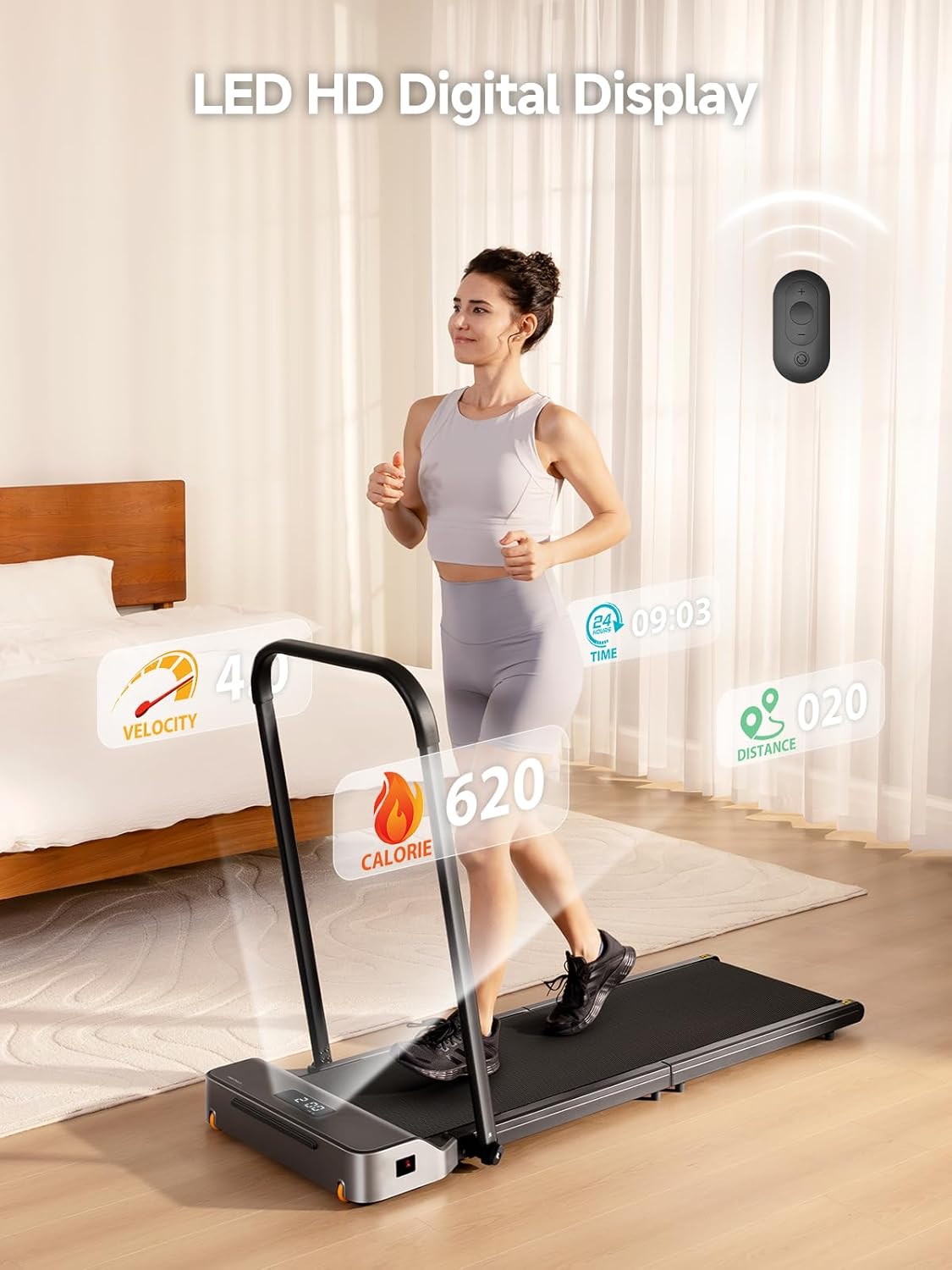
Image: The LED HD Digital Display showing workout data.
6. Product Features
6.1 Powerful & Quiet Brushless Motor
The Z1R is equipped with a high-quality brushless motor, offering a speed range of 1-5 MPH. This motor is designed for low-noise operation, allowing for exercise without significant disturbance in home or office environments.

Image: Illustration of the powerful brushless motor.
6.2 Ultra-Slim & Foldable Design
With an ultra-thin deck (approximately 1.69 inches thick) and a 180° foldable design, the Z1R can be stored effortlessly under beds, sofas, or in closets. This compact design makes it ideal for apartments, home offices, or small spaces.

Image: The WalkingPad Z1R in its folded state, stored under furniture.
6.3 8-Layer Shock-absorbing Running Belt
The treadmill features an 8-layer professional cushioning running belt. This design provides excellent rebound and impact reduction, protecting your knees and joints during exercise. It supports users up to 242 lbs, ensuring a stable, smooth, and quiet walking experience.
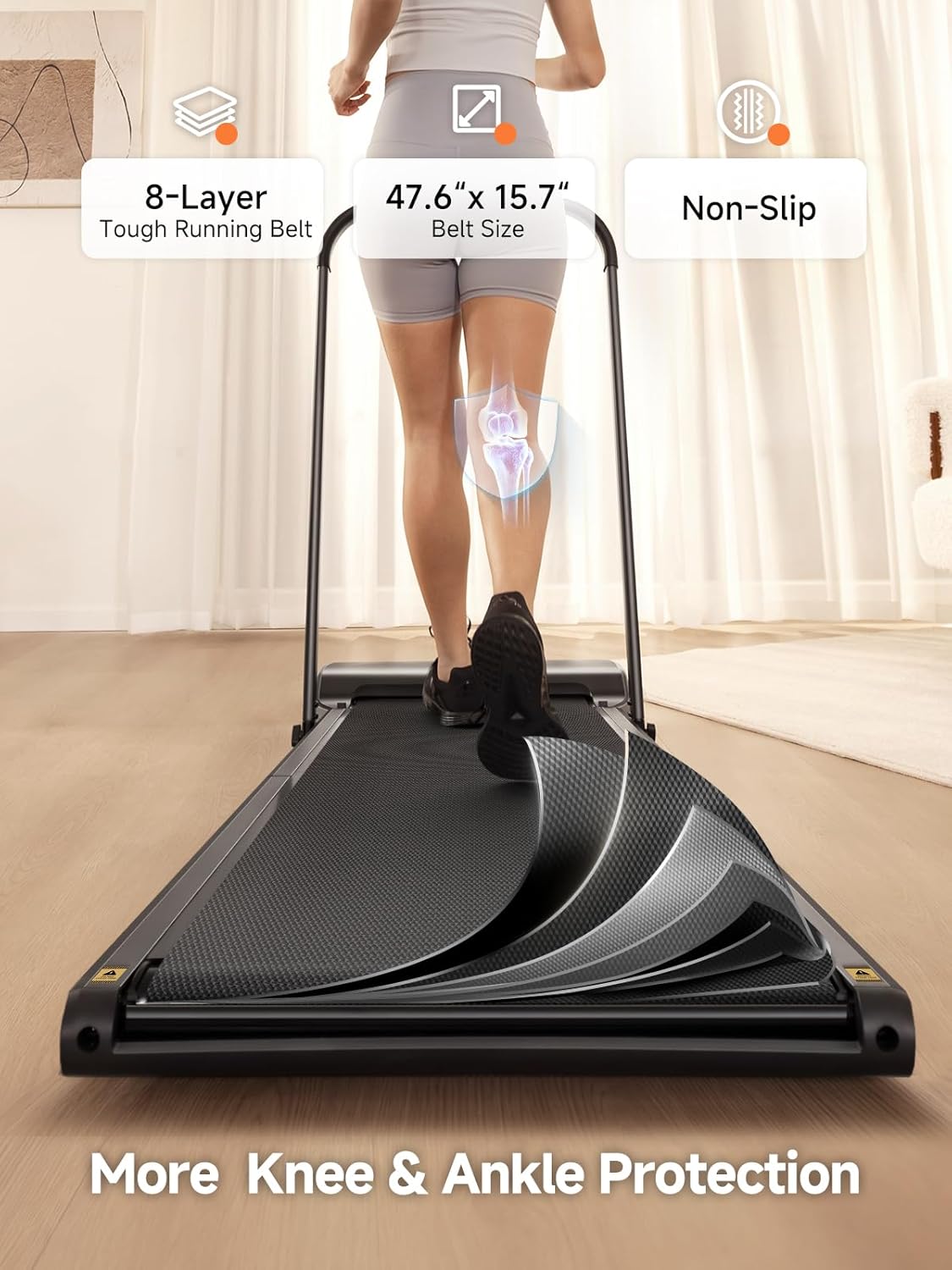
Image: The 8-layer shock-absorbing running belt for joint protection.
6.4 Versatile Use with Removable Handle Bar
The detachable handle bar offers flexibility. Use it for enhanced safety and support during warm-ups or recovery, or remove it for a wider, open walking surface, ideal for under-desk use or relaxed walks.

Image: Demonstrating the versatility of the removable handle bar for different exercise scenarios.
7. Maintenance
Regular maintenance ensures the longevity and optimal performance of your WALKINGPAD Z1R.
7.1 Cleaning
- Wipe down the treadmill with a damp cloth after each use to remove sweat and dust.
- Do not use abrasive cleaners or solvents.
7.2 Belt Lubrication
The running belt requires periodic lubrication to reduce friction and extend its lifespan. Use the provided silicone oil.
- Turn off and unplug the treadmill.
- Loosen the belt tension by turning the rear rollers counter-clockwise with the Allen key.
- Apply a small amount of silicone oil evenly under the center of the running belt.
- Tighten the belt tension by turning the rear rollers clockwise until the belt is snug but not overly tight.
- Run the treadmill at a low speed for a few minutes to distribute the lubricant.
7.3 Belt Adjustment
If the running belt shifts to one side or slips, it may need adjustment.
- If the belt shifts left: Turn the left rear roller adjustment bolt clockwise a quarter turn.
- If the belt shifts right: Turn the right rear roller adjustment bolt clockwise a quarter turn.
- If the belt slips: Turn both rear roller adjustment bolts clockwise a quarter turn to increase tension.
- Run the treadmill at a low speed after each adjustment to check alignment. Repeat if necessary.
8. Troubleshooting
If you encounter issues with your WALKINGPAD Z1R, refer to the following common problems and solutions:
| Problem | Possible Cause | Solution |
|---|---|---|
| Treadmill does not power on. | Power cord not connected; Power switch off; Outlet issue. | Ensure power cord is securely plugged in. Check power switch. Test outlet with another device. |
| Running belt slips. | Belt tension too loose; Belt needs lubrication. | Adjust belt tension (refer to 7.3). Lubricate the belt (refer to 7.2). |
| Running belt shifts to one side. | Belt alignment issue. | Adjust belt alignment (refer to 7.3). |
| Unusual noise during operation. | Loose components; Belt friction; Motor issue. | Check for loose screws. Lubricate belt. If noise persists, contact customer support. |
| Remote control not responding. | Battery low or dead; Remote out of range. | Replace remote control battery. Ensure remote is within operating range of the treadmill. |
9. Specifications
| Feature | Detail |
|---|---|
| Brand | WALKINGPAD |
| Model Name | WalkingPad Z1R |
| Model Number | WP400R4 |
| Color | Black |
| Product Dimensions (Unfolded) | 55.9"D x 23.2"W x 37.9"H |
| Folded Size | 49.2" x 23.2" x 5.5" |
| Item Weight | 57 Pounds |
| Material | Aluminum |
| Maximum Speed | 5 Miles per Hour |
| Minimum Speed | 1 Miles per Hour |
| Maximum Weight Recommendation | 242 Pounds |
| Maximum Horsepower | 2 Horsepower |
| Display | LED |
| Power Source | Corded Electric |
| Metrics Measured | Calories Burned, Distance, Speed, Time |
| Deck Length | 47.6 Inches |
| Deck Width | 15.7 Inches |
| Assembly Required | No |

Image: Product dimensions for the WalkingPad Z1R.
10. Warranty & Support
The WALKINGPAD Z1R comes with a 1-Year Warranty from the date of purchase, covering manufacturing defects. Please retain your proof of purchase for warranty claims.
For customer support, technical assistance, or warranty inquiries, please contact KINGSMITH WALKINGPAD directly. Contact information can typically be found on the product packaging or the official WALKINGPAD website.
You can also refer to the "NEED HELP?" sticker on the treadmill for contact details, which may include a phone number and email address.
11. Product Videos
11.1 WALKINGPAD Z1R Overview
Video: An overview of the WalkingPad Z1R, demonstrating its foldable design, quiet operation, and ease of use.
11.2 Removable Handle Bar Demonstration
Video: A demonstration of the removable handle bar feature on the WalkingPad Z1R, showing how it can be attached and detached.