
1. Introduction and Overview
The Shark BlastBoss AB2111 is an all-in-one cordless air blasting system designed for both indoor and outdoor cleaning tasks. It offers adjustable airflow from 0 to 190 MPH, providing precise control for various applications, from delicate dusting to clearing outdoor debris. The system includes a suite of interchangeable tools to enhance its versatility.

Figure 1.1: The Shark BlastBoss in action, demonstrating its use with the BlastBroom attachment for clearing debris.
2. Important Safety Information
Please read all safety warnings, instructions, illustrations, and specifications provided with this power tool. Failure to follow all instructions listed below may result in electric shock, fire, and/or serious injury.
- Read Instructions: Always read and understand the entire manual before operating the device.
- Eye Protection: Always wear appropriate eye protection when operating the air blasting system to prevent injury from flying debris.
- Keep Clear: Ensure bystanders, especially children, are kept at a safe distance from the operating area.
- Battery Safety: Use only the specified charging accessories and battery packs. Do not expose the battery to extreme temperatures or disassemble it.
- Proper Use: Do not direct airflow at people or animals. Avoid using the device in wet conditions unless specifically designed for it.
- Maintenance: Disconnect the battery before performing any maintenance or cleaning.
3. What's Included
Your Shark BlastBoss AB2111 system includes the following components:
- Shark BlastBoss Handheld Unit
- Precision Nozzle
- Extension Wand
- BlastBroom Attachment
- Rechargeable Battery (integrated or separate, depending on model variant)
- Charging Cable/Adapter

Figure 3.1: The complete suite of tools for the Shark BlastBoss, including the main unit, precision nozzle, extension wand, and BlastBroom.
4. Setup
Follow these steps to set up your Shark BlastBoss for first use:
- Charge the Battery: Before initial use, fully charge the device's battery. Connect the charging cable to the unit and a power outlet. The indicator light will show charging status.
- Attach Desired Tool: Select the appropriate attachment for your cleaning task. Align the attachment with the main unit's nozzle and push firmly until it clicks into place.
- Precision Nozzle: Ideal for focused airflow in tight spaces or for delicate items like electronics.
- Extension Wand: Provides extended reach for floors, under furniture, or high areas.
- BlastBroom: Combines air blasting with a brush for loosening and sweeping debris simultaneously.
- Verify Connection: Gently pull on the attachment to ensure it is securely fastened before operation.
Video 4.1: A short demonstration of the Shark BlastBoss system and its attachments, highlighting its versatility.
5. Operating Instructions
The Shark BlastBoss features a multi-speed trigger and various attachments for optimal cleaning performance.
5.1 Powering On and Off
- To turn on the unit, press and hold the power button.
- To turn off the unit, release the power button.
5.2 Adjusting Airflow (0-190 MPH)
The multi-speed trigger allows you to control the airflow intensity:
- Gently press the trigger for lower airflow, suitable for delicate tasks like dusting electronics or indoor surfaces.
- Press the trigger fully for maximum airflow (up to 190 MPH in Turbo mode), ideal for clearing heavier outdoor debris.

Figure 5.1: The multi-speed trigger provides variable airflow control for different cleaning needs.
5.3 Using Attachments
- Precision Nozzle: Use for targeted cleaning in crevices, corners, and around sensitive items.
- Extension Wand: Attach for reaching high shelves, under appliances, or for floor-level cleaning without bending.
- BlastBroom: Engage this attachment for sweeping and blasting simultaneously on hard surfaces like patios, driveways, and garage floors.
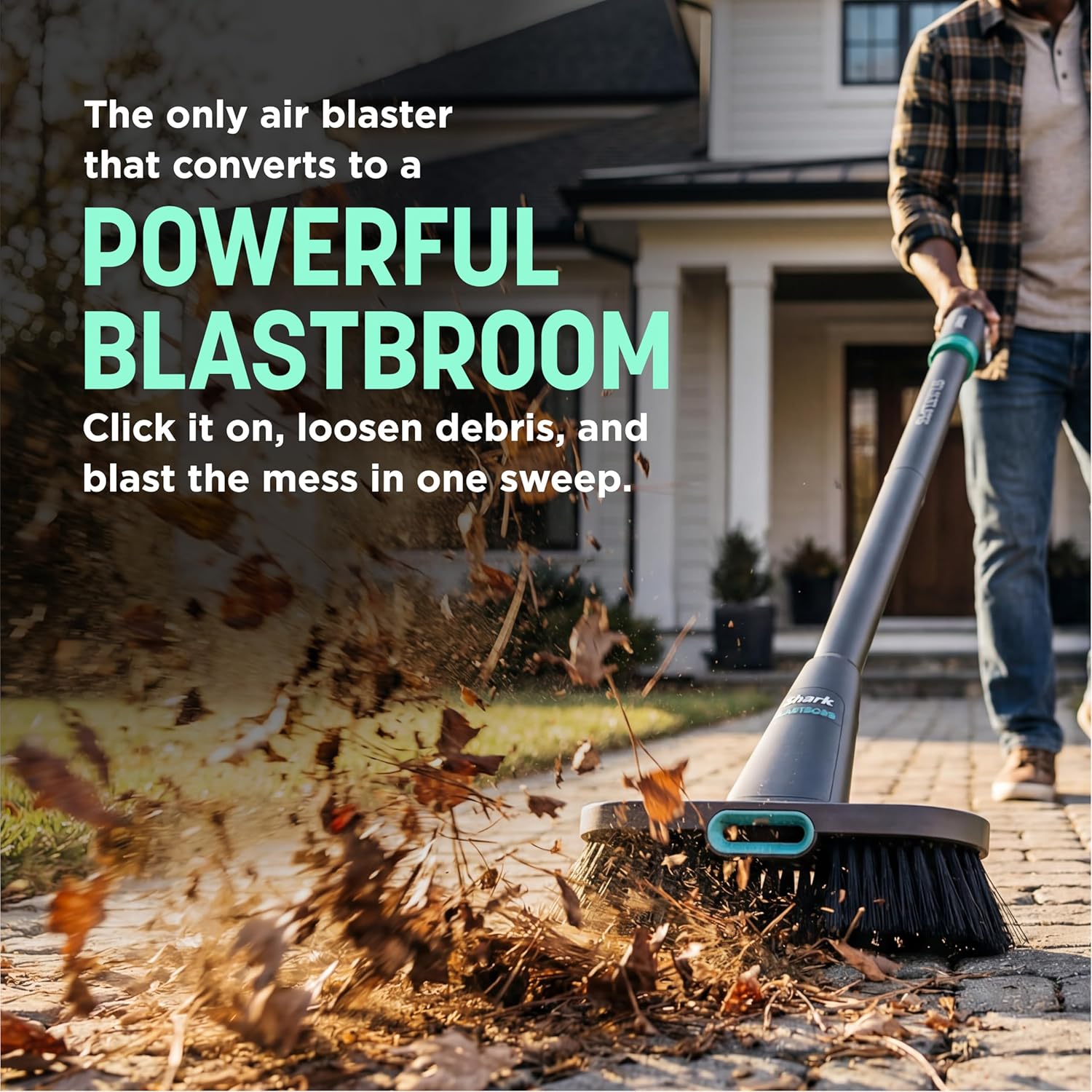
Figure 5.2: The BlastBroom attachment effectively clears outdoor debris.

Figure 5.3: The precision nozzle allows for accurate cleaning of dirt and debris.
5.4 Indoor and Outdoor Use
The BlastBoss is designed for versatile use:
- Indoor: Use lower settings for dusting, clearing crumbs from keyboards, or reaching under furniture.
- Outdoor: Utilize higher settings for clearing leaves, dirt, and debris from patios, garages, and car interiors. It can also be used to dry wet surfaces.

Figure 5.4: Guide for appropriate uses of the Shark BlastBoss.
Video 5.5: A detailed overview of the Shark BlastBoss, demonstrating its features and various applications for cleaning.
6. Maintenance
Regular maintenance ensures optimal performance and extends the lifespan of your Shark BlastBoss.
- Cleaning the Unit: Wipe the exterior of the unit and attachments with a soft, damp cloth. Do not use abrasive cleaners or immerse the unit in water.
- Nozzle and Wand Cleaning: Ensure all nozzles and the extension wand are free from obstructions. Clear any debris that may accumulate inside.
- Battery Care: Store the unit and battery in a cool, dry place. Avoid fully discharging the battery for extended periods. Recharge as needed.
- Storage: When not in use, store the BlastBoss and its attachments in a clean, dry area, away from direct sunlight and extreme temperatures.
7. Troubleshooting
If you encounter issues with your Shark BlastBoss, refer to the following common problems and solutions:
| Problem | Possible Cause | Solution |
|---|---|---|
| Unit does not turn on | Battery is not charged or improperly inserted. | Ensure the battery is fully charged and correctly seated in the unit. |
| Low airflow or weak performance | Nozzle/wand obstruction or low battery. | Check for and clear any blockages in the nozzle or wand. Recharge the battery. |
| Battery not charging | Charger not connected properly or faulty. | Ensure the charging cable is securely connected to both the unit and the power outlet. Try a different outlet. |
| Attachments do not stay on | Attachment not fully engaged. | Push the attachment firmly onto the main unit until you hear a click. |
If the problem persists after attempting these solutions, please contact Shark Customer Support.
8. Specifications
| Feature | Detail |
|---|---|
| Model Name | Shark BlastBoss All-in-One Air Blaster |
| Model Number | AB2111 |
| Brand | Shark |
| Power Source | Battery Powered |
| Voltage | 14.71 volts |
| Wattage | 300 watts |
| Airflow Speed | 0-190 MPH (variable) |
| Number of Speeds/Power Levels | 3 |
| Battery Life / Runtime | Up to 49 minutes |
| Item Weight | 1.5 pounds |
| Item Dimensions (L x W x H) | 13.46" x 2.13" x 3.5" |
| Form Factor | Handheld |
| Indoor/Outdoor Usage | Indoor, Outdoor |
| Included Components | Precision Nozzle, BlastBroom, Extension Wand |
| UPC | 622356716345 |
9. Warranty and Support
9.1 Product Warranty
Shark products are manufactured with high-quality materials and components. For detailed warranty information, please refer to the warranty card included with your purchase or visit the official Shark website. Keep your proof of purchase for warranty claims.
9.2 Customer Support
For technical assistance, troubleshooting, or to order replacement parts, please contact Shark Customer Support:
- Website: www.sharkclean.com
- Phone: Refer to your product packaging or the Shark website for the most current contact number.
Please have your model number (AB2111) and purchase date available when contacting support.
