
1. Introduction
The Monster Mission 350 is a versatile wireless gaming headset designed for an immersive audio experience across various platforms. It features dual connectivity options (2.4GHz wireless and Bluetooth 6.0), a detachable microphone, and comfortable over-ear design. This manual provides instructions for setup, operation, maintenance, and troubleshooting to ensure optimal use of your headset.
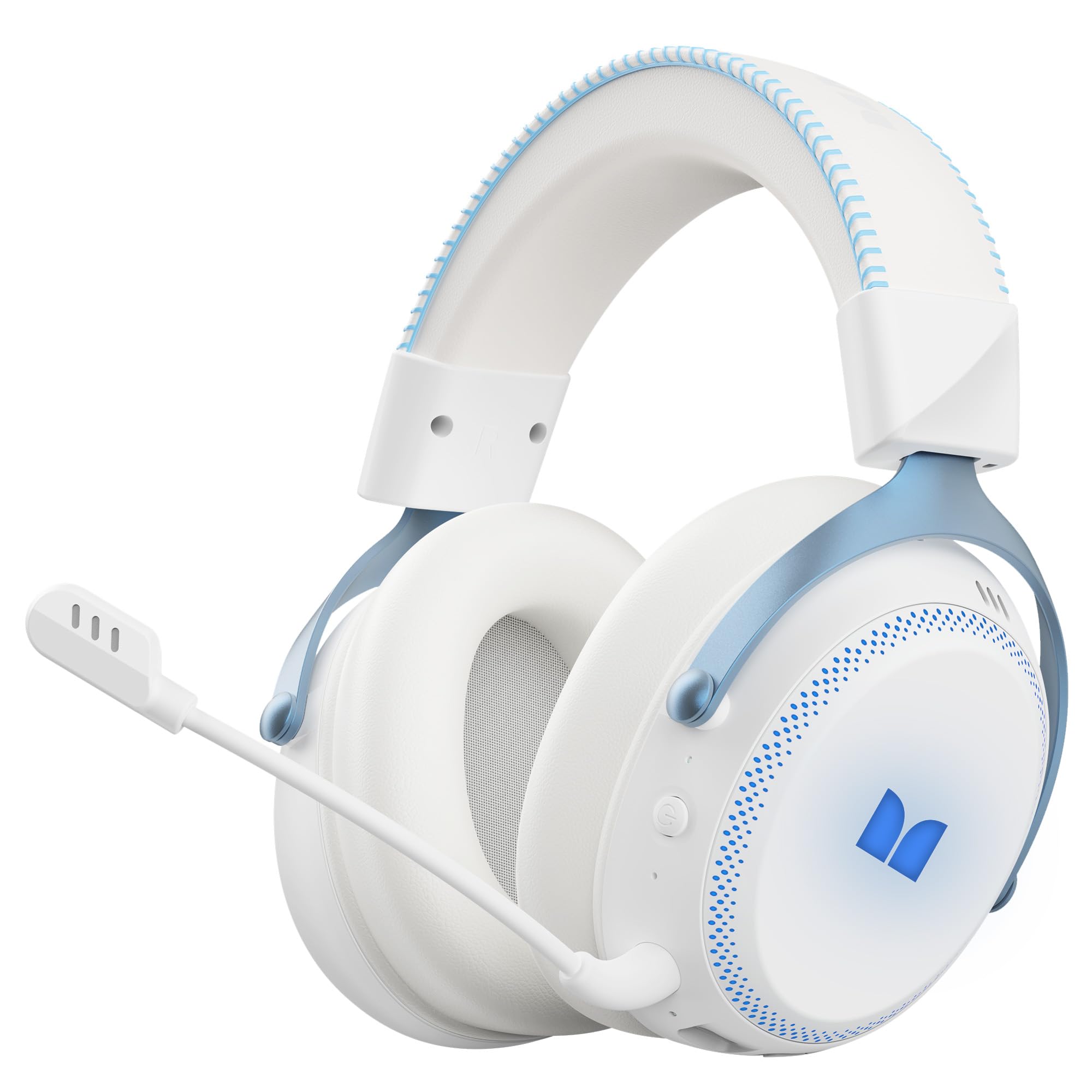
Figure 1.1: The Monster Mission 350 headset providing 7.1 surround sound, allowing users to pinpoint audio cues like gunshots, explosions, vehicle sounds, and enemy footsteps for an immersive gaming experience.
2. Package Contents
Please check the package for the following items:
- Monster Mission 350 Wireless Gaming Headset x1
- 2.4GHz USB Wireless Dongle x1
- Detachable Microphone x1
- USB Charging Cable x1
- 3.5mm Audio Cable x1
- User Manual x1
3. Product Overview
Familiarize yourself with the components and controls of your Monster Mission 350 headset.
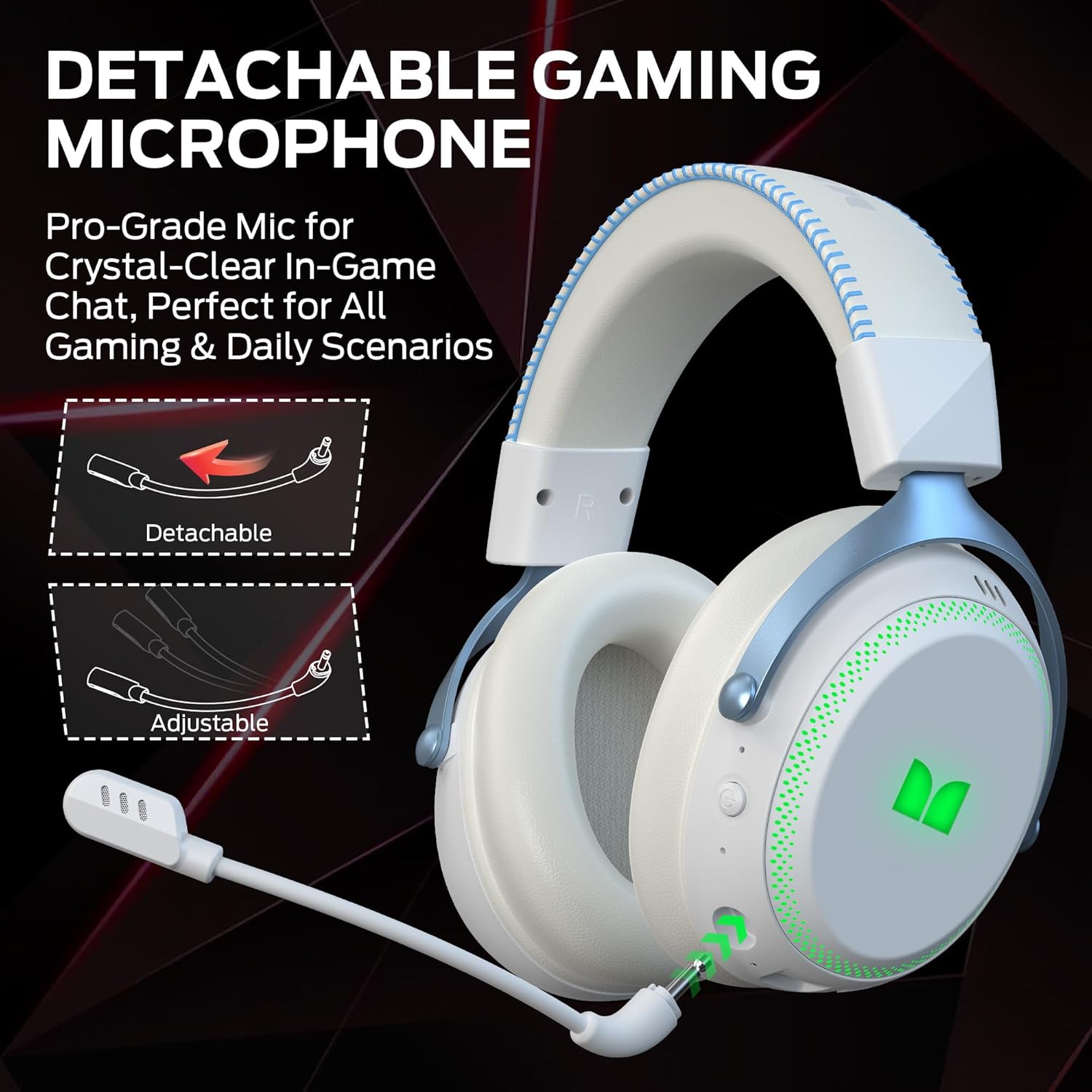
Figure 3.1: The headset features a detachable and adjustable gaming microphone, designed for clear in-game communication and versatile use in various scenarios.

Figure 3.2: The headset includes customizable RGB lighting effects on the earcups, allowing users to personalize their gaming setup and enhance the aesthetic appeal.
Headset Controls (Refer to diagram in physical manual for exact placement)
- Power Button: Press and hold to power on/off.
- Volume Wheel: Adjusts audio output level.
- Microphone Mute Button: Toggles microphone on/off.
- RGB Lighting Button: Cycles through lighting modes or turns RGB off.
- 3.5mm Audio Jack: For wired connection.
- USB-C Charging Port: For charging the headset.
4. Setup
4.1. Charging the Headset
Before first use, fully charge the headset. Connect the USB charging cable to the headset's USB-C port and the other end to a USB power source (e.g., computer, wall adapter). The charging indicator light will show charging status and turn off or change color when fully charged. A full charge takes approximately 2 hours.
4.2. Connecting via 2.4GHz Wireless
This method provides a low-latency connection ideal for gaming.
- Insert the 2.4GHz USB wireless dongle into an available USB port on your gaming console, desktop, or laptop.
- Power on the Monster Mission 350 headset.
- The headset should automatically connect to the dongle. A status indicator light on the headset will confirm the connection.
- Adjust audio settings on your device to ensure the headset is selected as the input and output device.
4.3. Connecting via Bluetooth
Use Bluetooth for connecting to mobile devices, tablets, or other Bluetooth-enabled devices.
- Power on the Monster Mission 350 headset.
- Press and hold the Bluetooth pairing button (refer to physical manual for location) until the indicator light flashes, indicating pairing mode.
- On your device, go to Bluetooth settings and search for "Monster Mission 350".
- Select the headset to pair. The indicator light on the headset will become solid when connected.
4.4. Connecting via 3.5mm Audio Cable
For wired connections to devices with a 3.5mm audio jack, or when the battery is depleted.
- Connect one end of the 3.5mm audio cable to the headset's 3.5mm audio jack.
- Connect the other end to the 3.5mm audio output on your device.
- The headset will operate in passive mode, and power is not required for audio playback.

Figure 4.1: The Monster Mission 350 supports dual audio connections, featuring Bluetooth 6.0 for mobile devices and a dedicated 2.4GHz wireless dongle for low-latency gaming on compatible platforms.
5. Operating Instructions
5.1. Power On/Off
Press and hold the Power button for approximately 3 seconds to turn the headset on or off. An audible prompt or indicator light will confirm the status.
5.2. Volume Control
Rotate the Volume wheel located on the earcup to increase or decrease the audio volume.
5.3. Microphone Usage
Attach the detachable microphone to the designated port on the headset. Press the Microphone Mute button to toggle the microphone on or off. The microphone can be adjusted for optimal positioning.
5.4. RGB Lighting Control
Press the RGB Lighting button to cycle through different lighting effects or to turn the RGB lighting off. This feature allows for customization of the headset's appearance.
5.5. Battery Life and Indicators
The headset provides approximately 70 hours of battery life for general use, or 45 hours with RGB lights continuously on. A low battery indicator will alert you when charging is required.

Figure 5.1: The Monster Mission 350 headset offers extended battery performance, with a 2-hour charge providing up to 90 hours of gaming, 45 hours with RGB lights active, or 70 hours for calls.
6. Maintenance and Care
Proper care ensures the longevity and performance of your headset.
- Cleaning: Use a soft, dry cloth to clean the headset. For earcups, gently wipe with a slightly damp cloth if necessary, and allow to air dry completely before use. Avoid harsh chemicals or abrasive materials.
- Storage: Store the headset in a cool, dry place away from direct sunlight and extreme temperatures.
- Water Resistance: The headset is not water resistant. Avoid exposure to liquids.
- Battery Care: To maintain battery health, avoid fully discharging the battery frequently. Charge the headset regularly, even if not in use for extended periods.

Figure 6.1: The Monster Mission 350 headset is designed for all-day comfort, featuring comfortable memory foam earcups, an adjustable headband, and soft, breathable earpads to reduce fatigue during extended use.
7. Troubleshooting
If you encounter issues with your Monster Mission 350 headset, refer to the following common problems and solutions:
| Problem | Possible Solution |
|---|---|
| Headset does not power on. | Ensure the headset is fully charged. Press and hold the Power button for 3-5 seconds. |
| No sound or low volume. | Check headset volume wheel. Verify device's audio output settings. Ensure headset is properly connected (2.4GHz dongle, Bluetooth, or 3.5mm cable). |
| Microphone not working. | Ensure microphone is securely attached and not muted. Check device's input settings to confirm the headset microphone is selected. |
| Cannot connect via 2.4GHz wireless. | Ensure the USB dongle is fully inserted. Try a different USB port. Power cycle both the headset and the device. |
| Cannot pair via Bluetooth. | Ensure headset is in pairing mode. Turn off and on Bluetooth on your device. Forget the device from your Bluetooth list and try pairing again. |
| RGB lights are not working. | Press the RGB Lighting button to cycle through modes. Ensure the headset has sufficient battery charge. |
8. Specifications
Detailed technical specifications for the Monster Mission 350 Wireless Gaming Headset:
| Feature | Detail |
|---|---|
| Model Number | Monster Mission 350 |
| Connectivity Technology | 2.4GHz Wireless, Bluetooth 6.0, 3.5mm Jack |
| Wireless Range | Up to 33 Feet (Bluetooth) |
| Audio Driver Size | 55 mm Dynamic Driver |
| Impedance | 32 Ohms |
| Sensitivity | 120 dB |
| Ear Placement | Over Ear |
| Enclosure Material | Leather (earpads) |
| Battery Life | Up to 70 Hours (general use), 45 Hours (with RGB lights on) |
| Battery Charge Time | Approximately 2 Hours |
| Control Type | Button Control (Push Button, Siri compatible) |
| Compatible Devices | Gaming Consoles, Desktops, Tablets, Laptops, Cellphones |
| Item Weight | 0.54 Kilograms |
| Water Resistance Level | Not Water Resistant |

Figure 8.1: The Monster Mission 350 headset is equipped with a 55mm dynamic driver, engineered to deliver clear and powerful audio performance for gaming and multimedia.
9. Warranty Information
The Monster Mission 350 Wireless Gaming Headset comes with a 3-month warranty from the date of purchase. This warranty covers manufacturing defects under normal use. It does not cover damage caused by misuse, accidents, unauthorized modifications, or normal wear and tear. Please retain your proof of purchase for warranty claims.
10. Customer Support
For further assistance, technical support, or warranty inquiries, please refer to the contact information provided with your product packaging or visit the official Monster website. When contacting support, please have your product model number (Monster Mission 350) and proof of purchase readily available.


