
1. Introduction
This manual provides essential information for setting up, operating, and maintaining your Hisense 65U7SG 65-Inch U7 Series Mini-LED ULED 4K UHD Smart Google TV. Please read this manual thoroughly before using your television to ensure proper and safe operation. Keep this manual for future reference.

Image: The Hisense 65U7SG television integrated into a modern living room environment.
2. What's in the Box
Verify that all components listed below are included in your package:
- Hisense 65U7SG Television
- Power Cable
- Remote Control
- TV Stand Components
- User Manual (this document)
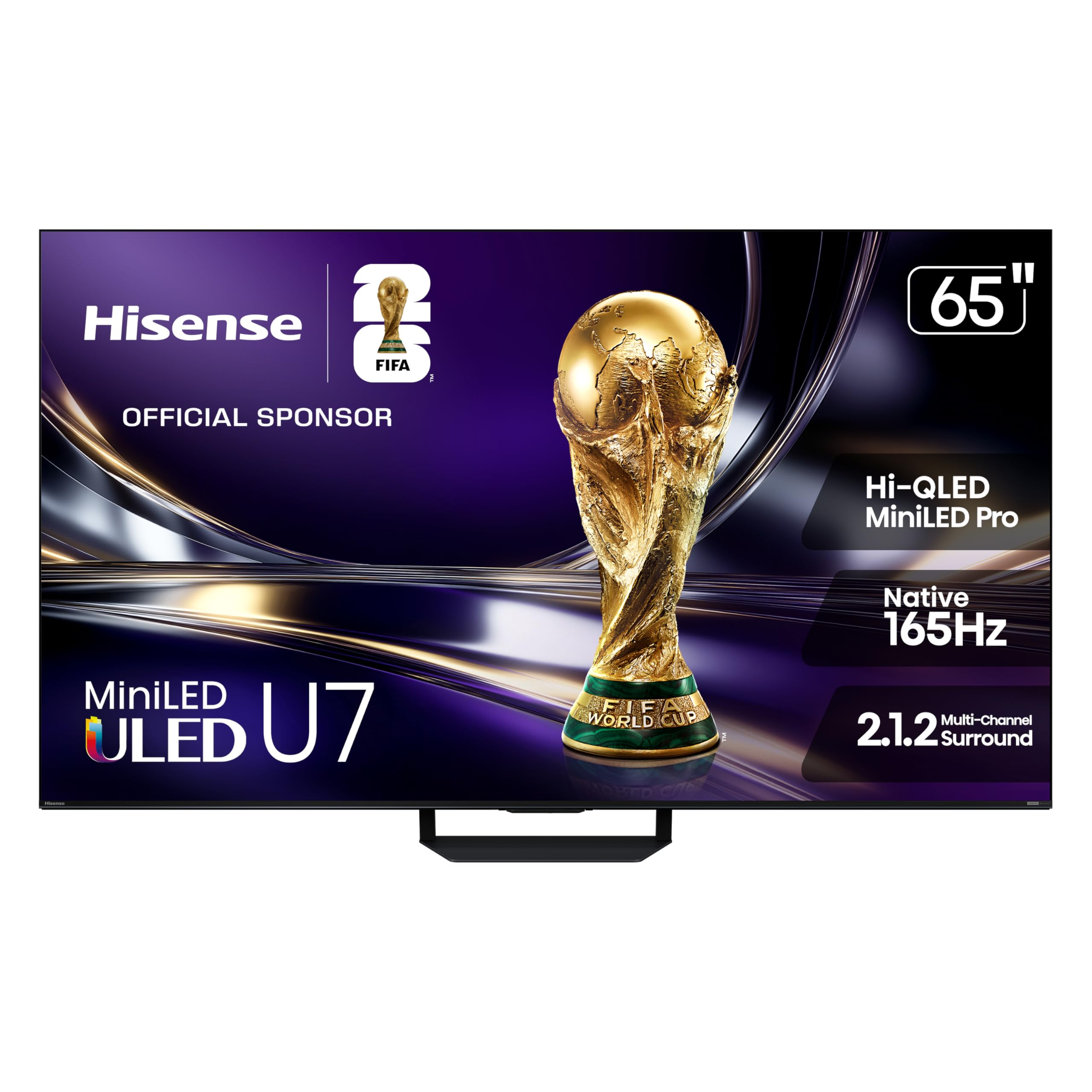
Image: The Hisense 65U7SG television with its remote control, power cable, and stand components.
3. Physical Specifications and Dimensions
Understanding the physical attributes of your television is important for proper placement and installation.

Image: Detailed diagram illustrating the height, width, depth, and stand dimensions of the 65-inch Hisense U7 Series TV, along with VESA mount size and product weight.
| Specification | Value |
|---|---|
| Screen Size | 65 inches |
| Product Dimensions (D x W x H) | 2.3"D x 56.9"W x 33"H |
| Adjustable Stand Height | 34.1" or 35.3" |
| Product Weight (with stand) | 51.6 lbs |
| Product Weight (without stand) | 43.2 lbs |
| VESA Wall Mount Standard | 400 x 300 mm (M6) |

Image: Rear view of the Hisense 65U7SG television, showing the textured back panel and central mounting area.
4. Setup
4.1 Connecting Peripherals
Your Hisense TV offers various ports for connecting external devices. Refer to the diagram below for port locations and functions.

Image: Close-up diagram of the Hisense 65U7SG TV's rear panel, detailing the location and type of connectivity ports.
- USB x 2: For media playback or powering compatible devices.
- HDMI 1 / 2 / 4 - 4K@165Hz: Supports up to 4K resolution at 165Hz with VRR and ALLM, ideal for gaming consoles, PCs, and high-frame-rate sources.
- HDMI 3 - 4K@165Hz (eARC): Enhanced Audio Return Channel for high-quality sound via soundbars or AV receivers.
- ANT / CABLE: Connects to over-the-air or cable TV signals.
- DIGITAL AUDIO OUT (OPTICAL): Outputs high-quality digital sound to external audio systems.
- ETHERNET (LAN): Provides a stable wired connection for streaming, updates, and smart TV features.
4.2 Remote Control
The included remote control provides convenient access to all TV functions. It requires 2 AAA batteries (not included). Ensure batteries are inserted with correct polarity.

Image: The Hisense 65U7SG back-lit voice remote control, highlighting features like 'Lift to Light', 'Customizable Favorite Key', 'Find My Remote', and 'Ambient Light Sensing'.
5. Operating Your TV
5.1 Display and Picture Quality
The Hisense 65U7SG features advanced display technologies for an optimal viewing experience.
- Hi-QLED MiniLED Pro: Utilizes thousands of MiniLED backlights for precise control, delivering vibrant pictures with exceptional brightness and deep blacks.
- Up to 3000 Local Dimming Zones & 3000 Nits Peak Brightness: Precision lighting zones enhance contrast, sharpen edges, and provide intense highlights.
- Native 165Hz Refresh Rate: Ensures fluid and blur-free motion for fast-paced content like gaming and sports.
- Anti-Reflection & Glare-Free: An advanced dual-layer screen treatment minimizes reflections and glare for clear viewing in various lighting conditions.
- Hi-View AI Engine Pro: An intelligent processor that continuously optimizes color, contrast, and clarity in real-time.
- Hi-QLED Color & Pantone Validated: Delivers natural and accurate colors, validated by Pantone for true-to-life realism.
- AI Smooth Motion & Motion Rate 660: AI-powered motion technology reduces blur and choppiness by intelligently filling frames.

Image: An overview graphic highlighting key features of the Hisense U7 MiniLED TV, including Hi-QLED MiniLED Pro, Native 165Hz Refresh Rate, Anti-Reflection, Hi-View AI Engine Pro, 3000 nits Peak Brightness, and Hi-QLED Color.

Image: A split-screen comparison demonstrating the effectiveness of the Anti-Reflection & Glare-Free screen, showing a clear image on the 'with' side versus reflections on the 'without' side.
5.2 Audio Features
Experience immersive sound with the integrated audio system.
- 2.1.2 Multi-Channel Surround: Delivers rich, room-filling audio from multiple directions.
- Tuned by Devialet: Audio system optimized by Devialet for enhanced sound quality.
- Dolby Vision IQ & Dolby Atmos: Provides a cinematic audio-visual experience with dynamic HDR and immersive sound.
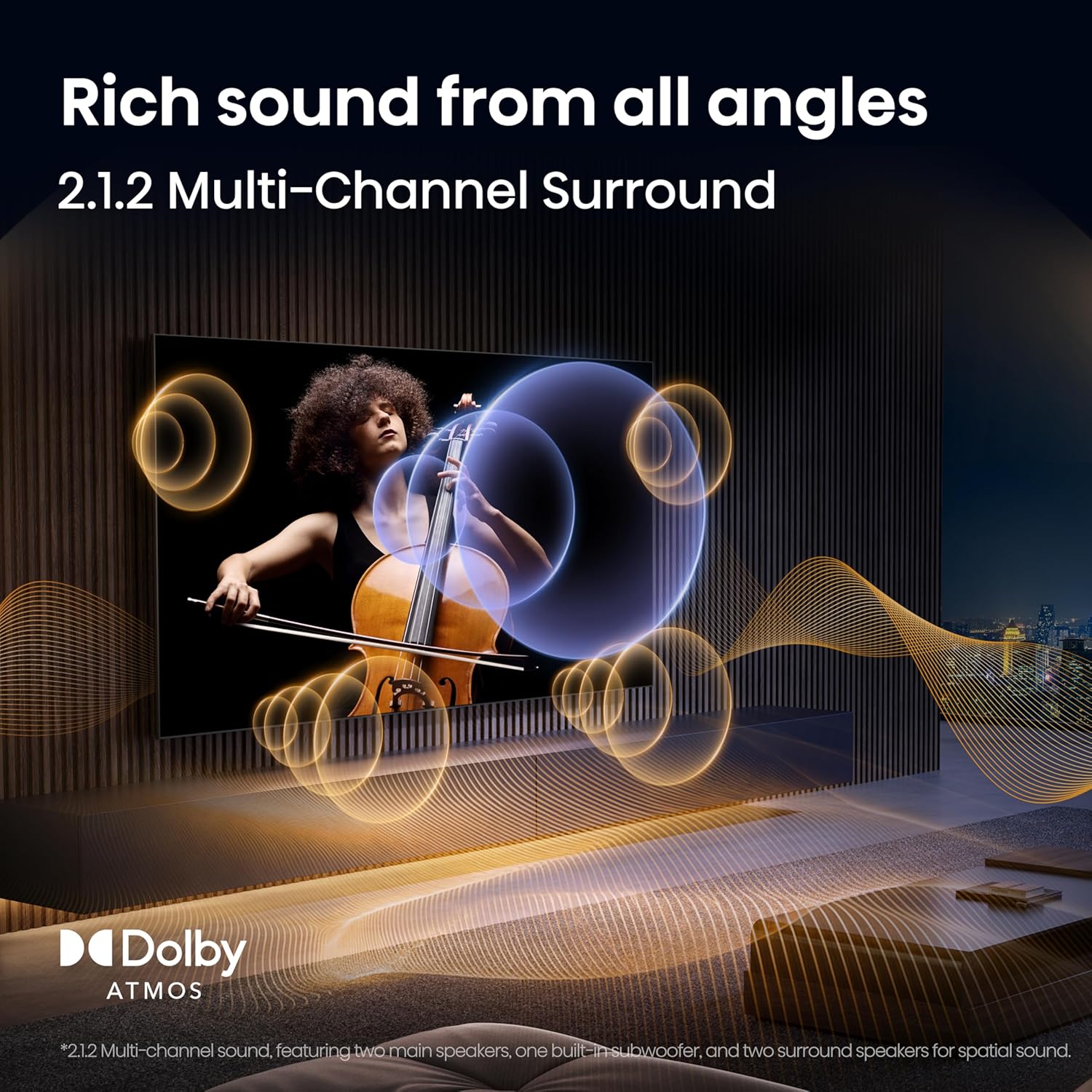
Image: An illustration depicting sound waves emanating from the TV and reflecting off walls, demonstrating the immersive effect of 2.1.2 Multi-Channel Surround Sound with Dolby Atmos.
5.3 Smart TV and Connectivity
The Hisense 65U7SG integrates smart features for seamless entertainment and connectivity.
- Google TV with Gemini AI: Offers personalized content recommendations and voice control.
- Internet Applications: Access popular streaming services like Netflix, Prime Video, Disney Plus, Hulu, and YouTube.
- Wi-Fi 6E: Provides faster and more stable wireless connectivity for streaming and gaming.
- Bluetooth 5.4: For connecting compatible devices such as headphones and speakers.
- Screen Mirroring: Supports AirPlay and Google Cast for sharing content from mobile devices to the TV.

Image: The Google TV interface displayed on the Hisense TV, showing various streaming app icons and content recommendations, with a prompt for Gemini AI interaction.
5.4 Gaming Features
Designed for an enhanced gaming experience.
- Game Booster 330 with Enhanced Game Bar: Delivers ultra-responsive gameplay with reduced input lag and VRR up to 330Hz. The Game Bar allows real-time monitoring and adjustment of FPS, VRR, HDR, and other settings.
- AMD FreeSync Premium Pro: Synchronizes the display refresh rate with your graphics processor to eliminate screen tearing and stuttering.
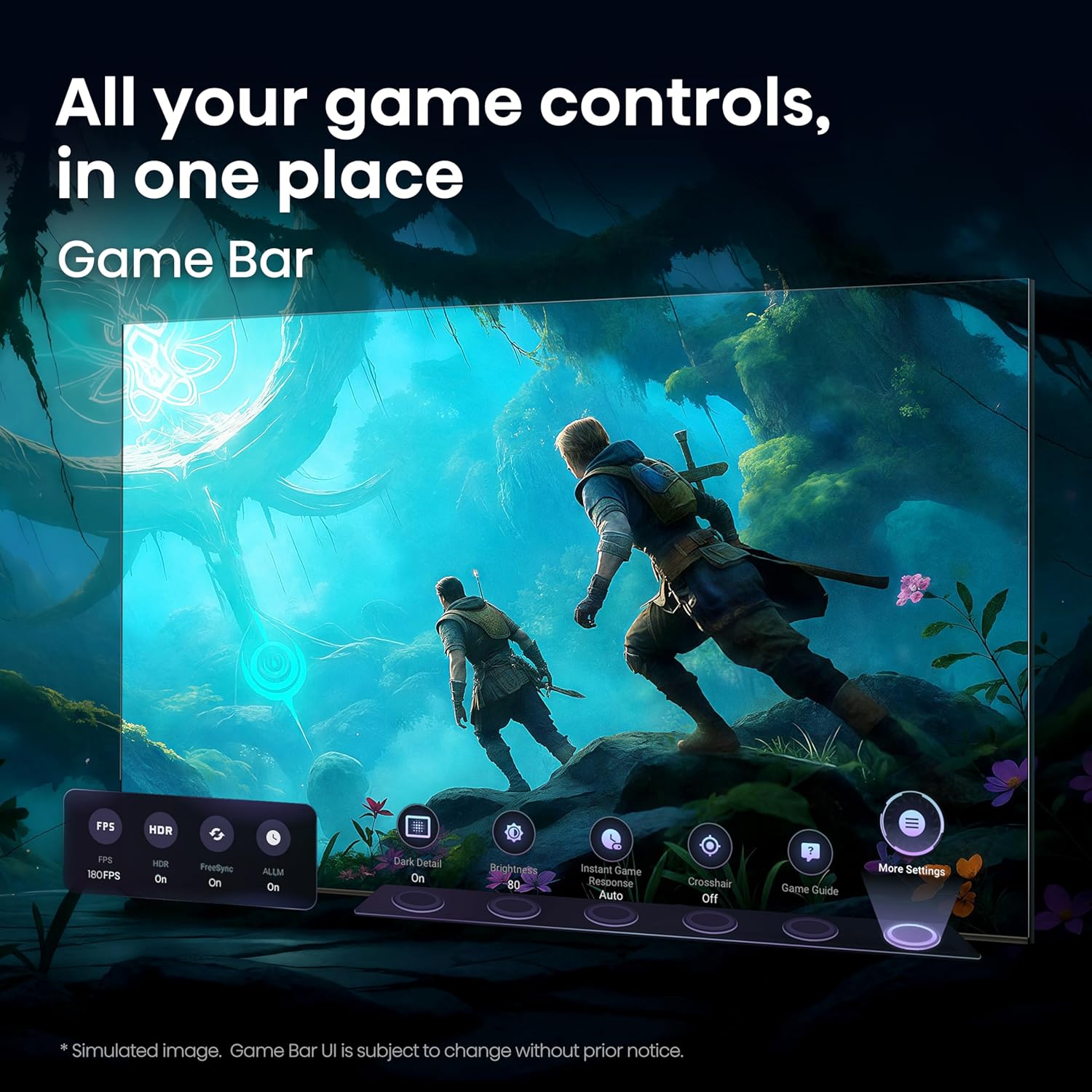
Image: The Game Bar interface overlaid on a gaming scene, showing options for FPS, HDR, ALLM, Dark Detail, Instant Game Response, and Crosshair settings.
6. Maintenance
Proper maintenance ensures the longevity and optimal performance of your television.
6.1 Cleaning the Screen
- Turn off the TV and unplug the power cord.
- Gently wipe the screen with a soft, dry microfiber cloth.
- For stubborn marks, lightly dampen the cloth with distilled water or a specialized screen cleaner (ensure it's safe for TV screens) and wipe carefully. Do not spray liquid directly onto the screen.
- Avoid using harsh chemicals, abrasive pads, or paper towels, as these can damage the screen surface.
6.2 Cleaning the Cabinet
- Wipe the TV cabinet and stand with a soft, dry cloth.
- Do not use water or any liquid cleaners on the cabinet, as this may cause damage.
7. Troubleshooting
If you encounter issues with your TV, refer to the following common troubleshooting steps. If the problem persists, contact customer support.
7.1 No Power
- Ensure the power cord is securely plugged into both the TV and a working electrical outlet.
- Check if the power outlet is functioning by plugging in another device.
- Press the power button on the TV itself, not just the remote, to rule out remote issues.
7.2 No Picture or Sound
- Verify that the correct input source is selected (e.g., HDMI 1, TV).
- Check all cable connections (HDMI, antenna, etc.) to ensure they are secure.
- If using an external device, ensure it is powered on and functioning correctly.
- Adjust the volume and ensure the TV is not muted.
7.3 Remote Control Not Working
- Replace the batteries in the remote control.
- Ensure there are no obstructions between the remote and the TV's IR sensor.
- If it's a Bluetooth remote, ensure it is properly paired with the TV.
7.4 Network Connectivity Issues
- Check your Wi-Fi router and modem to ensure they are powered on and working.
- Restart your TV, router, and modem.
- Ensure the Wi-Fi password is entered correctly.
- If possible, try connecting the TV to the internet via an Ethernet cable.
8. Full Technical Specifications
A detailed list of technical specifications for the Hisense 65U7SG television.
| Category | Specification |
|---|---|
| Display | Screen Size: 65 inches Display Technology: 4K UHD, Hi-QLED (Quantum Dot Color), IMAX Enhanced, MiniLED Pro Resolution: 4K (3840 x 2160) Refresh Rate: Native 165 Hz Peak Brightness: Up to 3000 nits Local Dimming Zones: Up to 3000 Screen Finish: Flat, Anti-Reflection & Glare-Free HDR Format Supported: Dolby Vision, Dolby Vision IQ, HDR10+, HDR10, HDR10+ Adaptive |
| Picture Enhancement | Hi-View AI Engine Pro AI Smooth Motion & Motion Rate 660 Full Array Local Dimming WCG-Wide Color Gamut Pantone Validated Color |
| Audio | Number of Audio Channels: 2.1.2 Multi-Channel Surround Audio Encoding: Dolby Atmos Speaker Description: DTS Virtual:X Speaker Maximum Output Power: 50 watts Integrated Surround Sound Format: DTS Virtual:X, Dolby Atmos Tuned by Devialet |
| Smart TV Features | Operating System: Google TV with Gemini AI Control Method: Voice Internet Applications: Disney Plus, Hulu, Netflix, Prime Video, YouTube Screen Mirroring Technology: AirPlay, Google Cast |
| Connectivity | Wi-Fi: Wi-Fi 6E Bluetooth: Bluetooth 5.4 HDMI Ports: 4 (HDMI 1/2/4: 4K@165Hz; HDMI 3: 4K@165Hz eARC) USB Ports: 2 (1x USB 2.0, 1x USB 3.0) Ethernet (LAN): Yes RF Input: Yes Digital Audio Out: Optical |
| Gaming Features | Game Booster 330 VRR (Variable Refresh Rate) ALLM (Auto Low Latency Mode) AMD FreeSync Premium Pro Game Bar |
| Power | Voltage: 120 volts Line Voltage: 100-240 VAC 50-60 Hz Wattage: 250 watts Power Consumption: 250 watts |
| Physical | Product Dimensions (D x W x H): 2.3"D x 56.9"W x 33"H Item Weight (without stand): 43.2 pounds Item Weight (with stand): 51.6 pounds VESA Mount Standard: 400 x 300 mm Color: Black |
| Included Components | TV, Power Cable, Remote Control, Stand, User Manual |
| Model Information | Model Name: 65U7SG Model Number: 65U7SG Model Year: 2026 UPC: 888143026053 |
9. Warranty Information
Your Hisense 65U7SG television comes with a 2-year manufacturer's warranty. This warranty covers defects in materials and workmanship under normal use. Please retain your proof of purchase for warranty claims. For specific terms and conditions, refer to the warranty documentation included with your product or visit the official Hisense website.
10. Customer Support
For technical assistance, troubleshooting beyond this manual, or warranty inquiries, please contact Hisense Customer Support. Have your TV model number (65U7SG) and serial number ready when contacting support.
- Online Support: Visit the official Hisense support website for FAQs, software updates, and contact options.
- Telephone Support: Refer to your warranty card or the Hisense website for regional contact numbers.


