
1. Introduction
Welcome to the instruction manual for your new Hisense 55E7S PRO QLED 144Hz 55" 4K Smart TV. This document provides essential information for the safe and efficient use of your television. Please read this manual thoroughly before operating the device and retain it for future reference.
The Hisense 55E7S PRO features a QLED display with a 144Hz refresh rate, offering a vibrant 4K viewing experience. It integrates the VIDAA Smart TV platform with access to numerous applications, Dolby Vision.Atmos for immersive audio-visuals, and a Native 144Hz Game Mode for enhanced gaming.
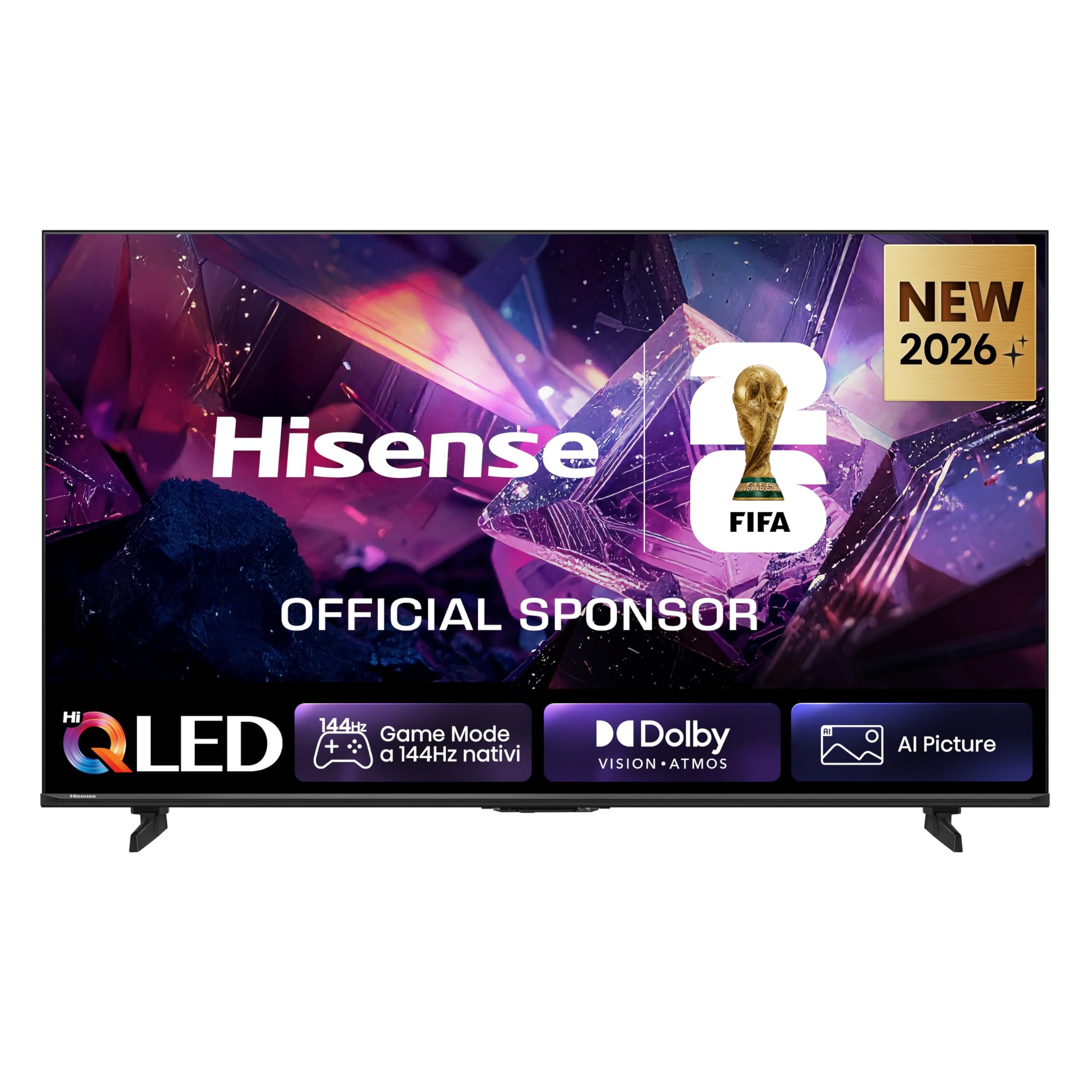
Image: Front view of the Hisense 55E7S PRO QLED 4K Smart TV.
2. Setup
2.1 Unpacking and Package Contents
Carefully remove the television from its packaging. Ensure all components are present before discarding packaging materials.
What's in the Box:
- Hisense 55E7S PRO Television
- Remote Control
- Power Cable
- User Manual (this document)
2.2 Physical Dimensions and Weight
Understanding the dimensions and weight of your TV is crucial for proper placement and mounting.

Image: Hisense 55E7S PRO TV dimensions and weight specifications, showing front, side, and rear views with measurements in millimeters and product weight in kilograms.
- Screen Size: 55 inches (139 cm)
- Dimensions (D x W x H): 5.9P x 122.6l x 71.5H cm (without stand)
- Weight: 12.4 kg (with stand), 12.2 kg (without stand)
- VESA Mounting Standard: 400 x 300 mm
2.3 Connecting Peripherals
The Hisense 55E7S PRO offers a variety of ports for connecting external devices.

Image: Rear view of the Hisense TV showing connection ports: 2x USB, CI Slot, 2x HDMI (4K@60Hz), HDMI 3 (eARC & 4K@144Hz), HDMI 4 (4K@144Hz), ANT 1/2, Ethernet (LAN), and Digital Audio Out (Optical).
Available Ports:
- USB x 2: For playing multimedia files and connecting basic devices. (1x USB 2.0, 1x USB 3.0)
- CI SLOT: Allows access to encrypted or pay TV channels.
- HDMI (4K@60Hz) x 2: Connect external devices and transmit digital video and audio.
- HDMI 3 (eARC & 4K@144Hz): Supports high-bandwidth audio formats like Dolby Atmos.
- HDMI 4 (4K@144Hz): Supports 4K at 144Hz for fluid, high-resolution gaming and video.
- ANT 1 / 2: Receives terrestrial television signals.
- ETHERNET (LAN): Provides a stable wired internet connection.
- DIGITAL AUDIO OUT (OPTICAL): For connecting external audio systems.
3. Operating Instructions
3.1 Remote Control
The included remote control provides easy access to all TV functions, including dedicated buttons for popular streaming services and voice control.

Image: Hisense TV remote control with dedicated buttons for streaming services like Disney+, Prime Video, YouTube, Netflix, and voice command functionality.
Key Remote Features:
- Power Button: Turns the TV on or off.
- Home Button: Accesses the VIDAA Smart TV home screen.
- Navigation Buttons (Up/Down/Left/Right/OK): For menu navigation and selection.
- Volume Up/Down: Adjusts the sound level.
- Channel Up/Down: Changes TV channels.
- Dedicated App Buttons: Quick access to Disney+, Prime Video, YouTube, Netflix, and more.
- Voice Control Button: Activates voice commands for hands-free operation.
3.2 Smart TV Features (VIDAA OS)
Your Hisense TV runs on the VIDAA U operating system, providing a user-friendly interface for accessing a wide range of content and applications.

Image: Hisense VIDAA Smart TV interface, displaying various streaming apps and content recommendations.
Key Smart Features:
- Pre-installed Apps: Enjoy popular streaming services like Disney+, NOW, Netflix, Prime Video, and YouTube.
- Voice Control: Use the remote's voice button to navigate programs, adjust volume, and interact with virtual assistants.
- Screen Mirroring: Supports AirPlay 2 and Smart View for casting content from compatible devices (Android, iPhone).
- EzPlay: Control your TV and compatible soundbar from a single remote.
- Hi-Concerto: Achieve unified audio harmony between your TV and a compatible soundbar for an immersive experience.
3.3 Picture and Sound Technologies
Experience stunning visuals and immersive audio with advanced technologies integrated into your TV.

Image: Hisense Hi-QLED 4K display showing vivid and authentic colors in a digital image of red and blue flower petals.
- QLED Display: Delivers vivid and authentic colors with stunning clarity.
- Dolby Vision.Atmos: Combines HDR Dolby Vision visuals with immersive Dolby Atmos audio for a cinematic experience.
- AI Picture: The Hi-View AI Engine intelligently optimizes picture quality by enhancing depth, color, and motion frame by frame. It automatically adjusts brightness, contrast, saturation, and noise based on content and environment.
- AI Smooth Motion: Reduces blur and judder in fast-moving scenes for a fluid viewing experience, ideal for sports and action.
- AI 4K Upscaler: Enhances all content to stunning 4K quality by analyzing low-resolution images and reconstructing missing details and textures.
- Filmmaker Mode: Preserves the original aspect ratio, color, frame rate, and other elements as intended by the filmmaker for an authentic viewing experience.
- AI Light Sensor: Automatically adjusts screen brightness in real-time based on ambient light, ensuring optimal image quality day or night.
3.4 Gaming Features
The 55E7S PRO is designed for gamers, offering features that ensure smooth and responsive gameplay.

Image: Promotional image for Hisense Game Mode at 144Hz, showing an orange sports car with motion effects and logos for AMD, Dolby, and HDR.
- Native 144Hz Game Mode: Provides maximum fluidity with Variable Refresh Rate (VRR) and low latency management, reducing stuttering and tearing.
- AMD FreeSync Premium: Synchronizes the display's refresh rate with the graphics processor for seamless, tear-free gameplay.
- Game Bar: A dedicated interface to control your game settings, including frame rate, VRR format, luminosity levels, black levels, and aspect ratio, in real-time.
4. Maintenance
4.1 Cleaning the TV
To maintain the appearance and performance of your TV, follow these cleaning guidelines:
- Always unplug the TV from the power outlet before cleaning.
- Use a soft, dry, lint-free cloth to gently wipe the screen and exterior surfaces.
- For stubborn marks, lightly dampen the cloth with water or a specialized screen cleaner. Never spray liquid directly onto the TV.
- Avoid using abrasive cleaners, waxes, or solvents as they can damage the finish.
4.2 General Care
- Do not block ventilation openings on the TV.
- Keep the TV away from direct sunlight, heat sources, and excessive dust.
- Avoid placing heavy objects on top of the TV.
5. Troubleshooting
This section addresses common issues you might encounter with your Hisense TV. If the problem persists after trying these solutions, please contact customer support.
5.1 No Power
- Ensure the power cable is securely plugged into both the TV and a working electrical outlet.
- Check if the power outlet is functioning by plugging in another device.
- Press the power button on the TV itself, not just the remote, to rule out a remote issue.
5.2 No Picture or Poor Picture Quality
- Verify that the correct input source is selected (e.g., HDMI 1, HDMI 2).
- Check all cable connections between the TV and external devices (e.g., set-top box, game console). Ensure they are firmly connected.
- If using an antenna, ensure it is properly connected and positioned for optimal signal reception.
- Adjust picture settings (brightness, contrast, color) in the TV menu.
- Try restarting the TV by unplugging it for a few minutes and then plugging it back in.
5.3 No Sound or Poor Sound Quality
- Increase the volume using the remote control or the TV's volume buttons.
- Check if the TV is muted. Press the Mute button on the remote.
- Verify audio cable connections if using external speakers or a soundbar.
- Check audio output settings in the TV menu (e.g., internal speakers, optical out).
5.4 Remote Control Not Working
- Replace the batteries in the remote control (requires 2x AAA batteries).
- Ensure there are no obstructions between the remote and the TV's IR sensor.
- Point the remote directly at the TV.
6. Specifications
Detailed technical specifications for the Hisense 55E7S PRO QLED 4K Smart TV.

Image: EU Energy Label for Hisense 55E7S PRO TV, showing energy efficiency class E, power consumption of 63 kWh/1000h, and HDR consumption of 95 kWh/1000h. For more details, refer to the official product information sheet: https://eprel.ec.europa.eu/qr/2527971
| Feature | Specification |
|---|---|
| Model Name | 55E7S PRO |
| Screen Size | 55 inches |
| Display Technology | QLED |
| Resolution | 4K (3840 x 2160) |
| Refresh Rate | 144 Hz |
| HDR Format Supported | Dolby Vision, HDR10+, HLG |
| Operating System | VIDAA U |
| Connectivity Technology | HDMI, USB, Wi-Fi, Bluetooth |
| HDMI Ports | 4 (including 2x 4K@60Hz, 1x eARC & 4K@144Hz, 1x 4K@144Hz) |
| USB Ports | 2 (1x USB 2.0, 1x USB 3.0) |
| Audio Encoding | Dolby Atmos |
| Speaker Output Power | 20 Watts |
| Power Consumption (SDR) | 63 kWh/1000h |
| Power Consumption (HDR) | 95 kWh/1000h |
| Dimensions (D x W x H) | 5.9P x 122.6l x 71.5H cm |
| Weight | 12.4 kg |
| VESA Mounting Standard | 400 x 300 mm |
| Year of Model | 2026 |
7. Warranty Information
Your Hisense 55E7S PRO Smart TV comes with a manufacturer's warranty.
- Manufacturer's Warranty: 2 years
- Spare Parts Availability (EU): 2 years
Please retain your proof of purchase for warranty claims. The warranty covers defects in materials and workmanship under normal use. It does not cover damage caused by misuse, accidents, unauthorized modifications, or external factors.
8. Support
For further assistance, technical support, or warranty inquiries, please contact Hisense customer service. Refer to the official Hisense website or your regional support contact information for the most up-to-date details.
You can also find additional information and support resources on the Hisense brand store page: Hisense Brand Store


